

Software vulnerabilities are an unfortunate part of working with technology. A developer puts out a software release with millions of lines of code. Hackers then look for loopholes that allow them to breach a system through that code.
The developer issues a patch to fix the vulnerability. It is not long before a new feature update causes more. It’s like a game of “whack-a-mole” to keep your systems secure.
Keeping up with new vulnerabilities is one of the top priorities of IT management firms. It is important to know which software and operating systems are being attacked.
Without ongoing patch and update management, company networks are vulnerable. These attacks are completely avoidable. 82% of U.S. cyberattacks in Q1 of 2022 were due to exploiting patchable vulnerabilities. This is a global problem.
What new vulnerabilities are lurking in products from Microsoft, Google, Adobe, etc? We will go through several. These were recently noted in a warning by the Cybersecurity and Infrastructure Security Agency (CISA).
Make Sure to Patch Any of These Vulnerabilities in Your Systems
Microsoft Vulnerabilities
Microsoft vulnerabilities include those in three of its products. Internet Explorer (IE) is one of them. Microsoft discontinued IE in June of 2022. You should remove this from any computers that still have it installed.
You will see the acronym “CVE” used in the vulnerability names. This is an industry-standard naming structure. It stands for Common Vulnerabilities and Exposures.
Here is a rundown of these vulnerabilities and what a hacker can do:
CVE-2012-4969: This Internet Explorer vulnerability allows the remote execution of code. This is a “critical” vulnerability because of the damage it enables. Hackers can release this via a website. Formerly safe sites can become phishing sites when hackers exploit this loophole.
- CVE-2013-1331: This is a flaw in the code for Microsoft Office 2003 and Office 2011 for Mac. It enables hackers to launch remote attacks. It exploits a vulnerability in Microsoft’s buffer overflow function. This allows hackers to execute dangerous code remotely.
- CVE-2012-0151: This issue impacts the Authenticode Signature Verification function of Windows. It allows user-assisted attackers to execute remote code on a system. “User-assisted” means that they need the user to assist in the attack by opening a malicious file attachment in a phishing email.
Google Vulnerabilities
Google Chrome and applications built using Google’s Chromium V8 Engine are also on the list. These applications are targets of the following vulnerabilities.
- CVE-2016-1646 & CVE-2016-518: These both allow attackers to conduct denial of service attacks. They do this against websites through remote control. This means they can flood a site with so much traffic that it crashes.
- Those are not the only two code flaws that allow hackers to crash sites this way. Two others (CVE-2018-17463 and CVE-2017-5070) both do the same thing. They have patches already issued that users can install to fix these holes.
Adobe Vulnerabilities
People use Adobe Acrobat Reader widely to share documents. It makes it easy to share them across different platforms and operating systems. However, it is also a tool that is on the list of popular vulnerabilities.
- CVE-2009-4324: This is a flaw in Acrobat Reader that allows hackers to execute remote code via a PDF file. This is why you can’t trust that a PDF attachment is going to be safer than other file types. Remember this when receiving unfamiliar emails.
- CVE-2010-1297: This is a memory corruption vulnerability. It allows remote execution and denial of service attacks through Adobe Flash Player. Similar to IE, the developer retired Flash Player. It no longer receives support or security updates. You should uninstall this from all PC's and websites.
Netgear Vulnerability
Netgear is a popular brand of wireless router. The company also sells other internet-connected devices. These are also vulnerable due to the following flaws.
- CVE-2017-6862: This flaw allows a hacker to execute code remotely. It also enables bypassing any needed password authentication. It is present in many different Netgear products.
Cisco Vulnerability
- CVE-2019-15271: This is a vulnerability in the buffer overflow process of Cisco RV series routers. It gives a hacker “root” privileges. This means they can basically do anything with your device and execute any code they like.
Patch & Update Regularly!
These are a few of the security vulnerabilities listed on the CISA list. You can see all 36 that were added here.
How do you keep your network safe from these and other vulnerabilities? You should patch and update regularly. Work with a trusted IT professional to manage your device and software updates. This ensures you don’t have a breach waiting to happen lurking in your network.
Automate Your Cybersecurity Today
Patch and update management is just one way that we can automate your cybersecurity. Learn how else we can help by scheduling a consultation today. You can reach us at (860) 577-8060 or use our contact form.
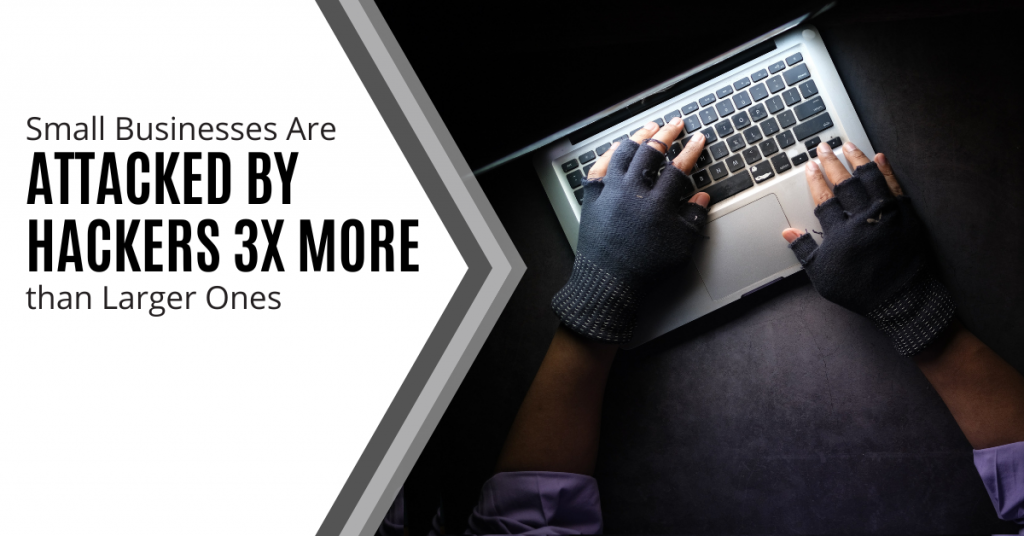
Have you felt more secure from cyberattacks because you have a smaller business? Maybe you thought that you couldn’t possibly have anything that hackers could want? Maybe you didn’t think they even knew about your small business.
A new report by cybersecurity firm Barracuda Networks debunks this myth. Their report analyzed millions of emails across thousands of organizations. It found that small companies have a lot to worry about when it comes to their IT security.
Barracuda Networks found something alarming. Employees at small companies saw 350% more social engineering attacks than those at larger ones. It defines a small company as one with less than 100 employees. This puts small businesses at a higher risk of falling victim to a cyberattack. We will explore why below.
Why Are Smaller Companies Targeted More?
There are many reasons why hackers see small businesses as low-hanging fruit. They are becoming larger targets of hackers out to score a quick illicit buck.
Small Companies Tend to Spend Less on Cybersecurity
When you’re running a small business, it is often a juggling act of where to prioritize your cash. You may know cybersecurity is important but it may not be at the top of your list. At the end of the month, cash runs out and it is moved to the “next month” wish list of expenditures.
Small business leaders often don’t spend as much as they should on their IT security. They may buy an antivirus program and think that is enough to cover them. However, with the expansion of technology to the cloud, that is just one small layer. You need several more for adequate security.
Hackers know all this and see small businesses as an easier target. They can do much less work to get a payout than they would trying to hack into an enterprise corporation.
Every Business Has “Hack-Worthy” Resources
Every business (even a 1-person shop) has data that is worth scoring for a hacker. Credit card numbers, SSN's, tax ID numbers and email addresses are all valuable. Cybercriminals can sell these on the Dark Web. From there, other criminals use them for identity theft.
Here are some of the data that hackers will go after:
- Customer records
- Employee records
- Bank account information
- Emails and passwords
- Payment card details
Small Businesses Can Provide Entry Into Larger Ones
If a hacker can breach the network of a small business, they can often make a larger score. Many smaller companies provide services to larger companies. This can include digital marketing, website management, accounting, etc.
Vendors are often digitally connected to certain client systems. This type of relationship can enable a multi-company breach. While hackers don’t need that connection to hack you, it is a nice bonus. They can get two companies for the work of one.
Small Business Owners Are Often Unprepared for Ransomware
Ransomware has been one of the fastest-growing cyberattacks of the last decade. So far in 2022, over 71% of surveyed organizations experienced ransomware attacks.
The percentage of victims that pay the ransom to attackers has also been increasing. An average of 63% of companies pay the attacker money in hopes of getting a key to decrypt the ransomware.
Even if a hacker can’t get as much ransom from a small business as they can from a larger organization, it’s worth it. They often can breach more small companies than they can larger ones.
When companies pay the ransom, it feeds the beast and more cyber criminals join in. Those newer to ransomware attacks will often go after smaller, easier-to-breach companies.
Employees at Smaller Companies Usually Aren’t Trained in Cybersecurity
Employee cybersecurity training is not usually high on the list of priorities for a small business owner. They may be doing all they can just to keep good staff. Priorities are often sales and operations.
Training employees on how to spot phishing and password best practices often isn’t done. This leaves networks vulnerable to one of the biggest dangers - human error.
In most cyberattacks, the hacker needs help from a user. It’s like the vampire needing the unsuspecting victim to invite them inside. Phishing emails are the device needed to get that unsuspecting cooperation.
Phishing causes over 80% of data breaches.
A phishing email sitting in an inbox can’t usually do anything. It needs the user to either open a file attachment or click a link that will take them to a malicious site. This then launches the attack.
Teaching employees how to spot these ploys can significantly increase your cybersecurity. Security awareness training is as important as having a strong firewall or antivirus.
Need Affordable IT Security Services for Your Small Business?
Reach out today to schedule a technology consultation. We offer affordable options for small companies. This includes many ways to keep you protected from cyber threats.
Give us a call at (860) 577-8060 or use our convenient contact form.
More employees are working remotely which means that the bring your own device (BYOD) trend has grown in popularity.
58.3% of surveyed employees said their use of personal devices for work increased during the COVID-19 pandemic.
BYOD programs can offer a number of benefits for businesses including increased productivity and flexibility. However, there are also security risks that come with BYOD programs.
In order to reduce these risks, businesses should take the following steps:
Define The Scope of The BYOD Program.
The first step in creating a secure BYOD program is to define the scope of the program.
- What devices will be allowed?
- What apps and data will employees be able to access?
By defining the scope of the program, businesses can set clear expectations for employees and reduce the risk of unauthorized access to company data.
Be sure to differentiate between devices that are for work and devices that are for personal use. Devices that are for work should be dedicated to work tasks and should not be used for personal tasks.
There should be a clear definition of what devices are allowed on the network in order to maintain BYOD programs. This will ensure that only approved devices are used and that will minimize security risks.
Develop Policies and Procedures for Employees.
Once the scope of the BYOD program has been determined, businesses should develop policies and procedures for employees.
These policies should cover topics such as:
- Device Security
- Data Security
- Acceptable Use
By having clear policies in place, businesses can ensure that employees are aware of their responsibilities and the risks involved with BYOD.
Employees should be made aware of any changes to the policies and they should also be given the opportunity to ask questions and provide feedback.
Educate Employees on Security Risks.
One of the most important steps in creating a secure BYOD program is educating employees on the security risks involved. Employees should be made aware of the risks of downloading malicious apps, accessing unsecured Wi-Fi networks and sharing company data.
By educating employees on the risks, businesses can help reduce the likelihood of a security breach.
When it comes to security, ignorance is not bliss.
Businesses should also provide employees with the necessary tools to help them secure their devices. This can include mobile device management (MDM) software, data encryption and antivirus protection. Employees should be trained on how to use these tools and how to keep their devices secure.
Implement Security Measures.
In order to further reduce the risk of a security breach, businesses should implement security measures such as:
- Mobile device management (MDM)
- MDM can help businesses control which apps are installed on employee devices and remotely wipe data if a device is lost or stolen.
- Data encryption
- Data encryption can help protect company data if a device is lost or stolen.
- Antivirus protection
- Antivirus protection can help protect devices from malware and other malicious software.
- Firewalls
- Firewalls can help protect devices from malicious traffic.
These are just a few of the many security measures businesses can take to reduce the risk of a security breach.
By implementing these measures, businesses can help keep their data and devices safe from harm.
Monitor the BYOD Program.
Businesses should monitor their BYOD program on an ongoing basis. They should keep track of which devices and apps are being used as well as any security breaches that occur. By monitoring the BYOD program, businesses can quickly identify and address any security risks.
Businesses can also ensure that employees are complying with BYOD policies. For example, you can track which devices are accessing corporate data and ensure that only authorized devices are being used.
By keeping track of which devices and apps are being used, businesses can quickly identify and address any security risks.
60 percent of endpoints are mobile devices and are woefully under-protected.
Review and Update the BYOD Program Regularly.
The BYOD program should be reviewed and updated on a regular basis. As new devices and apps become available, the program should be updated to reflect these changes. Businesses should also review the program if there are any changes in the company’s security posture.
Reviewing and updating the BYOD program is essential for businesses to keep their data secure. By keeping the program up-to-date, businesses can ensure that only authorized devices are being used to access corporate data.
Be Proactive with Help from Sound Computers.
These are just a few of the many steps businesses can take to create a secure BYOD program. By being proactive and taking the necessary steps, businesses can help reduce the risk of a security breach.
Breaches cost businesses time, money and resources. It is important to do everything you can to prevent them.
Do you have a BYOD program in place? What steps have you taken to ensure the security of your data?
No matter what size company you have, security is important. Contact us at (860) 577-8060 or via our contact form to learn more about our security solutions.
Few things invoke instant panic like missing a mobile device or laptop. These devices hold a good part of our lives. This includes files, personal financials, apps, passwords, pictures, and videos.
The information they hold is more personal than even that which is in your wallet. It's because of all your digital footprints. This makes a lost or stolen device a cause for alarm.
It is not the device that is usually the biggest concern. It is the data on the device and access the device has to cloud accounts and websites. The thought of that being in the hands of a criminal is quite scary.
There are approximately 70 million lost smartphones every year. The owners only recover about 7% of them. Workplace theft is all too common. The office is where 52% of stolen devices go missing.
If it is a work laptop or smartphone that goes missing, it is even worse. This can mean the company is subject to a data privacy violation. It could also suffer a ransomware attack originating from that stolen device.
In 2020, Lifespan Health System paid a $1,040,000 HIPAA fine. This was due to an unencrypted stolen laptop breach.
The Minutes After the Loss of Your Device Are Critical
The things you do in the minutes after missing a device are critical. This is the case whether it is a personal or business device. The faster you act means the less chance there is for exposure of sensitive data.
What Types of Information Does Your Device Hold?
When a criminal gets their hands on a smartphone, tablet or laptop, they have access to a treasure trove. This includes:
- Documents
- Photos & videos
- Access to any logged-in app accounts on the device
- Passwords stored in a browser
- Cloud storage access through a syncing account
- Emails
- Text messages
- Multi-factor authentication prompts that come via SMS
Steps to Take Immediately After Missing Your Device
As we mentioned, time is of the essence when it comes to a lost mobile device. The faster you act means the more risk you mitigate for a breach of personal or business information.
Here are steps you should take immediately after the device is missing.
Activate a “Lock My Device” Feature
Most mobile devices and laptops will include a “lock my device” feature. It allows for remote activation if you have enabled it. You will also need to enable “location services.” While good thieves may be able to crack a passcode, turning that on immediately can slow them down.
What about “find my device?”
There is usually also a “find my device” feature available in the same setting area. Only use this to try to locate your device if you feel it has been misplaced rather than stolen. You don’t want to end up face to face with criminals!
Report the Device Missing to Your Company If It is Used for Work
If you use the device for business, notify your company immediately. Even if all you do is get work email on a personal smartphone, it still counts. Many companies use an endpoint device manager. In this case, access to the company network can be immediately revoked.
Reporting your device missing immediately can allow your company to act fast. This can often mitigate the risk of a data breach.
Log Out & Revoke Access to SaaS Tools
Most mobile devices have persistent logins to SaaS tools. SaaS stands for Software as a Service. These are accounts like Microsoft 365, Trello, Salesforce, etc.
Use another device to log into your account through a web application. Then go to the authorized device area of your account settings. Locate the device that is missing and log it out of the service. Revoke access if it is an option.
This disconnects the device from your account so the thief can’t gain access.
Log Out & Revoke Access to Cloud Storage
It is very important to include cloud storage applications when you revoke access. Is your missing device syncing with a cloud storage platform? If so, the criminal can exploit that connection.
They could upload a malware file that infects the entire storage system. They could also reset your device to resell it and delete files from cloud storage.
Active a “Wipe My Device” Feature
Hopefully, you are backing up all your devices. This ensures that you have a copy of all your files in the case of a lost device.
Does it look like the device is not simply misplaced? Has it been stolen or lost for good? If so, then you should use a remote “wipe my device” feature if it has been set up. This will wipe the hard drive of data.
Need Mobile Device Security Solutions?
No matter what size company you have, mobile device management is vital. Contact us at (860) 577-8060 or via our contact form to learn more about our endpoint security solutions.
Context-Based access uses analytical data gathered by an identity platform during the authorization and authentication process to enhance authentication procedures. These analytics-enhanced authentication techniques are more effective in improving customer safety and lowering online fraud. Context-Based access is a way of providing access to an account based on the user's context. This can be done through location, time and data usage.
Large companies and small businesses are seeing an ever-growing number of cyber threats that attack their endpoints. Their regular endpoint security software may fail against advanced cyberattacks and render them ineffective and outdated. According to a report by Ponemon Institute, 2018 placed a destructive hit on 64% of organizations due to endpoint attacks. Read more
Insider Threats have been on the rise lately and companies find it hard to figure out the best security service or strategy that will thwart them. According to research, incidents associated with insider attacks had a 44% rise in the last two years. Employees contribute to about 40% of these threats with easy access to sensitive information. Business owners must deal with such incidents by wielding weapons as strong as those used against external attackers. Read more
To increase the beneficiaries of their security services, Microsoft introduced Defender for Individuals. This new security tool will protect computers and mobile phones from the ever-growing rate of cyberattacks. Microsoft 365 subscribers with either personal or family subscriptions will enjoy this new addition across different devices: iOS, macOS, Windows and Android.Read more
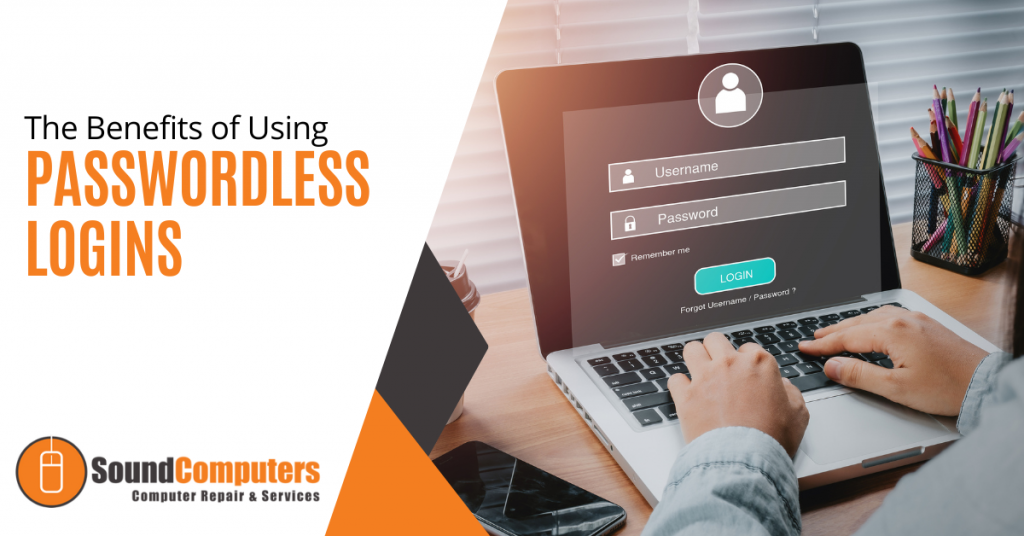
The security of IT services has been reduced over the years. This is due to traditional authentication methods like usernames and passwords. While this has been considered the best security strategy for decades, the increased susceptibility to cyber-attacks means it is time to switch lanes. Passwordless authentication is one of the go-to security options in recent times. According to research in 2021, it has positively impacted the security of many companies in the U.S. and Canada. Why is it creating such a buzz?Read more
Credential theft is now at an all-time high and is responsible for more data breaches than any other type of attack.
With data and business processes now largely cloud-based, a user’s password is the quickest and easiest way to conduct many different types of dangerous activities.
Being logged in as a user (especially if they have admin privileges) can allow a criminal to send out phishing emails from your company account to your staff and customers. The hacker can also infect your cloud data with ransomware and demand thousands of dollars to give it back.
How do you protect your online accounts, data and business operations? One of the best ways is with multi-factor authentication (MFA).
It provides a significant barrier to cybercriminals even if they have a legitimate user credential to log in. This is because they most likely will not have access to the device that receives the MFA code required to complete the authentication process.
WHAT ARE THE THREE MAIN METHODS OF MFA?
When you implement multi-factor authentication at your business, it’s important to compare the three main methods of MFA and not just assume all methods are the same. There are key differences that make some more secure than others and some more convenient.
Let’s take a look at what these three methods are:
SMS-BASED
The form of MFA that people are most familiar with is SMS-based. This one uses text messaging to authenticate the user.
The user will typically enter their mobile number when setting up MFA. Whenever they log into their account, they will receive a text message with a time-sensitive code that must be entered.
ON-DEVICE PROMPT IN AN APP
Another type of multi-factor authentication will use a special app to push through the code. The user still generates the MFA code at login. Rather than receiving the code via SMS, it’s received through the app.
This is usually done via a push notification and it can be used with a mobile app or desktop app in many cases.
SECURITY KEY
The third key method of MFA involves using a separate security key that you can insert into a PC or mobile device to authenticate the login. The key itself is purchased at the time the MFA solution is set up and will be the thing that receives the authentication code and implements it automatically.
The MFA security key is typically smaller than a traditional thumb drive and must be carried by the user to authenticate when they log into a system.
Now, let’s look at the differences between these three methods.
MOST CONVENIENT FORM OF MFA?
Users can often feel that MFA is slowing them down. This can be worse if they need to learn a new app or try to remember a tiny security key. What if they lose that key?
This user inconvenience can cause companies to leave their cloud accounts less protected by not using multi-factor authentication.
If you face user pushback and are looking for the most convenient form of MFA, it would be the SMS-based MFA.
Most people are already used to getting text messages on their phones so there is no new interface to learn and no app to install.
MOST SECURE FORM OF MFA?
If your company handles sensitive data in a cloud platform, such as your online accounting solution, then it may be in your best interest to go for security.
The most secure form of MFA is the security key.
The security key, being a separate device altogether, won’t leave your accounts unprotected in the event of a mobile phone being lost or stolen. Both the SMS-based and app-based versions would leave your accounts at risk in this scenario.
The SMS-based is actually the least secure because there is malware out there now that can clone a SIM card which would allow a hacker to get those MFA text messages.
A Google study looked at the effectiveness of these three methods of MFA at blocking three different types of attacks. The security key was the most secure overall.
Percentage of attacks blocked:
- SMS-based: between 76 - 100%
- On-device app prompt: between 90 - 100%
- Security key: 100% for all three attack types
WHAT IS IN BETWEEN?
So, where does the app with an on-device prompt fit in? Right in between the other two MFA methods.
Using an MFA application that delivers the code via push notification is more secure than the SMS-based MFA. It’s also more convenient than needing to carry around a separate security key that could quickly become lost or misplaced.
LOOKING FOR HELP SETTING UP MFA AT YOUR COMPANY?
Multi-factor authentication is a “must-have” solution in today’s threat climate. We would be happy to discuss your barrier points and come up with a solution together to keep your cloud environment better secured.
You can reach us at (860) 577-8060 or via our contact form.