
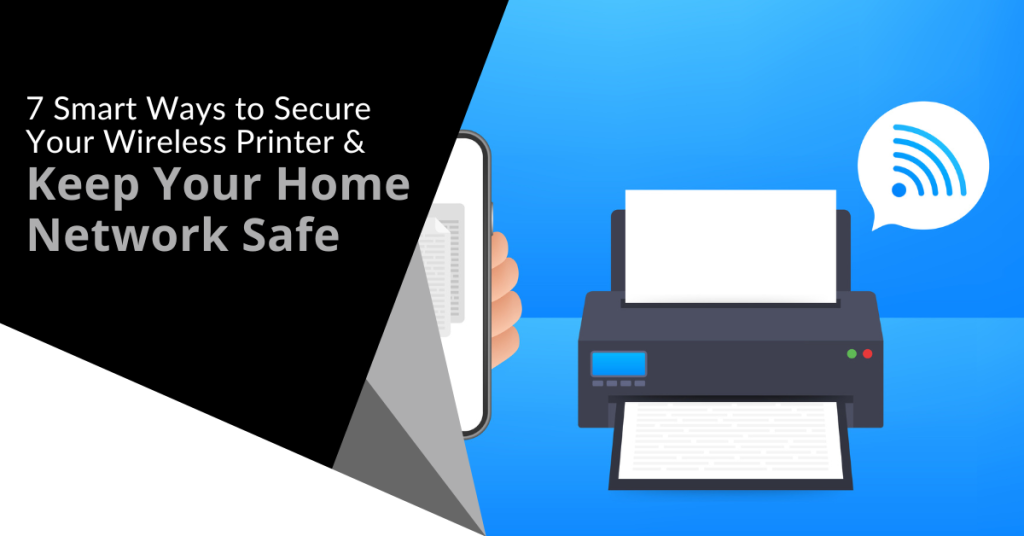
Many people worry about someone hacking their computer. However, they are not really thinking about their wireless printer getting breached. It is a tool that most individuals use sporadically like when you want to print out tax forms or mailing labels.
Printers tend to be out of sight, out of mind. That is until you need to print something and run out of ink. They not out of the mind of hackers. In fact, unsecured printers are a classic way for criminals to gain access to a home network.
To illustrate this point, Cybernews purposely hacked printers. It hijacked nearly 28,000 unsecured printers globally. The success rate was 56%. What did it do once it gained access? It made the printers print out a guide on printer security.
Are you wondering how exposed your network is from your printer? We have some security tips below to help. These tips can enable you to better secure your network and keep data on all devices more secure.
1. Change the Default Login Credentials
When you buy a new wireless printer, it will likely have included default information. Manufacturers give you a way to connect and set up your device. This usually involves default login information.
Immediately change that information during set up. Hackers use a master list of all these defaults. They plug it into an automated script and just keep trying them all until they get a hit. Change these and make sure you create a strong password.
2. Keep Printer Firmware Updated
Keeping firmware updated is vital to keeping your wireless printer secure. Hardware needs updating just like computers, software and apps do. Those updates often contain important security patches.
Firmware updates aren’t usually as visible as software updates. Software and OS updates usually give you a popup notification. However, updates to the drivers and firmware that run printers aren’t so visible.
Some of the places you can check for firmware updates are:
- The PC manufacturer’s utility app on a connected device
- The printer’s information panel
- The printer manufacturer’s app installed on a PC
3. Use a Network Firewall
A network firewall is important to ensure the monitoring of traffic. Firewalls can block suspicious activity to keep hackers out of your network. You should configure the firewall to watch incoming and outgoing printer traffic.
4. Put Your Printer on a Guest Network
Most of today’s home routers allow you to set up a guest network. This is a separate Wi-Fi that runs from the same router you use for your main network. It is harder for hackers to get from one network to another.
Keeping a less secure device separated from computers and phones improves security. You can still print to your printer from devices on another network. You just need to have things configured correctly. If you need help with that, let us know.
5. Disable Unused Ports or Services
IoT devices (like printers) often have many ways to connect. You may not need all the ports or services that come with your printer. These ports are risk areas where hackers could find a way in.
It is best to disable any ports and sharing features that you don’t need. This reduces the risk of a breach.
6. Unplug It When Not in Use
Most home printers aren’t used as much as work printers. People may only use them once a month or a few times a year. If you are not using your printer constantly, unplug it when not in use.
One surefire way to cut off a hacker’s access is to unplug the device. When it is shut down, no access is available at all.
7. Teach Your Family Cybersecurity Best Practices
Your printer is one device on your network. Most families connect several devices to their home Wi-Fi. In 2022, the average number of connected devices per U.S. household was 22.
Families need to know and adopt good cyber habits. This keeps everyone’s data more secure. It also helps you avoid costly identity theft breaches or the takeover of things like baby monitors.
Some standard best practices to follow for good cyber hygiene are:
- Always use strong passwords (at least 10-12 characters & include a mix of letters, numbers and symbols).
- Keep software & firmware on devices updated.
- Use multi-factor authentication wherever possible.
- Enable device firewalls & other protections.
- All devices that should have a good antivirus installed.
- Never login to an account from a link you receive via email or text.
- Learn how to identify phishing & get a second opinion before clicking.
- Get a security checkup from a pro at least every year or two.
Get Some Help Keeping Your Family’s Data Secure
IT pros don’t only work with businesses. We also help families ensure their data is safe & devices are running smoothly. Give us a call today to schedule a home security checkup.
Modern businesses of all sizes are at risk of cyber attacks that can result in data breaches, financial losses and reputational damage. To protect against these threats, it is essential to adopt a defense-in-depth cybersecurity approach. This strategy involves implementing multiple layers of security measures to create a robust defense system that can withstand various types of attacks.
In this article, we will discuss what a defense-in-depth approach entails and provide practical steps for implementing it.
What is a Defense-in-Depth Approach?
A defense-in-depth approach is a cybersecurity strategy that involves using multiple layers of security measures to protect against various types of attacks. The idea behind this approach is to create a robust defense system that can withstand attacks from different angles. If one layer of security is breached, there are several others in place to prevent further damage.
The concept of defense-in-depth is not new and has been used in military tactics for centuries. The idea is to have multiple layers of protection in place to prevent an enemy from gaining access to a critical location. A defense-in-depth approach to cybersecurity is similar because it involves creating layers of security that an attacker must navigate to access sensitive information or systems.
Implementing a Defense-in-Depth Approach
Implementing a defense-in-depth approach requires a comprehensive understanding of the different layers of security measures that can be put in place. We will discuss some of the key areas to focus on when implementing this approach.
Network Security
Network security is the first line of defense in a defense-in-depth approach. It involves protecting the network infrastructure from unauthorized access and malicious attacks. Network security measures include firewalls, intrusion prevention systems and virtual private networks (VPNs).
Firewalls are a critical component of network security. They act as a barrier between the internet and the organization's internal network and filter out potentially harmful traffic. Intrusion prevention systems (IPS) are another layer of protection that can be used to detect and prevent attacks. They monitor network traffic for signs of suspicious activity and can block traffic that is deemed malicious.
VPNs provide a secure way for employees to access the organization's network remotely. By encrypting all traffic between the employee's device and the network, VPNs protect against eavesdropping and man-in-the-middle attacks.
Endpoint Security
Endpoint security involves protecting individual devices such as laptops, desktops and mobile phones. This layer of security is essential because attackers often target individual devices to gain access to the network. Endpoint security measures include antivirus software, patch management and device encryption.
Antivirus software is a critical component of endpoint security. It can detect and remove malicious software from devices and prevent future infections. Patch management is another essential aspect of endpoint security. Regularly updating devices with the latest security patches can prevent vulnerabilities from being exploited.
Device encryption is also crucial for endpoint security. It involves encrypting data on the device so that it cannot be accessed without the proper credentials. If a device is lost or stolen, encryption ensures that the data remains protected.
Access Controls
Access controls are another critical layer of security in a defense-in-depth approach. Access controls involve managing user access to systems and data. This layer of security includes measures such as multi-factor authentication, role-based access control and password policies.
Multi-factor authentication (MFA) is a powerful way to secure user access. By requiring users to provide multiple forms of authentication such as a password and a fingerprint scan, MFA can prevent unauthorized access even if a password is compromised.
Role-based access control is another critical component of access controls. It involves assigning permissions to users based on their role in the organization. This ensures that users only have access to the systems and data that they need to perform their job functions.
Password policies are also an essential part of access controls. They help prevent password-related security incidents by requiring users to create strong, unique passwords and change them regularly. Additionally, password policies can include requirements such as minimum length, complexity and expiration intervals.
Data Encryption
Data encryption is another layer of security that can be used in a defense-in-depth approach. Encryption involves converting data into an unreadable format that can only be deciphered with a decryption key. This makes it challenging for attackers to read or steal sensitive data.
Encryption can be used in several ways including encrypting data at rest, in transit and on individual devices. Encrypting data at rest involves encrypting data stored on hard drives or other storage devices.
Encrypting data in transit involves encrypting data as it travels across networks. Encrypting data on individual devices involves encrypting data stored on laptops, mobile phones and other devices.
Best Practices for Adopting a Defense-in-Depth Approach
Here are some best practices for implementing a defense-in-depth approach:
Conduct a Risk Assessment
Before implementing a defense-in-depth approach, it is essential to conduct a risk assessment. A risk assessment involves identifying potential threats, vulnerabilities and the potential impact of a security incident. This information can be used to determine which layers of security measures are needed and prioritize their implementation.
Create a Comprehensive Security Plan
Once the risk assessment is complete, it is essential to create a comprehensive security plan. This plan should outline the different layers of security measures that will be implemented, who is responsible for each layer and how they will be monitored and maintained. A comprehensive security plan can help ensure that all aspects of security are covered and that there are no gaps in coverage.
Train Employees on Security Best Practices
Employees are often the weakest link in an organization's security. It is essential to train employees on security best practices to ensure that they are aware of potential threats and know how to respond to them. Security training can include topics such as password management, phishing awareness and incident response.
Regularly Test Security Measures
It is essential to regularly test security measures to ensure that they are effective. Regular testing can include activities such as penetration testing, vulnerability scanning and security audits. These activities can help identify weaknesses in the organization's security and provide opportunities for improvement.
Implement This Strategy Today
Adopting a defense-in-depth approach is essential for organizations of all sizes to protect against cyber threats. By implementing multiple layers of security measures, organizations can create a robust defense system that can withstand attacks from different angles. This approach requires a comprehensive understanding of the different layers of security measures and how they work together to create a secure environment.
When you are ready to step up your cybersecurity infrastructure with defense-in-depth, contact Sound Computers for expert assistance.
Netflix is one of the most popular and well-known streaming services. It has nearly 231 million subscribers around the world. It has been growing steadily for almost a decade.
The platform has become an essential part of many people's daily entertainment routines. They fire up their devices, log in and pick right back up on their favorite shows.
Unfortunately, Netflix accounts can be vulnerable to hacking. It is a baked-in risk when you have a service that is only protected by a username and password.
If you experience an account hack, it can be shocking, confusing and infuriating. You may not know exactly what to do and may react without thinking first. This is a dangerous space to be in because it can cause you to do things that only make things worse.
In this article, we will give you the steps to take when you suspect someone has hacked your Netflix account. Let us first cover how hackers typically operate when deploying an account takeover.
How Does a Netflix Hack Typically Work?
Phishing overload is a problem that hackers take advantage of in these types of breaches. People receive fake emails all the time that spoof brands like Netflix. One common phishing ploy is an email stating, “There has been suspicious activity on your account.” It will include a link to log in to a spoofed site that looks like the brand’s normal login page. This is a classic trick to steal your login credentials.
Hacked Netflix accounts typically go for $12 each on the dark web.
People get numb to these emails because they get so many of them. They tend to tune them out because they know that clicking on them could be dangerous. Hackers take advantage of this and hope that you will ignore the real ones from Netflix that warn you of a suspicious login.
They lay low and don’t take any action yet that will lock you out. They wait for you to receive a few more of these emails so that you will completely ignore them. Then they attempt a takeover.
Accounts hacks can go in various ways. Here is one typical scenario of a Netflix hack:
- The account owner gets an email about a suspicious login. Often it will be from a different country.
- They may log into their Netflix account to see if there are any unknown devices logged in. Usually none will show yet. The hacker logs back out. The goal is to get you to check and see that nothing is wrong and assume that the real notice is phishing.
- This same scenario may happen 2-4 more times in the span of a month.
- Once the hacker feels the user is ignoring the Netflix warnings, they will make their move.
- They add their credit card to your account. This is so they can call Netflix and give them a method of verification.
- They may increase your subscription plan to a higher level.
They also usually replace any user profile names on your account with numbers (1, 2, 3, etc.)
- At this point, the account owner will typically receive an email. It will note a change in account information. This could be the account email, password, phone number, etc.
- The hacker is now trying to lock the account owner out of their account.
What Do You Do If Someone Has Hacked Your Netflix Account?
1. Go to the Netflix site & try to log in.
If you suspect a hacked account, visit the Netflix site directly from your browser. Do not go through a link you received via email, DM or SMS.
See if you can log in using your password. You may be able to if you caught the hacker before they lock you out. If not, skip to Step 4 below which is calling Netflix support.
2. If you can log in, change your password immediately.
If you can log into your account, change the password right away. Ensure it is a strong password that is at least 10-12 characters in length. It should also include a combination of letters, numbers and symbols.
Do not use a variation of the breached password. You should not use any part of your old password to create the new one.
3. If you can log in, remove any strange payment methods.
If you can still access your account and settings, go to the payment methods area. Often hackers will add another payment card to your account. They use it to verify the account to Netflix support.
Remove any strange payment method that is not yours. If you remove your own payment card, you will need another way to verify your account with Netflix. You will want to call before you do that.
4. Call Netflix support. (Don’t skip this step!)
Everyone’s experience may be different. Some users that have gone through a hack have praised the fast and helpful support from Netflix.
Contact Netflix support whether you have or have not succeeded in logging in. There may be things the hacker has done that you aren’t aware of. They may have changed subscription information.
Let the support representative know that you think you are the victim of an account hack. They will walk you through the process of undoing what the hacker has done.
5. Watch your bank statements.
Continue to watch your bank statements for any unusual charges. You should do this after any account hack.
6. Change the password for other accounts that used the same one as your Netflix account.
People often use the same or the nearly same password for several accounts. Make sure to change the password for any accounts that used the one that was just hacked.
Get Help Securing Your Passwords & Accounts
Don’t wait until a hack happens to you. Give us a call today to schedule a chat about our password security solutions.
You wouldn’t think a child’s toy could lead to a breach of your personal data and identity theft. However, this happens all the time. What about your trash can sitting outside? Is it a treasure trove for an identity thief trolling the neighborhood at night?
Many everyday objects can lead to identity theft. They often get overlooked because people focus on their computers and cloud accounts. It is important to have strong passwords and use antivirus on your PC. You also need to be wary of other ways that hackers and thieves can get to your personal data.
Here are six common things that criminals can use to steal your information.
Old Smart Phones
People replace their smartphones about every two and a half years. That is a lot of old phones laying around containing personal data.
Just think of all the information that our mobile phones hold. We have synced connections with cloud services. Phones also hold banking apps, business apps and personal health apps. These are all nicely stored on one small device.
As chip technology has advanced, smartphones have been able to hold more “stuff.” This means documents and spreadsheets can now be easily stored on them along with reams of photos and videos.
A cybercriminal could easily strike data theft gold by finding an old smartphone. They often end up at charity shops or in the trash. Make sure that you properly clean any old phones by erasing all data. You should also dispose of them properly. You shouldn’t just throw electronics away like normal garbage.
Wireless Printers
Most printers are wireless these days. This means they are part of your home or work network. Printing from another room is convenient. However, the fact that your printer connects to the internet can leave your data at risk.
Printers can store sensitive documents such as tax paperwork or contracts. Most people don't think about printers when putting data security protections in place. This leaves them open to a hack. When this happens, a hacker can get data from the printer. They could also leverage it to breach other devices on the same network.
Protect printers by ensuring that you keep their firmware updated. Always install updates as soon as possible. You should also turn it off when you don’t need it. When it is off, it is not accessible by a hacker.
USB Sticks
Did you ever run across a USB stick laying around? Perhaps you thought you scored a free removable storage device or you are a good Samaritan and want to try to return it to the rightful owner. First you need to see what is on it to find them.
You should never plug a USB device of unknown origin into your computer. This is an old trick in the hacker’s book. They plant malware on these sticks and then leave them around as bait. As soon as you plug it into your device, it can infect it.
Old Hard Drives
When you are disposing of an old computer or old removable drive, make sure it is clean. Just deleting your files isn’t enough. Computer hard drives can have other personal data stored in system and program files.
If you are still logged into a browser, a lot of your personal data could be at risk. Browsers store passwords, credit cards, visit history and more.
It is best to get help from an IT professional to properly erase your computer drive. This will make it safe for disposal, donation or reuse.
Trash Can
Identity theft criminals aren’t only online. They can also be trolling the neighborhood on trash day. Be careful what you throw out in your trash.
It is not unusual for garbage to enable identity theft. It can include pre-approved credit card offers that you considered “junk mail.” Your trash can also hold voided checks, old bank statements and insurance paperwork. Any of these items could have the information thieves need to commit fraud or pose as you.
A shredder can be your best friend in this case. You should shred any documents that contain personal information. Do this before you throw them out. This extra step could save you from a costly incident.
Children’s IoT Devices
From electronic bears to smart kid watches and Wi-Fi-connected Barbies, these are all toys that hackers love. Mattel’s Hello Barbie was found to enable the theft of personal information. A hacker could also use its microphone to spy on families.
These futuristic toys are often what kids want. Parents might think they are cool but don’t consider their data security. After all, these are children’s toys. However, that often means that they can be easier to hack. Cybercriminals also zero in on these IoT toys while knowing they aren’t going to be as hard to breach.
You should be wary of any new internet-connected devices that you bring into your home. That includes toys! Install all firmware updates. Additionally, do your homework to see if a data breach has involved the toy.
Schedule a Home IT Security Audit & Sleep Better at Night
Don’t let the thought of identity theft keep you up at night. Give us a call today and schedule a home IT security audit. You will be glad you did.
Everything is interconnected in our digital age and malware has become one of the biggest threats to online security. It comes in many different forms including viruses, worms, ransomware and Trojan horses.
One of the newest and most concerning forms of malware is zero-click malware. Unlike traditional malware that requires a user to click on a link or download an attachment, zero-click malware can infect a device without any interaction from the user.
Zero-click malware attacks have been on the rise in recent years. Attackers are using increasingly sophisticated techniques to evade detection and compromise devices. In this article, we will explain how zero-click malware works, why it is such a big threat and what you can do to protect yourself.
What is Zero-Click Malware?
Zero-click malware is a type of malware that can infect a device without any interaction from the user. This means that the user doesn't need to click on a link, download an attachment or take any other action for the malware to take effect. Instead, the malware exploits vulnerabilities in the device's software or operating system to gain access and take control.
How Does Zero-Click Malware Work?
There are many different ways that zero-click malware can work but they all rely on the same basic principle: finding a vulnerability in the device's software or operating system that can be exploited to gain access.
One common technique used by zero-click malware is to exploit a vulnerability in a messaging app or other communication tool. For example, an attacker might send a message containing a specially crafted image or video that triggers the vulnerability and allows the malware to take control of the device as soon as it has been opened.
Another technique is to exploit vulnerabilities in the device's software or operating system itself. This might involve exploiting a flaw in the way that the device handles certain types of files such as PDFs or Office documents.
Alternatively, the malware might use a technique known as "jailbreaking" to bypass the device's security controls and gain root access.
Why is Zero-Click Malware Such a Big Threat?
Zero-click malware is a big threat for several reasons. It doesn't require any user interaction so it can infect devices without the user even knowing that anything is wrong. This means that the malware can remain undetected for long periods of time and give the attacker plenty of time to steal sensitive information or cause other damage.
Since zero-click malware is often designed to evade detection, it can be very difficult to detect and remove. This means that even if you have antivirus software installed, you may still be at risk of infection.
Zero-click malware can be used to target a wide range of devices including smartphones, tablets, laptops and desktop computers. This means that no matter what devices you use, you could be at risk.
How to Protect Yourself Against Zero-Click Malware
There are several things that you can do to protect yourself against zero-click malware:
-
Keep Your Software Up to Date
One of the most important things you can do to protect yourself against zero-click malware is to keep your software up to date. This includes your operating system, your apps and any other software that you use.
Software updates often contain security patches that address known vulnerabilities. By keeping your software up to date, you can reduce your risk of infection.
-
Use Antivirus Software
Antivirus software can help to detect and remove zero-click malware. However, it is important to choose a reputable antivirus software that is regularly updated to keep up with new threats.
-
Be Careful What You Click On
Even though zero-click malware doesn't require any user interaction, it is still important to be careful what you click on. Avoid clicking on links or downloading attachments from unknown sources and be cautious when opening emails or messages from people you don't know.
If you receive an unexpected message from a friend or colleague containing a link or attachment, contact them directly to confirm that it is legitimate before opening it.
-
Use Two-Factor Authentication
Two-factor authentication is a security feature that requires you to provide two forms of identification before you can access an account or device. This can help to prevent unauthorized access even if a hacker has managed to gain access to your device through zero-click malware.
-
Be Wary of Public Wi-Fi Networks
Public Wi-Fi networks are often unsecured (which makes them a popular target for hackers). If you need to use a public Wi-Fi network, be sure to use a virtual private network (VPN) to encrypt your internet traffic and protect your device from attacks.
-
Use Strong Passwords
Using strong passwords is an essential part of online security. Make sure that your passwords are at least 12 characters long and include a mix of letters, numbers and symbols. Avoid using the same password for multiple accounts and consider using a password manager to help you keep track of your passwords.
Protect Yourself Today
Zero-click malware is a growing threat to online security. It can infect devices without any user interaction and it can be difficult to detect and remove. However, by following the tips in this article, you can reduce your risk of infection and protect yourself against this type of malware.
If you are concerned about the security of your devices, contact Sound Computers for assistance. We can help you identify vulnerabilities in your system and develop a comprehensive security plan to protect your devices and data.
Cybersecurity never loses its importance. This is especially true with the increase in cyberattacks and data breaches. Both big and small companies need to be vigilant about securing their data and preventing any unauthorized access to their systems. One effective way to enhance cybersecurity is by using threat modeling.
Threat modeling is a systematic approach that helps companies identify potential cyber threats and vulnerabilities in their systems or apps. It involves analyzing the architecture, design and functionality of the system to identify potential security risks and then prioritizing them based on their impact and likelihood of occurrence.
Threat modeling helps organizations proactively identify security risks, mitigate them and build more secure systems.
In this article, we will discuss how to use threat modeling to improve cybersecurity.
-
Understand Your System and Identify Critical Assets
The first step in threat modeling is to understand your system and identify critical assets. Critical assets refer to any data, system or application that is essential to your business operations or has a high value. These assets need to be protected against unauthorized access, modification or destruction.
To identify critical assets, you need to understand how your system works, what data it stores and how it interacts with other systems. You can use data flow diagrams, system diagrams and other architectural models to gain a better understanding of your system.
-
Identify Threats and Vulnerabilities
Once you have identified critical assets, the next step is to identify potential threats and vulnerabilities. Threats are any potential attacks or exploits that could compromise the security of your system. Vulnerabilities are weaknesses or flaws in your system that can be exploited by attackers.
To identify threats and vulnerabilities, you can use techniques like:
- brainstorming
- checklists
- attack trees
Brainstorming involves identifying potential threats and vulnerabilities based on your knowledge and experience while checklists are predefined lists of common threats and vulnerabilities that you can use as a starting point. Attack trees are graphical representations of attack scenarios that show the different steps an attacker might take to compromise your system.
-
Assess the Risks and Prioritize Them
After identifying your threats and vulnerabilities, the next step is to assess the risks and prioritize them based on their impact and likelihood of occurrence. Risk assessment involves estimating the likelihood and impact of each threat and vulnerability and then assigning a risk score based on these factors.
To assess the risks, you can use:
- risk matrices
- risk heat maps
- risk scoring models
Risk matrices are graphical representations of risk scores based on the likelihood and impact of each risk. Risk heat maps are similar to risk matrices but use colors to indicate the severity of each risk and risk scoring models are mathematical models that calculate risk scores based on various factors such as likelihood, impact and control effectiveness.
-
Mitigate the Risks
Once you have assessed the risks and prioritized them, the next step is to mitigate them. Risk mitigation involves implementing controls and countermeasures to reduce the likelihood or impact of each risk.
To mitigate the risks, consider using:
- access controls
- encryption
- intrusion detection systems
- firewalls
Access controls are mechanisms that restrict access to sensitive data or systems to authorized users only. Encryption is the process of converting data into a coded form that can only be deciphered by authorized users.
Intrusion detection systems are tools that monitor network traffic for suspicious activity and alert administrators to potential security breaches and firewalls are network security devices that monitor and control incoming and outgoing network traffic.
-
Review and Update Your Threat Model
The final step in threat modeling is to review and update your threat model regularly. Threats and vulnerabilities are constantly evolving so it is essential to keep your threat model up to date to ensure that you are adequately protected.
To review and update your threat model, you should conduct regular security assessments, penetration testing and vulnerability scans. You should also keep updated with the latest security trends and threat intelligence to identify emerging threats and vulnerabilities.
Get Started Today
Threat modeling is an effective way to improve your cybersecurity by identifying potential threats and vulnerabilities, assessing the risks and mitigating them. By using threat modeling, you can build more secure systems and protect your critical assets against unauthorized access, modification or destruction.
If you are interested in improving your cybersecurity and need help with threat modeling or other cybersecurity services, contact Sound Computers. We offer a wide range of cybersecurity services, including threat modeling, penetration testing, vulnerability scanning and security assessments.
Push-bombing attacks are a type of cyberattack involving automated tools to send a high volume of malicious traffic to a targeted system. This attack is designed to overwhelm the target's defenses and disrupt its normal functioning.
In this fast-paced digital era where technology is constantly evolving, businesses seek innovative strategies to safeguard their sensitive data and protect themselves from potential threats posed by cybercriminals. Unfortunately, as technological innovations continue to rise, cyber threats also rise. Hackers also look for loopholes to exploit personal data.
Businesses have tried implementing efficient ways to curb any risk of a data breach because each data breach now costs 4.35 million U.S. dollars according to a report by Statista. At first, implementing multi-factor authentication (MFA) was once considered a promising approach. However, the arrival of push-bombing has shifted this perspective.
Push-bombing attacks can be highly effective in causing damage to an organization's network and it is crucial for business owners to learn how to combat them effectively. This article will discuss the key steps organizations can take to protect themselves against push-bombing attacks. First, let us discuss how push-bombing attacks work.
Understanding Push-Bombing Attacks
Before discussing practical ways to combat push-bombing attacks, it is vital to understand how they work. Push-bombing is typically carried out using botnets which are grids of compromised computers that a single attacker controls. These botnets are used to generate a large volume of traffic directed at a specific target with the intention of overwhelming the target's servers or bandwidth capacity.
Push-bombing can take several forms. Some hackers may use a Distributed Denial-of-Service (DDoS) attack in which many requests are sent to a targeted server or website to cause it to crash or become unavailable. Other push-bombing strategies may involve flooding a network with data packets that can cause network congestion and slow down or disrupt normal traffic.
Furthermore, push-bombing can be carried out via email bombing, SMS bombing and web bombing.
Email Bombing: It involves sending many emails to a target email address which causes the email server to become overloaded and unable to process legitimate emails.
SMS Bombing: It works in a similar way to email bombing but involves sending a large number of text messages to a target phone number which causes the phone to become overloaded and unresponsive.
Web Bombing: This involves sending a large number of requests to a web server which causes it to become overloaded and unable to process legitimate requests.
Combatting Push-Bombing Attacks
Below you will find several steps that you can take as a business owner to protect yourself against push-bombing attacks:
-
Monitor Network Traffic
One of the critical steps in combatting push-bombing is to monitor network traffic regularly. That can help security professionals identify unusual spikes in traffic that may indicate an attack. Security teams can quickly detect and respond to any suspicious activity by monitoring network traffic.
-
Use Firewalls and Other Security Measures
Another essential step in protecting against push-bombing attacks is to use firewalls and other stringent security measures. Firewalls can help to prevent unauthorized access to a network and they can also help to identify and block malicious traffic. Additional security measures like intrusion detection systems and antivirus software can also help to detect and prevent push-bombing threats.
-
Implement Rate Limiting
Rate limiting is a technique that can help to protect against push-bombing attacks by limiting the amount of traffic that can be sent to a targeted system. That can help prevent a system from being overwhelmed by a large traffic volume. Rate limiting can be implemented at the network or application levels.
-
Use Content Delivery Networks (CDNs)
Content Delivery Networks (CDNs) can also be effective in combatting push-bombing. CDNs can help to distribute traffic across multiple servers which can help to reduce the load on any individual server. That can help protect your network system to prevent malicious traffic upsurge.
-
Train Employees
Training employees on ways to identify and respond to a push-bombing attack is crucial. Employees should be prepared to recognize the signs of an attack such as unusual spikes in traffic or slow network performance. They should also be trained on the appropriate response procedures like reporting the attack to the IT department or disconnecting from the network if necessary.
Prevent Push-Bombing Attacks with Sound Computers
You can effectively protect yourself against these attacks by taking the practical steps outlined above. Don't get overwhelmed. We know this might be a lot to take in and that is why we are here as a professional IT company to help you through your IT issues.
At Sound Computers, we are committed to providing exceptional IT services and support to small and medium-sized businesses. With our expertise in the IT field, we can help you streamline your technological infrastructure and increase your overall productivity. Contact us today if you need assistance.
The IoT (Internet of Things) is the primary source of the numerous conveniences and advantages of our embedded electronic devices and everyday items in this current age. Both seniors and young people enjoy these conveniences and there is an unspoken consensus that it will only get better.
From young children using smart watches capable of solving complex math questions to seniors using this tech in devices such as pacemakers, it seems there is so much more to come. We cannot wait for it to get here.
While this future looks brighter than ever, the astonishing growth rate in the application of IoT tech is also bringing a problem – sensitive data leakage. These devices are not so secure when it comes to processing stored data. That makes it an easy target for malicious actors to access and use the data for nefarious purposes. According to a recent study by Ponemon Institute, surveyed businesses reported a 50% increase in the attacks on the IoT devices used for their day-to-day operations.
Devices in your home and business that you use every day must be as secure as possible to prevent hackers from getting their hands on your data and using it to cause harm to you (and your business). What are these everyday devices that can leak your sensitive data? Read on to find out.
Which Everyday Items Can Be Easily Hacked?
This section describes how hackers gain access to everyday items and devices and how you can prevent it. Here are some everyday items and devices that can be easily hacked and ways to prevent it:
Smart TVs
A smart television offers several hacking opportunities. When hackers gain control of a smart TV, most of the time they just do are harmless annoying pranks such as changing channels, increasing the volume and picking movies you did not choose. If you have connected your TV to other devices in the home, all of those devices and items can also be accessed by hackers. That means hackers can easily access all of the devices in your home and cause many issues.
Also, if you use a TV app to make payments for some streaming services such as Netflix and Amazon Prime, hackers can data mine your TV and extract your credit card details and information. That comes easy for hackers as many users do not change the default passwords that come with their TVs. Companies that vend smart TVs monetize it by harvesting user information through post-purchase data collection. This data is used for advertising and other service and product sales to users.
Always change your smart TV passwords and clear your cache periodically. This might mean inputting your credit card info every time you need to purchase a product or service but it is better than getting hacked.
Digital Thermostats
Digital thermostats are used in homes to maintain the standard and preferred temperatures of the house. These items help reduce heating and cooling costs as it works with automation.
If hackers get access to your home's digital thermostat, they could cause havoc by changing the home's temperature at odd hours and begin to breed fear and anxiety in the homeowners. They could decide to collect a ransom before disconnecting from the thermostat for good. That gets even worse when dependents (babies and seniors) are part of the home's occupants.
Ensure you get a digital thermostat with good security features. You can ask friends and family for referrals.
Baby Monitors
Baby monitors are another everyday item that could cause the leakage of sensitive data.
Some baby monitors are connected to the building's Wi-Fi which makes it easier for parents to control them from other devices. Because these everyday items display their passwords on the device screen, it is easy for anyone to get the details (such as the IP address) and log in from a remote place and control the monitor.
Hackers can also use baby monitors to access other information like family names and medical information. Ensure you monitor all devices connected to the baby monitor (and vice versa) and change your passwords frequently. Also, ensure that you use strong passwords.
Smart Cameras
Smart cameras are also highly vulnerable to hack attacks. Depending on the setup and configuration, hacking these everyday items can give malicious actors access to your home's video and audio feeds. To prevent this, ensure you constantly change your password and monitor all IoT devices on your network. Also, regularly check for firmware and software updates so that you will always be protected against hackers.
Voice-Activated Speakers
Smart voice-activated devices such as Echo and Alexa are also loopholes when hacked. Since they store your voice patterns and keywords, hackers can gain access and analyze the data for passwords and other important information. Also, when you use these everyday items for calls, they can monitor your calls and find out sensitive information such as meeting times, schedule details, bank account details and passwords.
Lastly, if your smart speaker is connected to the main network (which your security system is also connected to) a hacker could use it to shut down your security system and enter your house when you're not there. You can ask an IT cybersecurity professional for guidance and tips on protecting yourself.
Prevent Sensitive Data Leakage with Sound Computers
Using IoT devices as everyday items can come at a high cost to your privacy. You need to take essential steps to protect yourself, your family and your business from hackers and that is where Sound Computers comes in.
At Sound Computers, we help you increase your home and business IoT security levels to ensure the items do not leak sensitive data. Contact us and let us beef up your IT security.
There are a lot of things that have changed since the invention of the internet. One of these is online banking and how we access our accounts. You previously had to go into a local bank branch to make deposits and withdrawals. Today you can take a picture of a check and deposit it from your phone.
Approximately 73% of people around the world use some form of online banking at least once a month. People have never had such convenient account access. However, that convenience can come at a cost.
In 2021, account takeover fraud increased by 90%. New account fraud jumped a whopping 109%. As the ease of online banking has increased, so has banking-related cybercrime.
If someone breaches your Facebook account, it can be a real pain. If a hacker breaches your bank account, it can be devastating. It can mean significant losses. These are losses that you may not be able to recoup from your financial institution.
In this article, we will take a look at the mistakes people make that leave their accounts at risk. Then we will go over some important tips on how to keep your bank account better protected.
Mistakes That Allow Criminals to Access Your Account
Not Enabling Two-factor Authentication
Two-factor authentication (2FA) is a simple process that packs a big punch. When you enable this setting in an online account, it requires an extra step to gain access. That step usually consists of receiving a one-time passcode (OTP) by SMS and entering that at login.
Many people make the mistake of leaving this disabled. They either don’t know it is there or they think it is too inconvenient. Leaving this setting off makes it much easier for a bad actor to breach your account.
Falling for a Phishing Scam
There are several types of phishing scams that target online banking. Cyber criminals send emails that look like they come from your bank. They will even promise incredibly low rates on credit cards.
Other scams can involve warning you of unauthorized account activity. When you click the link to log in, you are actually on a fake page. It is one that is designed to look just like your normal bank website.
These are just a few ways that scammers can get your online banking login details. Once they have them, they will act immediately to get whatever they can.
Using Easy-to-Guess Passwords
If your account password is easy to remember, it is also often easy to guess. Using weak passwords is a common mistake that enables many cyber criminals.
Some best practices for passwords include:
- Make them at least 10 characters long
- Include at least one number
- Include at least one symbol
- Include at least one upper-case letter
- Don’t make them personal (e.g. don’t use your birthdate, etc)
Downloading Unsafe Mobile Apps
Banking trojans are often hidden in malicious mobile apps. These apps can look like something as innocent as a task manager. Banking trojans seek out any details they can find once they are installed. They are looking for banking and wallet apps.
Logging Into Online Banking While on Public Wi-Fi
One surefire way to give away your online banking password is to log in while on public Wi-Fi. Hackers hang out on public hot spots and spy on the activity of others. You should never type in a password or other sensitive details when connected to public Wi-Fi.
Tips for Improving Online Banking Security
Turn On Two-Factor Authentication
Enable two-factor authentication in your online banking account. This is also known as multi-factor authentication or two-step verification. According to Microsoft, it can block 99.9% of fraudulent account login attempts.
Set Up Banking Alerts
Time is of the essence when an intruder breaches your account. The faster you can notify your bank of the breach, the better. You could reduce the impact on you by having your account locked down immediately.
Set up banking alerts through your online banking. These can include things like low-balance alerts and login alerts.
Install an Antivirus & DNS Filtering On Your PC & Mobile Device
It is important to have reliable antivirus software on your PC and mobile device. Many people don’t think about protecting their phones in this way. They shop online and bank via mobile devices.
It is also good to use a DNS filter. This is a filter that protects you from going to dangerous phishing sites by blocking them.
Take Phishing Training Classes
Do you know how to identify phishing? Are you up on all the newest scams? You can make yourself less vulnerable by taking some phishing awareness classes. There are many of these for free online. You can also contact us for more personalized training options.
Knowing how to spot phishing via text, email and phone can help you avoid becoming a scam victim.
Get Help Protecting Your Family from Scams
There are some key digital solutions that we can put in place to keep your family safer from online threats. Give us a call today to schedule a chat about online security.
Cybersecurity has become a critical concern for individuals and businesses alike. With the rise of cyberattacks and data breaches, it is essential to have a robust security strategy in place. One security approach that has gained popularity in recent years is hybrid cybersecurity. In this article, we will explore what hybrid cybersecurity is and whether you should consider it for your security needs.
What Is Hybrid Cybersecurity?
Hybrid cybersecurity is a security approach that combines the best of both worlds – on-premises security and cloud security. This approach is designed to provide businesses with a flexible, scalable, and highly secure security infrastructure that can adapt to the ever-evolving threat landscape.
On-premises security involves installing and managing security solutions locally within the organization's infrastructure. This approach has been used for many years and provides a high level of control over the security of the organization's data. However, on-premises security can be expensive, time-consuming and requires a significant amount of expertise to implement and manage.
Cloud security has emerged most recently to address these pain points. It involves using cloud-based security solutions that are managed by third-party providers. This approach is highly scalable, cost-effective and easy to manage which makes it an attractive option for many businesses. However, cloud security has its own set of challenges like data sovereignty, compliance and dependency on a third-party provider.
Hybrid cybersecurity combines on-premises security and cloud security to provide a highly secure and flexible security infrastructure. This approach is the best of both worlds which enables businesses to use a combination of on-premises security solutions and cloud-based security solutions depending on their specific security needs.
Instead of dealing with the potential drawbacks of one method, businesses can experience the benefits of both solutions. Implementing hybrid cybersecurity is a straightforward path to building a bulletproof data security infrastructure.
Should You Consider Hybrid Cybersecurity?
Hybrid cybersecurity can be an excellent option for businesses of all sizes for many reasons. Here are a few of the benefits you can experience when you make the switch to hybrid cybersecurity:
Scalability
Hybrid cybersecurity provides businesses with a highly scalable security infrastructure. The most common approach is using on-premises security solutions for critical data and cloud-based security solutions for less sensitive data.
Affordability
Hybrid cybersecurity can also be cost-effective for businesses. Using on-premises and cloud-based security solutions for different data types can help businesses reduce the cost of their security infrastructure overall.
Flexibility
Hybrid cybersecurity provides businesses with the flexibility to use both on-premises and cloud-based security solutions which allows them to adapt their security infrastructure to their specific security needs.
Increased Security
Increased security is another benefit of hybrid cybersecurity. When on-premises and cloud-based security solutions are used in tandem, businesses can ensure that their data is highly secure.
Compliance
Hybrid cybersecurity allows businesses to meet their compliance requirements. By using on-premises security solutions for critical data and cloud-based security solutions for less sensitive data, businesses can ensure that their security infrastructure meets the regulations that apply to them.
Redundancy
Data redundancy is the practice of keeping data backed up in two or more places. Using a combination of on-premises and cloud-based security solutions confirms that important data is highly available and can withstand a disaster.
Ready to Make the Switch?
Hybrid cybersecurity is a security approach that combines on-premises security and cloud security to provide businesses with a highly secure and flexible security infrastructure. This approach enables businesses to use both on-premises security solutions and cloud-based security solutions depending on their specific security needs.
Hybrid cybersecurity can be an excellent option for businesses of all sizes because it provides scalability, cost-effectiveness, flexibility, increased security, compliance and redundancy.
When considering hybrid cybersecurity, it is essential to choose the right security solutions for your specific security needs. It is also important to work with a trusted security provider who can help you implement and manage your security infrastructure. By taking the time to understand your security needs and working with a trusted security provider, you can rest assured your most sensitive company data is protected while you focus on growing your business.
Cybersecurity is a constantly evolving field. New threats and vulnerabilities are emerging every day and it is essential to keep up-to-date with the latest security best practices. That is why Sound Computers offers comprehensive IT security services, from network security to access control. We will work with you to identify your specific security needs and come up with customized solutions for your organization.
By staying informed about the latest security trends and taking steps to protect yourself, you can reduce the risk of a security breach and keep your data safe. Give us a call today at (860) 577-8060 to speak with our team and start making the switch to a more robust cybersecurity infrastructure.