
In the realm of our digitally dominated world where personal information has become a valuable currency, Data Privacy Week stands as an annual reminder of the paramount importance of safeguarding such data.
The evolving landscape of cyber threats (ranging from commonplace phishing attacks to sophisticated malware) underscores the need for both individuals and businesses to conduct thorough security checkups. This guide aims to provide a comprehensive roadmap for fortifying your digital defenses during Data Privacy Week and beyond.
Why Data Privacy Matters
The Growing Threat Landscape
In this era, technology has facilitated the exponential growth of data which transformed it into a commodity of immense value. However, this very value has attracted an alarming surge in cyber threats.
These threats encompass a spectrum from the relatively simple but pervasive phishing attacks to the highly sophisticated and targeted forms of malware. To fully grasp the significance of data privacy, it is crucial to understand the gravity and diversity of these threats.
Legal Implications
Beyond the realm of cybersecurity, governments globally are recognizing the imperative need for robust data protection laws. Compliance is no longer a choice. It is a legal requirement.
The consequences of non-compliance are severe and range from substantial financial penalties to irreparable damage to a company’s reputation. Prioritizing data privacy is not just about bolstering security. It is also about adhering to an evolving legal landscape.
Conducting a Comprehensive Security Checkup
Reviewing Passwords and Access Control
When initiating a thorough security checkup, the first critical aspect is reviewing passwords and access control measures. Passwords are the first line of defense and must be fortified. Ensure that they adhere to stringent criteria and incorporate a mix of uppercase and lowercase letters, numbers and special characters. Additionally, the implementation of Multi-Factor Authentication (MFA) wherever feasible adds an extra layer of security and significantly enhances the robustness of access controls.
Updating Software and Systems
A fundamental pillar of any security checkup involves keeping software and operating systems up-to-date. Regular updates often include crucial security patches that serve as a shield against known vulnerabilities.
Equally important is identifying and phasing out any legacy systems that may pose security risks. The elimination of outdated systems ensures a streamlined and secure digital environment.
Data Encryption and Storage Practices
In the realm of data privacy, encryption plays a pivotal role. Implementing encryption protocols safeguards sensitive information during both transmission and storage. This ensures that even if unauthorized access occurs, the data remains unintelligible. Equally important is the secure storage of data which ensures that access is restricted and minimizes the risk of unauthorized breaches.
Employee Training and Awareness
Employees are an integral part of the security ecosystem which necessitates focused attention. Regular training sessions should be conducted to educate employees about the latest security threats and best practices.
Furthermore, simulated phishing exercises serve as an invaluable tool to gauge and enhance employee resilience against phishing attacks. A well-informed and vigilant workforce is a potent defense against potential security breaches.
Auditing and Monitoring
The proactive identification of potential security threats is a crucial component of any robust security strategy. Regular audits of systems, networks and access logs help to uncover and address vulnerabilities. Implementing real-time monitoring solutions provides the ability to detect and respond to security incidents promptly. This not only minimizes the impact of potential breaches but also serves as a deterrent against future threats.
Incident Response Plan
Preparedness is key when it comes to cybersecurity. Developing a comprehensive incident response plan ensures a swift and efficient response in the event of a security breach. Regular drills should be conducted to test the efficiency of the plan and allow for necessary adjustments and improvements. An effective incident response plan serves as a safety net and mitigates the potential damage caused by security incidents.
Third-Party Security Assessment
For organizations engaging with third-party vendors, assessing their security practices is paramount. Ensuring that third-party vendors meet established security standards is essential for safeguarding your organization’s data. Additionally, contractual agreements should include stringent security clauses that establish a framework for adherence to data protection standards.
Embracing a Culture of Privacy
Employee Privacy
Moving beyond technical measures, fostering a culture of privacy within an organization involves considerations for employee privacy. The principle of data minimization should guide data collection practices to ensure that only necessary information is collected and processed. Obtaining clear and informed consent from employees before collecting and processing their personal information is not only ethically sound but also aligns with data protection principles.
Customer Privacy
Extending the commitment to privacy to customers involves transparent communication. Clearly articulating privacy policies and detailing how customer data will be used and protected establishes trust. Implementing opt-in mechanisms for data collection empowers customers and gives them control over their information. This not only complies with ethical standards but also contributes to a positive relationship between the organization and its customers.
The Continuous Journey of Data Privacy
Data privacy is not a one-time event but a continuous commitment. Regularly revisiting and reassessing security measures is essential to staying ahead of emerging threats. Fostering a culture of privacy within an organization is an ongoing effort that requires commitment and vigilance. By doing so, organizations contribute to a safer digital environment for both their teams and customers.
As we collectively celebrate Data Privacy Week, let us remember that safeguarding our digital lives is a shared responsibility. By adhering to the principles outlined in this guide, we contribute to a more secure and privacy-centric digital landscape. As you embark on your journey to fortify your digital defenses, keep in mind that Data Privacy Week is not just a week. It is a mindset and a commitment to protect what matters most – your data.
Contact us at Sound Computers to learn more about how we can help you in your journey toward a more secure digital future.
In today’s digital age where online activities have become an integral part of our daily lives, ensuring digital security is paramount. One area that often poses a potential threat to our online safety is browser extensions. Read more
In an era marked by rapid technological advancements and the ever-increasing reliance on digital systems, cybersecurity has become a paramount concern for individuals and organizations alike. The escalating threats of data breaches, cyberattacks and ransomware incidents underscore the importance of robust cybersecurity measures. Read more
In an era driven by technological advancements and the digitalization of our lives, data has become the most valuable currency. It is the lifeblood of businesses, governments and individuals alike. Read more
Cybersecurity has become a critical foundation upon which many aspects of business rely. Whether you are a large enterprise or small business, network security is a must. Cyberattacks can have long-term consequences. This is where Secure by Design practices come in.
The frequency and sophistication of cyberattacks continue to increase. In 2022, IoT malware attacks saw a sobering 87% increase. Attack volume is also ramping up due to the use of AI.
It is essential to shift from a reactive to a proactive cybersecurity approach. One such approach that has gained prominence is "Secure by Design" practices.
International partners have taken steps to address commonly exploited vulnerabilities. A recent advisory highlights Secure by Design principles. This collaborative effort underscores the global nature of the cybersecurity threat landscape as well as the need for coordinated action to protect critical infrastructure.
In this article, we will explore what it takes to put in place Secure by Design principles and explain why they are paramount in today's cybersecurity landscape.
Today’s Modern Cyberthreats
Cybersecurity threats have evolved significantly over the years. Gone are the days when just installing an antivirus could protect your computer. Today cybercriminals use highly sophisticated tactics. The potential impact of an attack goes far beyond the inconvenience of a virus.
Modern cyber threats encompass a wide range of attacks including:
- Ransomware: Malware that encrypts your data and demands a ransom for decryption. One of the most costly attacks for businesses.
- Phishing: Deceptive emails or messages that trick you into revealing sensitive information. Eighty-three percent of companies experience a phishing attack each year.
- Advanced Persistent Threats (APTs): Long-term cyberattacks aimed at stealing sensitive data.
- Zero-Day Exploits: Attacks that target vulnerabilities not yet known to software developers.
- IoT Vulnerabilities: Hackers exploit vulnerabilities in Internet of Things (IoT) devices to compromise networks.
These evolving threats underscore the need for a proactive approach to cybersecurity. Instead of reacting to attacks after they occur, you want to prevent them from happening.
What Is Secure by Design?
Secure by Design is a modern cybersecurity approach. It integrates security measures into the very foundation of a system, app or device. It does this from the start.
It is about considering security as a fundamental aspect of the development process rather than including it as a feature later.
How can businesses of all types translate this into their cybersecurity strategies? There are two key ways:
- When purchasing hardware or software, ask about Secure by Design. Does the supplier use these practices? If not, you may want to consider a different vendor.
- Incorporate Secure by Design principles into your own business such as when planning an infrastructure upgrade or customer service enhancement. Put cybersecurity at the center instead of adding it as an afterthought.
Key principles of Secure by Design include:
- Risk Assessment: Identifying potential security risks and vulnerabilities early in the design phase.
- Standard Framework: Maintain consistency when applying security standards by following a framework such as CIS Critical Security Controls, HIPAA or GDPR.
- Least Privilege: Limiting access to resources to only those who need it for their roles.
- Defense in Depth: Implementing many layers of security to protect against various threats.
- Regular Updates: Ensuring that security measures are continuously updated to address new threats.
- User Education: Educating users about security best practices and potential risks.
Why Secure by Design Matters
Understanding and implementing Secure by Design practices is crucial for several reasons:
Proactive Security
Traditional cybersecurity approaches are often reactive. This means they address security issues after they have occurred. Secure by Design builds security measures into the very foundation of a system. This minimizes vulnerabilities from the start.
Cost Savings
Addressing security issues after a system is in production can be costly. The same is true for trying to address them near the end of a project. By integrating security from the beginning, you can avoid these extra expenses.
Regulatory Compliance
Many industries are subject to strict regulatory requirements for data protection and cybersecurity. Secure by Design practices can help you meet these compliance standards more effectively. It reduces the risk of unknowns that end up costing you in fines and penalties.
Reputation Management
A security breach can severely damage your organization's reputation. Implementing Secure by Design practices demonstrates your commitment to protecting user data. It can also enhance trust among customers and stakeholders.
Future-Proofing
Cyber threats continue to evolve. Secure by Design practices help ensure that your systems and applications remain resilient. Especially against emerging threats.
Minimizing Attack Surfaces
Secure by Design focuses on reducing the attack surface of your systems. Using it helps in identifying and mitigating potential vulnerabilities. You mitigate threats before a hacker exploits them.
Need to Modernize Your Cybersecurity Strategy?
A cybersecurity strategy put in place five years ago can easily be outdated today. Need some help modernizing your company’s cybersecurity?
Give us a call today to schedule a chat.
Cybercriminals can launch very sophisticated attacks. It is often cybersecurity mistakes that enable most breaches. This is especially true when it comes to small and mid-sized businesses (SMBs).
Small business owners often don’t prioritize cybersecurity measures. They may be just fully focused on growing the company. They think they have a lower data breach risk or they may think it is an expense that they can’t bear.
However, cybersecurity is not only a concern for large corporations. It is a critical issue for small businesses as well. Small businesses are often seen as attractive targets for cybercriminals. This is due to many perceived vulnerabilities.
Fifty percent of SMBs have been victims of cyberattacks. More than 60% of them go out of business afterward.
Cybersecurity doesn’t need to be expensive. Most data breaches are the result of human error. That is actually good news. It means that improving cyber hygiene can reduce the risk of falling victim to an attack.
Are You Making Any of These Cybersecurity Mistakes?
To address the issue, you need to first identify the problem. Often the teams at SMBs are making mistakes they don’t even realize. Below are some of the biggest reasons small businesses fall victim to cyberattacks. Read on to see if any of this sounds familiar to your company.
1. Underestimating the Threat
One of the biggest cybersecurity mistakes of SMBs is underestimating the threat landscape. Many business owners assume that their company is too small to be a target. This is a dangerous misconception.
Cybercriminals often see small businesses as easy targets. They believe the company lacks the resources or expertise to defend against attacks. It is essential to understand that no business is too small for cybercriminals to target. Being proactive in cybersecurity is crucial.
2. Neglecting Employee Training
When was the last time you trained your employees on cybersecurity? Small businesses often neglect cybersecurity training for their employees. Owners assume that they will naturally be cautious online.
The human factor is a significant source of security vulnerabilities. Employees may inadvertently click on malicious links or download infected files. Staff cybersecurity training helps them:
- Recognize phishing attempts
- Understand the importance of strong passwords
- Be aware of social engineering tactics used by cybercriminals
3. Using Weak Passwords
Weak passwords are a common security vulnerability in small companies. Many employees use easily guessable passwords. They also reuse the same password for several accounts. This can leave your company's sensitive information exposed to hackers.
People reuse passwords 64% of the time.
Encourage the use of strongand unique passwords. Consider implementing multi-factor authentication (MFA) wherever possible. This adds an extra layer of security.
4. Ignoring Software Updates
Failing to keep software and operating systems up to date is another mistake. Cybercriminals often exploit known vulnerabilities in outdated software to gain access to systems. Small businesses should regularly update their software to patch known security flaws. This includes operating systems, web browsers and antivirus programs.
5. Lacking a Data Backup Plan
Small companies may not have formal data backup and recovery plans. They might mistakenly assume that data loss won't happen to them. However, data loss can occur due to various reasons. This includes cyberattacks, hardware failures or human errors.
Regularly back up your company's critical data. Test the backups to ensure they can be successfully restored in case of a data loss incident.
6. No Formal Security Policies
Small businesses often operate without clear policies and procedures. With no clear and enforceable security policies, employees may not know critical information such as how to handle sensitive data or how to use company devices securely or respond to security incidents.
Small businesses should establish formal security policies and procedures as well as communicate them to all employees. These policies should cover things like:
- Password management
- Data handling
- Incident reporting
- Remote work security
- Other security topics unique to your type of business
7. Ignoring Mobile Security
As more employees use mobile devices for work, mobile security is increasingly important. Small companies often overlook this aspect of cybersecurity.
Put in place mobile device management (MDM) solutions. These enforce security policies on company and employee-owned devices used for work-related activities.
8. Failing to Regularly Watch Networks
SMBs may not have IT staff to watch their networks for suspicious activities. This can result in delayed detection of security breaches.
Install network monitoring tools or consider outsourcing network monitoring services. This can help your business promptly identify and respond to potential threats.
9. No Incident Response Plan
In the face of a cybersecurity incident, SMBs without an incident response plan may panic. They can also respond ineffectively.
Develop a comprehensive incident response plan. It should outline the steps to take when a security incident occurs. This should include communication plans, isolation procedures and a clear chain of command.
10. Thinking They Don’t Need Managed IT Services
Cyber threats are continually evolving. New attack techniques emerge regularly. Small businesses often have a hard time keeping up. They believe they are “too small” to pay for managed IT services.
Managed services come in all package sizes. This includes those designed for SMB budgets. A managed service provider (MSP) can keep your business safe from cyberattacks as well as save you money at the same time by optimizing your IT.
Learn More About Managed IT Services
Don’t risk losing your business because of a cyberattack. Managed IT services can be more affordable for your small business than you think.
Give us a call today to schedule a chat.
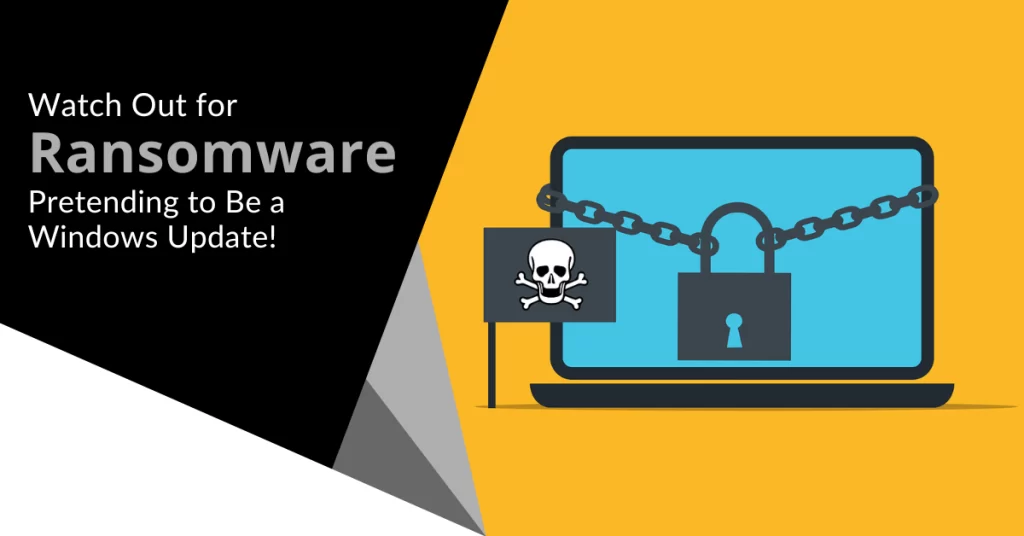
Imagine you are working away on your PC and see a Windows update prompt. Instead of ignoring it, you take action. You want to keep your device safe. However, when you install what you think is a legitimate update, you are infected with ransomware.
That is the nightmare caused by an emerging cybersecurity threat.
Cybercriminals are constantly devising new ways to infiltrate systems. They encrypt valuable data and leave victims with difficult choices. Once ransomware infects your system, your PC is pretty useless. You either need to pay a ransom or get someone to remove the malware as well as install a backup (if you have one!).
One such variant that has emerged recently is the "Big Head" ransomware. It adds a new layer of deception by disguising itself as a Windows update. In this article, we will explore the ins and outs of Big Head ransomware (including its deceptive tactics). We will as how you can protect yourself from falling victim to such attacks.
The Big Head Ransomware Deception
Ransomware attacks have long been infamous for their ability to encrypt files. This renders them inaccessible to the victim until a ransom is paid to the attacker. In the case of Big Head ransomware, the attackers have taken their tactics to the next level. The attack masquerades as a Windows update.
Big Head ransomware presents victims with a convincing and fake Windows update alert. Attackers design this fake alert to trick users. They think that their computer is undergoing a legitimate Windows update. The message may appear in a pop-up window or as a notification.
The deception goes even further. The ransomware uses a forged Microsoft digital signature. This makes the fake update appear more authentic. This adds an extra layer of credibility to the malicious message and makes it even more challenging for users to discern its true nature.
The attack fools the victim into thinking it is a legitimate Windows update. They then unknowingly download and execute the ransomware onto their system. The ransomware then proceeds to encrypt the victim's files. Victims see a message demanding a ransom payment in exchange for the decryption key.
By 2031, it is expected a ransomware attack will occur every 2 seconds.
Protect Yourself from Big Head Ransomware & Similar Threats
Cyber threats are becoming more sophisticated. It is not just the good guys exploring the uses of ChatGPT. It is crucial to take proactive steps to protect your data and systems. Here are some strategies to safeguard yourself from ransomware attacks like Big Head.
Keep Software and Systems Updated
This one is tricky. Updating your computer is a best practice for security but Big Head ransomware leverages the appearance of Windows updates.
One way to be sure you are installing a real update is to automate. Automate your Windows updates through your device or an IT provider (like us). This increases the chances of spotting a fake that pops up unexpectedly.
Verify the Authenticity of Update
Before installing any software update, verify its authenticity. Genuine Windows updates will come directly from Microsoft's official website or through your IT service provider or Windows Update settings. Be cautious of unsolicited update notifications and especially those received via email or from unfamiliar sources.
Backup Your Data
Regularly back up your important files. Use an external storage device or a secure cloud backup service. In the event of a ransomware attack, having backup copies is vital. Backups of your data can allow you to restore your files without paying a ransom.
Use Robust Security Software
Install reputable antivirus and anti-malware software on your computer. These programs can help detect and block ransomware threats. This helps prevent them infiltrating your system.
Educate Yourself and Others
Stay informed about the latest ransomware threats and tactics. Educate yourself and your colleagues or family members. Discuss the dangers of clicking on suspicious links as well as downloading attachments from unknown sources.
Use Email Security Measures
Ransomware often spreads through phishing emails. Put in place robust email security measures. Be cautious about opening email attachments or clicking on links. Watch out for emails from unknown senders.
Enable Firewall and Network Security
Activate your computer's firewall. Use network security solutions to prevent unauthorized access to your network and devices.
Disable Auto-Run Features
Configure your computer to disable auto-run functionality for external drives. This can help prevent ransomware from spreading through infected USB drives.
Be Wary of Pop-Up Alerts
Exercise caution when encountering pop-up alerts and especially those that ask you to download or install software. Verify the legitimacy of such alerts before taking any action.
Keep an Eye on Your System
Keep an eye on your computer's performance and any unusual activity. If you notice anything suspicious, investigate immediately. Suspicious PC activity can be:
- Unexpected system slowdowns
- File changes
- Missing files or folders
- Your PC’s processor “whirring” when you are not doing anything
Have a Response Plan
In the unfortunate event of a ransomware attack, have a response plan in place. Know how to disconnect from the network. Report the incident to your IT department or a cybersecurity professional. Avoid paying the ransom if possible.
Need a Cybersecurity Audit?
Don’t leave unknown threats lurking in your system. A cybersecurity audit can shed light on your system vulnerabilities. It is an important proactive measure to ensure network security.
Give us a call today to schedule a chat.
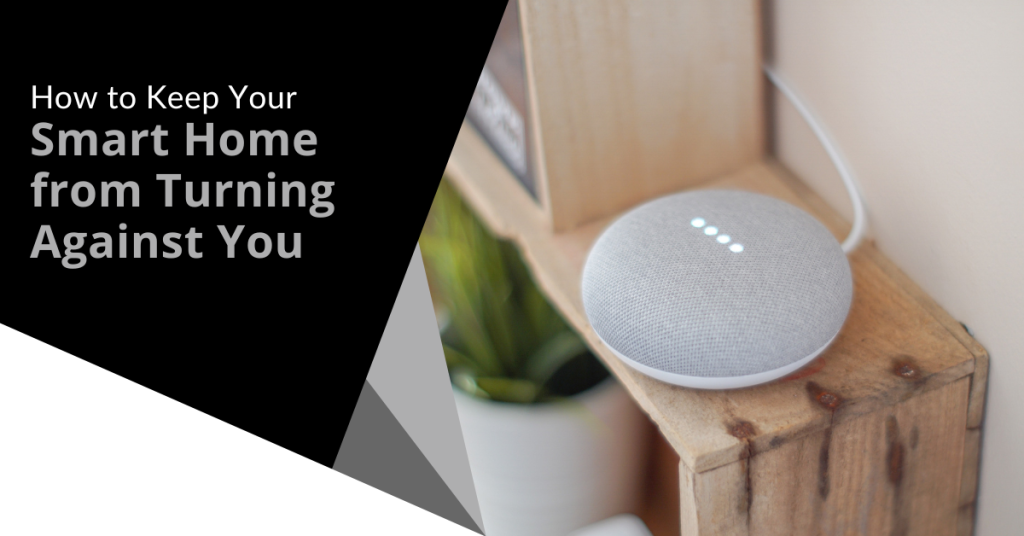
A smart home has become a ubiquitous part of modern living. It doesn’t even seem unusual anymore to tell your refrigerator to add milk to the digital grocery list.
Smart homes offer unparalleled convenience and efficiency. You can control your lights and thermostat with a smartphone app and have a virtual assistant like Alexa at your beck and call. As we embrace the convenience, it is essential to consider the potential risks as well as take proactive steps to ensure that your smart home doesn't turn against you.
Recent headlines have shed light on the vulnerabilities of smart home technology such as the story in the New York Post's article titled "Locked Out & Hacked: When Smart Homes Turn on Owners".
The article describes smart home nightmares including the new owner of a smart home that unexpectedly got locked in. The prior owner had left preprogrammed settings. At 11:30 p.m., the home told him it was time to go to bed and locked every door in the house.
Another technology victim was a woman terrorized by lights and sounds at home. Her ex-partner was maliciously manipulating the smart technology.
As homes get smarter, how can you avoid a similar experience? We will explore some key strategies to protect your home and your privacy.
Smart Home Safety Tips You Need to Use
1. Secure Your Network
The foundation of any smart home is its network. Just as you wouldn't leave your front door wide open, you shouldn't neglect Wi-Fi security.
Here are best practices:
- Change your router's default password to something strong and unique.
- Use WPA3 encryption (look for Wi-Fi 6).
- Create a separate guest network to isolate your smart devices from your main network.
- Regularly update your router's firmware. Ensure it is equipped with the latest security patches.
2. Strengthen Device Passwords
When setting up your smart devices, be diligent about choosing strong and unique passwords. Avoid using easily guessable information like "123456" or "password." Use a combination of upper and lower-case letters, numbers and symbols. For added security, consider using a password manager.
3. Enable Two-Factor Authentication (2FA)
Many smart home device manufacturers offer 2FA as an extra layer of security. By enabling 2FA, you can keep people out. This is true even if someone manages to guess your password. They won't be able to get past the secondary authentication step. This provides an extra safeguard against unauthorized access.
4. Regularly Update Firmware
Firmware updates are essential for fixing security vulnerabilities in your smart devices. Manufacturers release these updates to patch discovered weaknesses. Make it a habit to check for firmware updates regularly and apply them promptly.
5. Vet Your Devices
Not all smart devices are created equal. When choosing new devices for your smart home, research the manufacturer's reputation. Look for products that have a history of prompt updates and robust security features. Avoid purchasing devices from obscure or untrusted brands.
6. Isolate Sensitive Devices
Consider segregating your most sensitive devices onto a separate network (if possible). For example, use a dedicated network for:
- Smart locks
- Security cameras
- Other critical devices
This keeps them separate from your less critical gadgets such as smart bulbs or speakers. Even if a hacker compromises one network, the other devices remain secure.
7. Review App Permissions
Smart home apps often request access to various permissions on your devices. Before granting these permissions, scrutinize what data the app is trying to access. Decide whether it is necessary for the device's functionality. Restrict permissions to the least required for the device to operate.
8. Be Cautious with Voice Assistants
Voice-activated assistants like Alexa and Google Assistant are incredibly convenient but they can also pose privacy risks. Review your voice assistant's privacy settings. Be cautious about what information you share with them. Consider muting the microphone when you are not actively using it. This prevents unintended eavesdropping.
9. Check Your Devices Regularly
Regularly check the status and activity of your smart devices. Look for any unusual behavior such as devices turning on or off unexpectedly or unknown devices appearing on your network. If you notice anything suspicious, investigate and take action promptly.
10. Understand Your Device's Data Usage
Review your smart device's privacy policy. Understand how it uses your data. Some devices may collect and share your information with third parties. It can be for advertising or other purposes. Make informed decisions about the devices you bring into your home.
11. Stay Informed
Stay informed about the latest developments in smart home security. Subscribe to security newsletters. Follow reputable tech blogs. Keep up with news articles like the one in the New York Post. The more you know, the better equipped you will be to protect your smart home.
Get Expert Help With Smart Home Security
Smart homes offer incredible convenience but they also come with risks you shouldn’t ignore. Do you need some expert help setting up your smart home security?
Give us a call today to schedule a chat.
In today’s digitally connected world, the importance of cybersecurity cannot be emphasized enough. With the rapid evolution of technology, new threats to our online security emerge continuously. Staying ahead of these threats is crucial to protect sensitive information and ensure the smooth functioning of both personal and business operations. In this article, we will explore some of the most significant emerging cybersecurity threats and provide insights on how to defend against them.Read more
In the digital age where sensitive information is often guarded by passwords, businesses face a common challenge: how to securely share passwords with employees. Whether it is granting access to critical systems, sharing login credentials for shared accounts or providing temporary access to new hires, the need to share passwords is unavoidable.