
In the digital age where sensitive information is often guarded by passwords, businesses face a common challenge: how to securely share passwords with employees. Whether it is granting access to critical systems, sharing login credentials for shared accounts or providing temporary access to new hires, the need to share passwords is unavoidable.
In the digital age where data flows freely across networks and personal information is stored in the cloud, cybersecurity awareness has never been more critical. Every day cyber threats loom larger and target individuals and organizations alike. Read more
In an era where virtually every aspect of our lives is driven by digital technology, the importance of cybersecurity has risen to paramount levels. As businesses and organizations continue to rely heavily on technology for their operations, the threat landscape for cyberattacks and data breaches has expanded exponentially. In response to this growing menace, it has become increasingly evident that we must transition from a reactive approach to cybersecurity towards a more proactive one. Read more
In today’s rapidly evolving digital landscape, cybersecurity has become an integral part of our lives. With the increasing prevalence of cyber threats and attacks, it is crucial to stay informed about the terminology and strategies that help us protect our digital assets. Read more
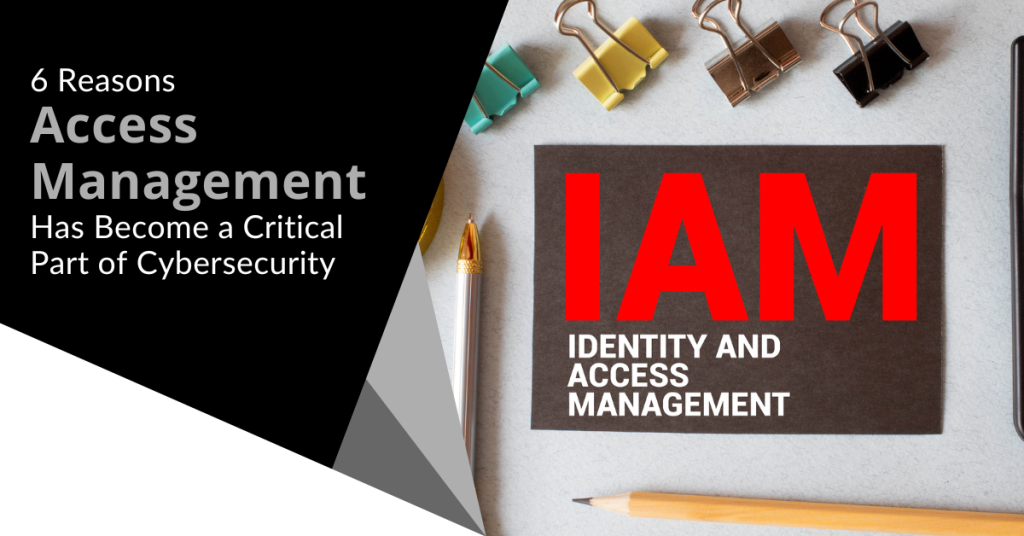
Cybersecurity has become paramount for businesses and individuals alike. Cyber threats abound and data breaches and malware attacks are costly. Attacks come from all vectors including the cloud tools you use every day.
The average employee uses 36 cloud-based services daily. Managing access to sensitive data and resources has become crucial. It is a vital piece to maintaining robust security. One breached account in a business app can lead to significant consequences.
Login credentials are lucrative for hackers. Various online accounts can be a goldmine on the dark web. For example, an email administrator login can fetch between $500 to $140,000.
You need to ensure that you are addressing access management in your cybersecurity strategy. Otherwise, you could suffer serious financial consequences as well as the loss of reputation that comes with a data breach.
We will look at six reasons access management has become essential to good data security. It plays a pivotal role in safeguarding valuable assets and ensuring data integrity.
Why Identity & Access Management (IAM) Should Be a High Priority
Mitigating Insider Threats
Insider threats can result from malicious actions or unintentional errors. They can come from employees within an organization or their breached accounts. IAM solutions enable businesses to install granular access controls and permissions. This ensures that employees have access only to the data necessary for their roles.
By minimizing excessive privileges, organizations can reduce insider threats. Access management also provides visibility into user activities. It enables businesses to detect and respond to suspicious behavior in real time.
Strengthening Data Protection
Data breaches can have severe consequences for businesses. They can lead to things like:
- Reputational damage
- Financial losses
- Regulatory penalties
- Permanent closure for those that can’t recover
Effective access management helps strengthen data protection. It does this by limiting access to sensitive information as well as enforcing strong authentication measures.
Multi-factor authentication, encryption and user authentication limit who can access what in a system. Access management solutions also enable organizations to track and control data transfers. This helps ensure that data remains secure throughout its lifecycle.
By implementing robust access controls, businesses can mitigate the risks. They reduce the chance of unauthorized data access as well as protect their most valuable assets.
Enhancing Regulatory Compliance
Compliance with data privacy laws is a top priority for many organizations. IAM solutions play a vital role in ensuring regulatory compliance. They provide necessary controls and audit trails.
IAM tools also help companies adopt best practices such as:
- Role-based access control (RBAC)
- Least privilege principles
- Contextual multi-factor authentication
Using access management, businesses can show compliance with regulatory requirements. IAM solutions also help with regular access reviews. They enable organizations to maintain an accurate record of user access and permissions. This is essential for regulatory audits and assessments.
Streamlining User Provisioning and Deprovisioning for Access Management
Managing user accounts and access privileges manually can be a time-consuming process. It is also prone to human error. Just one entry that is keyed incorrectly can increase the risk of an account breach.
Access management solutions automate user provisioning and de-provisioning. This ensures that employees have appropriate access rights throughout their employment lifecycle.
When an employee joins an organization, access management simplifies the onboarding process. It quickly provisions the necessary user accounts and permissions based on their role.
When an employee leaves the organization, IAM tools ensure prompt de-provisioning of accounts as well as the revoking of access rights. This reduces the risks of dormant or unauthorized accounts.
Remember the big data breach at Colonial Pipeline a few years back? The breach originated from an old unused business VPN account. It was one that had never been de-provisioned properly.
Streamlining user provisioning and de-provisioning enhances security and improves operational efficiency.
Enabling Secure Remote Access
Two things have largely changed the look of the traditional “office” in the last decade. These are the rise of remote work and the increasing reliance on cloud services. This change makes secure remote access vital for organizations.
IAM solutions provide secure authentication and authorization mechanisms for remote users. This enables them to access corporate resources and data securely. IAM is there whether employees are working from home, traveling or accessing data via mobile. Access management ensures that they can do so without compromising security.
It includes features like:
- Virtual private networks (VPNs)
- Single sign-on (SSO)
- Multi-factor authentication (MFA)
These help secure remote access while also maintaining the integrity and confidentiality of corporate data.
Improving Productivity
Using an identity and access management system can boost productivity. Imagine how much time your HR or IT team spends provisioning user accounts. It can take a significant amount of time to add all those login credentials. You also need to decide on user access permissions in each tool.
IAM systems automate this entire process. Using role-based access protocols, they can immediately assign the right level of access. If an employee leaves, the system can also immediately revoke access. This saves your administrative team considerable time and effort.
Get Help Putting a Strong Access Management Solution in Place
Access management has evolved into a critical component of cybersecurity. It helps mitigate insider threats, strengthen data protection, enhance regulatory compliance and more. We can help you put in place an IAM system that works for you.
Give us a call today to schedule a chat about beefing up your access security.
In an increasingly digitized world, cybersecurity has become a paramount concern for individuals and businesses alike. The threat landscape is always evolving with new vulnerabilities and attack vectors. Read more
In today's digital landscape, cybersecurity threats continue to evolve. They pose significant risks to individuals and organizations alike. One such threat gaining prominence is zero-click malware. This insidious form of malware requires no user interaction. It can silently compromise devices and networks.
One example of this type of attack happened due to a missed call. The victim didn’t even have to answer. This infamous WhatsApp breach occurred in 2019 and a zero-day exploit enabled it. The missed call triggered a spyware injection into a resource in the device’s software.
A more recent threat is a new zero-click hack targeting iOS users. This attack initiates when the user receives a message via iMessage. They don’t even need to interact with the message of the malicious code to execute. That code allows a total device takeover.
We will delve into what zero-click malware is and explore effective strategies to combat this growing menace.
Understanding Zero-Click Malware
Zero-click malware refers to malicious software that can do a specific thing. It can exploit vulnerabilities in an app or system with no interaction from the user. It is unlike traditional malware that requires users to click on a link or download a file.
Zero-click malware operates in the background unbeknownst to the victim. It can infiltrate devices through various attack vectors. These include malicious websites, compromised networks or even legitimate applications with security loopholes.
The Dangers of Zero-Click Malware
Zero-click malware presents a significant threat. This is due to its stealthy nature and ability to bypass security measures. Once it infects a device, it can execute a range of malicious activities.
These include:
- Data theft
- Remote control
- Cryptocurrency mining
- Spyware
- Ransomware
- Turning devices into botnets for launching attacks
This type of malware can affect individuals, businesses and even critical infrastructure. Attacks can lead to financial losses, data breaches and reputational damage.
Fighting Zero-Click Malware
To protect against zero-click malware, it is crucial to adopt a proactive and multi-layered approach to cybersecurity. Here are some essential strategies to consider:
Keep Software Up to Date
Regularly update software including operating systems, applications and security patches. This is vital in preventing zero-click malware attacks. Software updates often contain bug fixes and security enhancements. These things address vulnerabilities targeted by malware developers. Enabling automatic updates can streamline this process and ensure devices remain protected.
Put in Place Robust Endpoint Protection
Deploying comprehensive endpoint protection solutions can help detect and block zero-click malware. Use advanced antivirus software, firewalls and intrusion detection systems. They establish many layers of defense. These solutions should be regularly updated. This ensures the latest threat intelligence to stay ahead of emerging malware variants.
Use Network Segmentation
Segment networks into distinct zones. Base these on user roles, device types or sensitivity levels. This adds an extra layer of protection against zero-click malware. Isolate critical systems and install strict access controls to limit the damage. These help to mitigate lateral movement of malware and its potential harm.
Educate Users
Human error remains a significant factor in successful malware attacks. A full 88% of data breaches are the result of human error.
Educate users about the risks of zero-click malware and promote good cybersecurity practices. This is crucial. Encourage strong password management as well as caution when opening email attachments or clicking on unfamiliar links. Support regular training on identifying phishing attempts.
Use Behavioral Analytics and AI
Leverage advanced technologies like behavioral analytics and artificial intelligence. These can help identify anomalous activities that may indicate zero-click malware. These solutions detect patterns, anomalies and suspicious behavior. This allows for early detection and proactive mitigation.
Conduct Regular Vulnerability Assessments
Perform routine vulnerability assessments and penetration testing. This can help identify weaknesses in systems and applications that enable an exploit by zero-click malware. Address these vulnerabilities promptly through patching or other remediation measures. These actions can significantly reduce the attack surface.
Uninstall Unneeded Applications
The more applications on a device means the more vulnerabilities it has. Many users download apps and rarely use them. They remain on their device and are vulnerable to an attack. They are also more likely to lack updates.
Have employees or your IT team remove unneeded apps on all company devices. This will reduce the potential vulnerabilities to your network.
Only Download Apps from Official App Stores
Be careful where you download apps. You should only download from official app stores. Even when you do, check the reviews and comments. Malicious apps can sometimes slip through the security controls before they’re discovered.
Get the Technology Facts from a Trusted Pro
Zero-click malware continues to evolve and pose severe threats to individuals and organizations. It is crucial to remain vigilant and take proactive steps to combat this menace. Need help with a layered security solution?
Give us a call today to schedule a cybersecurity risk assessment.
Remote work has become increasingly popular in recent times. It provides flexibility and convenience for employees. Additionally, telecommuting reduces office costs for employers. Many also cite productivity benefits due to fewer distractions.
Research shows a 56% reduction in unproductive time when working at home vs. the office.
However, there are some drawbacks to working outside the office. It is crucial to be aware of the cybersecurity risks that come with remote and hybrid work. Keeping an eye on device and network security isn’t as easy. About 63% of businesses have experienced a data breach due to remote employees.
This news doesn’t mean that you must risk security to enjoy remote working. You can strike a balance. Be aware of the cybersecurity concerns and address them to do this.
We will discuss some of the top cybersecurity risks associated with remote work as well as provide practical tips on how employees and employers can address them.
Remote Work Risks & Mitigation
1. Weak Passwords and Lack of Multi-Factor Authentication
Using weak passwords puts accounts at risk of a breach. Also, reusing passwords across several accounts is a big cybersecurity risk. Remote workers often access company systems, databases and sensitive information from various devices.
To mitigate this risk, you should create strong and unique passwords for each account. Additionally, enable multi-factor authentication (MFA) whenever possible. This adds an extra layer of security by requiring a second form of verification.
Employers can set up access management systems. These solutions help automate the authentication process. They can also deploy safeguards like contextual MFA.
2. Unsecured Wi-Fi Networks
Working remotely often means connecting to different Wi-Fi networks such as public hotspots or home networks that may not be adequately secured. These unsecured networks can expose your sensitive data to hackers.
To protect company data, use a Virtual Private Network (VPN). Turn on the VPN when connecting to public or unsecured Wi-Fi networks. A VPN encrypts the internet traffic. This ensures that data remains secure even on untrusted networks.
3. Phishing Attacks
Phishing attacks remain a prevalent threat and remote workers are particularly vulnerable. Attackers may send deceptive emails or messages. These messages trick users into revealing their login credentials or downloading malicious attachments.
To defend against phishing attacks, be cautious when opening emails (especially those from unknown sources). Avoid clicking on suspicious links. Verify the sender's email address.
Be wary of any requests for sensitive information. If in doubt, contact your IT support team to confirm the legitimacy of the communication.
4. Unsecured Home Network Devices
Many remote workers use Internet of Things (IoT) devices. These include smart speakers, home security systems and thermostats. These devices can introduce vulnerabilities to your home network if not properly secured.
To address this risk, make sure to change the default passwords on your IoT devices. Keep them updated with the latest firmware. Consider creating a separate network for your IoT devices. A "guest" network can isolate them from your work devices and data.
Employers can improve security for remote teams using an endpoint device manager such as Microsoft Intune. These devices make it easier to manage security across many employee devices.
5. Lack of Security Updates
Regularly updating your devices and software is crucial for maintaining strong cybersecurity. Remote workers may neglect these updates due to busy schedules or limited awareness. Cybercriminals often exploit vulnerabilities in outdated software to gain unauthorized access to systems.
To mitigate this risk, enable automatic updates on devices and software whenever possible. Regularly check for updates. Install them promptly to ensure you have the latest security patches.
6. Data Backup and Recovery
Remote workers generate and handle a significant amount of data. The loss or corruption of this data can be devastating. Implementing a robust data backup and recovery plan is essential.
Back up your important files to a secure cloud storage service or an external hard drive. This ensures that if a hacker compromises a device, your data remains safe and can be easily restored.
7. Insufficient Employee Training
Remote workers should receive proper cybersecurity training. It helps them to understand security risks and best practices. Unfortunately, many companies neglect this aspect of cybersecurity. This leaves employees unaware of the potential threats they may encounter.
Organizations must provide comprehensive cybersecurity training to remote workers. This training should cover topics such as:
- Identifying phishing emails
- Creating strong passwords
- Recognizing suspicious online behavior
- New forms of phishing (such as SMS-based “smishing”)
Get Help Improving Remote Team Cybersecurity
Remote work offers many benefits. However, it is important to remain vigilant about the associated cybersecurity risks. Address these risks head-on and put in place the suggested measures. If you would like some help, let us know and we would be happy to schedule a chat.
Data security and privacy are paramount in today's world and having an access management strategy is no longer a luxury. It is a necessity for organizations. With the increasing frequency and sophistication of cyber threats, businesses of all sizes must ensure that only authorized individuals have access to sensitive information and resources. Read more
The rise of Software-as-a-Service (SaaS) has revolutionized the way businesses operate and store their data. However, with increased reliance on cloud-based solutions comes the heightened risk of cyber threats.