
In modern terms, discussions about development in business circles (from small and medium businesses to governments to multinational corporations) must involve digital transformation to be effective. It is no different in other sectors. This transformation does not happen to every company in the same way but cyber resiliency is important to the development of companies.Read more
One constant struggle in offices is the balance between user productivity and security. If you give users too much freedom in your network, risk increases. Add too many security gates and productivity can dwindle.
It is a fine balance between the two but you can achieve it. Organizations need to recognize the importance of both and not sacrifice one for another.
A recent report from Microsoft notes a dangerous lack of authentication security. Just 22% of Azure Active Directory users had multi-factor authentication (MFA) enabled. This means that over three-quarters were at a much higher risk of an account breach.
Why do organizations fail to adopt important security protocols like MFA? We know that it is as much as 99.9% effective at stopping fraudulent sign-ins. However, many companies aren’t adopting it.
User inconvenience is the biggest reason. MFA is not expensive. In fact, it is free to enable in nearly all cloud applications. However, if users say that it is hurting productivity and is a pain to use, companies may not bother with it.
Sacrificing security can hurt productivity worse. Downtime due to a data breach is expensive and can put smaller companies out of business. The main cause of data breaches is credential compromise. If you’re not protecting your authentication process, the risk of becoming a breach victim is high.
35% of data breaches initiate from breached login credentials.
There are ways to have both secure and productive users. It simply takes adopting some solutions that can help. These are tools that improve authentication security and do it in a way that keeps user convenience in mind.
Solutions to Improve Security Without Sacrificing Convenience
Use Contextual Authentication Rules
Not every user needs to go through the same authentication process. If someone is working in your building, they have a certain trust factor. If someone is attempting to log in from outside the country, they do not have that same trust.
Contextual authentication is used with MFA to target users that need to reach a higher bar. You may choose to limit or block system access to someone attempting to log in from a certain region or you may need to add an additional challenge question for users logging in after work hours.
Companies don't need to inconvenience people working from normal locations during typical hours but they can still verify those logging in under non-typical circumstances. Some of the contextual factors you can use include:
- Time of day
- Location
- The device used
- Time of the last login
- Type of resources accessed
Install a Single Sign-on (SSO) Solution
A report on U.S. employees found that they use a lot of apps. Workers switch between an average of 13 apps 30 times per day. That is a lot of inconvenience if they need to use an MFA action for each of those logins.
Single sign-on applications solve this problem. They merge the authentication process for several apps into just one login. Employees log in once and can go through MFA a single time.
Using multi-factor authentication isn’t nearly as inconvenient. Users gain access to everything at the same time. SSO solutions help organizations improve their security without all the pushback from users.
Recognize Devices
Another way to better secure network access is to recognize devices. This is typically done using an endpoint device manager. This automates some of the security behind user authentication. It doesn’t inconvenience the person.
First, register employee devices in the endpoint device manager. Once completed, you can then set up security rules such as blocking unknown devices automatically.
You can also put device scanning for malware and automated updates in place. Both these things increase security without sacrificing productivity.
Use Role-Based Authentication
Your shipping clerk may not have access to sensitive customer information but your accounting team does. One can have a lower barrier to authentication.
Using role-based authentication saves time when setting up new employee accounts. Authentication and access happen based on the person’s role. Admins can program permissions and contextual authentication factors once. Then the process automates as soon as an employee has their role set.
Consider Adding Biometrics
One of the most convenient forms of authentication is biometrics. This would be a fingerprint, retina or facial scan. The user doesn’t need to type in anything. It also takes just a few seconds.
Biometric hardware can be costly depending on the size of your organization. However, you can introduce it over time. Consider using biometrics with your most sensitive roles first and then expanding.
Additionally, many apps are now incorporating things like facial scanning. Users can authenticate using a typical smartphone which makes it much more affordable.
Need Help Improving Authentication Security?
Don’t give up important security because you are afraid of user pushback. Give us a call and schedule a security consultation.
It seems that nearly as long as passwords have been around, they have been a major source of security concern. Eighty-one percent of security incidents happen due to stolen or weak passwords. Additionally, employees continue to neglect the basics of good cyber hygiene.
For example, 61% of workers use the same password for multiple platforms and 43% have shared their passwords with others. These factors are why compromised credentials are the main cause of data breaches.
Access and identity management have become a priority for many organizations. This is largely due to the rise of the cloud as well as the practice of people needing to only enter a username and password to access systems.
Once a cybercriminal gets an employee’s login information, they can access the account and any data that it contains. This is especially problematic when it is an account like Microsoft 365 or Google Workspace. These accounts can access things like cloud storage and user email.
So what is conditional access and how does it work with multi-factor authentication (MFA)? What are the advantages of moving to a conditional access process?
What Is Conditional Access?
Conditional access is also known as contextual access. It is a method of controlling user access. You can think of it as several “if/then” statements (meaning “if” this thing is present, “then” do this).
For example, conditional access allows you to set a rule that would state the following. “If a user is logging in from outside the country, require a one-time-passcode.”
Conditional access allows you to add many conditions to the process of user access to a system. It is typically used with MFA. This is to improve access security without unnecessarily inconveniencing users.
Some of the most common contextual factors used include:
- IP address
- Geographic location
- Time of day
- The device used
- Role or group the user belongs to
Conditional access can be set up in Azure Active Directory. It can also be set up in another identity and access management tool. It is helpful to get the assistance of your IT partner. We can help with setup and the conditions that would make the most sense for your business.
The Benefits of Implementing Conditional Access for Identity Management
Improves Security
Using conditional access improves security. It allows you more flexibility in challenging user legitimacy. It doesn't just grant access to anyone with a username and password. Instead, the user needs to meet certain requirements.
Contextual access could block any login attempts from countries where no employees are located. It could also present an extra verification question when employees use an unrecognized device.
Automates the Access Management Process
Once the if/then statements are set up, the system takes over. It automates the monitoring for contextual factors and takes the appropriate actions. This reduces the burden on administrative IT teams. It also ensures that no one is falling between the cracks.
Automated processes are more accurate and reliable than manual processes. Automation removes the human error component. This helps ensure that each condition is being verified for every single login.
Allows Restriction of Certain Activities
Conditional access isn’t only for keeping unauthorized users out of your accounts. You can use it in other ways. One of these is to restrict the activities that legitimate users can do.
For example, you could restrict access to data or settings based on a user’s role in the system. You can also use conditions in combination (such as lowering permissions to view-only). You could trigger this if a user holds a certain role and is logging in from an unknown device.
Improves the User Login Experience
Studies show that as many as 67% of businesses don’t use multi-factor authentication. This is despite the fact that it is one of the most effective methods to stop credential breaches.
One of the biggest reasons it is not used is because of the inconvenience factor for employees. They may complain that it interferes with productivity or say that it makes it harder for them to use their business applications.
Using conditional access with MFA can improve the user experience. For example, you can require MFA only if users are outside of the premises. You can put in place extra challenge questions on a role or context-based basis. This keeps all users from being inconvenienced.
Enforces the Rule of Least Privilege
Using the rule of least privilege is a security best practice. It means only granting the lowest level of access in a system as necessary for a user to do their work. Once you have roles set up in your identity management system, you can base access on those roles.
Conditional access simplifies the process of restricting access to data or functions. You can base this on job needs. It streamlines identity management. This is because it contains all functions in the same system for access and MFA rules. Everything stays together which makes management easier.
Get Help Implementing Conditional Access Today!
Once conditional access is set up, the automated system takes over. It improves your security and reduces the risk of an account breach. Contact us today for a free consultation to enhance your cybersecurity.
Cloud misconfiguration has become one of the most significant threats to cloud security. Cloud vulnerabilities have increased by 28% since last year. There was an increase in the offer of cloud accounts on the dark web of 200%. The catastrophic impact of cloud misconfiguration has made it clear that proper cloud security and configuration is of the utmost importance.
Cloud breaches constantly make news headlines and the ambiguity that surrounds cloud misconfiguration can seem daunting. Many businesses have lost sensitive data and have been open to cyber-attacks and malware due to cloud misconfiguration.
According to the Business wire, cloud misconfiguration issues are responsible for 80% of data breaches.
With businesses relying on the cloud to store and secure their data, hackers have found much of their success in targeting companies due to misconfigured clouds. The question arises: Is misconfiguration leaving your cloud accounts at risk and its resources being advertised to malicious hackers?
What is cloud misconfiguration?
Cloud misconfiguration is errors, gaps or glitches in the cloud environment that could expose your business to risk. These risks come in the form of insider threats and attacks, cloud breaches, data breaches, malware, security breaches, ransomware or external hackers that could leverage the vulnerabilities available in your cloud environment to gain access to your network.
According to the National Security Agency (NSA), cloud misconfiguration is among the top vulnerabilities in the cloud environment. Cloud misconfiguration is quite complicated and can be very challenging to detect and manually remediate.
How Cloud Misconfigurations Occur
Cloud misconfigurations happen in various ways and for various reasons. Many cloud misconfigurations occur due to human errors and factors such as not enough understanding of the security practices and complex infrastructure.
- Human Error
According to Gartner, until 2025, 99% of cloud issues will be due to human error. Due to the complexity of the cloud infrastructure, employees or customers frequently grant many unrestricted accesses and fill in personal information on any website they open. When many businesses attempt to use tools from cloud vendors to manage identity and access, there may still be gaps.
- Not Enough Understanding of the Security Practices
When creating and managing apps and infrastructure, the majority of developers and DevOps teams do not place a high priority on security. These teams primarily concentrate on ensuring that the cloud environment and services work properly and offer effective functionality to users.
- Complex Infrastructure
When the cloud environment becomes complex, mistakes are bound to happen that open up a way for cyber-attacks to occur. These errors can occur due to adding or creating new containers, creating resources and altering the configurations.
Without some kind of uniformity within your cloud environment, it can be challenging to navigate and use.
What Can Happen When Cloud Misconfiguration Occurs?
Here are some things that happen when cloud misconfiguration occurs:
- Causes Data Breaches
Many businesses are unaware of the number of users in their cloud environment with excessive access to permissions. As a result of this, they are unable to know if there is a problem until after an attack. This can result in severe data loss.
- Opens a Channel for Cyber Criminals to Exploit
Once cloud misconfigurations occur, your environment is open to various vulnerabilities which opens a channel for cyber criminals to exploit and makes it easy for them to access cloud-stored data, steal it, ransom it, install malware and sometimes sell it on the dark web.
- Install Digital Skimming Code
Digital skimming attacks include inserting malicious code into a website's scripts which are loaded when a user attempts to access the site in their browser. This code intercepts sensitive information entered by the users such as account numbers, social security numbers, credit card details, etc. This information is then sent to a server controlled by the hacker. This information is then gathered, sold and otherwise illegally exploited.
- Exposing Sensitive Data
Cloud misconfigurations can lead to the exposure of confidential and sensitive data or put important files at risk of theft. Cloud misconfiguration gives hackers access to your database or cloud storage, puts your business at risk of corporate espionage and exposure of user data and makes it possible for them to erase crucial data.
- Services Disruption
Once hackers gain access to your servers or network, they have the ability to disrupt your service. This disruption can include malware, insider or ransomware attacks.
How to Protect your Cloud and Prevent Cloud Misconfiguration
The good news is that if misconfiguration is leaving your cloud accounts at risk, you can implement several best practices to protect your cloud-based assets better and prevent a misconfiguration attack.
- Implement Log-Tracking Practices
Enabling logging to control the number of users making changes in your cloud environment can protect your cloud. By tracking changes made, you will be able to identify the root cause of any misconfiguration incidents.
- Enable Encryption
Enabling encryption using cloud computing services keeps your data safe from unauthorized viewing.
- Check Permissions
Reduce permissions to only people who need access to carry out their jobs. Widespread access weakens your business security.
- Perform Regular Misconfiguration Audits
Performing regular audits ensures your cloud environment is always secure. This helps to look for signs of misconfigurations and other cloud threats.
- Practice Strong Security Policies
Set up strong security policies for all cloud infrastructure processes. Also, your employees should be informed about the policies so they don't misconfigure the cloud setting without knowing.
- Standardize Your Environments
Instead of having a complex cloud infrastructure for every deployed component, standardize some components and deploy them using templates. Once they are standardized, team members can quickly see various component configurations and boost environment management.
- Document Everything
Ensure your environment configurations and documentation are documented and backed up. This lets you compare the new environment with the intended one and also play an essential role in helping your business track what goes wrong, troubleshoot and figure out what to do.
Secure Your Cloud Environment from Misconfigurations
Sound Computers can help your Connecticut business stay protected from cloud misconfigurations while boosting your business productivity.
Contact us today to schedule a free consultation. Call 860-577-8060 or reach us online.
One of the most difficult types of attacks to detect are insider threats. An “insider” would be anyone that has legitimate access to your company network and data. This would be via a login or other authorized connection.
Because insiders have authorized system access, they bypass certain security defenses such as those designed to keep intruders out. Since a logged-in user isn’t seen as an intruder, those security protections are not triggered.
There are three troubling statistics from a recent report by Ponemon Institute. They illustrate the importance of addressing this threat. Insider attacks are getting worse, taking longer to detect and becoming more extensive.
The report found that over the last two years:
- Insider attacks have increased by 44%.
- It takes organizations 85 days to contain an insider threat compared to 77 days in 2020.
- The average cost of addressing insider threats has risen by 34%.
It is important for companies to understand what makes up an insider threat. That is the first step toward mitigation.
4 Types of Insider Threats
One reason that insider threats can be hard to detect is that there is not just one kind. Employees, vendors and hackers can all perpetrate insider security breaches. To further complicate detection, some may be malicious and others are accidental.
Here are the four main types of insider threats faced by company networks.
Malicious/Disgruntled Employee
A sales employee that is leaving the company may decide to take all of their contacts with them. This is a malicious theft of company data.
Another example of this type of insider attack is a disgruntled employee. They may be upset with their manager who just fired them and decide to do the business harm. They could plant ransomware or make a deal with a hacker to give over their login credentials for cash.
Careless/Negligent Employee
Some insider threats are due to lazy or untrained employees. They don’t mean to cause a data breach but may accidentally share classified data on a non-secure platform. They may use a friend’s computer to access their business apps while being completely unaware of the security consequences.
3rd Party with Access to Your Systems
Outsiders with access to your network are also a very real concern. Contractors, freelancers and vendors can all constitute an insider breach risk.
You need to ensure that these third parties are fully reviewed. Do this before you give them system access. You should also allow your IT partner to review them for any data security concerns.
Hacker That Compromises a Password
Compromised login credentials are one of the most dangerous types of insider threats. This has now become the #1 driver of data breaches around the world.
When a cybercriminal can access an employee’s login, that criminal becomes an “insider.” Your computer system reads them as the legitimate user.
Ways to Mitigate Insider Threats
Insider threats can be difficult to detect after the fact. However, if you put mitigation measures in place, you can stop them in their tracks. Being proactive keeps you from suffering a costly incident (one that you may not know about for months).
Here are some of the best tactics for reducing insider threat risk.
Thorough Background Checks
When hiring new employees, make sure you do a thorough background check. Malicious insiders will typically have red flags in their work history. You want to do the same with any vendors or contractors that will have access to your systems.
Endpoint Device Solutions
Mobile devices now make up about 60% of the endpoints in a company. However, many businesses are not using a solution to manage device access to resources.
Put an endpoint management solution in place to monitor device access. You can also use this to safelist devices and block unauthorized devices by default.
Multi-Factor Authentication & Password Security
One of the best ways to fight credential theft is through multi-factor authentication. Hackers have a hard time getting past the 2nd factor. They rarely have access to a person’s mobile device or FIDO security key.
Couple this with password security. This includes things like:
- Requiring strong passwords in your cloud apps
- Using a business password manager
- Requiring unique passwords for all logins
Employee Data Security Training
Training can help you mitigate the risk of a breach through carelessness. Train employees on proper data handling and security policies governing sensitive information.
Network Monitoring
Once someone has user access to your system, how can you catch them doing something wrong? You do this through intelligent network monitoring.
Use AI-enabled threat monitoring. This allows you to detect strange behaviors as soon as they happen. For example, someone may download a large number of files or someone may log in from outside the country.
Need Help Putting a Stop to Insider Attacks?
A layered security solution can help you mitigate all four types of insider threats. We can help you with a robust (yet affordable) solution. Contact us today for a free consultation.
The previous years have seen an increase in cyberattacks that is projected to continue over time. Is your mobile phone adequately secured or is it at risk for a mobile malware attack? Users may be more vulnerable to cybercrime attacks and data breaches if they only use their mobile devices for browsing and other daily activities.Read more
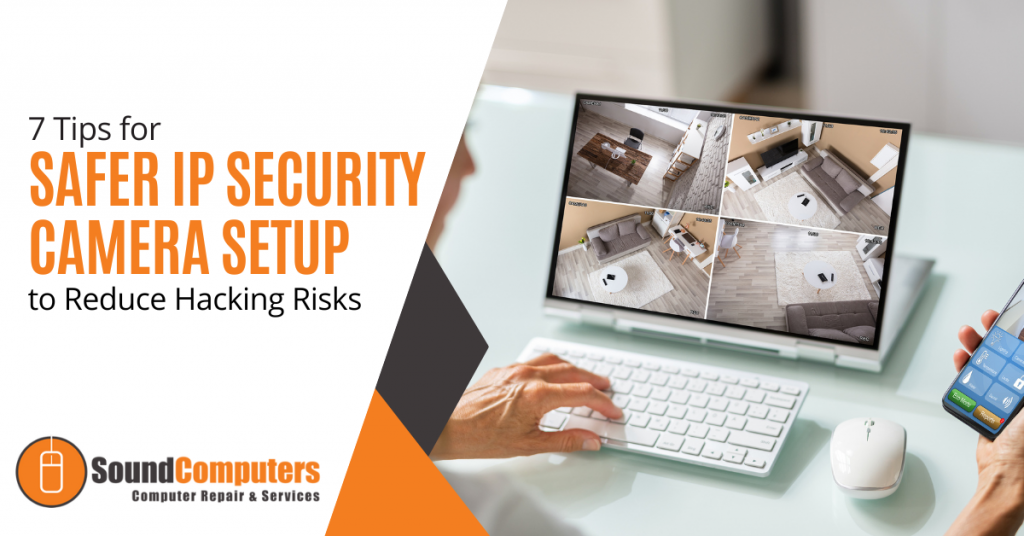
Modern video surveillance systems contain a number of critical components including IP (Internet Protocol) cameras. IP surveillance cameras (that transmit and receive information through a computing network and via the internet) offer organizations a range of advantages over analog closed-circuit cameras. They can watch and manage their video security system remotely and store video footage in the cloud to allow for significant cost savings.Read more
The holiday shopping season is taking off. This means that scammers have also revved up their engines. They are primed and ready to take advantage of all those online transactions.
Don’t forget to stay safe online during the buying frenzy that occurs this time of year. An ounce of cybersecurity prevention is definitely worth a pound of cure. It can also save you from a financial or privacy nightmare.
Here are some of the most critical safety tips to improve your online holiday shopping.
Check for Device Updates Before You Shop
Computers, tablets and smartphones that have old software are vulnerable. While you may not want to wait through a 10-minute iPhone update, it is going to keep you more secure.
Hackers often use vulnerabilities found in device operating systems. Updates install patches for known vulnerabilities which reduces your risk. Make sure to install all updates before you use your device for online holiday shopping.
Don’t Go to Websites from Email Links
It may be a bit annoying to need to type in “amazon.com” rather than just clicking a link in an email. However, phishing scams are at an all-time high at this time of year. If you click on an email link to a malicious site, it can start an auto download of malware.
It is best to avoid clicking links. You can stay safe by visiting the website directly. If you want to make things easier, save sites as shopping bookmarks in your browser. This is safer than clicking on a text or email link.
Use a Wallet App Where Possible
It is always a risk when you give your debit or credit card to a website. The risk is even higher if you’re doing holiday shopping on a site where you haven’t purchased from before.
Try to buy items by using a wallet app or PayPal when it is possible to do so. This eliminates the need to give your payment card details directly to the merchant. Instead, you share them with the wallet app service (Apple Pay, Google Pay, PayPal, etc). The retailer doesn’t get them.
Remove Any Saved Payment Cards After Checking Out
There are many websites (including Amazon) that automatically save your payment card details. This is bad. It may make the next buy more convenient but it puts you at risk. A hacker with access to your device or account could make purchases.
There is also the risk of a data breach of the retailer. These are common and can leak sensitive customer payment information. The fewer databases that you allow to store your payment details means better security.
Immediately after you check out, remove your payment card from the site. You will usually need to go to your account settings to do this.
Make Sure the Site Uses HTTPS (Emphasis on “S”)
HTTPS has largely become the standard for websites now. This is instead of “HTTP” without the “S” on the end. HTTPS means that a website encrypts the data transmitted through the site including your name, address and payment information.
You should NEVER shop on a website that doesn’t use HTTPS in the address bar. An extra indicator is a small lock icon in front of the website address.
Double Check the Site URL
We all make typos from time to time (especially when typing on a small smartphone screen). One typo can land you on a copycat site (such as Amazonn(dot)com).
Hackers buy domains that are close to the real ones for popular retailers. Then they put up copycat sites designed to fool users that make a mistake when typing the URL.
Take those extra few seconds to double-check that you have landed on the correct website. Do this before you start shopping.
Never Shop Online When on Public Wi-Fi
When you connect your device to public Wi-Fi, you might as well expect a stranger to be stalking you. Hackers LOVE the holiday shopping season and will hang out in popular public Wi-Fi spots.
They spy on the activities of other devices connected to that same free hotspot. This can give them access to everything you type in (passwords, credit card information, etc).
Never shop online when you’re connected to a public Wi-Fi network. Instead, switch off Wi-Fi and move to your mobile carrier’s connection.
Be On High Alert for Brand Impersonation Emails & Texts
Phishing scammers were very active during the holiday shopping season of 2021. There was a 397% increase in typo-squatting domains connected to phishing attacks.
While you need to be careful all the time about phishing, it is even worse during the holiday season. Attackers know that people are expecting retailer holiday sales emails. They also get a flurry of order confirmations and shipping notices this time of year.
Hackers use these emails as templates. They impersonate brands like Target, UPS, Amazon, etc. Their emails look nearly identical to the real thing. They trick you to get you to click and/or log in to a malicious website.
Be on high alert for brand impersonation emails. This is another reason why it is always better to go to a site directly rather than by using an email link.
Enable Banking Alerts & Check Your Account
Check your bank account regularly. Look for any suspicious charges that could signal a breach. One way to automate a monitoring process is to set up banking alerts through your online banking app.
For example, many banks allow you to set up alerts for events such as:
- When a purchase occurs over a specified dollar amount
- When a purchase occurs from outside the country
How Secure Is Your Mobile Device?
Mobile malware is often deployed in holiday shopping scams. How secure is your device from malicious apps and malware?
Contact us today for a security checkup.
The increased quantity and intensity of cyber security breaches in recent years have resulted in substantial changes in the cybersecurity insurance industry. The existing market in the cyber insurance sector has always been seen as "soft" because it was relatively simple for businesses to get coverage at cheaper costs. However, the increased cyber dangers and the exponential growth of ransomware assaults in the previous year induced a "hardening" in the industry.Read more
When you hear about Microsoft adding security apps to M365, it is often the business versions. However, the pandemic has changed the way that we see the workplace. It is now a hybrid world made up of several connected “mini-offices” located in employee homes.
The outsourcing market has also contributed to the change in company networks. Freelancers are often contracted to work the same hours as employees. This means less overhead and taxes to pay. Approximately 68% of large consumer products companies outsource a part of their workforce.
What we’re getting at is that the need for home devices and network security has never been greater. Company data is now at the mercy of employee devices situated in homes across the globe.
55% of employees use their own devices and software to work from home.
Microsoft has been at the forefront of this huge shift in the work environment. Their latest release is another example of how it has positioned its products to address new needs.
The latest security offering by Microsoft is not for business plans. It is for Personal and Family users of Microsoft 365. The company announced Microsoft Defender for Individuals on June 16, 2022. This is a brand-new digital home security tool.
The Basics of Microsoft Defender for Individuals
Microsoft Defender is a new app that Microsoft 365 subscribers can download. Anyone with a Personal or Family plan can access it for no extra cost.
According to Microsoft, there was a main driver for offering Microsoft Defender. It was to protect the digital life of small businesses and families. Small companies will often use consumer Microsoft 365 plans. This is because they are less expensive than the business plans.
This app brings many digital protections together into one dashboard. These include the following.
Online Security Visibility
Most families have several devices connected to their network. This includes computers, tablets and smartphones. It can be hard to know which are vulnerable before a hacked device infects the others.
Microsoft Defender gives you visibility into the security status of your devices. It does this in a single place. For example, you could see if that new phone of Sally’s has antivirus enabled. You can also easily add or remove devices.
Device Safeguards
The app includes extra protections from online threats. These are in the form of help from antivirus and anti-phishing protection.
You can use it to continually scan devices for both new and existing threats. You also gain control of scanning customization. For example, you can note certain apps as safe and tell Microsoft Defender what to scan.
Real-Time Alerts & Recommendations
Hackers use automation and AI to unleash their attacks and help them spread. This means that it is often a race against the clock to stop a breach from getting worse.
You need to know something is wrong to be able to act quickly. Microsoft Defender helps you by giving you real-time alerts. These also come with recommended actions so that you know something is wrong and what to do about it.
What Else Should You Know?
Here are a few other important things you should know about using Microsoft Defender for Individuals.
Where Can You Download It?
You can download Microsoft Defender for Individuals from Microsoft here. You need to have a Microsoft 365 subscription to either the Personal or Family plan.
What Devices Can Use It?
You can use Defender to secure and monitor the following devices:
- Windows: Windows 10 version 19041.0 and higher
- Mac: Intel Macs from Catalina 10.15 and higher, and Apple silicon-based devices from 11.2.3 and up
- iPhone: iOS 13.0 or later
- Android: Android OS 6.0 or later
How Many Devices Can You Add?
Microsoft Defender allows you to watch the security of many of your home or work devices. The M365 plan you have will dictate how many.
- If you have the Microsoft 365 Personal plan, you can receive protection on up to 5 devices at the same time.
- If you have the Microsoft 365 Family plan, you can receive protection on up to 30 devices at the same time (5 devices per person, 6 people total).
What Are the Key Differences Between the Personal & Family Plans?
Both plans can access the many different Office and other Microsoft applications. The main difference is how many people and devices can use the Microsoft 365 services.
- Microsoft 365 Personal: $69.99 US/year, 1 person, 5 devices
- Microsoft 365 Family: $99.99 US/year, 6 people, 5 devices per person
If you want to sign up at least 2 people, you’re saving quite a bit with the Family plan. You save even more if you have six people total using the service.
What is the Difference Between Microsoft Security on Windows & Microsoft Defender?
Most Windows users are already familiar with the Microsoft Security app. It comes pre-installed on Windows. Microsoft Defender differs from this app in several ways.
Microsoft Defender:
- Is not pre-installed on Windows. You must download it.
- It is a cross-device application used on many different devices.
- It includes features for online security.
- It includes alerts and security tips.
Learn More About Defender & Microsoft 365 Today
Are you looking to get more from your Microsoft 365 subscription? We can help! Reach out today to schedule a technology consultation with our M365 experts. Give us a call at (860) 577-8060 or use our convenient contact form.