
The dark web is a hidden part of the internet. You can’t find it with Google. You need special software to access it. Criminals use the dark web for many bad things. If your data ends up there, you should be the first to know. This is where dark web monitoring services come in.
Why Is Dark Web Monitoring Important?
Dark web monitoring looks for your information on the dark web. It can find stolen passwords or credit card numbers. This helps you know if someone stole your data
It Protects Your Identity
Thieves might sell your information on the dark web. Monitoring can catch this early. You can then change passwords and protect yourself.
It Helps Businesses
Businesses use it too. It shows them if someone hacked their data. They can act quickly to stop more damage.
How Does It Work?
It uses special tools. These tools search the dark web in real time. They look for specific information like email addresses or credit card numbers.
It Uses AI
Many monitoring tools use artificial intelligence. AI helps them search faster and better. It can spot patterns that people might miss.
It Sends Alerts
The tools send an alert when they find your information. This tells you right away if someone stole your data.
What Can It Find?
Dark web monitoring can find many things:
- Passwords
- Credit Card Numbers
- Social Security Numbers
Is Monitoring Enough?
It is important but it has limits. You still need to be careful online. Here are other things you can do:
- Use Strong Passwords: Make long and hard-to-guess passwords. Use different ones for each account.
- Be Careful What You Share: Don’t put too much personal info online. Be careful on social media.
- Keep Software Updated: Always update your computer and phone. This helps keep hackers out.
How Can You Get It?
You can get dark web monitoring in many ways:
- Free Options: Some banks offer it for free. Check with your bank or credit card company.
- Paid Services: Some companies focus just on dark web monitoring. They often have more features than free options.
How Often Should You Check Dark Web Monitoring?
Check your monitoring often. Once a week is good. If you get an alert, check right away.
What Should You Do if Your Info is Found?
If your info shows up on the dark web, don’t panic. Do these things:
- Change Passwords: Change the password for any account that was found. Use a new and strong password.
- Check Your Accounts: Look at your bank and credit card statements. Make sure nothing looks wrong.
- Freeze Your Credit: This makes it harder for someone to open accounts in your name.
Is It Worth It?
Dark web monitoring is very useful. It tells you when someone steals your information. You can then act fast to protect yourself.
Ready to Protect Your Data?
Dark web monitoring is an easy way to protect your information. It watches when you can’t. If you want to stay safe online, it is a good tool to have.
Want to protect your data? Contact us today. We can help you with monitoring and more to boost your security. Don’t let bad guys get to you. Start protecting your information now.

In today’s digital age, search engines have become an integral part of our daily lives. We rely on them to find information, products and services quickly and efficiently. As our dependence on search engines grows, so does the risk of encountering malicious content. Read more

Imagine this. You walk into your office on a busy Monday morning ready to tackle the week. Something is wrong. Computers are unresponsive. Phones are silent. The internet is a ghost town. Your business has come to a grinding halt. You are the victim of an IT outage which means IT downtime.
It is a scenario every business owner fears. Beyond the initial frustration are expenses you may not immediately see. IT downtime carries hidden costs that can significantly impact your bottom line. Let's peel back the layers and expose the true price of IT outages.
The Immediate Impact: Lost Productivity
When IT systems go down, your employees are effectively sidelined. Sales can't be processed. Emails pile up unanswered. Deadlines are missed. Every minute of downtime translates to lost productivity. This is a cost measured in lost revenue and delayed projects.
Customer Impact: Frustration and Lost Trust
An IT outage isn't just an internal inconvenience. It directly impacts your customers. Imagine an online store experiencing downtime during a peak sales period. Frustrated customers can't place orders or access their accounts. This not only leads to lost sales but also damages customer trust. This can potentially drive your customers to competitors.
Reputational Damage: A Hit to Your Brand Image
IT outages can tarnish your brand image. Customers expect businesses to be reliable and accessible. Frequent downtime paints a picture of inefficiency and unpreparedness. In today's competitive landscape, a damaged reputation can be difficult to repair.
Hidden Costs: Beyond the Obvious
The financial impact of IT downtime extends beyond lost productivity and sales. There are other costs that may not be on your radar. Here are some hidden costs of downtime to consider.
Employee Demoralization
Frustrated employees stuck waiting for systems to come online can be demoralized. They can also lose motivation. They can feel like they can’t get anything done. So why bother? Frequent downtime can cause employees to jump ship for more tech stability.
Emergency Repairs
IT outages often need emergency repair efforts. This can be costly and time-consuming. It can cost even more if you don’t have a managed IT service agreement in place. In the middle of an emergency is not when you should be choosing an IT provider to trust with your business IT.
Data Loss or Corruption
In severe cases, outages can lead to data loss or corruption. This can mean expensive recovery efforts. If the data can’t be recovered, it can mean hours of staff time entering data just get you to where you were before the outage.
Compliance Issues
Depending on your industry, regulatory compliance might be at risk during an outage. If there is any data compromise, this could lead to fines and penalties.
Calculating the Cost: It is More Than You Think
The exact cost of IT downtime varies depending on your industry, size and the duration of the outage. Studies estimate the average cost of IT downtime to be in the thousands of dollars per hour. For larger businesses, this figure can skyrocket into the millions.
A Ponemon Institute study estimates the average IT downtime cost from $5,600 to nearly $9,000 per minute.
Prevention is Key: Proactive Measures for Business Continuity
The good news? Most IT downtime is preventable. Here is how to be proactive:
- Invest in Reliable IT Infrastructure: Focus on high-quality hardware and software. Look for a proven track record of reliability.
- Regular System Maintenance: Schedule regular maintenance to identify and address potential issues. This keeps them from snowballing into outages.
- Data Backup and Recovery: Install robust data backup and recovery to mitigate data loss in case of an outage.
- Disaster Recovery Plan: Develop a comprehensive disaster recovery plan. It should outline steps to take in case of an outage and ensure a swift and efficient recovery.
- Employee Training: Educate employees on cybersecurity best practices. This minimizes the risk of human error causing downtime.
Investing in Uptime: Building Business Resilience
IT downtime is a threat every business faces. By understanding the true cost and taking proactive measures, you can reduce the risk as well as build a more resilient business. Downtime isn't just an inconvenience. It is a financial burden. It also has the potential to damage your reputation and customer relationships.
Focus on IT security and invest in preventative measures. This helps ensure your business stays up and running. Every minute counts when it comes to technology operating smoothly.
Need Some Help Improving Your Downtime Resilience?
Don’t wait until after you have incurred the cost of downtime to put preventative measures in place. Our IT experts can help your business build an IT strategy that mitigates downtime. We will also put systems in place to get you back up and running fast if it should happen.
Contact us today to schedule a chat about your technology.

Shiny new tech can be exciting! It promises increased efficiency, happier employees and a competitive edge. It is also necessary to stay competitive in today’s technology-driven business world.
But that promise can turn into a financial nightmare if you neglect two important things. These are employee training and change management. You can end up losing money simply because employees can’t use their technology.
When employees have trouble using their business tools, productivity drops. Mistakes can be made and customer service can fall. Read on for common staff technology issues as well as the solutions.
Lack of Technology Training
Imagine investing in a top-of-the-line CRM system. Then you see your sales team floundering instead of excelling. You were expecting the CRM to make their jobs easier. However, they can't find key features, struggle with data entry and miss deadlines.
Why? Because they haven't been properly trained on the new software. This scenario plays out in countless businesses. It leads to the following costs.
Lost Productivity
Employees fumbling with unfamiliar tech lose valuable work time. Imagine the lost sales opportunities if your team can't process orders or can’t generate reports due to inadequate training on the new CRM.
Costly Errors
Confusion and frustration lead to mistakes. Inaccurate data entered into the new system requires time and money to fix. This impacts budgets and potentially damages client relationships.
Demotivation and Resistance
Struggling with a new system is demoralizing. Untrained employees might resist using it altogether. They can cling to outdated (but familiar) methods. This hinders adoption and negates the benefits of the new tech.
Failing to Manage the Change
New technology disrupts workflows. Without proper change management, employees feel overwhelmed and insecure. Change management is looking at the “human” side of change. It is about helping employees understand why things are changing as well as providing training, support and other engagement. The goal is to help them transition successfully.
Organizations using change management are 67% more likely to achieve desired project outcomes.
When companies neglect change management, the following can happen.
Low Morale
Change can be stressful. Employees can feel lost and undervalued due to a lack of clear communication and support during the transition. This can lead to low morale and a negative work environment.
Shadow IT
Employees may feel the new system isn't meeting their needs. This can cause them to resort to using unauthorized tools (shadow IT). This creates security risks and undermines the investment in the new technology.
Resistance to Future Improvements
A negative experience with a tech rollout can make employees wary of future changes. This can hinder innovation as well as make it difficult for the company to adapt to evolving market trends. Without change management, employees tend to get “change fatigue.” This can make them less productive.
Building a Bridge to Success
The key to unlocking the true value of new technology? It lies in effective training and change management. Here is how to avoid the negative costs and get the full benefits from your tech.
Invest in Comprehensive Training
Don't treat training as an afterthought. Some tools say they are easy to use but people have different tech literacy levels. Some may pick up things quickly. Many people don’t. There is no replacement for targeted training on a business application.
Develop a tailored training program that goes beyond basic features. Include video tutorials, hands-on workshops and ongoing support resources. This helps everyone feel comfortable using the new tools.
Focus on User Adoption and Not Just Features
Training shouldn't just explain how the software works. It should focus on how the new system will benefit employees in their daily tasks as well as improve workflow efficiency. If employees don’t adopt the tech well, you don’t see its full benefits.
Embrace Change Management
Communicate the "why" behind the change. Explain how the new technology will make everyone's jobs easier as well as ultimately benefit the company as a whole. Encourage open communication and address concerns throughout the transition.
The Takeaway
New technology is a powerful tool. However, it is only as valuable as its users. Prioritize employee training and change management. This will help you bridge the gap between a shiny new system and a real return on investment.
Happy, well-trained employees using the right tools are your secret weapon. They can help you maximize efficiency, boost morale and stay ahead of the curve. Don't let a lack of training turn your tech upgrade into a financial drain.
Need Help With Technology Training?
Efficiency and productivity improvements are the goals of most technology transformations. We can help you meet your tech goals with staff training. We can tailor training and support to your needs as well as help your team excel with new tech and existing tools.
Are you ready to discuss a tailored tech training plan for your staff?
Contact us today to learn more.
In today's interconnected world, business travel has become an integral part of the lives of many professionals. Whether you are attending a conference, meeting with clients or exploring new markets, the ability to work remotely has made it easier than ever to stay productive while on the go. However, with the convenience of digital connectivity comes the risk of cyber threats which can compromise sensitive data and put your company's security at risk.Read more
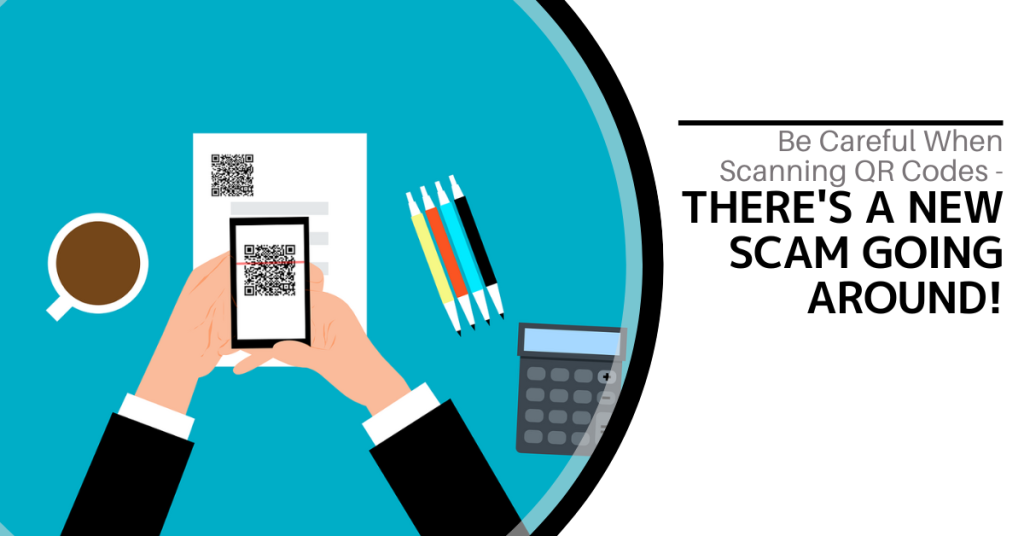
QR codes are everywhere these days. You can find them on restaurant menus, flyers and posters. They are used both offline and online. QR codes are convenient and easy to use. You just scan them with your smartphone camera. You are then directed to a link, a coupon, a video or some other online content.
With the rise in popularity of QR codes comes an unfortunate dark side. Cybercriminals are exploiting this technology for nefarious purposes. Scammers create fake QR codes. They can steal your personal information. They can also infect your device with malware or trick you into paying money.
It is crucial to exercise caution when scanning QR codes. This emerging scam highlights the potential dangers lurking behind those seemingly innocent squares.

The QR Code Resurgence
QR codes were originally designed for tracking parts in the automotive industry. They have experienced a renaissance in recent years. As a result, they are used as a form of marketing today.
They offer the convenience of instant access to information. You simply scan a code. They have become an integral part of various industries (including retail and hospitality).
Unfortunately, cybercriminals are quick to adapt. A new phishing scam has emerged that exploits the trust we place in QR codes.
How the Scam Works
The scammer prints out a fake QR code. They place it over a legitimate one. For example, they might stick it on a poster that advertises a product discount or a movie.
You come along and scan the fake QR code and think it is legitimate. The fake code may direct you to a phishing website. These sites may ask you to enter sensitive data such as your credit card details, login credentials or other personal information.
Scanning the QR code may also prompt you to download a malicious app that contains malware that can do one or more of the following:
- Spy on your activity
- Access your copy/paste history
- Access your contacts
- Lock your device until you pay a ransom
The code could also direct you to a payment page that charges you a fee for something supposedly free.
Here are some tactics to watch out for.
Malicious Codes Concealed
Cybercriminals tamper with legitimate QR codes. They often add a fake QR code sticker over a real one. They embed malicious content or redirect users to fraudulent websites.
Fake Promotions and Contests
Scammers often use QR codes to lure users into fake promotions or contests. When users scan the code, it may direct them to a counterfeit website. The website may prompt them to provide personal information. This can lead to potential identity theft or financial fraud.
Malware Distribution
Some malicious QR codes start downloads of malware onto the user's device. This can result in compromised security including unauthorized access to personal data and potential damage to the device's functionality.
Stay Vigilant: Tips for Safe QR Code Scanning
Verify the Source
Be cautious when scanning QR codes from unknown or untrusted sources. Verify the legitimacy of the code and its source. This is especially true if it prompts you to enter personal information.
Use a QR Code Scanner App
Consider using a dedicated QR code scanner app. Use that rather than the default camera app on your device. Some third-party apps provide extra security features such as code analysis and website reputation checks.
Inspect the URL Before Clicking
Before visiting a website prompted by a QR code, review the URL. Ensure it matches the legitimate website of the organization it claims to represent.
Avoid Scanning Suspicious Codes
Trust your instincts. If a QR code looks suspicious, refrain from scanning it. Scammers often rely on users' curiosity. Be careful when scanning QR codes that you see in public places. Don't scan them if they look suspicious, damaged or tampered with. Exercising caution is paramount.
Update Your Device and Apps
Keep your device's operating system and QR code scanning apps up to date. Regular updates often include security patches that protect against known vulnerabilities.
Be Wary of Websites Accessed via QR Code
Don't enter any personal information on a website that you accessed through a QR code. This includes things like your address, credit card details, login information, etc.
Don't pay any money or make any donations through a QR code. Only use trusted and secure payment methods.
Contact Us About Phishing Resistant Security Solutions
QR codes can be useful and fun. They can also be dangerous if you are not careful. Always scan them with caution. Protect yourself from scammers who want to take advantage of your curiosity.
This scam falls under the umbrella of phishing. Phishing is one of the most dangerous modern risks for individuals and organizations. If you need help ensuring your devices are phishing resistant, just let us know.
Contact us today to learn more.

In today’s digital age, data is king. Companies of all sizes are generating vast amounts of data on a daily basis and effectively managing this data has become crucial for business success. From customer information to financial records, data management plays a significant role in streamlining operations, improving decision-making and ensuring compliance with regulations. Read more
Browser extensions have become as common as mobile apps. People tend to download many and use few. There are over 176,000 browser extensions available on Google Chrome alone. These extensions offer users extra functionalities and customization options.
While browser extensions enhance the browsing experience, they also pose a danger. That can mean significant risks to online security and privacy.
In this article, we unravel the dangers associated with browser extensions. We will shed light on the potential threats they pose as well as provide insights into safeguarding your online presence.
The Allure and Perils of Browser Extensions
Browser extensions are often hailed for their convenience and versatility. They are modules that users can add to their web browsers. They extend functionality and add customizable elements.
From ad blockers and password managers to productivity tools, the variety is vast. However, the ease with which users can install these extensions is a weakness because it also introduces inherent security risks.
We will delve into the hazards associated with browser extensions. It is imperative to strike a balance between the benefits and dangers.
Key Risks Posed by Browser Extensions
Privacy Intrusions
Many browser extensions request broad permissions. If abused, they can compromise user privacy. Some of these include accessing browsing history and monitoring keystrokes. Certain extensions may overstep their intended functionality. This can lead to the unauthorized collection of sensitive information.
Users often grant permissions without thoroughly reviewing them. This causes them to unintentionally expose personal data to potential misuse.
Malicious Intent
There are many extensions developed with genuine intentions. However, some extensions harbor malicious code. This code can exploit users for financial gain or other malicious purposes. These rogue extensions may inject unwanted ads as well as track user activities or even deliver malware.
These extensions often use deceptive practices. They make it challenging for users to distinguish between legitimate and malicious software.
Outdated or Abandoned Extensions
Extensions that are no longer maintained or updated pose a significant security risk. Outdated extensions may have unresolved vulnerabilities. Hackers can exploit them to gain access to a user's browser as well as potentially compromise their entire system. Without regular updates and security patches, these extensions become a liability.
Phishing and Social Engineering
Some malicious extensions engage in phishing attacks as well as social engineering tactics. These attacks can trick users into divulging sensitive information.
This can include creating fake login pages or mimicking popular websites. These tactics lead unsuspecting users to unknowingly provide data (including sensitive data like usernames, passwords or other confidential details).
Browser Performance Impact
Certain extensions can significantly impact browser performance. This can happen due to being poorly coded or laden with unnecessary features. This results in a subpar user experience. It can also lead to system slowdowns, crashes or freezing. An extension's perceived benefits may attract users but they end up unwittingly sacrificing performance.
Mitigating the Risks: Best Practices for Browser Extension Security
1. Stick to Official Marketplaces
Download extensions only from official browser marketplaces such as those connected with the browser developer (Google, Microsoft, etc.). These platforms have stringent security measures in place. This reduces the likelihood of encountering malicious software.
2. Review Permissions Carefully
Before installing any extension, carefully review the permissions it requests. Be cautious if an extension seeks access to unusual data such as data that seems unrelated to its core functionality. Limit permissions to only what is essential for the extension's intended purpose.
3. Keep Extensions Updated
Regularly update your browser extensions. This ensures you have the latest security patches. Developers release updates to address vulnerabilities and enhance security. If an extension is no longer receiving updates, consider finding an alternative.
4. Limit the Number of Extensions
It is tempting to install several extensions for various functionalities. However, each added extension increases the potential attack surface. Only install extensions that are genuinely needed. Regularly review and uninstall those that are no longer in use.
5. Use Security Software
Use reputable antivirus and anti-malware software. This adds an extra layer of protection against malicious extensions. These tools can detect and remove threats that may bypass browser security.
6. Educate Yourself
Stay informed about the potential risks associated with browser extensions. Understand the permissions you grant. Be aware of the types of threats that can arise from malicious software. Education is a powerful tool in mitigating security risks.
7. Report Suspicious Extensions
If you encounter a suspicious extension, report it. You should report it to the official browser extension marketplace and your IT team. This proactive step helps browser developers take prompt action. That action protects users from potential threats.
8. Regularly Audit Your Extensions
Conduct regular audits of the extensions installed on your browser. Remove any that are unnecessary or pose potential security risks. Maintain a lean and secure browsing environment. This is a key aspect of online security.
Contact Us for Help with Online Cybersecurity
Browser extensions are just one way you or your employees can put a network at risk. Online security is multi-layered. It includes protections from phishing, endpoint threats and more.
Don’t stay in the dark about your defenses. We can assess your cybersecurity measures and provide proactive steps for better protection.
Give us a call today to schedule a chat.

In our tech-driven world, electronic devices have become indispensable. But what happens to the old gadgets with all the constant upgrades? They tend to pile up and eat up storage space. You can’t just throw them in the trash. E-waste poses a significant environmental threat if not disposed of responsibly.
E-waste is a term that refers to electronic devices that are no longer useful or wanted. These include things like:
- Computers
- Laptops
- Smartphones
- Tablets
- Printers
- Cameras
- TVs
E-waste can contain hazardous materials such as lead, mercury, cadmium and brominated flame retardants. These can harm the environment and human health if they are not disposed of properly.
E-waste comprises about 70% of toxic waste. People only recycle 12.5% of it.
What can you do to responsibly get rid of e-waste at your home or office? Here are some tips.
1. Understand What Makes Up E-Waste
E-waste includes old computers, smartphones, printers and other electronic devices. It also comprises batteries, chargers and even cables. Understanding what makes up e-waste is the first step towards responsible disposal.
Most people simply aren’t aware of what e-waste includes. This is a big reason that most of it ends up in landfills. That is not good for us or for the environment.
2. Reduce Your E-Waste
The next step is to reduce the amount of e-waste you generate in the first place. This means buying only what you need. You should also choose durable and energy-efficient products as well as extend the lifespan of your devices by repairing them when possible.
Before buying a new electronic device, ask if it is necessary. Can more than one person share a company tablet? In some cases, everyone in a family or office might not need a duplicate device.
3. Explore Recycling Programs
Many electronics retailers and manufacturers have recycling programs. Research local options. Retailers often collect old gadgets which ensures that they are recycled or disposed of properly. These programs are convenient and eco-friendly.
Here are a couple you can check out:
4. Use E-Waste Recycling Centers
E-waste recycling centers specialize in disposing of electronic devices safely. They dismantle gadgets, recycle valuable components and dispose of hazardous materials responsibly. Locate a certified e-waste recycling center near you for proper disposal.
Here are a few sites where you can find recycling centers:
5. Consider Donating or Selling Functioning Devices
If your old devices are still functional, consider donating them. Many charities and schools accept functional electronics or you can sell them online through reputable platforms. This gives gadgets a new life and reduces e-waste.
Make sure you properly clean data from old devices first. You don’t want someone having access to your online banking app or all of your family photos. Keep reading for tips on doing this properly.
6. Dispose of Batteries Separately
Batteries (especially rechargeable ones) contain hazardous materials. Many retailers and recycling centers have dedicated bins for battery disposal. Always separate batteries from other e-waste for proper handling.
7. Try Manufacturer Take-Back Programs
Several electronic manufacturers offer take-back programs. When you buy a new device, inquire about their disposal programs. Some manufacturers take back old gadgets to ensure responsible recycling or refurbishment.
8. Opt for Certified E-Waste Recyclers
When using e-waste recycling services, choose certified recyclers. Look for certifications like R2 or e-Stewards. These certifications ensure that the recycling process meets high environmental standards as well as data security protocols.
9. Educate Your Office or Household
Awareness is key. Educate your office or household about the importance of responsible e-waste disposal. Encourage everyone to take part and follow proper disposal methods.
10. Repurpose or Upcycle
Get creative. You can often repurpose or upcycle old electronics. Turn an old computer monitor into a digital photo frame. Use smartphone parts for DIY projects. Upcycling reduces waste and adds a touch of innovation.
11. Encourage Manufacturer Responsibility
Support companies that take environmental responsibility seriously. Choose products from manufacturers committed to sustainable practices and responsible e-waste management.
Make Sure to Secure Data Before Disposal, Sale or Donation
Before parting with your devices, wipe all data. Otherwise, you could become the victim of cybercrime. It is not unusual for criminals to troll dumps for old electronics. Remove all traces of your data to keep yourself protected.
Use reliable data erasure software or consult with an IT professional to securely wipe information from old gadgets. Data security is crucial even in disposal.
Get Help Backing Up & Cleaning Devices
It is important to both back up and remove all data from devices before you get rid of them. We can help with expert data migration from the old device to the new one as well as thorough data cleaning to ensure all information is removed.
Give us a call today to schedule a chat.
In today’s digital age where online activities have become an integral part of our daily lives, ensuring digital security is paramount. One area that often poses a potential threat to our online safety is browser extensions. Read more