
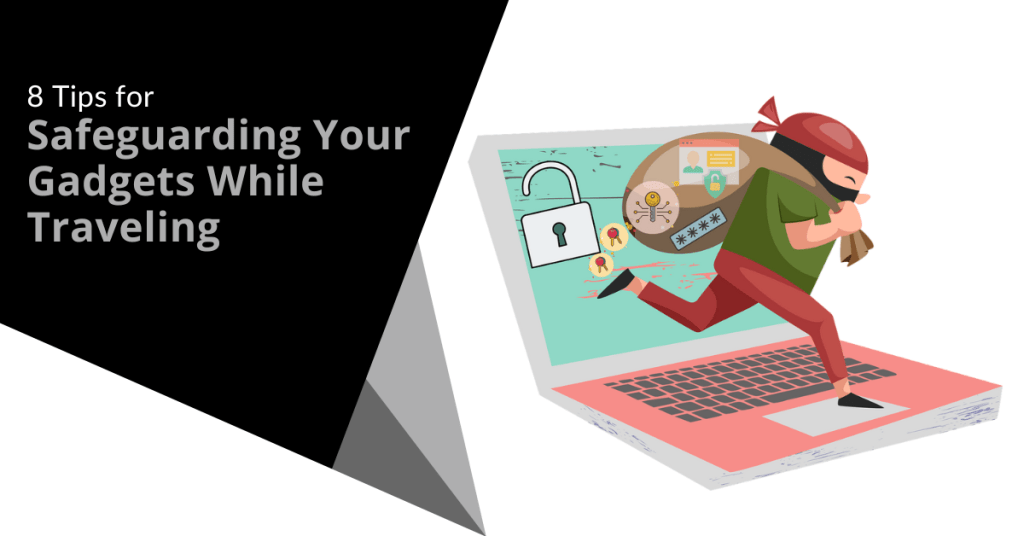
Traveling with technology has become a necessity. Whether for work, communication or entertainment, we rely heavily on our devices. However, traveling exposes these gadgets to various risks. Theft, damage and loss are common concerns.
We have put together some helpful tips to mitigate the risk of any tech mishaps on your next trip. Follow these eight best practices to ensure your devices remain safe when traveling.
1. Use Protective Cases
Invest in quality protective cases. They shield your gadgets from bumps, drops and scratches. Look for cases that are sturdy and provide a snug fit. For laptops and tablets, consider hard shell cases. For smartphones, use cases that cover the edges and have raised bezels. This simple step can save you from costly repairs.
2. Leverage Tracking Apps
Install tracking apps on your devices. These apps help you locate your devices if they are lost or stolen. Many operating systems have built-in tracking features. Enable them before you travel. For example, use "Find My" for Apple devices or "Find My Device" for Android. These tools provide the location of your devices. They also offer remote locking and wiping capabilities.
3. Keep Devices Close
Always keep your devices within reach. Avoid placing them in checked luggage. Carry them in your personal bag. Use a backpack or a crossbody bag with secure compartments. If you need to leave your device unattended, store it in a hotel safe. The less exposure your gadgets have means the lower the risk of theft or damage.
4. Use Strong Passwords
Protect your devices with strong passwords. This includes smartphones, laptops and tablets. Use a combination of letters, numbers and special characters. Avoid using easily guessable information like birthdays or common words. Enable two-factor authentication for an added layer of security. Strong passwords help protect your data if your device falls into the wrong hands.
5. Be Cautious with Public Wi-Fi
Public Wi-Fi networks are convenient but risky. Avoid accessing sensitive information on public networks. If you must use public Wi-Fi, use a Virtual Private Network (VPN). A VPN encrypts your data and makes it harder for hackers to intercept. Turn off automatic connections to public networks. Always verify the legitimacy of the Wi-Fi network before connecting.
6. Back Up Your Data
Regularly back up your data before you travel. Use cloud storage or external hard drives. This ensures that you don't lose important information if your device is lost or stolen. Set up automatic backups to simplify the process. Backing up your data protects you from data loss. It also ensures continuity even if something goes wrong.
7. Be Mindful of Your Surroundings
Stay alert to your surroundings. Crowded places are hotspots for theft. Be particularly cautious in airports, train stations and tourist attractions. Don’t leave your devices unattended. Keep a firm grip on your bag. When using your gadget in public, avoid displaying it for long periods. Awareness and vigilance go a long way in protecting your gadgets.
8. Use Anti-Theft Accessories
Invest in anti-theft accessories. These include items like locks and cables for laptops. Anti-theft backpacks have hidden zippers and cut-proof materials. They make it difficult for thieves to access your belongings. Consider using RFID-blocking wallets to protect against electronic pickpocketing. Anti-theft accessories provide extra security for your gadgets.
Extra Considerations
Besides the main tips, consider following the measures below. They can enhance the safety of your gadgets while traveling.
Insure Your Devices
Consider getting insurance for your gadgets. Many insurance companies offer policies that cover theft, loss and damage. Check the coverage details and ensure it fits your needs. Insurance provides financial protection and peace of mind. This is especially true when traveling with expensive devices.
Customize Your Device Settings
Before you travel, adjust your device settings for added security. Enable remote wiping capabilities. This allows you to erase your data if a thief steals your device. Turn off Bluetooth and location services when not in use. This reduces the risk of unauthorized access and tracking.
Keep a Record of Your Devices
Document the make, model and serial numbers of your gadgets. Keep this information in a secure place. If you have your device lost or stolen, these details are useful for reporting and recovery. They also help when filing insurance claims.
Be Prepared for Customs Inspections
Be aware that customs officials may inspect your gadgets. Have them easily accessible in your carry-on luggage. Be ready to turn them on if requested. Ensure your devices are fully charged before you travel. Compliance with customs inspections prevents unnecessary delays and complications.
Practical Scenarios
Let's look at some practical scenarios where you can apply these tips.
Scenario 1: Airport Security
At airport security, remove your laptop from your bag. Place it in a separate bin for screening. Keep a close eye on your belongings as they pass through the X-ray machine. After screening, quickly retrieve and secure your devices before moving on.
Scenario 2: Hotel Room
In your hotel room, store your gadgets in the room safe when not in use. If there is no safe, use a portable lockbox. Avoid leaving your devices out in the open especially when housekeeping is scheduled. This minimizes the risk of theft.
Scenario 3: Public Transport
On public transport, keep your gadgets close and secure. Use a bag with anti-theft features. Avoid using your devices near exits where they can be easily snatched. Be discreet when taking out your gadgets and put them away securely after use.
Contact Us for Help Securing Your Devices
Technology is indispensable for modern travelers. Protecting your devices requires proactive measures and vigilance. Would you like some help beyond these tips?
Contact us today to schedule a chat about beefing up your device security.
In today's interconnected world, business travel has become an integral part of the lives of many professionals. Whether you are attending a conference, meeting with clients or exploring new markets, the ability to work remotely has made it easier than ever to stay productive while on the go. However, with the convenience of digital connectivity comes the risk of cyber threats which can compromise sensitive data and put your company's security at risk.Read more
Most people are familiar with their device’s Airplane Mode. You have probably used it when jetting off to exotic locations. Did you know that it is not just for globetrotters?
Airplane Mode isn't only for flying. It can be a handy feature for your everyday life. Here are some top reasons why you should consider toggling it on even if you're not traveling.
1. Save That Precious Battery Life
Who doesn't want their smartphone battery to last longer? Airplane Mode can be your secret weapon against those battery-draining apps. Those are the ones that are constantly running in the background.
By switching on Airplane Mode, you effectively shut down all communication functions. This includes Wi-Fi, cellular data and Bluetooth. This can be a lifesaver when you're running low on battery and need your phone to last until you can find a charger.
2. Boost Your Charging Speed
We have all experienced those moments of panic when our phone's battery is about to die. We desperately need to charge it ASAP. Here is a neat trick: Put your phone in Airplane Mode before plugging it in.
Studies show that phones charge about 4 times faster in Airplane Mode.
By doing this, your phone won't be wasting power on syncing notifications or checking for updates or connecting to networks. As a result, it will charge up faster and get you back in the game in no time.
3. A Tranquil Escape from Notifications
Life can get chaotic and sometimes you need a break from constant pings. Turning on Airplane Mode grants you the gift of peace and tranquility (even if only for a little while). You can enjoy some quality "me" time. All without interruptions from social media alerts or work emails. It is like creating your little digital oasis!
4. Focus Mode: Engaged!
We all struggle with staying focused from time to time. Whether it is work, studying or a creative project, distractions are everywhere. Airplane Mode can be your go-to tool to combat those distractions. By cutting off the internet connection, you will find it easier to concentrate on the task at hand. Next time you need to get in the zone, remember to flip that Airplane Mode switch!
5. Prevent Embarrassing Moments
Picture this: You're in an important meeting. Then suddenly your phone starts blaring an embarrassingly loud ringtone. Oops! Even if the ringer is off, phones often vibrate when getting a call or notification.
Avoid these awkward moments. Use Airplane Mode in situations where silence is golden. You can still use your phone for notetaking or accessing offline content without any fear of accidental disruptions.
6. Roaming Woes, Be Gone!
When you're in an area with poor cellular reception, what happens to your phone? It might tirelessly search for a signal. This can lead to battery drain. Airplane Mode can be a lifesaver in such situations.
By turning it on, you prevent your phone from endlessly searching for a network. This saves precious battery power. It can also keep you from connecting to a dangerous network.
7. A Digital Detox
Sometimes we all need a break from the digital world. It can be to reconnect with loved ones, enjoy outdoor activities or simply be present in the moment. Airplane Mode lets you temporarily disconnect from the online realm while you still have access to your phone's offline features.
8. Avoid Unwanted Radiation
The jury is still out on any health risks of mobile phone radiation. Some people prefer to err on the side of caution. Enabling Airplane Mode reduces your phone's radiation emission. This is because it disables most of the communication features. If you're concerned about exposure, using Airplane Mode can provide some peace of mind.
9. Save Data and Money
If you're on a limited data plan, turning on Airplane Mode can help you manage your data usage as well as avoid unexpected charges. It is a smart move when you're nearing the end of your billing cycle and don't want to exceed your data limit.
Remember, Airplane Mode isn't just for frequent flyers. It is a nifty feature that can enhance your daily life in various ways. It offers longer battery life and faster charging as well as an escape from the constant barrage of notifications. Airplane Mode can be your digital ally in a world that is always connected.
Don't be shy to give it a try and enjoy this underrated smartphone feature even when your feet are firmly on the ground!
Keep Your Smartphone Optimized & Secure
Do you need help securing your smartphone from viruses and attacks? Wish you knew how to use all of its features better? Our team of experts can help with training and device security.
Give us a call today to schedule a chat.
As summer approaches, many individuals prepare to change their environment and arrange their vacations. Those traveling for business assignments and those who wish to spend time away from work with family and friends are probably planning to safeguard their homes, care for their pets and wrap up loose ends at work. While securing these things is essential, protecting your electronic devices and data while you are away is also crucial.Read more
Our technology inevitably comes with us when we travel. Most of us won’t even travel to the end of the block without our smartphones. When you go on a trip, not having your technology there when you need it can ruin your day.
Travel smarter and more securely by doing several checks before you go. Use our handy tech travel checklist. It can save you from suffering from lost devices, missing chargers or a data breach.
1. Check Your Apps
Have you ever sat at an airport gate wondering why it looked so empty? You then found out that your gate had changed and you had no idea. You go rushing to the other end of the concourse and hope that you are not too late.
How did everyone else know about the gate change? They most likely had the app for the airline and received a notification.
Before you leave for a trip, make sure to download any apps you may need. It is better to download them when you are at home on your own Wi-Fi. If you wait until you are at the airport, reception may be an issue.
Some of the apps you may want to grab or update before your trip are:
- Airline app
- Train app
- Hotel app
- Theme park app
- Camping ground app
- Weather app
- City tourism app
2. Check Your Cords & Adapters
People leave behind countless chargers and adapters every day. They litter airports, restaurants and train stations around the world. Make sure to bring a backup charger for your laptop, tablet or phone. You don't want to find yourself paying a premium for a new charger in a gift shop. Your device could also go black if you lose its charger and can’t quickly get a new one.
3. Check Your Power
A great way to ensure that you have the power you need is to buy a small charging battery. You can find these in most major retailers or online. They are small “blocks” that hold a charge and can power up a cell phone in a pinch.
Having this extra backup also helps you to avoid potential juice-jacking ports. These are fake or compromised public USB charging ports. Hackers use them to steal your data when you plug in.
4. Check Your Mobile Plan
If you are traveling out of the country, you will want to check your mobile plan. If you don’t have the ability to call internationally, you may not be able to text or call home.
Carriers can add an international capability to your plan but be sure to ask about pricing. It can get expensive if you are on long calls or using mobile data. An alternative is to set up a VoIP app that you can use with your office, friends or family while you are traveling. These enable both calls and SMS but you do need an internet connection.
5. Check or Add a VPN
Free Wi-Fi may be a welcome site when you are on the road but it can also be dangerous. You don’t know who else is using that Wi-Fi. A hacker hanging out on the connection can easily steal your data if you’re not protected.
It is better to use either your mobile carrier connection or a virtual private network (VPN) app. VPN plans are inexpensive and will keep your data encrypted even if you are on public Wi-Fi.
6. Check Your Backup
Unfortunately, mishaps occur when traveling. You may leave your phone behind on a boat, have your luggage lost or get your device stolen while in a crowded area.
10% of all laptop thefts happen in airports.
Don’t lose all your data with the device! Back up your devices to the cloud or local storage before you travel. This ensures that you won’t lose the valuable information on your device. You also won't need to think twice about enacting a remote “wipe my device” command if necessary.
7. Check Your Device Security
Make your devices as secure as possible before you hit the road. When we are traveling, our minds are occupied by other things. So, you may not think to check your antivirus or avoid suspicious phishing links.
Protect your devices before you go using:
- Antivirus/anti-malware
- DNS filtering
- Screen lock with passcode
- Sharing features turned off
- VPN application
- Find-My-Device feature turned on
8. Check Your Double-Checks
What do we mean by checking your double-checks? Use the buddy system as a backup. When the family is getting off a plane, each should check with the other that they have all their devices.
If you’re traveling alone, have a friend or family member check up by text. Did you grab your charger? Is your VPN turned on?
Those little reminders can go a long way toward avoiding digital travel nightmares.
Improve the Security of Your Devices Now
Don’t leave your devices unprotected. This could mean a breach of your banking app or personal data. Contact us for device security solutions to reduce your risk.