
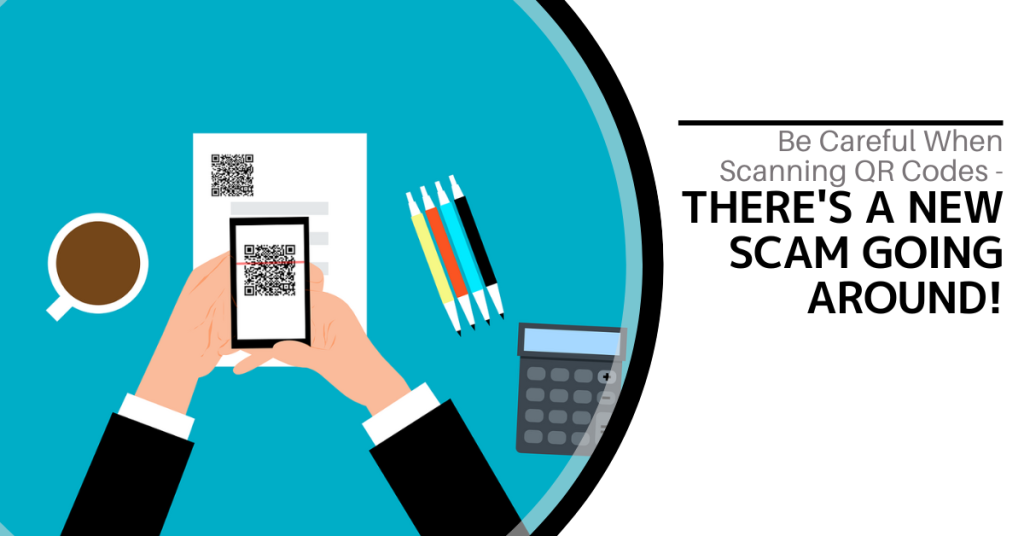
QR codes are everywhere these days. You can find them on restaurant menus, flyers and posters. They are used both offline and online. QR codes are convenient and easy to use. You just scan them with your smartphone camera. You are then directed to a link, a coupon, a video or some other online content.
With the rise in popularity of QR codes comes an unfortunate dark side. Cybercriminals are exploiting this technology for nefarious purposes. Scammers create fake QR codes. They can steal your personal information. They can also infect your device with malware or trick you into paying money.
It is crucial to exercise caution when scanning QR codes. This emerging scam highlights the potential dangers lurking behind those seemingly innocent squares.
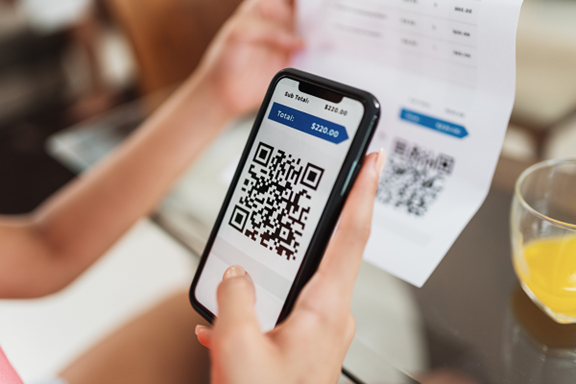
The QR Code Resurgence
QR codes were originally designed for tracking parts in the automotive industry. They have experienced a renaissance in recent years. As a result, they are used as a form of marketing today.
They offer the convenience of instant access to information. You simply scan a code. They have become an integral part of various industries (including retail and hospitality).
Unfortunately, cybercriminals are quick to adapt. A new phishing scam has emerged that exploits the trust we place in QR codes.
How the Scam Works
The scammer prints out a fake QR code. They place it over a legitimate one. For example, they might stick it on a poster that advertises a product discount or a movie.
You come along and scan the fake QR code and think it is legitimate. The fake code may direct you to a phishing website. These sites may ask you to enter sensitive data such as your credit card details, login credentials or other personal information.
Scanning the QR code may also prompt you to download a malicious app that contains malware that can do one or more of the following:
- Spy on your activity
- Access your copy/paste history
- Access your contacts
- Lock your device until you pay a ransom
The code could also direct you to a payment page that charges you a fee for something supposedly free.
Here are some tactics to watch out for.
Malicious Codes Concealed
Cybercriminals tamper with legitimate QR codes. They often add a fake QR code sticker over a real one. They embed malicious content or redirect users to fraudulent websites.
Fake Promotions and Contests
Scammers often use QR codes to lure users into fake promotions or contests. When users scan the code, it may direct them to a counterfeit website. The website may prompt them to provide personal information. This can lead to potential identity theft or financial fraud.
Malware Distribution
Some malicious QR codes start downloads of malware onto the user's device. This can result in compromised security including unauthorized access to personal data and potential damage to the device's functionality.
Stay Vigilant: Tips for Safe QR Code Scanning
Verify the Source
Be cautious when scanning QR codes from unknown or untrusted sources. Verify the legitimacy of the code and its source. This is especially true if it prompts you to enter personal information.
Use a QR Code Scanner App
Consider using a dedicated QR code scanner app. Use that rather than the default camera app on your device. Some third-party apps provide extra security features such as code analysis and website reputation checks.
Inspect the URL Before Clicking
Before visiting a website prompted by a QR code, review the URL. Ensure it matches the legitimate website of the organization it claims to represent.
Avoid Scanning Suspicious Codes
Trust your instincts. If a QR code looks suspicious, refrain from scanning it. Scammers often rely on users' curiosity. Be careful when scanning QR codes that you see in public places. Don't scan them if they look suspicious, damaged or tampered with. Exercising caution is paramount.
Update Your Device and Apps
Keep your device's operating system and QR code scanning apps up to date. Regular updates often include security patches that protect against known vulnerabilities.
Be Wary of Websites Accessed via QR Code
Don't enter any personal information on a website that you accessed through a QR code. This includes things like your address, credit card details, login information, etc.
Don't pay any money or make any donations through a QR code. Only use trusted and secure payment methods.
Contact Us About Phishing Resistant Security Solutions
QR codes can be useful and fun. They can also be dangerous if you are not careful. Always scan them with caution. Protect yourself from scammers who want to take advantage of your curiosity.
This scam falls under the umbrella of phishing. Phishing is one of the most dangerous modern risks for individuals and organizations. If you need help ensuring your devices are phishing resistant, just let us know.
Contact us today to learn more.

In today’s digital age, data is king. Companies of all sizes are generating vast amounts of data on a daily basis and effectively managing this data has become crucial for business success. From customer information to financial records, data management plays a significant role in streamlining operations, improving decision-making and ensuring compliance with regulations. Read more
Browser extensions have become as common as mobile apps. People tend to download many and use few. There are over 176,000 browser extensions available on Google Chrome alone. These extensions offer users extra functionalities and customization options.
While browser extensions enhance the browsing experience, they also pose a danger. That can mean significant risks to online security and privacy.
In this article, we unravel the dangers associated with browser extensions. We will shed light on the potential threats they pose as well as provide insights into safeguarding your online presence.
The Allure and Perils of Browser Extensions
Browser extensions are often hailed for their convenience and versatility. They are modules that users can add to their web browsers. They extend functionality and add customizable elements.
From ad blockers and password managers to productivity tools, the variety is vast. However, the ease with which users can install these extensions is a weakness because it also introduces inherent security risks.
We will delve into the hazards associated with browser extensions. It is imperative to strike a balance between the benefits and dangers.
Key Risks Posed by Browser Extensions
Privacy Intrusions
Many browser extensions request broad permissions. If abused, they can compromise user privacy. Some of these include accessing browsing history and monitoring keystrokes. Certain extensions may overstep their intended functionality. This can lead to the unauthorized collection of sensitive information.
Users often grant permissions without thoroughly reviewing them. This causes them to unintentionally expose personal data to potential misuse.
Malicious Intent
There are many extensions developed with genuine intentions. However, some extensions harbor malicious code. This code can exploit users for financial gain or other malicious purposes. These rogue extensions may inject unwanted ads as well as track user activities or even deliver malware.
These extensions often use deceptive practices. They make it challenging for users to distinguish between legitimate and malicious software.
Outdated or Abandoned Extensions
Extensions that are no longer maintained or updated pose a significant security risk. Outdated extensions may have unresolved vulnerabilities. Hackers can exploit them to gain access to a user's browser as well as potentially compromise their entire system. Without regular updates and security patches, these extensions become a liability.
Phishing and Social Engineering
Some malicious extensions engage in phishing attacks as well as social engineering tactics. These attacks can trick users into divulging sensitive information.
This can include creating fake login pages or mimicking popular websites. These tactics lead unsuspecting users to unknowingly provide data (including sensitive data like usernames, passwords or other confidential details).
Browser Performance Impact
Certain extensions can significantly impact browser performance. This can happen due to being poorly coded or laden with unnecessary features. This results in a subpar user experience. It can also lead to system slowdowns, crashes or freezing. An extension's perceived benefits may attract users but they end up unwittingly sacrificing performance.
Mitigating the Risks: Best Practices for Browser Extension Security
1. Stick to Official Marketplaces
Download extensions only from official browser marketplaces such as those connected with the browser developer (Google, Microsoft, etc.). These platforms have stringent security measures in place. This reduces the likelihood of encountering malicious software.
2. Review Permissions Carefully
Before installing any extension, carefully review the permissions it requests. Be cautious if an extension seeks access to unusual data such as data that seems unrelated to its core functionality. Limit permissions to only what is essential for the extension's intended purpose.
3. Keep Extensions Updated
Regularly update your browser extensions. This ensures you have the latest security patches. Developers release updates to address vulnerabilities and enhance security. If an extension is no longer receiving updates, consider finding an alternative.
4. Limit the Number of Extensions
It is tempting to install several extensions for various functionalities. However, each added extension increases the potential attack surface. Only install extensions that are genuinely needed. Regularly review and uninstall those that are no longer in use.
5. Use Security Software
Use reputable antivirus and anti-malware software. This adds an extra layer of protection against malicious extensions. These tools can detect and remove threats that may bypass browser security.
6. Educate Yourself
Stay informed about the potential risks associated with browser extensions. Understand the permissions you grant. Be aware of the types of threats that can arise from malicious software. Education is a powerful tool in mitigating security risks.
7. Report Suspicious Extensions
If you encounter a suspicious extension, report it. You should report it to the official browser extension marketplace and your IT team. This proactive step helps browser developers take prompt action. That action protects users from potential threats.
8. Regularly Audit Your Extensions
Conduct regular audits of the extensions installed on your browser. Remove any that are unnecessary or pose potential security risks. Maintain a lean and secure browsing environment. This is a key aspect of online security.
Contact Us for Help with Online Cybersecurity
Browser extensions are just one way you or your employees can put a network at risk. Online security is multi-layered. It includes protections from phishing, endpoint threats and more.
Don’t stay in the dark about your defenses. We can assess your cybersecurity measures and provide proactive steps for better protection.
Give us a call today to schedule a chat.
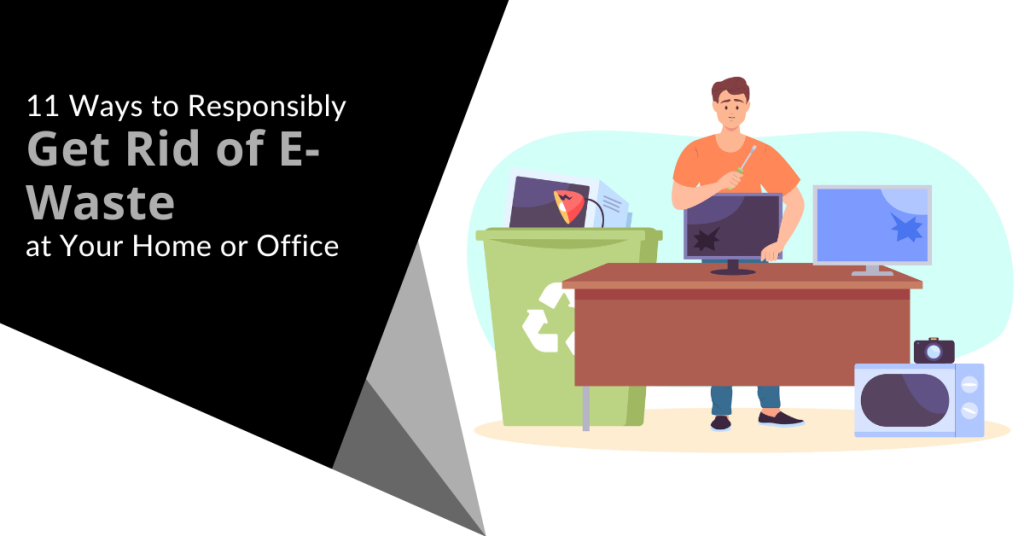
In our tech-driven world, electronic devices have become indispensable. But what happens to the old gadgets with all the constant upgrades? They tend to pile up and eat up storage space. You can’t just throw them in the trash. E-waste poses a significant environmental threat if not disposed of responsibly.
E-waste is a term that refers to electronic devices that are no longer useful or wanted. These include things like:
- Computers
- Laptops
- Smartphones
- Tablets
- Printers
- Cameras
- TVs
E-waste can contain hazardous materials such as lead, mercury, cadmium and brominated flame retardants. These can harm the environment and human health if they are not disposed of properly.
E-waste comprises about 70% of toxic waste. People only recycle 12.5% of it.
What can you do to responsibly get rid of e-waste at your home or office? Here are some tips.
1. Understand What Makes Up E-Waste
E-waste includes old computers, smartphones, printers and other electronic devices. It also comprises batteries, chargers and even cables. Understanding what makes up e-waste is the first step towards responsible disposal.
Most people simply aren’t aware of what e-waste includes. This is a big reason that most of it ends up in landfills. That is not good for us or for the environment.
2. Reduce Your E-Waste
The next step is to reduce the amount of e-waste you generate in the first place. This means buying only what you need. You should also choose durable and energy-efficient products as well as extend the lifespan of your devices by repairing them when possible.
Before buying a new electronic device, ask if it is necessary. Can more than one person share a company tablet? In some cases, everyone in a family or office might not need a duplicate device.
3. Explore Recycling Programs
Many electronics retailers and manufacturers have recycling programs. Research local options. Retailers often collect old gadgets which ensures that they are recycled or disposed of properly. These programs are convenient and eco-friendly.
Here are a couple you can check out:
4. Use E-Waste Recycling Centers
E-waste recycling centers specialize in disposing of electronic devices safely. They dismantle gadgets, recycle valuable components and dispose of hazardous materials responsibly. Locate a certified e-waste recycling center near you for proper disposal.
Here are a few sites where you can find recycling centers:
5. Consider Donating or Selling Functioning Devices
If your old devices are still functional, consider donating them. Many charities and schools accept functional electronics or you can sell them online through reputable platforms. This gives gadgets a new life and reduces e-waste.
Make sure you properly clean data from old devices first. You don’t want someone having access to your online banking app or all of your family photos. Keep reading for tips on doing this properly.
6. Dispose of Batteries Separately
Batteries (especially rechargeable ones) contain hazardous materials. Many retailers and recycling centers have dedicated bins for battery disposal. Always separate batteries from other e-waste for proper handling.
7. Try Manufacturer Take-Back Programs
Several electronic manufacturers offer take-back programs. When you buy a new device, inquire about their disposal programs. Some manufacturers take back old gadgets to ensure responsible recycling or refurbishment.
8. Opt for Certified E-Waste Recyclers
When using e-waste recycling services, choose certified recyclers. Look for certifications like R2 or e-Stewards. These certifications ensure that the recycling process meets high environmental standards as well as data security protocols.
9. Educate Your Office or Household
Awareness is key. Educate your office or household about the importance of responsible e-waste disposal. Encourage everyone to take part and follow proper disposal methods.
10. Repurpose or Upcycle
Get creative. You can often repurpose or upcycle old electronics. Turn an old computer monitor into a digital photo frame. Use smartphone parts for DIY projects. Upcycling reduces waste and adds a touch of innovation.
11. Encourage Manufacturer Responsibility
Support companies that take environmental responsibility seriously. Choose products from manufacturers committed to sustainable practices and responsible e-waste management.
Make Sure to Secure Data Before Disposal, Sale or Donation
Before parting with your devices, wipe all data. Otherwise, you could become the victim of cybercrime. It is not unusual for criminals to troll dumps for old electronics. Remove all traces of your data to keep yourself protected.
Use reliable data erasure software or consult with an IT professional to securely wipe information from old gadgets. Data security is crucial even in disposal.
Get Help Backing Up & Cleaning Devices
It is important to both back up and remove all data from devices before you get rid of them. We can help with expert data migration from the old device to the new one as well as thorough data cleaning to ensure all information is removed.
Give us a call today to schedule a chat.
In today’s digital age where online activities have become an integral part of our daily lives, ensuring digital security is paramount. One area that often poses a potential threat to our online safety is browser extensions. Read more
Cybersecurity threats are becoming increasingly sophisticated and prevalent which are creating a need for a defense-in-depth strategy. In 2022, ransomware attacks jumped by 93%. The introduction of ChatGPT will only increase the potential damage of cyberattacks.
Protecting sensitive data and systems requires a comprehensive approach that goes beyond a single security solution. This is where a defense-in-depth cybersecurity strategy comes into play.
In this article, we will explore the advantages of adopting a defense-in-depth approach as well as its benefits for safeguarding your network and mitigating cyber risks.
What Does a Defense-in-Depth Approach Mean?
First we will define what it means to use a defense-in-depth approach to cybersecurity. In simple terms, it means having many layers of protection for your technology.
You might have locks on your doors, security cameras and an alarm system to protect your home. A defense-in-depth strategy uses different security measures to safeguard your digital assets.
Many layers are better than one when it comes to security. A defense-in-depth strategy combines various defenses. This is to make it harder for cyber attackers to succeed.
These defenses can include things like:
- Firewalls
- Antivirus software
- Strong passwords
- Encryption
- Employee training
- Access management
- Endpoint security
A defense-in-depth strategy also emphasizes early detection and rapid response. It involves using tools and systems that can quickly detect suspicious activities. This enables you to catch an attacker early and take action to reduce any damage.
A defense-in-depth cybersecurity strategy provides a strong and resilient defense system. Its several layers of security increase the chances of staying secure. This is especially important in today's dangerous online world.
Advantages of Adopting a Defense-in-Depth Approach
Enhanced Protection
A defense-in-depth strategy protects your infrastructure in many ways. This makes it harder for attackers to breach your systems. Implementing a combination of security controls creates a robust security posture. Each layer acts as a barrier. If one layer fails, the others remain intact. This minimizes the chances of a successful attack.
Early Detection and Rapid Response
With a defense-in-depth approach, you have many security measures that can detect threats as well as alert you to these potential dangers.
Some systems used to detect suspicious activities and anomalies in real time are:
- Intrusion detection systems
- Network monitoring tools
- Security incident and event management (SIEM) solutions
This early detection allows you to respond quickly. This minimizes the impact of a potential breach. It also reduces the time an attacker has to access critical assets.
Reduces Single Point of Failure
A defense-in-depth strategy ensures that there is no single point of failure such as a single vulnerability that could compromise your entire security infrastructure. Relying solely on one security measure (like a firewall) could prove catastrophic. This is especially true if it fails or if attackers find a way to bypass it.
It is better to diversify your security controls. You create a resilient defense system where the failure of one control does not lead to a complete breach.
Protects Against Advanced Threats
Cybercriminals continually evolve their techniques to overcome traditional security measures. A defense-in-depth approach accounts for this reality. It incorporates advanced security technologies such as behavior analytics, machine learning and artificial intelligence. These technologies can identify and block sophisticated threats. This includes zero-day exploits and targeted attacks. They do this by analyzing patterns and detecting anomalies in real time.
Compliance and Regulatory Requirements
Many industries are subject to specific compliance and regulatory requirements such as the General Data Protection Regulation (GDPR) or the Health Insurance Portability and Accountability Act (HIPAA). Adopting a defense-in-depth strategy can help you meet these requirements.
By implementing the necessary security controls, you show a proactive approach. It is proof of your efforts to protect sensitive data. This can help you avoid legal and financial penalties associated with non-compliance.
Flexibility and Scalability
A defense-in-depth strategy offers flexibility and scalability. This allows you to adapt to evolving threats and business needs. New technologies and security measures emerge all the time. You can integrate them seamlessly into your existing security framework.
Furthermore, you can scale your security controls as your organization grows. This ensures that your cybersecurity strategy remains effective as well as aligned with your expanding infrastructure.
Employee Education and Awareness
A defense-in-depth approach extends beyond technology. It encompasses employee education and awareness. Educating your employees about cybersecurity best practices can significantly reduce risk. This is especially true for those coming from human error and social engineering attacks.
Training and awareness programs create a human firewall. This complements your technical controls. It is also a key component of any defense-in-depth cybersecurity approach.
Protect Your Business from Today’s Sophisticated Cyber Threats
We are in an era where cyber threats are constantly evolving. They are becoming even more sophisticated with AI. A defense-in-depth cybersecurity strategy is a must. Having many layers of security can significantly enhance your protection against cyber threats.
Looking to learn more about a defense-in-depth approach? Give us a call today to schedule a cybersecurity chat.
You wouldn’t think a child’s toy could lead to a breach of your personal data and identity theft. However, this happens all the time. What about your trash can sitting outside? Is it a treasure trove for an identity thief trolling the neighborhood at night?
Many everyday objects can lead to identity theft. They often get overlooked because people focus on their computers and cloud accounts. It is important to have strong passwords and use antivirus on your PC. You also need to be wary of other ways that hackers and thieves can get to your personal data.
Here are six common things that criminals can use to steal your information.
Old Smart Phones
People replace their smartphones about every two and a half years. That is a lot of old phones laying around containing personal data.
Just think of all the information that our mobile phones hold. We have synced connections with cloud services. Phones also hold banking apps, business apps and personal health apps. These are all nicely stored on one small device.
As chip technology has advanced, smartphones have been able to hold more “stuff.” This means documents and spreadsheets can now be easily stored on them along with reams of photos and videos.
A cybercriminal could easily strike data theft gold by finding an old smartphone. They often end up at charity shops or in the trash. Make sure that you properly clean any old phones by erasing all data. You should also dispose of them properly. You shouldn’t just throw electronics away like normal garbage.
Wireless Printers
Most printers are wireless these days. This means they are part of your home or work network. Printing from another room is convenient. However, the fact that your printer connects to the internet can leave your data at risk.
Printers can store sensitive documents such as tax paperwork or contracts. Most people don't think about printers when putting data security protections in place. This leaves them open to a hack. When this happens, a hacker can get data from the printer. They could also leverage it to breach other devices on the same network.
Protect printers by ensuring that you keep their firmware updated. Always install updates as soon as possible. You should also turn it off when you don’t need it. When it is off, it is not accessible by a hacker.
USB Sticks
Did you ever run across a USB stick laying around? Perhaps you thought you scored a free removable storage device or you are a good Samaritan and want to try to return it to the rightful owner. First you need to see what is on it to find them.
You should never plug a USB device of unknown origin into your computer. This is an old trick in the hacker’s book. They plant malware on these sticks and then leave them around as bait. As soon as you plug it into your device, it can infect it.
Old Hard Drives
When you are disposing of an old computer or old removable drive, make sure it is clean. Just deleting your files isn’t enough. Computer hard drives can have other personal data stored in system and program files.
If you are still logged into a browser, a lot of your personal data could be at risk. Browsers store passwords, credit cards, visit history and more.
It is best to get help from an IT professional to properly erase your computer drive. This will make it safe for disposal, donation or reuse.
Trash Can
Identity theft criminals aren’t only online. They can also be trolling the neighborhood on trash day. Be careful what you throw out in your trash.
It is not unusual for garbage to enable identity theft. It can include pre-approved credit card offers that you considered “junk mail.” Your trash can also hold voided checks, old bank statements and insurance paperwork. Any of these items could have the information thieves need to commit fraud or pose as you.
A shredder can be your best friend in this case. You should shred any documents that contain personal information. Do this before you throw them out. This extra step could save you from a costly incident.
Children’s IoT Devices
From electronic bears to smart kid watches and Wi-Fi-connected Barbies, these are all toys that hackers love. Mattel’s Hello Barbie was found to enable the theft of personal information. A hacker could also use its microphone to spy on families.
These futuristic toys are often what kids want. Parents might think they are cool but don’t consider their data security. After all, these are children’s toys. However, that often means that they can be easier to hack. Cybercriminals also zero in on these IoT toys while knowing they aren’t going to be as hard to breach.
You should be wary of any new internet-connected devices that you bring into your home. That includes toys! Install all firmware updates. Additionally, do your homework to see if a data breach has involved the toy.
Schedule a Home IT Security Audit & Sleep Better at Night
Don’t let the thought of identity theft keep you up at night. Give us a call today and schedule a home IT security audit. You will be glad you did.

A critical thing every business owner wants is for their business to function smoothly without encountering any unexpected crisis. Business owners can only hope for a smooth business journey with a significant part of their data and operations on digital databases or in the cloud.
However, that seems impossible with the number of unexpected attacks and events afflicting businesses (including natural disasters and cyberattacks). In today's business world, cyberattacks are the most common unexpected attacks businesses face. The rate at which cyber criminals attack small and big businesses is rising daily.
According to Statista, in 2019, the number of cyberattacks and other cybercrime incidents rose to a total of 31,000 cases worldwide and the amount of data loss due to data breaches rose to almost 4,000 in the same year.
These attacks and incidents were unexpected and these unexpected attacks can significantly damage your business which causes you to lose a lot and can be expensive. As a result, being prepared before these events or attacks occur is essential.
This article highlights some security measures that you can take to prepare your business for unexpected attacks and events.
Simple Steps to Make Sure Your Business Is Prepared for the Unexpected
Below are a few steps that you can take to prepare your business for the unexpected event:
Be Alert
Being alert is the first security measure that you can take to protect your business from unexpected events. Being alert helps you as a business owner take a more reactive posture against future changes or unexpected events.
Therefore, pay attention to the latest business trend, cybersecurity news and crisis that could harm your business.
Train Your Staff
Most of your staff is unfamiliar with server-level technologies or how to protect themselves from unexpected attacks. As a result, create training programs to teach your staff how to protect the integrity of their technology. They should also be trained on the newest risks and security procedures to avoid data breaches.
Backup Your Data
Due to the various technological trends, many businesses keep their customer data and personal information on computers and mobile devices. Although these devices are somewhat safe, unexpected situations can occur that could lead to data loss.
This could be due to hardware destruction or software failure, data corruption, accidental deletion of data files, theft, malicious attack (virus or malware) or natural disaster. This can impact the customer experience, employee productivity and corporate income.
To be prepared for a situation like this, it is essential to back up your data. Regularly backing up your data helps safeguard it from being lost or damaged. Backups such as an external hard drive or a cloud storage service should be kept securely.
Protect Business Documents
While many businesses use computers and other online-based devices, the importance of offline or physical documents cannot be underestimated. As a result, to protect your organization from unexpected disasters, safeguard your business papers and documents by maintaining duplicates.
Maintain these backups physically or on the cloud if your company is destroyed. Financial documents, licenses and certifications, business policies, staff agreements and your database of employees, customers and suppliers are all essential to safeguard.
Apply for Business Insurance Policy
Before you encounter an unexpected event in your business, having a business insurance policy is essential. Business insurance protects your company from losses or unexpected events caused by physical damage, cash loss or contract conflicts.
Business insurance policies cover the building, contents, inventory and equipment. To choose a business insurance policy, consider and evaluate your company's needs carefully.
Implement Security Policy
A security policy defines an organization's rules, expectations and procedures for maintaining its data's confidentiality, integrity and availability. It is typically used with other forms of documentation such as standard operating procedures. These papers collaborate to assist the firm in accomplishing its security objectives.
As a result, having a security policy improves the security of your business posture and provides a clear standard for employees to follow. Furthermore, implementing and maintaining strong security standards might help defend your company from a cyberattack.
Create an Emergency Plan
You can't forecast the future or completely avoid crises affecting your business. By having an emergency plan in place, you may prepare your company for an unanticipated and unexpected disaster in the future.
Having a well-organized emergency plan can help protect your company and employees from unforeseen disasters or crises. Furthermore, preparing for a disaster may protect equipment, save employees' lives and keep businesses going during difficult times.
Remember that your emergency plan must include utilities, fire, health and building.
Build Cyber Resiliency
Cyber resiliency is an organization's ability to carry out business operations despite cyberattacks. This enables businesses to prepare for, respond to and recover from cyberattacks. A cyber-resilient organization also can be aware of and adapt to unexpected events, crises, misfortunes and challenges. Early awareness and identification allows organizations to reduce risk and damage while maintaining continuous business operations.
Protect your Business from Sudden Misfortune
Implementing these security measures can help safeguard your company from unexpected or unforeseen events. You may also want to employ our security expert to assist you in developing a dependable, security-conscious staff that does more to minimize issues than to generate them.
Contact us for more information about our comprehensive security solutions and our trained IT specialists will assist you.
The IoT (Internet of Things) is the primary source of the numerous conveniences and advantages of our embedded electronic devices and everyday items in this current age. Both seniors and young people enjoy these conveniences and there is an unspoken consensus that it will only get better.
From young children using smart watches capable of solving complex math questions to seniors using this tech in devices such as pacemakers, it seems there is so much more to come. We cannot wait for it to get here.
While this future looks brighter than ever, the astonishing growth rate in the application of IoT tech is also bringing a problem – sensitive data leakage. These devices are not so secure when it comes to processing stored data. That makes it an easy target for malicious actors to access and use the data for nefarious purposes. According to a recent study by Ponemon Institute, surveyed businesses reported a 50% increase in the attacks on the IoT devices used for their day-to-day operations.
Devices in your home and business that you use every day must be as secure as possible to prevent hackers from getting their hands on your data and using it to cause harm to you (and your business). What are these everyday devices that can leak your sensitive data? Read on to find out.
Which Everyday Items Can Be Easily Hacked?
This section describes how hackers gain access to everyday items and devices and how you can prevent it. Here are some everyday items and devices that can be easily hacked and ways to prevent it:
Smart TVs
A smart television offers several hacking opportunities. When hackers gain control of a smart TV, most of the time they just do are harmless annoying pranks such as changing channels, increasing the volume and picking movies you did not choose. If you have connected your TV to other devices in the home, all of those devices and items can also be accessed by hackers. That means hackers can easily access all of the devices in your home and cause many issues.
Also, if you use a TV app to make payments for some streaming services such as Netflix and Amazon Prime, hackers can data mine your TV and extract your credit card details and information. That comes easy for hackers as many users do not change the default passwords that come with their TVs. Companies that vend smart TVs monetize it by harvesting user information through post-purchase data collection. This data is used for advertising and other service and product sales to users.
Always change your smart TV passwords and clear your cache periodically. This might mean inputting your credit card info every time you need to purchase a product or service but it is better than getting hacked.
Digital Thermostats
Digital thermostats are used in homes to maintain the standard and preferred temperatures of the house. These items help reduce heating and cooling costs as it works with automation.
If hackers get access to your home's digital thermostat, they could cause havoc by changing the home's temperature at odd hours and begin to breed fear and anxiety in the homeowners. They could decide to collect a ransom before disconnecting from the thermostat for good. That gets even worse when dependents (babies and seniors) are part of the home's occupants.
Ensure you get a digital thermostat with good security features. You can ask friends and family for referrals.
Baby Monitors
Baby monitors are another everyday item that could cause the leakage of sensitive data.
Some baby monitors are connected to the building's Wi-Fi which makes it easier for parents to control them from other devices. Because these everyday items display their passwords on the device screen, it is easy for anyone to get the details (such as the IP address) and log in from a remote place and control the monitor.
Hackers can also use baby monitors to access other information like family names and medical information. Ensure you monitor all devices connected to the baby monitor (and vice versa) and change your passwords frequently. Also, ensure that you use strong passwords.
Smart Cameras
Smart cameras are also highly vulnerable to hack attacks. Depending on the setup and configuration, hacking these everyday items can give malicious actors access to your home's video and audio feeds. To prevent this, ensure you constantly change your password and monitor all IoT devices on your network. Also, regularly check for firmware and software updates so that you will always be protected against hackers.
Voice-Activated Speakers
Smart voice-activated devices such as Echo and Alexa are also loopholes when hacked. Since they store your voice patterns and keywords, hackers can gain access and analyze the data for passwords and other important information. Also, when you use these everyday items for calls, they can monitor your calls and find out sensitive information such as meeting times, schedule details, bank account details and passwords.
Lastly, if your smart speaker is connected to the main network (which your security system is also connected to) a hacker could use it to shut down your security system and enter your house when you're not there. You can ask an IT cybersecurity professional for guidance and tips on protecting yourself.
Prevent Sensitive Data Leakage with Sound Computers
Using IoT devices as everyday items can come at a high cost to your privacy. You need to take essential steps to protect yourself, your family and your business from hackers and that is where Sound Computers comes in.
At Sound Computers, we help you increase your home and business IoT security levels to ensure the items do not leak sensitive data. Contact us and let us beef up your IT security.
Since the pandemic, employers around the world have needed to change. They have needed to shift how their employees operate and tracking tools have become a highly debated topic. Remote work is very much here to stay. Organizations and employees can both benefit from the work-from-home and hybrid work revolution.
Cost savings is a driver for supporting remote work. Employee morale and productivity also can be higher when employers grant this flexibility.
A majority of organizations support some type of remote work. Statistics show that:
- 16% of companies are completely remote.
- 40% support hybrid office/remote working.
- 44% don’t allow employees to work remotely.
While there are benefits, there are also challenges to this new environment. Employers worry about the cybersecurity risks of remote teams. Managers can find it more challenging to make sure employees are doing what they should do.
The remote and hybrid work environment has led to the rise of employee monitoring tools. These tools have mixed reviews from employees.
What Is Employee Monitoring Software?
Employee monitoring software tracks digital movements. This can include everything from general clock-in and clock-out tracking to taking screenshots of an employee’s computer several times per hour.
Tracking tools like Hubstaff and BambooHR track many activities on a person's computer. The information is then sent in a daily or weekly report to the company.
Items that these tools can track are:
- Time clock
- Keyboard activity
- Keystrokes
- Mouse activity
- Websites visited
- Screenshots of the desktop
- Apps used and how long in use
The most invasive of tools can even track the sounds and video of the employee. Tracking can be visible (so the employee knows about it) or hidden from the employee. It depends on the tool used and the ethical considerations of the employer.
This type of monitoring can benefit an organization worried about “productivity theft.” It can also alienate good employees and torpedo morale and trust. We will go through the pros and cons to weigh before you set up this type of system.
Pros of Activity Monitoring Tools
Helps Managers Understand How Employees Spend Their Day
One feature of many tracking tools is the ability to track time by project. This helps managers understand where employees are prioritizing their time. Knowing how much time employees spend on a project helps with ROI projections.
Reduces Non-Work Activities During Working Hours
One thing that employers worry about with remote employees is that they will waste time. A manager doesn’t want to pay someone only to find out the employee spent half of their time on Facebook.
About half of monitored employees spend 3+ hours per day on non-work activities. When employees know that their boss is monitoring their app usage, they are less likely to goof off.
Can Be an Easy Way to Track Time for Remote Workers
Smaller companies that work with fully remote teams may find tracking tools convenient. Employees or freelancers can track their time at the click of a button. Employers can put an hour-per-week cap on time. They can also manage payments automatically through the app.
Cons of Activity Monitoring Tools
Hurts Employee Morale & Productivity
Many employees feel they are put in a cage when monitoring is introduced. Morale can plummet and that takes productivity along with it.
Instead of focusing on work completely, various thoughts go through employees’ minds.
“If I think about this problem too long, is the tracking going to give me a low productivity score?”
“What happens when I’m on the phone with a customer and not moving my mouse around? Will the tracking make it look like I’m not working?”
Some of the feelings that employees can have when monitored are:
- Betrayed
- No longer trusted
- Loss of company loyalty
- Hurt
- Treated like a number instead of a person
“Activity Monitoring” Doesn’t Mean Productivity
Many of these tracking tools send employees and employers “activity reports.” These reports simply look at keyboard and mouse activity during a specific time.
However, what if the employee must solve a workflow issue and needs to use their brain instead of a mouse? What if a salesperson is on the phone with a customer instead of using their keyboard? Zoom calls bring a similar quandary. If you’re in a Zoom call, your mouse and keyboard aren’t being actively used like they would if you are typing.
The activity report doesn’t include this information. It will simply give a score of x% based on keyboard and mouse activity. This could make an employer think a worker was goofing off when they were actually working hard.
Costs Organizations Good Employees
Nearly half (47%) of surveyed tech employees stated that they would quit if their boss tracked them. Employers implementing monitoring can alienate good employees and make them feel like they are not trusted. They can also feel unappreciated.
When you relegate everyone to a number of keyboard strokes, you constrain creativity. Good employees often stay with companies where they feel appreciated and can grow. Once that is gone, they are likely to leave.
Finding a Balance
A few things to think about when finding the right balance between tracking too much or too little are:
- What do you really need to track?
- Should you treat all employees the same?
- What do your employees think about monitoring?
- Are you trying to solve a problem that doesn’t exist?
- What features are unnecessary that you can turn off?
- Is the tool giving you accurate data related to productivity?
Get Expert Advice on the Best Tools for Your Business
Tracking tools are an important consideration in your business. You should deploy them thoughtfully. Give us a call today to schedule a chat and get valuable advice.