

In today’s rapidly evolving digital landscape, the shift towards cashless transactions is becoming increasingly prevalent. As consumers embrace the convenience and security of digital payments, small businesses must adapt to stay competitive and meet changing customer expectations. This article explores the cashless revolution and provides insights on how small businesses can leverage this trend to their advantage.Read more

A business network is the lifeblood of operations. It is the digital artery that pumps data through your organization. It enables everything from email to critical applications and cloud services.
When problems sever that lifeline, the consequences can be catastrophic. Communication is cut off and productivity grinds to a halt. Additionally, it can leave your customers hanging and dry up revenue streams. This is the stark reality of network downtime.
When downtime happens, it is important to identify the source as fast as possible. Understanding the issue can save you time, money and countless headaches. Let's get started on keeping your network up and running smoothly. Read on for six helpful tips to troubleshoot common business network issues.
1. Identify the Problem
Understanding the nature of the problem is the first step in troubleshooting. By gathering detailed information, you can narrow down potential causes.
Determine the Scope
First determine the scope of the problem. Is it affecting a single user, a group of users or the entire network? This helps you zero in on the cause and potential solutions.
If only one user has issues, it might be a device problem. If the entire network is down, it is likely a more significant issue.
Ask Questions
Ask users specific questions about the problem. When did it start? What were they doing when it happened? Have they tried any solutions? Gathering detailed information helps pinpoint the cause.
Check Error Messages
Look for error messages or alerts. These can provide clues about the nature of the issue. Document these messages for future reference.
2. Inspect Physical Connections
Physical connections are often overlooked. They can be a common cause of network issues. Check cables, ports and power sources. This can help you quickly rule out or identify simple problems.
Check Cables and Ports
Inspect all cables and ports. Ensure that cables are securely connected and undamaged. A loose or damaged cable can cause connectivity issues. Test cables with another device to confirm they work correctly.
Verify Power Sources
Ensure all networking equipment has power. Check power cables and adapters. Sometimes a simple power issue can cause network problems. Reset power sources if necessary.
Inspect Network Devices
Examine routers, switches and modems. Ensure they are functioning correctly and all lights show normal operation. Restart these devices to see if it resolves the issue. Sometimes a reboot can clear temporary glitches.
3. Test Network Connectivity
Testing network connectivity helps identify where the connection fails as well as whether the issue is device-specific or network-wide. Using simple tools and tests can provide valuable insights into the problem.
Use Ping and Traceroute
Use ping and traceroute commands to test network connectivity. These tools help identify where the connection fails. For example, if ping works locally but not remotely, the issue might be external.
Test Different Devices
Test the network with different devices. This helps determine if the issue is device-specific or network-wide. Does one device connect successfully while another doesn’t? Then the problem might be with the device rather than the network.
Check Wi-Fi Signal Strength
If using Wi-Fi, check the signal strength. Weak signals can cause connectivity issues. Move closer to the router or access point and see if the connection improves. Consider using Wi-Fi analyzers to identify signal strength and interference.
4. Analyze Network Configuration
Network configuration issues can often cause connectivity problems. Check IP settings, DNS settings and configurations on routers and switches. This can help you identify and resolve misconfigurations. Some of these are a bit technical. They might need the help of an IT services partner.
Check IP Settings
Verify IP settings on affected devices. Ensure devices have the correct IP addresses, subnet masks and gateways. Incorrect settings can prevent devices from connecting to the network.
Review DNS Settings
Check DNS settings. Incorrect DNS settings can cause problems with accessing websites and services. Use reliable DNS servers and ensure settings are correctly configured.
Inspect Router and Switch Configurations
Review configurations on routers and switches. Ensure there are no incorrect settings or misconfigurations. Check for any changes that might have caused the issue.
5. Monitor Network Performance
Monitoring network performance helps identify ongoing issues and potential bottlenecks. There are many tools you can use for this purpose. They also help pre-warn you of network issues.
Use Network Monitoring Tools
Use network monitoring tools to track performance. These tools provide insights into network traffic, bandwidth usage and potential issues. They help identify trends and pinpoint problem areas.
Check for Bottlenecks
Identify any network bottlenecks. High traffic or heavy usage can slow down the network. Consider upgrading bandwidth or optimizing traffic flow to ease congestion.
Look for Interference
For wireless networks, look for interference sources. Other electronic devices, walls and even microwaves can interfere with Wi-Fi signals. Use different channels or frequencies to reduce interference.
Ensure Security and Updates
Keeping your network secure and up to date is crucial for smooth operation. Regular updates and security checks can prevent many common issues.
Update Firmware and Software
Ensure all networking equipment has the latest firmware and software updates. Updates often include bug fixes and performance improvements. Regular updates help maintain a stable and secure network.
Scan for Malware
Run malware scans on all devices. Malware can cause various network issues including slow performance and connectivity problems. Use reputable antivirus software and keep it updated.
Review Security Settings
Check security settings on routers and firewalls. Ensure proper configurations and that no unauthorized changes have occurred. Strong security settings help protect the network from external threats.
Need Help Optimizing Your Business Network?
A reliable network is essential for business operations. Avoid costly downtime issues by working with our team to keep your network in top shape. We can put in place monitoring and other best practices. We will ensure your network runs smoothly and fully supports all your needs.
Contact us today to schedule a chat about improving your connectivity.

Buying a used laptop can be a great way to save money but it comes with risks. You need to be careful and thorough in your evaluation. Otherwise, you could end up wasting your money.
You can’t only look at the outside when evaluating technology. This guide will help you understand what to look for when buying a used laptop (or desktop PC). These steps can keep you from losing money on a bad tech decision.
Determine Your Needs
Identify Your Purpose
Identify why you need the laptop. Are you buying it for work, gaming or general use? Your purpose will dictate the specifications you need. For example, gaming laptops need powerful GPUs. Business laptops focus on reliability and battery life.
Set a Budget
Decide how much you are willing to spend. Setting a budget helps narrow down your choices. Remember that used laptops vary greatly in price. Knowing your budget beforehand prevents overspending.
Check the Condition
Inspect the Physical Condition
Examine the laptop carefully. Check for any visible damage like cracks, dents or scratches. Inspect the hinges to ensure they are not loose. A well-maintained exterior often indicates the care the laptop received.
Test the Keyboard and Touchpad
The keyboard and touchpad should work flawlessly. Type a few sentences to see if all keys respond. Test the touchpad for responsiveness and accuracy. These are crucial components and any issues can be annoying.
Look at the Screen
Turn on the laptop and check the screen. Look for dead pixels, discoloration or flickering. Ensure the brightness levels adjust properly. A damaged screen can be costly to replace.
Inspect the Ports
Check all the ports on the laptop. Test USB ports, headphone jacks and charging ports. These should all function correctly. Non-working ports can be inconvenient and limit the laptop’s usability.
Check the Battery Life
Ask About the Battery
Ask the seller about the battery life. An old battery may not hold a charge well. Turn on the laptop and see how long it lasts on battery power. Replacing a battery can be expensive so ensure the current one meets your needs.
Check Battery Health
Use software to check the battery’s health. Some operating systems have built-in tools for this. A healthy battery should keep most of its original capacity. Poor battery health might mean it needs a replacement soon.
Assess the Internal Components
Processor
The processor determines the laptop’s performance. Check the processor model and speed. Compare it with current standards. Older processors might struggle with modern applications.
RAM
RAM affects multitasking capabilities. Ensure the laptop has enough RAM for your needs. 8GB is the minimum for general use while 16GB or more is ideal for gaming or heavy multitasking.
Storage
Look at the storage type and capacity. SSDs are faster and more reliable than HDDs. Make sure the laptop has enough storage for your files and programs. An SSD with at least 256GB is recommended.
Graphics Card
If you need the laptop for gaming or graphic design, check the GPU. Ensure it meets the requirements for your applications. Integrated graphics are fine for general use but dedicated GPUs are better for demanding tasks.
Verify the Software Operating System
Pre-installed Software
Check what software comes pre-installed. Ensure there are no unnecessary or malicious programs. A fresh installation of the operating system is ideal.
Operating System License
Verify the operating system is genuine and licensed. This ensures you receive updates and support. Ask for proof of sale or license keys if necessary.
Research the Seller
Check Seller’s Reputation
Research the seller’s reputation. Look for reviews and ratings from previous customers. A reputable seller is more likely to provide a quality product and good customer service.
Ask Questions
Don’t hesitate to ask the seller questions. Inquire about the laptop’s history, reason for selling and any past issues. Honest sellers will provide clear and detailed answers.
Test the Laptop
Perform a Thorough Test
Before finalizing the sale, test the laptop thoroughly. Run different applications to check performance. Connect to Wi-Fi and test the internet connection. Play a video to ensure the speakers and display work well.
Use Diagnostic Tools
Use diagnostic tools to test hardware components. These tools can identify any hidden issues. They help ensure you don’t encounter problems later.
Consider Upgradability
Check Upgrade Options
Some laptops allow easy upgrades. Check if you can upgrade the RAM or storage. This can extend the laptop’s lifespan and improve performance. Upgradable laptops offer more flexibility and value.
Cost of Upgrades
Consider the cost of potential upgrades. Calculate if upgrading an older laptop is worth it compared to buying a new one. Sometimes the cost of upgrades can approach the price of a new laptop.
Compare Prices
Research Market Prices
Research the market prices for similar models. Ensure you are getting a fair deal. Compare prices from different sellers. A lower price isn’t always better if the laptop has issues.
Factor in Extra Costs
Include extra costs in your budget. These might include new batteries, chargers or software. Factor these into the total cost to avoid surprises.
Looking for a Good and Affordable Computer?
Buying a used laptop can be a smart choice if you do your homework. It can also be a nightmare if you buy one from the wrong person. If you’re looking for reliable hardware for business or home, we are here to help. We have some great options for value and performance.
Contact us today to learn more.
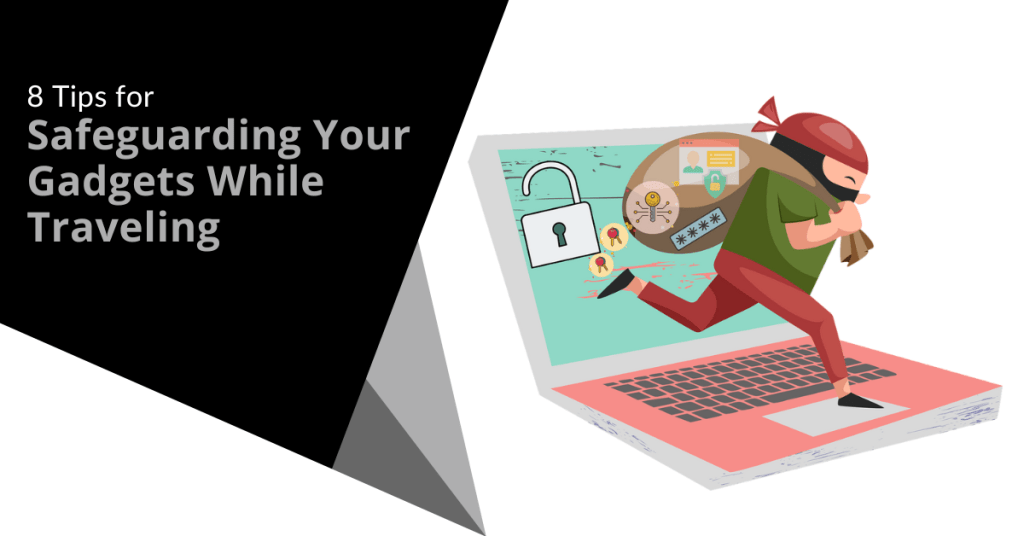
Traveling with technology has become a necessity. Whether for work, communication or entertainment, we rely heavily on our devices. However, traveling exposes these gadgets to various risks. Theft, damage and loss are common concerns.
We have put together some helpful tips to mitigate the risk of any tech mishaps on your next trip. Follow these eight best practices to ensure your devices remain safe when traveling.
1. Use Protective Cases
Invest in quality protective cases. They shield your gadgets from bumps, drops and scratches. Look for cases that are sturdy and provide a snug fit. For laptops and tablets, consider hard shell cases. For smartphones, use cases that cover the edges and have raised bezels. This simple step can save you from costly repairs.
2. Leverage Tracking Apps
Install tracking apps on your devices. These apps help you locate your devices if they are lost or stolen. Many operating systems have built-in tracking features. Enable them before you travel. For example, use "Find My" for Apple devices or "Find My Device" for Android. These tools provide the location of your devices. They also offer remote locking and wiping capabilities.
3. Keep Devices Close
Always keep your devices within reach. Avoid placing them in checked luggage. Carry them in your personal bag. Use a backpack or a crossbody bag with secure compartments. If you need to leave your device unattended, store it in a hotel safe. The less exposure your gadgets have means the lower the risk of theft or damage.
4. Use Strong Passwords
Protect your devices with strong passwords. This includes smartphones, laptops and tablets. Use a combination of letters, numbers and special characters. Avoid using easily guessable information like birthdays or common words. Enable two-factor authentication for an added layer of security. Strong passwords help protect your data if your device falls into the wrong hands.
5. Be Cautious with Public Wi-Fi
Public Wi-Fi networks are convenient but risky. Avoid accessing sensitive information on public networks. If you must use public Wi-Fi, use a Virtual Private Network (VPN). A VPN encrypts your data and makes it harder for hackers to intercept. Turn off automatic connections to public networks. Always verify the legitimacy of the Wi-Fi network before connecting.
6. Back Up Your Data
Regularly back up your data before you travel. Use cloud storage or external hard drives. This ensures that you don't lose important information if your device is lost or stolen. Set up automatic backups to simplify the process. Backing up your data protects you from data loss. It also ensures continuity even if something goes wrong.
7. Be Mindful of Your Surroundings
Stay alert to your surroundings. Crowded places are hotspots for theft. Be particularly cautious in airports, train stations and tourist attractions. Don’t leave your devices unattended. Keep a firm grip on your bag. When using your gadget in public, avoid displaying it for long periods. Awareness and vigilance go a long way in protecting your gadgets.
8. Use Anti-Theft Accessories
Invest in anti-theft accessories. These include items like locks and cables for laptops. Anti-theft backpacks have hidden zippers and cut-proof materials. They make it difficult for thieves to access your belongings. Consider using RFID-blocking wallets to protect against electronic pickpocketing. Anti-theft accessories provide extra security for your gadgets.
Extra Considerations
Besides the main tips, consider following the measures below. They can enhance the safety of your gadgets while traveling.
Insure Your Devices
Consider getting insurance for your gadgets. Many insurance companies offer policies that cover theft, loss and damage. Check the coverage details and ensure it fits your needs. Insurance provides financial protection and peace of mind. This is especially true when traveling with expensive devices.
Customize Your Device Settings
Before you travel, adjust your device settings for added security. Enable remote wiping capabilities. This allows you to erase your data if a thief steals your device. Turn off Bluetooth and location services when not in use. This reduces the risk of unauthorized access and tracking.
Keep a Record of Your Devices
Document the make, model and serial numbers of your gadgets. Keep this information in a secure place. If you have your device lost or stolen, these details are useful for reporting and recovery. They also help when filing insurance claims.
Be Prepared for Customs Inspections
Be aware that customs officials may inspect your gadgets. Have them easily accessible in your carry-on luggage. Be ready to turn them on if requested. Ensure your devices are fully charged before you travel. Compliance with customs inspections prevents unnecessary delays and complications.
Practical Scenarios
Let's look at some practical scenarios where you can apply these tips.
Scenario 1: Airport Security
At airport security, remove your laptop from your bag. Place it in a separate bin for screening. Keep a close eye on your belongings as they pass through the X-ray machine. After screening, quickly retrieve and secure your devices before moving on.
Scenario 2: Hotel Room
In your hotel room, store your gadgets in the room safe when not in use. If there is no safe, use a portable lockbox. Avoid leaving your devices out in the open especially when housekeeping is scheduled. This minimizes the risk of theft.
Scenario 3: Public Transport
On public transport, keep your gadgets close and secure. Use a bag with anti-theft features. Avoid using your devices near exits where they can be easily snatched. Be discreet when taking out your gadgets and put them away securely after use.
Contact Us for Help Securing Your Devices
Technology is indispensable for modern travelers. Protecting your devices requires proactive measures and vigilance. Would you like some help beyond these tips?
Contact us today to schedule a chat about beefing up your device security.

The recent CrowdStrike outage sent shockwaves through the cybersecurity world. It affected thousands of businesses and highlighted the critical importance of robust disaster recovery plans. This unprecedented event (which occurred on July 19, 2024) caused widespread disruption and forced many organizations to confront the fragility of their digital infrastructure. Read more

Running a small business is a whirlwind. You juggle a million tasks and wear countless hats. You also constantly fight the clock. What if you could reclaim some of that precious time? Enter task automation.
It is your secret weapon for streamlining your workflow and boosting productivity. By automating routine and repetitive tasks, small businesses can gain many benefits such as freeing up valuable time and resources. Every minute saved can translate to increased productivity and profitability.
This guide will walk you through the essentials of small business task automation. It is designed to help you understand its benefits and identify tasks to automate as well as choose the right tools and install automation effectively.
What is Task Automation?
Task automation involves using technology to automate repetitive and manual tasks. Imagine software handling data entry, scheduling appointments or sending out invoices without your constant oversight. This frees you up to focus on strategic initiatives that drive growth.
88% of small business owners say that automation helps them compete with larger companies.
Why Automate in Your Small Business?
Here is why task automation is a game-changer for small businesses:
- Boosts Efficiency: Repetitive tasks take a huge chunk of time. Automation eliminates the need for manual effort. This allows your team to focus on higher-value activities.
- Reduces Errors: Humans make mistakes. Automation minimizes errors in data entry as well as calculations and other repetitive tasks. This ensures better accuracy and consistency.
- Saves Money: Time saved is money saved. By automating tasks, you can free up your team's time as well as reduce the need for more manpower.
- Improves Customer Service: Automation can handle routine customer inquiries. It can also send out order confirmations. This frees your team to focus on providing personalized service to customer needs.
- Enhances Scalability: As your business grows, automation can handle the increased workload. You can grow without needing to add more staff immediately.
What Tasks Can You Automate?
You can automate many tasks across different departments in a small business. Here are some examples:
- Marketing: Schedule social media posts and send automated email campaigns. You can also generate personalized marketing materials.
- Sales: Generate quotes and send automated follow-up emails. Track sales performance through automated reports.
- Customer Service: Set up chatbots to answer frequently asked questions. Automate email responses for order confirmations. Have automation manage appointment scheduling.
- Human Resources: Automate payroll processing and manage employee onboarding tasks. Send out automated reminders for performance reviews.
- Finance: Automate data entry for invoices and receipts. Schedule recurring payments and generate automated financial reports.
Getting Started with Task Automation:
Ready to automate? Successfully implementing automation requires careful planning and execution. Here is how to get started.
Identify Repetitive Tasks
Analyze your daily workflows and pinpoint repetitive tasks. Look for tasks that consume a significant amount of time. Ask employees what manual tasks take them the most time.
Choose the Right Tools
There is a vast array of automation tools available. You will find everything from simple scheduling apps to complex workflow management platforms. Research and choose tools that integrate seamlessly. They should be compatible with your existing software. Get expert IT help for guidance on ensuring the tools cater to your specific needs.
Start Small
Don't try to automate everything at once. You and your team can easily get overwhelmed. Begin by automating a few key tasks. Then gradually expand as you get comfortable with the technology.
Invest in Training
Provide your team with proper training on the new automation tools. Ensure they understand how to use them effectively. You want them to feel comfortable integrating them into their workflow.
Overcoming Common Challenges
Implementing task automation can come with challenges. Here are some common issues and how to overcome them:
- Resistance to Change: Employees may resist new technologies. Address this by communicating the benefits of automation. Involve them in the process.
- Technical Difficulties: Technical issues can arise during implementation. Work closely with your provider's support team to resolve any problems quickly.
- Integration Issues: Ensure your automation tools can seamlessly integrate with your existing systems. Test integrations thoroughly before full implementation.
- Cost Concerns: The initial investment in automation tools can be high. Focus on the long-term savings and benefits to justify the cost.
- Security Risks: Automating tasks can introduce security risks. Put in place strong security measures to protect sensitive data.
The Future of Automation for Small Businesses
Automation is not about replacing humans. It is about empowering them. By automating repetitive tasks, you free up your team's time and talent. This allows them to focus on the things that only they can do including strategic thinking, creative problem-solving and building strong customer relationships.
Automation technology will continue to evolve. Small businesses will have access to even more powerful tools to boost productivity. Automating now gets you ahead of the competition.
Ready to Embrace the Time-Saving Power of Automation?
We can help you reclaim your time and empower your team. Our technology experts can guide you in technology optimization. We will help you find the right automation areas for the biggest benefit.
Contact our automation experts today to schedule a chat.

Technical debt is a pervasive issue that plagues many businesses and is often lurking beneath the surface until it becomes too big to ignore. Like financial debt, it can accumulate over time and hinder growth, productivity and innovation. In this article, we will explore the concept of technical debt, its impact on businesses and provide actionable strategies to reduce it effectively.Read more
As businesses increasingly rely on technology to operate efficiently, business network problems can have a significant impact on productivity and profitability. From slow internet speeds to audio quality issues, network issues can disrupt daily operations and frustrate employees. In this comprehensive guide, we will explore common network problems businesses face and provide practical tips for troubleshooting and resolving them.Read more

Imagine leaving your house for vacation. You live in a shady neighborhood but feel confident your locks are secure. However, you also don’t check them daily. Are they really locked and safe? A tiny crack or hidden weakness could have occurred. It is a disaster waiting to happen. That is the risk of neglecting continuous cybersecurity monitoring.
Cyber threats are constantly evolving and traditional security measures are no longer enough. Continuous monitoring acts as your vigilant digital guard. It is constantly checking for weaknesses. It sounds the alarm before attackers exploit them.
Why Monitoring Matters
There are several reasons you need to watch your network. It is not just a “good to have.” Here is why continuous monitoring is a cybersecurity must for businesses of all sizes.
Breaches Happen Fast
Cyberattacks can happen in seconds. They exploit vulnerabilities before you even know they exist. Continuous monitoring provides real-time insights. It allows you to identify and respond to threats swiftly to minimize potential damage.
Advanced Threats Need Advanced Defenses
Hackers are constantly developing sophisticated techniques. Some can bypass traditional perimeter defenses. Continuous monitoring delves deeper. It analyzes network traffic, user behavior and system logs. It uncovers hidden threats lurking within your network.
Compliance Requirements Often Mandate It
Many industry regulations and data privacy laws require organizations to have continuous monitoring. Failure to comply can result in hefty fines and reputational damage.
Peace of Mind and Reduce Costs
Continuous monitoring helps prevent costly breaches and downtime. It also reduces the workload for security teams. It automates routine tasks and allows them to focus on strategic initiatives.
What Does Continuous Monitoring Look Like?
Continuous monitoring isn't a single tool. It is a holistic approach that combines different elements. These include:
- Log Management: Security logs are collected and analyzed for suspicious activity. Logs come from firewalls, devices and applications.
- Security Information and Event Management (SIEM): SIEM systems collect security data. They tap into various sources. They provide a centralized view of your security posture and identify potential threats.
- Vulnerability Scanning: Regular scans identify weaknesses in your systems and applications. This allows you to patch them before attackers exploit them.
- User Activity Monitoring: Monitoring user behavior can identify suspicious activity. For example, unauthorized access attempts or data exfiltration.
- Network Traffic Analysis: Monitoring network traffic can reveal several risks such as malware, suspicious communication patterns and attempts to breach your network defenses.
Benefits Beyond Threat Detection
Continuous monitoring offers advantages beyond just identifying threats. Here are some extra benefits.
Improved Threat Detection Accuracy
Continuous monitoring reduces false positives. It does this by analyzing vast amounts of data. This allows your security team to focus on genuine threats.
Faster Incident Response
Continuous monitoring provides real-time alerts. This enables a quicker response to security incidents and minimizes potential damage.
Enhanced Security Posture
It aids in identifying vulnerabilities. It helps you rank patching and remediation efforts. This proactively strengthens your security posture.
Compliance Reporting
Continuous monitoring systems can generate reports. This helps you prove compliance with relevant regulations. It also saves you time and resources during audits.
Getting Started with Monitoring
Implementing continuous monitoring doesn't have to be overwhelming. You can begin with a few common sense steps.
Assess Your Needs
Identify your organization's specific security needs and compliance requirements. Have a cybersecurity assessment done. This is the best way to identify vulnerabilities you should address.
Choose the Right Tools
Select monitoring tools that align with your needs and budget. Consider managed security service providers (MSSPs) for a comprehensive solution. We can help you ensure a holistic cybersecurity strategy and we can tailor solutions for your budget.
Develop a Monitoring Plan
Define what your monitoring plan will look like. This helps ensure that things don’t get missed. Here are some things to include in your plan:
- How you will track data
- How you will handle alerts
- Who handles responding to incidents
Invest in Training
Train your security team on how to use the monitoring tools as well as how to effectively respond to security alerts. Include training on reporting from monitoring systems. Ensure your team knows how to understand the insights they offer.
Continuous Monitoring: Your Cybersecurity Lifeline
In today's threat landscape, continuous monitoring is not a luxury. It is a security necessity. Proactive monitoring of your systems and data has many benefits. You can identify threats early and respond swiftly as well as reduce the impact of cyberattacks.
Don't wait for a security breach to be your wake-up call. Embrace continuous monitoring and take control of your cybersecurity posture. An ounce of prevention is worth a pound of cure in the digital world.
Need Help with Your Cybersecurity Strategy?
Monitoring is one part of a holistic approach to cybersecurity. We will be happy to help you protect your business. We can customize a plan that works for your needs and budget.
Contact us today to discuss your needs.

Cyber attacks are a constant threat in today's digital world. Phishing emails, malware downloads and data breaches can cripple businesses and devastate personal lives. Cyber awareness to the rescue!
Employee error is the reason many threats get introduced to a business network. A lack of cybersecurity awareness is generally the culprit. People don’t recognize the threat and they accidentally click a phishing link. They also create weak passwords that are easy for hackers to breach.
It is estimated that 95% of data breaches are due to human error.
Here is the good news. These mistakes are preventable. Building a strong culture of cyber awareness can significantly reduce your risks.
Why Culture Matters
Think of your organization's cybersecurity as a chain. Strong links make it unbreakable and weak links make it vulnerable. Employees are the links in this chain. By fostering a culture of cyber awareness, you turn each employee into a strong link. This makes your entire organization more secure.
Easy Steps, Big Impact
Building a cyber awareness culture doesn't require complex strategies or expensive training programs. Here are some simple steps you can take to make a big difference.
1. Start with Leadership Buy-in
Security shouldn't be an IT department issue alone. Get leadership involved! When executives champion cyber awareness, it sends a powerful message to the organization. Leadership can show their commitment by:
- Participating in training sessions
- Speaking at security awareness events
- Allocating resources for ongoing initiatives
2. Make Security Awareness Fun and Not Fearful
Cybersecurity training doesn't have to be dry and boring. Use engaging videos, gamified quizzes and real-life scenarios. These keep employees interested and learning.
Think of interactive modules where employees choose their path through a simulated phishing attack or short animated videos. You want videos that explain complex security concepts in a clear and relatable way.
3. Speak Their Language
Cybersecurity terms can be confusing. Communicate in plain language and avoid technical jargon. Focus on practical advice employees can use in their everyday work.
Don't say, "implement multi-factor authentication." Instead you should explain that it adds an extra layer of security when logging in (like needing a code from your phone on top of your password).
4. Keep it Short and Sweet
Don't overwhelm people with lengthy training sessions. Opt for bite-sized training modules that are easy to digest and remember. Use microlearning approaches delivered in short bursts throughout the workday. These are a great way to keep employees engaged and reinforce key security concepts.
5. Conduct Phishing Drills
Regular phishing drills test employee awareness and preparedness. Send simulated phishing emails and track who clicks. Use the results to educate employees on red flags and reporting suspicious messages.
Don't stop there! After a phishing drill, take the opportunity to dissect the email with employees. Highlight the telltale signs that helped identify it as a fake.
6. Make Reporting Easy and Encouraged
Employees need to feel comfortable reporting suspicious activity without fear of blame. Create a safe reporting system and acknowledge reports promptly. You can do this through:
- A dedicated email address
- An anonymous reporting hotline
- A designated security champion employees can approach directly
7. Security Champions: Empower Your Employees
Identify enthusiastic employees who can become "security champions." These champions can answer questions from peers as well as promote best practices through internal communication channels. This keeps security awareness at top of mind.
Security champions can be a valuable resource for their colleagues. They foster a sense of shared responsibility for cybersecurity within the organization.
8. Beyond Work: Security Spills Over
Cybersecurity isn't just a work thing. Educate employees on how to protect themselves at home too. Share tips on strong passwords, secure Wi-Fi connections and avoiding public hotspots. Employees who practice good security habits at home are more likely to do so in the workplace.
9. Celebrate Success
Recognize and celebrate employee achievements in cyber awareness. Did someone report a suspicious email? Did a team achieve a low click-through rate on a phishing drill? Publicly acknowledge their contributions to keep motivation high. Recognition can be a powerful tool. It helps reinforce positive behavior and encourages continued vigilance.
10. Bonus Tip: Leverage Technology
Technology can be a powerful tool for building a cyber-aware culture. Use online training platforms that deliver microlearning modules and track employee progress. You can schedule automated phishing simulations regularly to keep employees on their toes.
Tools that bolster employee security include:
- Password managers
- Email filtering for spam and phishing
- Automated rules such as Microsoft’s Sensitivity Labels
- DNS filtering
The Bottom Line: Everyone Plays a Role
Building a culture of cyber awareness is an ongoing process. Repetition is key! Regularly revisit these steps. Keep the conversation going. Make security awareness a natural part of your organization's DNA.
Cybersecurity is a shared responsibility. By fostering a culture of cyber awareness, your business benefits. You equip everyone in your organization with the knowledge and tools to stay safe online. Empowered employees become your strongest defense against cyber threats.
Contact Us to Discuss Security Training & Technology
Need help with email filtering or security rules setup? Would you like someone to handle your ongoing employee security training? We can help you reduce your cybersecurity risk in many ways.
Contact us today to learn more.