

In today’s fast-paced business environment, the concept of a mobile-optimized workplace has become increasingly important. As technology continues to evolve, organizations are recognizing the need to adapt their work practices to accommodate a more flexible and mobile workforce. This shift not only enhances productivity but also improves employee satisfaction and overall business efficiency.Read more
The rise of remote workers has redefined the modern workplace. Gone are the days of rigid office schedules and commutes. With this flexibility comes a new set of challenges – cybersecurity threats. Use of remote teams often introduces vulnerabilities to your organization's data and systems.
73% of executives believe that remote work increases security risk.
This doesn’t mean you can’t mitigate that risk. We will equip you with essential security practices for remote teams. You will learn how to keep company data safe and secure regardless of your location.
1. Securing Home Networks
Strong Wi-Fi Encryption
Ensure that your Wi-Fi is encrypted with the latest security protocols (such as WPA3). This is a foundational step in securing a home network. This prevents unauthorized users from accessing your network and intercepting data.
Changing Default Router Settings
Many routers come with default usernames and passwords. These are well-known to cyber criminals. Change these to unique and strong credentials. This helps prevent unauthorized access to your network.
2. Use Strong and Unique Passwords
Password Managers
Remote workers use several accounts and services to access their work. This means managing passwords can be a daunting task. Password managers can generate, store and autofill complex passwords. This helps ensure that each account has a unique and strong password.
Multi-Factor Authentication (MFA)
Installing MFA adds an extra layer of security. Even if a hacker compromises a password, MFA requires a second form of verification. This is usually a text message code or app authentication. This second step makes it much harder for attackers to breach accounts.
3. Protecting Devices
Antivirus/Anti-Malware Software
Ensure that all devices used for work purposes have up-to-date anti-malware software installed. These tools can detect and neutralize threats before they cause significant damage.
Regular Software Updates
Outdated software can have vulnerabilities that are exploited by cybercriminals. To stay protected against the latest threats, enable automatic updates for your:
- Operating system
- Applications
- Security software
Encrypted Storage
Use encrypted storage for sensitive data. This ensures that even if a device is lost or stolen, the data remains inaccessible to hackers. You can use both built-in options and third-party solutions.
4. Secure Communication Channels
Virtual Private Networks (VPNs)
A VPN encrypts your internet traffic. This makes it difficult for attackers to intercept and access your data. Using a reputable VPN service is crucial. This is especially true when accessing company resources over public or unsecured networks.
Encrypted Messaging and Email
Use encrypted communication tools. These protect the content of your messages and emails. When choosing messaging and email services, ask about encryption. This can ensure that your communications remain private and secure.
5. Safe Browsing Practices
Browser Security
Ensure that your web browser is up-to-date and configured for security. This includes:
- Enabling features such as pop-up blockers
- Disabling third-party cookies
- Using secure (HTTPS) connections whenever possible
Avoiding Phishing Attacks
Phishing attacks are a common threat to remote workers. Be vigilant about unsolicited emails or messages asking for sensitive information. Verify the sender’s identity before clicking on links or downloading attachments. Report suspicious communications to your IT department. This helps others on your team avoid the same emails.
Use of Ad Blockers
Ad blockers can prevent malicious ads from displaying on your browser. These often contain malware or phishing links. This adds an extra layer of security while browsing the web.
6. Education and Training
Regular Security Training
Continuous education on the latest security practices and threats is essential. This includes phishing simulations and best practices for device and data security. Teams should also be aware of any new security protocols.
Incident Response Plan
Put a clear incident response plan in place. This ensures that all employees know what steps to take in the event of a security breach. This should include:
- Reporting procedures
- Mitigation steps
- Contact information for the IT support team
7. Personal Responsibility and Vigilance
Personal Device Hygiene
Employees should maintain good digital hygiene on their personal devices. This includes regular backups and secure configurations. They should also separate personal and professional activities where possible.
Being Aware of Social Engineering
Social engineering attacks exploit emotions to gain access to systems and data. Be aware of common tactics such as pretexting and baiting. Maintaining a healthy skepticism can prevent falling victim to these attacks.
Need Help Improving Remote Work Cybersecurity?
The transition to remote work has brought about significant changes. You need to evolve how you approach digital security. As cyber threats continue to grow, security practices must grow.
Do you need some help? Our experts can help ensure that you are well-equipped to handle remote work securely.
Contact us today to schedule a chat about your cybersecurity.

Microsoft 365 is a powerful suite of productivity tools used by millions of businesses and individuals worldwide. However, to get the most out of these applications, it is crucial to optimize your settings for maximum performance. This guide will walk you through various techniques and configurations to enhance your Microsoft 365 experience and ensure smooth operation and increased productivity.Read more

Artificial intelligence (AI) is rapidly transforming industries. It offers businesses innovative solutions and automation capabilities. With this progress comes a growing concern: AI data breaches. As AI becomes more integrated into our systems, the risks increase. The data it collects, analyzes and utilizes becomes a target.
A recent study on AI security breaches revealed a sobering truth. In the last year, 77% of businesses have experienced a breach of their AI. This poses a significant threat to organizations. A breach can potentially expose sensitive data as well as compromise intellectual property and disrupt critical operations.
Wait before you hit the panic button! Let's explore why AI data breaches are on the rise as well as what steps you can take to safeguard your company's valuable information.
Why AI Data Breaches are Growing in Frequency
Several factors contribute to the increasing risk of AI data breaches:
- The Expanding Attack Surface: AI adoption is increasing fast. As it increases, so does the number of potential entry points for attackers. Hackers can target vulnerabilities in AI models and data pipelines as well as the underlying infrastructure supporting them.
- Data is the Fuel of AI: AI thrives on data. The vast amount of data collected for training and operation makes a tempting target. This data could include customer information, business secrets and financial records. It can even include personal details of employees.
- The "Black Box" Problem: Many AI models are complex and opaque. This makes it difficult to identify vulnerabilities and track data flow. This lack of transparency makes it challenging to detect and prevent security breaches.
- Evolving Attack Techniques: Cybercriminals are constantly developing new methods to exploit security gaps. Techniques like adversarial attacks can manipulate AI models. This can produce incorrect outputs or leak sensitive data.
The Potential Impact of AI Data Breaches
The consequences of an AI data breach can be far-reaching:
- Financial Losses: Data breaches can lead to hefty fines, lawsuits and reputational damage. This can impact your bottom line significantly.
- Disrupted Operations: AI-powered systems are often critical to business functions. A breach can disrupt these functionalities and hinder productivity and customer service.
- Intellectual Property Theft: AI models themselves can be considered intellectual property. A breach could expose your proprietary AI models and give competitors a significant advantage.
- Privacy Concerns: AI data breaches can compromise sensitive customer and employee information. This can raise privacy concerns and potentially lead to regulatory action.
Protecting Your Company from AI Data Breaches: A Proactive Approach
The good news is that you can take steps to mitigate the risk of AI data breaches. Here are some proactive measures to consider.
Data Governance
Put in place robust data governance practices. This includes:
- Classifying and labeling data based on sensitivity
- Establishing clear access controls
- Regularly monitoring data usage
Security by Design
Integrate security considerations into AI development or adoption. Standard procedures for AI projects should be:
- Secure coding practices
- Vulnerability assessments
- Penetration testing
Model Explainability
Invest in techniques like explainable AI (XAI) that increase transparency in AI models. This allows you to understand how the model arrives at its results as well as identify potential vulnerabilities or biases.
Threat Modeling
Conduct regular threat modeling exercises. This identifies potential weaknesses in your AI systems and data pipelines. This helps you rank vulnerabilities and allocate resources for remediation.
Employee Training
Educate your employees about AI security threats and best practices for data handling. Empower them to identify and report suspicious activity.
Security Patch Management
Keep all AI software and hardware components updated with the latest security patches. Outdated systems are vulnerable to known exploits which leaves your data at risk.
Security Testing
Regularly conduct security testing of your AI models and data pipelines. This helps identify vulnerabilities before attackers exploit them.
Stay Informed
Keep yourself updated on the latest AI security threats and best practices. You can do this by:
- Subscribing to reliable cybersecurity publications
- Attending industry conferences
- Seeking out online workshops on AI and security
Partnerships for Enhanced Protection
Consider working with a reputable IT provider that understands AI security. We can offer expertise in threat detection as well as a vulnerability assessment and penetration testing tailored to AI systems.
Additionally, explore solutions from software vendors who offer AI-powered anomaly detection tools. These tools can analyze data patterns. They identify unusual activity that might suggest a potential breach.
Get Help Building a Fortress Against AI Data Breaches
AI offers immense benefits. However, neglecting its security risks can leave your company exposed. Do you need a trusted partner to help address AI cybersecurity?
Our team of experts will look at your entire IT infrastructure (both AI and non-AI components). We will help you put proactive measures in place for monitoring and protection. Our team can help you sleep soundly at night in an increasingly dangerous digital space.
Contact us today to schedule a chat about your cybersecurity.
The software supply chain has become a critical concern for security professionals with the rapid growth in supply chain attacks and the increasing complexity of managing dependencies. As the cybersecurity landscape continues to evolve, it is essential for organizations to understand the risks and take proactive measures to secure their software supply chains.Read more

In today’s digital age, our mobile devices have become an integral part of our daily lives. From staying connected with loved ones to managing our finances, these pocket-sized computers hold a wealth of sensitive information. However, with the increasing reliance on mobile technology comes a growing threat: malware. Malware is malicious software designed to infiltrate and damage mobile devices. It is on the rise and putting our privacy and security at risk.Read more
As businesses increasingly rely on technology to operate efficiently, business network problems can have a significant impact on productivity and profitability. From slow internet speeds to audio quality issues, network issues can disrupt daily operations and frustrate employees. In this comprehensive guide, we will explore common network problems businesses face and provide practical tips for troubleshooting and resolving them.Read more

Imagine leaving your house for vacation. You live in a shady neighborhood but feel confident your locks are secure. However, you also don’t check them daily. Are they really locked and safe? A tiny crack or hidden weakness could have occurred. It is a disaster waiting to happen. That is the risk of neglecting continuous cybersecurity monitoring.
Cyber threats are constantly evolving and traditional security measures are no longer enough. Continuous monitoring acts as your vigilant digital guard. It is constantly checking for weaknesses. It sounds the alarm before attackers exploit them.
Why Monitoring Matters
There are several reasons you need to watch your network. It is not just a “good to have.” Here is why continuous monitoring is a cybersecurity must for businesses of all sizes.
Breaches Happen Fast
Cyberattacks can happen in seconds. They exploit vulnerabilities before you even know they exist. Continuous monitoring provides real-time insights. It allows you to identify and respond to threats swiftly to minimize potential damage.
Advanced Threats Need Advanced Defenses
Hackers are constantly developing sophisticated techniques. Some can bypass traditional perimeter defenses. Continuous monitoring delves deeper. It analyzes network traffic, user behavior and system logs. It uncovers hidden threats lurking within your network.
Compliance Requirements Often Mandate It
Many industry regulations and data privacy laws require organizations to have continuous monitoring. Failure to comply can result in hefty fines and reputational damage.
Peace of Mind and Reduce Costs
Continuous monitoring helps prevent costly breaches and downtime. It also reduces the workload for security teams. It automates routine tasks and allows them to focus on strategic initiatives.
What Does Continuous Monitoring Look Like?
Continuous monitoring isn't a single tool. It is a holistic approach that combines different elements. These include:
- Log Management: Security logs are collected and analyzed for suspicious activity. Logs come from firewalls, devices and applications.
- Security Information and Event Management (SIEM): SIEM systems collect security data. They tap into various sources. They provide a centralized view of your security posture and identify potential threats.
- Vulnerability Scanning: Regular scans identify weaknesses in your systems and applications. This allows you to patch them before attackers exploit them.
- User Activity Monitoring: Monitoring user behavior can identify suspicious activity. For example, unauthorized access attempts or data exfiltration.
- Network Traffic Analysis: Monitoring network traffic can reveal several risks such as malware, suspicious communication patterns and attempts to breach your network defenses.
Benefits Beyond Threat Detection
Continuous monitoring offers advantages beyond just identifying threats. Here are some extra benefits.
Improved Threat Detection Accuracy
Continuous monitoring reduces false positives. It does this by analyzing vast amounts of data. This allows your security team to focus on genuine threats.
Faster Incident Response
Continuous monitoring provides real-time alerts. This enables a quicker response to security incidents and minimizes potential damage.
Enhanced Security Posture
It aids in identifying vulnerabilities. It helps you rank patching and remediation efforts. This proactively strengthens your security posture.
Compliance Reporting
Continuous monitoring systems can generate reports. This helps you prove compliance with relevant regulations. It also saves you time and resources during audits.
Getting Started with Monitoring
Implementing continuous monitoring doesn't have to be overwhelming. You can begin with a few common sense steps.
Assess Your Needs
Identify your organization's specific security needs and compliance requirements. Have a cybersecurity assessment done. This is the best way to identify vulnerabilities you should address.
Choose the Right Tools
Select monitoring tools that align with your needs and budget. Consider managed security service providers (MSSPs) for a comprehensive solution. We can help you ensure a holistic cybersecurity strategy and we can tailor solutions for your budget.
Develop a Monitoring Plan
Define what your monitoring plan will look like. This helps ensure that things don’t get missed. Here are some things to include in your plan:
- How you will track data
- How you will handle alerts
- Who handles responding to incidents
Invest in Training
Train your security team on how to use the monitoring tools as well as how to effectively respond to security alerts. Include training on reporting from monitoring systems. Ensure your team knows how to understand the insights they offer.
Continuous Monitoring: Your Cybersecurity Lifeline
In today's threat landscape, continuous monitoring is not a luxury. It is a security necessity. Proactive monitoring of your systems and data has many benefits. You can identify threats early and respond swiftly as well as reduce the impact of cyberattacks.
Don't wait for a security breach to be your wake-up call. Embrace continuous monitoring and take control of your cybersecurity posture. An ounce of prevention is worth a pound of cure in the digital world.
Need Help with Your Cybersecurity Strategy?
Monitoring is one part of a holistic approach to cybersecurity. We will be happy to help you protect your business. We can customize a plan that works for your needs and budget.
Contact us today to discuss your needs.
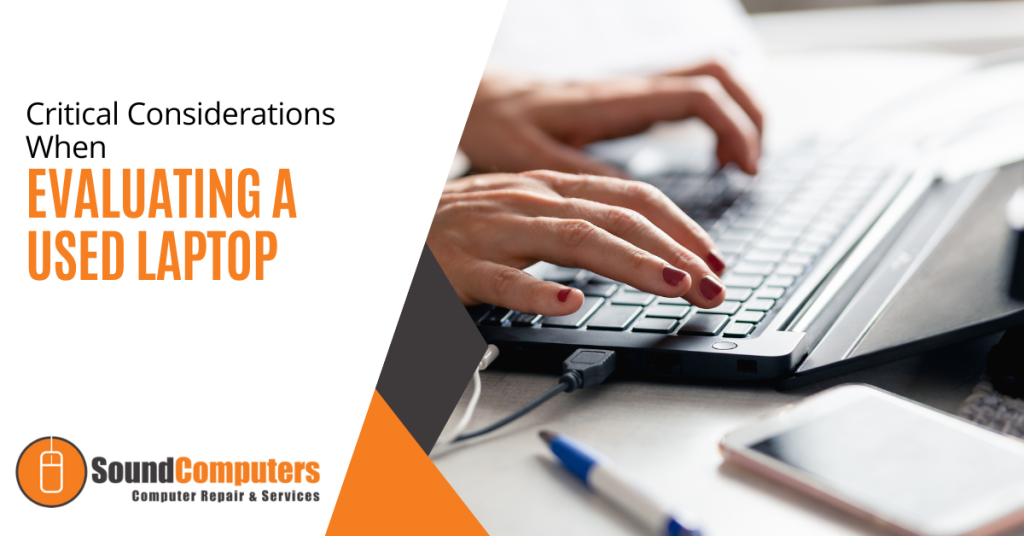
When it comes to purchasing a used laptop, there are several critical factors to consider to ensure you get a reliable and high-performing device. In this article, we will explore the key aspects to assess (including the processor and memory to the display and battery life) to ensure you make an informed decision.Read more

Cyber attacks are a constant threat in today's digital world. Phishing emails, malware downloads and data breaches can cripple businesses and devastate personal lives. Cyber awareness to the rescue!
Employee error is the reason many threats get introduced to a business network. A lack of cybersecurity awareness is generally the culprit. People don’t recognize the threat and they accidentally click a phishing link. They also create weak passwords that are easy for hackers to breach.
It is estimated that 95% of data breaches are due to human error.
Here is the good news. These mistakes are preventable. Building a strong culture of cyber awareness can significantly reduce your risks.
Why Culture Matters
Think of your organization's cybersecurity as a chain. Strong links make it unbreakable and weak links make it vulnerable. Employees are the links in this chain. By fostering a culture of cyber awareness, you turn each employee into a strong link. This makes your entire organization more secure.
Easy Steps, Big Impact
Building a cyber awareness culture doesn't require complex strategies or expensive training programs. Here are some simple steps you can take to make a big difference.
1. Start with Leadership Buy-in
Security shouldn't be an IT department issue alone. Get leadership involved! When executives champion cyber awareness, it sends a powerful message to the organization. Leadership can show their commitment by:
- Participating in training sessions
- Speaking at security awareness events
- Allocating resources for ongoing initiatives
2. Make Security Awareness Fun and Not Fearful
Cybersecurity training doesn't have to be dry and boring. Use engaging videos, gamified quizzes and real-life scenarios. These keep employees interested and learning.
Think of interactive modules where employees choose their path through a simulated phishing attack or short animated videos. You want videos that explain complex security concepts in a clear and relatable way.
3. Speak Their Language
Cybersecurity terms can be confusing. Communicate in plain language and avoid technical jargon. Focus on practical advice employees can use in their everyday work.
Don't say, "implement multi-factor authentication." Instead you should explain that it adds an extra layer of security when logging in (like needing a code from your phone on top of your password).
4. Keep it Short and Sweet
Don't overwhelm people with lengthy training sessions. Opt for bite-sized training modules that are easy to digest and remember. Use microlearning approaches delivered in short bursts throughout the workday. These are a great way to keep employees engaged and reinforce key security concepts.
5. Conduct Phishing Drills
Regular phishing drills test employee awareness and preparedness. Send simulated phishing emails and track who clicks. Use the results to educate employees on red flags and reporting suspicious messages.
Don't stop there! After a phishing drill, take the opportunity to dissect the email with employees. Highlight the telltale signs that helped identify it as a fake.
6. Make Reporting Easy and Encouraged
Employees need to feel comfortable reporting suspicious activity without fear of blame. Create a safe reporting system and acknowledge reports promptly. You can do this through:
- A dedicated email address
- An anonymous reporting hotline
- A designated security champion employees can approach directly
7. Security Champions: Empower Your Employees
Identify enthusiastic employees who can become "security champions." These champions can answer questions from peers as well as promote best practices through internal communication channels. This keeps security awareness at top of mind.
Security champions can be a valuable resource for their colleagues. They foster a sense of shared responsibility for cybersecurity within the organization.
8. Beyond Work: Security Spills Over
Cybersecurity isn't just a work thing. Educate employees on how to protect themselves at home too. Share tips on strong passwords, secure Wi-Fi connections and avoiding public hotspots. Employees who practice good security habits at home are more likely to do so in the workplace.
9. Celebrate Success
Recognize and celebrate employee achievements in cyber awareness. Did someone report a suspicious email? Did a team achieve a low click-through rate on a phishing drill? Publicly acknowledge their contributions to keep motivation high. Recognition can be a powerful tool. It helps reinforce positive behavior and encourages continued vigilance.
10. Bonus Tip: Leverage Technology
Technology can be a powerful tool for building a cyber-aware culture. Use online training platforms that deliver microlearning modules and track employee progress. You can schedule automated phishing simulations regularly to keep employees on their toes.
Tools that bolster employee security include:
- Password managers
- Email filtering for spam and phishing
- Automated rules such as Microsoft’s Sensitivity Labels
- DNS filtering
The Bottom Line: Everyone Plays a Role
Building a culture of cyber awareness is an ongoing process. Repetition is key! Regularly revisit these steps. Keep the conversation going. Make security awareness a natural part of your organization's DNA.
Cybersecurity is a shared responsibility. By fostering a culture of cyber awareness, your business benefits. You equip everyone in your organization with the knowledge and tools to stay safe online. Empowered employees become your strongest defense against cyber threats.
Contact Us to Discuss Security Training & Technology
Need help with email filtering or security rules setup? Would you like someone to handle your ongoing employee security training? We can help you reduce your cybersecurity risk in many ways.
Contact us today to learn more.