
In today’s digital age, artificial intelligence (AI) has become an integral part of numerous industries and revolutionized the way we live and work. From personalized recommendations on streaming platforms to advanced medical diagnostics, AI has significantly enhanced efficiency and productivity. Read more

Have you ever seen a video of your favorite celebrity saying something outrageous? You find out later that it was completely fabricated. Perhaps you have received an urgent email seemingly from your boss but something felt off.
Welcome to the world of deepfakes. This is a rapidly evolving technology that uses artificial intelligence (AI). It does this to create synthetic media in the form of videos or audio recordings. They can appear real but are actually manipulated.
People can use deepfakes for creative purposes such as satire or entertainment. However, their potential for misuse is concerning. Deepfakes have already made it into political campaigns. In 2024, a fake robocall mimicked the voice of a candidate. Scammers wanted to fool people into believing they said something that they never said.
Bad actors can use deepfakes to spread misinformation as well as damage reputations and even manipulate financial markets. They are also used in phishing attacks. Knowing how to identify different types of deepfakes is crucial in today’s world.
What are the different types of deepfakes and how can you spot them?
Face-Swapping Deepfakes
This is the most common type. Here the face of one person is seamlessly superimposed onto another's body in a video. These can be quite convincing due to high-quality footage and sophisticated AI algorithms.
Here is how to spot them:
- Look for inconsistencies: Pay close attention to lighting, skin tones and facial expressions. Do they appear natural and consistent throughout the video? Look for subtle glitches such as hair not moving realistically or slight misalignments around the face and neck.
- Check the source: Where did you encounter the video? Was it on a reputable news site or a random social media page? Be cautious of unverified sources and unknown channels.
- Listen closely: Does the voice sound natural? Does it match the person's typical speech patterns? Incongruences in voice tone, pitch or accent can be giveaways.
Deepfake Audio
This type involves generating synthetic voice recordings. They mimic a specific person's speech patterns and intonations. Scammers can use these to create fake audio messages as well as make it seem like someone said something that they didn't.
Here is how to spot them:
- Focus on the audio quality: Deepfake audio can sound slightly robotic or unnatural. This is especially true when compared to genuine recordings of the same person. Pay attention to unusual pauses as well as inconsistent pronunciation or a strange emphasis.
- Compare the content: Does the content of the audio message align with what the person would say? Is it within the context in which it is presented? Consider if the content seems out of character or contradicts known facts.
- Seek verification: Is there any independent evidence to support the claims made? If not, approach it with healthy skepticism.
Text-Based Deepfakes
This is an emerging type of deepfake. It uses AI to generate written content such as social media posts, articles or emails. They mimic the writing style of a specific person or publication. These can be particularly dangerous. Scammers can use these to spread misinformation or impersonate someone online.
Here is how to spot them:
- Read critically: Pay attention to the writing style, vocabulary and tone. Does it match the way the person or publication typically writes? Look for unusual phrasing, grammatical errors or inconsistencies in tone.
- Check factual accuracy: Verify the information presented in the text against reliable sources. Don't rely solely on the content itself for confirmation.
- Be wary of emotional triggers: Be cautious of content that evokes strong emotions such as fear, anger or outrage. Scammers may be using these to manipulate your judgment.
Deepfake Videos with Object Manipulation
This type goes beyond faces and voices. It uses AI to manipulate objects within real video footage such as changing their appearance or behavior. Bad actors may be using this to fabricate events or alter visual evidence.
Here is how to spot them:
- Observe physics and movement: Pay attention to how objects move in the video. Does their motion appear natural and consistent with the laws of physics? Look for unnatural movement patterns as well as sudden changes in object size or inconsistencies in lighting and shadows.
- Seek original footage: If possible, try to find the original source of the video footage. This can help you compare it to the manipulated version and identify alterations.
Staying vigilant and applying critical thinking are crucial in the age of deepfakes.
Familiarize yourself with the different types. Learn to recognize potential red flags. Verify information through reliable sources. These actions will help you become more informed and secure.
Get a Device Security Checkup
Criminals are using deepfakes for phishing. Just by clicking on one, you may have downloaded a virus. A device security checkup can give you peace of mind. We will take a look for any potential threats and remove them.
Contact us today to learn more.

In today’s fast-paced digital world, proficiency in technology is no longer just a desirable skill. It is a necessity. However, many employees lack the fundamental digital literacy skills needed to thrive in the modern workplace. Read more

Cloud computing has revolutionized the way businesses operate. It offers scalability, flexibility and cost-efficiency. However, cloud services also come with a downside: cloud waste.
Cloud waste is the unnecessary spending of resources and money on cloud services. These services are often not fully utilized or optimized. About 32% of cloud spending is wasted. This can lead to budget concerns as spending skyrockets.
That figure also holds opportunity. It means that you can reduce nearly a third of cloud spending by optimizing how you use cloud tools.
How can you reduce cloud waste at your business and save money? Here are some smart tactics to consider.
Conduct a Comprehensive Cloud Audit
Before implementing any cost-cutting strategies, conduct an audit. It is essential to have a clear understanding of your current cloud usage. Conducting a comprehensive cloud audit allows you to identify:
- Underutilized resources
- Overprovisioned instances
- Unnecessary services
Use cloud management tools to generate reports. Look at usage patterns, costs and performance metrics. This initial assessment forms the foundation for implementing effective waste reduction tactics.
Put in Place Right-Sizing Strategies
Right-sizing involves matching your cloud resources to the actual demands of your workloads. Many businesses fall into the trap of overprovisioning. This means securing more user licenses or features than they need. This leads to increased costs and unnecessary waste.
Analyze your workload requirements and resize instances accordingly. Use tools provided by your cloud service provider. These tools can identify and adjust the capacity of instances. This ensures that you only pay for the resources you truly need.
Use Reserved Instances and Savings Plans
Cloud providers offer cost-saving options like Reserved Instances (RIs) and Savings Plans. These allow businesses to commit to a specific amount of usage. This is in exchange for discounted rates. By leveraging these options, you can significantly reduce your cloud costs over time.
Carefully analyze your workload and usage patterns. Then determine the most cost-effective reserved capacity or savings plan. Find a plan that aligns with your business' long-term goals.
Install Automated Scaling Policies
Dynamic workloads have a need for dynamic resource allocation. Install automated scaling policies. These ensure that your infrastructure scales up or down based on demand. This optimizes performance. It also prevents overprovisioning during periods of low activity.
Cloud services enable you to set predefined policies for scaling. Examples are AWS Auto Scaling and Autoscale in Azure. These features help ensure efficient resource utilization without manual intervention.
Track and Optimize Storage
Storage costs can accumulate quickly. This is especially true when data is not regularly reviewed and archived. Estimate your storage needs. Put in place lifecycle policies to automatically downsize lesser-used data such as transitioning less frequently accessed data to lower-cost storage options.
Regularly review and delete unnecessary data to free up storage space. Adopt a proactive approach to storage management. This can help you significantly reduce costs associated with data storage.
Schedule Your Cloud Resources
Schedule your cloud resources to run only when you need them. For example, turn off development, testing or staging environments during nights and weekends or scale down your production environment during off-peak hours.
Use available tools to automate the scheduling of your cloud resources. Base this on automated rules and policies that you define.
Delete Unused or Orphaned Cloud Resources
Sometimes you may forget or neglect to delete cloud resources that you no longer need or use. This can include:
- Snapshots
- Backups
- Volumes
- Load balancers
- IP addresses
- Unused accounts
These resources can accumulate over time and incur unnecessary costs. To avoid this, you should regularly audit your cloud environment. Delete any unused or orphaned resources that your business is not using. You can often use cloud provider tools to find and remove these.
Weed Out Duplicate Services
Different departments in the same organization may be using duplicate services. Marketing may use one task management app while Sales uses a different one. Centralize cloud resources and remove duplicate tools.
Having everyone use the same cloud tool for the same function can save money as well as enhance collaboration, reporting and data integration.
Embrace Serverless Architecture
Serverless computing allows businesses to run applications without managing the underlying infrastructure. You pay only for the actual compute resources used for your processes. This eliminates the need for provisioning and maintaining servers which reduces both operational complexity and costs. Consider migrating suitable workloads to a serverless model. This can help you optimize resource use and cut cloud waste.
Schedule a Cloud Optimization Assessment Today
By following these smart tactics, you can reduce cloud waste at your business as well as optimize your cloud spending. This helps you save money. You can also improve operational efficiency and environmental sustainability.
Are you struggling with expanding cloud costs? Need help identifying and removing cloud waste? Our team of cloud experts can help you.
Contact us today to schedule your assessment.
The rise of remote work has transformed the way businesses operate and offers flexibility and efficiency like never before. However, along with the numerous benefits of freelancers and remote workers come significant challenges concerning data protection and cybersecurity. Read more
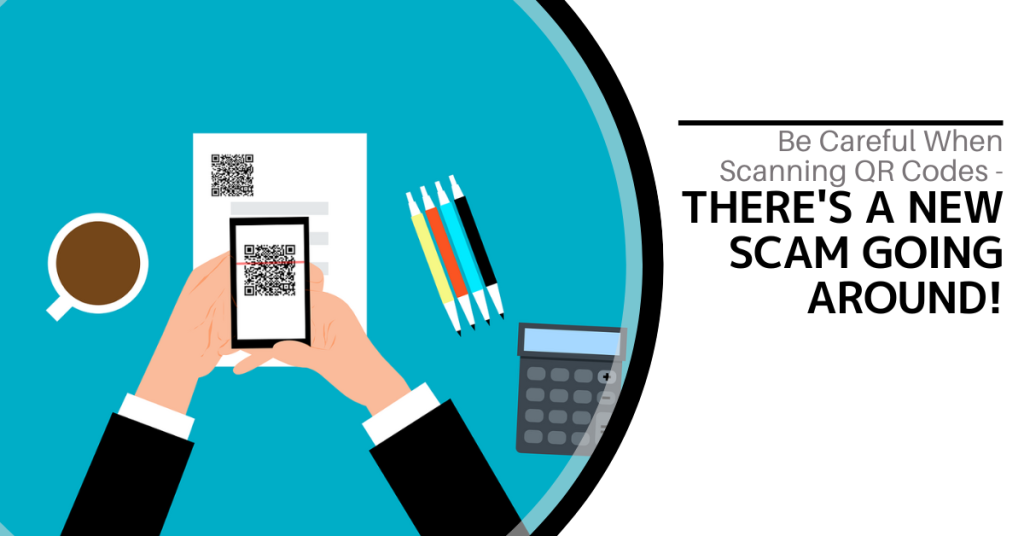
QR codes are everywhere these days. You can find them on restaurant menus, flyers and posters. They are used both offline and online. QR codes are convenient and easy to use. You just scan them with your smartphone camera. You are then directed to a link, a coupon, a video or some other online content.
With the rise in popularity of QR codes comes an unfortunate dark side. Cybercriminals are exploiting this technology for nefarious purposes. Scammers create fake QR codes. They can steal your personal information. They can also infect your device with malware or trick you into paying money.
It is crucial to exercise caution when scanning QR codes. This emerging scam highlights the potential dangers lurking behind those seemingly innocent squares.

The QR Code Resurgence
QR codes were originally designed for tracking parts in the automotive industry. They have experienced a renaissance in recent years. As a result, they are used as a form of marketing today.
They offer the convenience of instant access to information. You simply scan a code. They have become an integral part of various industries (including retail and hospitality).
Unfortunately, cybercriminals are quick to adapt. A new phishing scam has emerged that exploits the trust we place in QR codes.
How the Scam Works
The scammer prints out a fake QR code. They place it over a legitimate one. For example, they might stick it on a poster that advertises a product discount or a movie.
You come along and scan the fake QR code and think it is legitimate. The fake code may direct you to a phishing website. These sites may ask you to enter sensitive data such as your credit card details, login credentials or other personal information.
Scanning the QR code may also prompt you to download a malicious app that contains malware that can do one or more of the following:
- Spy on your activity
- Access your copy/paste history
- Access your contacts
- Lock your device until you pay a ransom
The code could also direct you to a payment page that charges you a fee for something supposedly free.
Here are some tactics to watch out for.
Malicious Codes Concealed
Cybercriminals tamper with legitimate QR codes. They often add a fake QR code sticker over a real one. They embed malicious content or redirect users to fraudulent websites.
Fake Promotions and Contests
Scammers often use QR codes to lure users into fake promotions or contests. When users scan the code, it may direct them to a counterfeit website. The website may prompt them to provide personal information. This can lead to potential identity theft or financial fraud.
Malware Distribution
Some malicious QR codes start downloads of malware onto the user's device. This can result in compromised security including unauthorized access to personal data and potential damage to the device's functionality.
Stay Vigilant: Tips for Safe QR Code Scanning
Verify the Source
Be cautious when scanning QR codes from unknown or untrusted sources. Verify the legitimacy of the code and its source. This is especially true if it prompts you to enter personal information.
Use a QR Code Scanner App
Consider using a dedicated QR code scanner app. Use that rather than the default camera app on your device. Some third-party apps provide extra security features such as code analysis and website reputation checks.
Inspect the URL Before Clicking
Before visiting a website prompted by a QR code, review the URL. Ensure it matches the legitimate website of the organization it claims to represent.
Avoid Scanning Suspicious Codes
Trust your instincts. If a QR code looks suspicious, refrain from scanning it. Scammers often rely on users' curiosity. Be careful when scanning QR codes that you see in public places. Don't scan them if they look suspicious, damaged or tampered with. Exercising caution is paramount.
Update Your Device and Apps
Keep your device's operating system and QR code scanning apps up to date. Regular updates often include security patches that protect against known vulnerabilities.
Be Wary of Websites Accessed via QR Code
Don't enter any personal information on a website that you accessed through a QR code. This includes things like your address, credit card details, login information, etc.
Don't pay any money or make any donations through a QR code. Only use trusted and secure payment methods.
Contact Us About Phishing Resistant Security Solutions
QR codes can be useful and fun. They can also be dangerous if you are not careful. Always scan them with caution. Protect yourself from scammers who want to take advantage of your curiosity.
This scam falls under the umbrella of phishing. Phishing is one of the most dangerous modern risks for individuals and organizations. If you need help ensuring your devices are phishing resistant, just let us know.
Contact us today to learn more.

In today’s digital age, data is king. Companies of all sizes are generating vast amounts of data on a daily basis and effectively managing this data has become crucial for business success. From customer information to financial records, data management plays a significant role in streamlining operations, improving decision-making and ensuring compliance with regulations. Read more

Smart home devices are becoming more popular and convenient. However, they also pose some serious security risks. Hackers can target these devices to access your personal information as well as spy on your activities or cause damage to your home.
Often the dangers of smart home devices fall under the radar. Seventy-five percent of people feel some level of distrust about the use of their data. Yet most people are willing to use smart home technology.
As we enjoy the convenience of smart living, it is crucial to be vigilant about cyber threats. A hacker may have compromised your smart system without you even knowing it.
How can you tell if a hacker has compromised your smart home device? Here are some signs to look out for.
1. Unexpected Behavior
Unexpected behavior is the first sign someone has compromised your smart home device. If your device starts acting erratically, it is time to investigate. Erratic behavior can include:
- Lights flickering
- Thermostat settings changing
- Smart locks behaving unpredictably
Hackers often manipulate smart devices to create disturbances. Noticing these irregularities early can prevent further damage.
2. Unusual Network Traffic
Monitoring your home network is a fundamental aspect of cybersecurity. Have you observed a sudden surge in data usage? Noticed unusual patterns in network traffic? If so, this could indicate unauthorized access.
Hackers may exploit your smart devices to launch attacks or steal sensitive information. Regularly check your router's activity logs. This helps you stay vigilant against abnormal network behavior.
3. Strange Sounds or Voices
Smart speakers and voice-activated assistants have become commonplace in many households. If you start hearing unfamiliar voices or strange sounds from these devices, it is a red flag.
Hackers may use compromised devices to eavesdrop or communicate with household members. This poses serious privacy concerns. Ensure that your smart devices are only responding to authorized voices.
4. Device Settings Modification
Smart devices offer customizable settings to cater to individual preferences. Have you noticed unauthorized changes to these settings such as alterations in camera angles, sensor sensitivity or device preferences? If so, there is a high likelihood that a hacker has compromised your device.
Regularly review and update your device settings. This helps you maintain control over your smart home ecosystem.
5. Unexplained Data Transfers
Smart devices often collect and send data to the cloud for analysis or storage. Keep an eye on your device's data usage. Be wary of unexplained data transfers. Hackers may exploit vulnerabilities to extract sensitive information from your devices.
Regularly review the data usage patterns of your smart devices. This helps you to identify any suspicious activity.
6. Device Inaccessibility
Suddenly finding yourself locked out of your smart home devices could be a sign of hacking. Hackers may change passwords or enable two-factor authentication without your consent. They can take control of your accounts. This renders you unable to access or manage your devices.
Always act promptly to regain control. Secure your accounts if you suspect unauthorized access.
7. New or Unknown Devices on the Network
Regularly review the list of devices connected to your home network. Do you spot unfamiliar or unauthorized devices? If so, it is a clear sign that someone may have breached your network.
Hackers often connect to your network. They do this to exploit vulnerabilities in smart devices or launch attacks. Secure your network with strong passwords. Also, consider implementing network segmentation for added protection.
8. Frequent Software Glitches
Smart devices receive regular software updates. These updates patch vulnerabilities and enhance security. Have you noticed frequent software glitches? Has your device failed to update? It could be a sign of interference by a malicious actor.
Ensure that your smart devices are running the latest firmware. This ensures it has the latest security patches and bug fixes installed.
9. Emails or Messages Confirming Changes You Didn't Make
Some smart devices send notifications or emails to confirm changes. These changes can be in settings, passwords or device access. Did you receive such confirmations for actions you didn't take? If so, this is a clear sign of unauthorized access.
Take immediate action to secure your account. This includes changing passwords and reviewing access permissions.
Need a Cybersecurity Assessment to Prevent an Unexpected Breach?
As our homes become smarter, so must our approach to cybersecurity. The first step in safeguarding your digital domain is recognizing signs that a hacker has compromised your smart home device.
Remember that smart home devices can make your life easier and more comfortable. They also need careful maintenance and protection.
Need some guidance? We can help you ensure that your smart home remains a secure haven of innovation instead of a vulnerable target for cyber threats.
Contact us today to schedule a smart home security consultation.

Microsoft Planner, the collaborative task management tool, is set to undergo a significant update that promises enhanced features and functionalities for users. As organizations increasingly rely on digital tools to streamline workflows and improve productivity, the evolution of Microsoft Planner holds significant implications for teams worldwide. Read more
Cybersecurity is a constantly evolving field. There are new threats, technologies and opportunities emerging every year. As we enter 2024, organizations need to be aware of current and future cyber threats. Businesses of all sizes and sectors should plan accordingly.
Staying ahead of the curve is paramount to safeguarding digital assets. Significant changes are coming to the cybersecurity landscape. Driving these changes are emerging technologies and evolving threats as well as shifting global dynamics.
We will explore key cybersecurity predictions for 2024 that you should consider.
1. AI Will Be a Double-edged Sword
Artificial intelligence (AI) has been a game-changer for cybersecurity. It has enabled faster and more accurate threat detection, response and prevention. However, AI also poses new risks such as adversarial AI, exploited vulnerabilities and misinformation.
For example, malicious actors use chatbots and other large language models to generate:
- Convincing phishing emails
- Fake news articles
- Deepfake videos
This malicious content can deceive or manipulate users. Organizations will need to put in place robust security protocols. This includes embracing a human-in-the-loop approach as well as regularly tracking and reviewing their AI systems. These steps will help them mitigate these risks and harness the power of AI for a more secure future.
2. Quantum Computing Will Become a Looming Threat
Quantum computing is still a few years away from reaching its full potential. However, it is already a serious threat to the security of current encryption standards.
Quantum computers can potentially break asymmetric encryption algorithms. These algorithms are widely used to protect data in transit and at rest. This means that quantum-enabled hackers could compromise sensitive data (like financial transactions).
Organizations will need to start preparing for this scenario. They can do this by assessing their potential risks first. Then they should adopt quantum-resistant technologies and deploy quantum-safe architectures.
3. Hacktivism Will Rise in Prominence
Hacktivism is the use of hacking techniques to promote a political or social cause such as exposing corruption, protesting injustice or supporting a movement.
Hacktivism has been around for decades. It is expected to increase in 2024 (especially during major global events). These may include the Paris Olympics and the U.S. Presidential Election as well as specific geopolitical conflicts.
Hacktivists may target organizations that they perceive as adversaries or opponents. This can include governments, corporations or media outlets. These attacks can disrupt their operations as well as leak their data or deface their websites.
Organizations will need to be vigilant against potential hacktivist attacks. This includes being proactive in defending their networks, systems and reputation.
4. Ransomware Will Remain a Persistent Threat
Ransomware is a type of malware that encrypts the victim's data. The attacker then demands a ransom for its decryption. Ransomware has been one of the most damaging types of cyberattacks in recent years.
In 2023, ransomware attacks increased by more than 95% over the prior year.
Ransomware attacks are likely to continue increasing in 2024 due to new variants, tactics, and targets emerging. For example, ransomware attackers may leverage AI to enhance their encryption algorithms as well as evade detection and customize their ransom demands.
Hackers may also target cloud services, IoT devices or industrial control systems. This could cause more disruption and damage. Organizations will need to put in place comprehensive ransomware prevention and response strategies. These include the following:
- Backing up their data regularly
- Patching their systems promptly
- Using reliable email and DNS filtering solutions
- Educating their users on how to avoid phishing emails
5. Cyber Insurance Will Become More Influential
Cyber insurance covers the losses and liabilities resulting from cyberattacks. It has become more popular and important in recent years. This is due to cyberattacks becoming more frequent and costly.
Cyber insurance can help organizations recover from cyber incidents faster and more effectively. It provides financial compensation, legal help or technical support.
Cyber insurance can also influence the security practices of organizations. More cyber insurers may impose certain requirements or standards on their customers such as implementing specific security controls or frameworks. Organizations will need to balance the benefits and costs of cyber insurance as well as ensure that they are in compliance with their cyber insurers' expectations.
Be Proactive About Cybersecurity Predictions
It is clear that the cybersecurity landscape will continue to evolve rapidly. Organizations and individuals must proactively prepare for emerging threats. This includes adopting advanced technologies and prioritizing workforce development as well as staying abreast of regulatory changes.
Put a comprehensive cybersecurity strategy in place that encompasses these predictions. This will help you navigate the digital frontier with resilience and vigilance.
Need help ensuring a secure and trustworthy digital environment for years to come? Contact us today to schedule a cybersecurity assessment.