
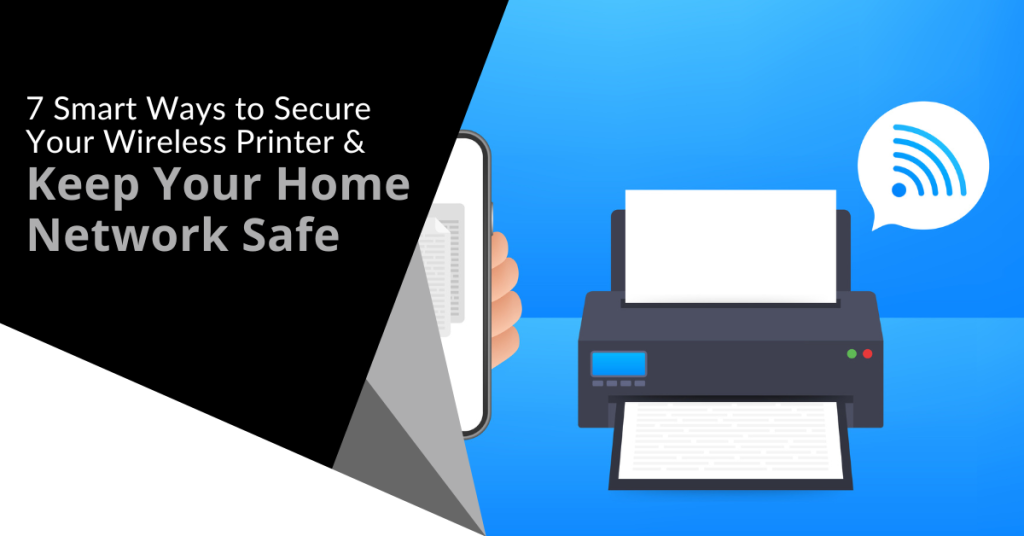
Many people worry about someone hacking their computer. However, they are not really thinking about their wireless printer getting breached. It is a tool that most individuals use sporadically like when you want to print out tax forms or mailing labels.
Printers tend to be out of sight, out of mind. That is until you need to print something and run out of ink. They not out of the mind of hackers. In fact, unsecured printers are a classic way for criminals to gain access to a home network.
To illustrate this point, Cybernews purposely hacked printers. It hijacked nearly 28,000 unsecured printers globally. The success rate was 56%. What did it do once it gained access? It made the printers print out a guide on printer security.
Are you wondering how exposed your network is from your printer? We have some security tips below to help. These tips can enable you to better secure your network and keep data on all devices more secure.
1. Change the Default Login Credentials
When you buy a new wireless printer, it will likely have included default information. Manufacturers give you a way to connect and set up your device. This usually involves default login information.
Immediately change that information during set up. Hackers use a master list of all these defaults. They plug it into an automated script and just keep trying them all until they get a hit. Change these and make sure you create a strong password.
2. Keep Printer Firmware Updated
Keeping firmware updated is vital to keeping your wireless printer secure. Hardware needs updating just like computers, software and apps do. Those updates often contain important security patches.
Firmware updates aren’t usually as visible as software updates. Software and OS updates usually give you a popup notification. However, updates to the drivers and firmware that run printers aren’t so visible.
Some of the places you can check for firmware updates are:
- The PC manufacturer’s utility app on a connected device
- The printer’s information panel
- The printer manufacturer’s app installed on a PC
3. Use a Network Firewall
A network firewall is important to ensure the monitoring of traffic. Firewalls can block suspicious activity to keep hackers out of your network. You should configure the firewall to watch incoming and outgoing printer traffic.
4. Put Your Printer on a Guest Network
Most of today’s home routers allow you to set up a guest network. This is a separate Wi-Fi that runs from the same router you use for your main network. It is harder for hackers to get from one network to another.
Keeping a less secure device separated from computers and phones improves security. You can still print to your printer from devices on another network. You just need to have things configured correctly. If you need help with that, let us know.
5. Disable Unused Ports or Services
IoT devices (like printers) often have many ways to connect. You may not need all the ports or services that come with your printer. These ports are risk areas where hackers could find a way in.
It is best to disable any ports and sharing features that you don’t need. This reduces the risk of a breach.
6. Unplug It When Not in Use
Most home printers aren’t used as much as work printers. People may only use them once a month or a few times a year. If you are not using your printer constantly, unplug it when not in use.
One surefire way to cut off a hacker’s access is to unplug the device. When it is shut down, no access is available at all.
7. Teach Your Family Cybersecurity Best Practices
Your printer is one device on your network. Most families connect several devices to their home Wi-Fi. In 2022, the average number of connected devices per U.S. household was 22.
Families need to know and adopt good cyber habits. This keeps everyone’s data more secure. It also helps you avoid costly identity theft breaches or the takeover of things like baby monitors.
Some standard best practices to follow for good cyber hygiene are:
- Always use strong passwords (at least 10-12 characters & include a mix of letters, numbers and symbols).
- Keep software & firmware on devices updated.
- Use multi-factor authentication wherever possible.
- Enable device firewalls & other protections.
- All devices that should have a good antivirus installed.
- Never login to an account from a link you receive via email or text.
- Learn how to identify phishing & get a second opinion before clicking.
- Get a security checkup from a pro at least every year or two.
Get Some Help Keeping Your Family’s Data Secure
IT pros don’t only work with businesses. We also help families ensure their data is safe & devices are running smoothly. Give us a call today to schedule a home security checkup.
Modern businesses of all sizes are at risk of cyber attacks that can result in data breaches, financial losses and reputational damage. To protect against these threats, it is essential to adopt a defense-in-depth cybersecurity approach. This strategy involves implementing multiple layers of security measures to create a robust defense system that can withstand various types of attacks.
In this article, we will discuss what a defense-in-depth approach entails and provide practical steps for implementing it.
What is a Defense-in-Depth Approach?
A defense-in-depth approach is a cybersecurity strategy that involves using multiple layers of security measures to protect against various types of attacks. The idea behind this approach is to create a robust defense system that can withstand attacks from different angles. If one layer of security is breached, there are several others in place to prevent further damage.
The concept of defense-in-depth is not new and has been used in military tactics for centuries. The idea is to have multiple layers of protection in place to prevent an enemy from gaining access to a critical location. A defense-in-depth approach to cybersecurity is similar because it involves creating layers of security that an attacker must navigate to access sensitive information or systems.
Implementing a Defense-in-Depth Approach
Implementing a defense-in-depth approach requires a comprehensive understanding of the different layers of security measures that can be put in place. We will discuss some of the key areas to focus on when implementing this approach.
Network Security
Network security is the first line of defense in a defense-in-depth approach. It involves protecting the network infrastructure from unauthorized access and malicious attacks. Network security measures include firewalls, intrusion prevention systems and virtual private networks (VPNs).
Firewalls are a critical component of network security. They act as a barrier between the internet and the organization's internal network and filter out potentially harmful traffic. Intrusion prevention systems (IPS) are another layer of protection that can be used to detect and prevent attacks. They monitor network traffic for signs of suspicious activity and can block traffic that is deemed malicious.
VPNs provide a secure way for employees to access the organization's network remotely. By encrypting all traffic between the employee's device and the network, VPNs protect against eavesdropping and man-in-the-middle attacks.
Endpoint Security
Endpoint security involves protecting individual devices such as laptops, desktops and mobile phones. This layer of security is essential because attackers often target individual devices to gain access to the network. Endpoint security measures include antivirus software, patch management and device encryption.
Antivirus software is a critical component of endpoint security. It can detect and remove malicious software from devices and prevent future infections. Patch management is another essential aspect of endpoint security. Regularly updating devices with the latest security patches can prevent vulnerabilities from being exploited.
Device encryption is also crucial for endpoint security. It involves encrypting data on the device so that it cannot be accessed without the proper credentials. If a device is lost or stolen, encryption ensures that the data remains protected.
Access Controls
Access controls are another critical layer of security in a defense-in-depth approach. Access controls involve managing user access to systems and data. This layer of security includes measures such as multi-factor authentication, role-based access control and password policies.
Multi-factor authentication (MFA) is a powerful way to secure user access. By requiring users to provide multiple forms of authentication such as a password and a fingerprint scan, MFA can prevent unauthorized access even if a password is compromised.
Role-based access control is another critical component of access controls. It involves assigning permissions to users based on their role in the organization. This ensures that users only have access to the systems and data that they need to perform their job functions.
Password policies are also an essential part of access controls. They help prevent password-related security incidents by requiring users to create strong, unique passwords and change them regularly. Additionally, password policies can include requirements such as minimum length, complexity and expiration intervals.
Data Encryption
Data encryption is another layer of security that can be used in a defense-in-depth approach. Encryption involves converting data into an unreadable format that can only be deciphered with a decryption key. This makes it challenging for attackers to read or steal sensitive data.
Encryption can be used in several ways including encrypting data at rest, in transit and on individual devices. Encrypting data at rest involves encrypting data stored on hard drives or other storage devices.
Encrypting data in transit involves encrypting data as it travels across networks. Encrypting data on individual devices involves encrypting data stored on laptops, mobile phones and other devices.
Best Practices for Adopting a Defense-in-Depth Approach
Here are some best practices for implementing a defense-in-depth approach:
Conduct a Risk Assessment
Before implementing a defense-in-depth approach, it is essential to conduct a risk assessment. A risk assessment involves identifying potential threats, vulnerabilities and the potential impact of a security incident. This information can be used to determine which layers of security measures are needed and prioritize their implementation.
Create a Comprehensive Security Plan
Once the risk assessment is complete, it is essential to create a comprehensive security plan. This plan should outline the different layers of security measures that will be implemented, who is responsible for each layer and how they will be monitored and maintained. A comprehensive security plan can help ensure that all aspects of security are covered and that there are no gaps in coverage.
Train Employees on Security Best Practices
Employees are often the weakest link in an organization's security. It is essential to train employees on security best practices to ensure that they are aware of potential threats and know how to respond to them. Security training can include topics such as password management, phishing awareness and incident response.
Regularly Test Security Measures
It is essential to regularly test security measures to ensure that they are effective. Regular testing can include activities such as penetration testing, vulnerability scanning and security audits. These activities can help identify weaknesses in the organization's security and provide opportunities for improvement.
Implement This Strategy Today
Adopting a defense-in-depth approach is essential for organizations of all sizes to protect against cyber threats. By implementing multiple layers of security measures, organizations can create a robust defense system that can withstand attacks from different angles. This approach requires a comprehensive understanding of the different layers of security measures and how they work together to create a secure environment.
When you are ready to step up your cybersecurity infrastructure with defense-in-depth, contact Sound Computers for expert assistance.

Netflix is one of the most popular and well-known streaming services. It has nearly 231 million subscribers around the world. It has been growing steadily for almost a decade.
The platform has become an essential part of many people's daily entertainment routines. They fire up their devices, log in and pick right back up on their favorite shows.
Unfortunately, Netflix accounts can be vulnerable to hacking. It is a baked-in risk when you have a service that is only protected by a username and password.
If you experience an account hack, it can be shocking, confusing and infuriating. You may not know exactly what to do and may react without thinking first. This is a dangerous space to be in because it can cause you to do things that only make things worse.
In this article, we will give you the steps to take when you suspect someone has hacked your Netflix account. Let us first cover how hackers typically operate when deploying an account takeover.
How Does a Netflix Hack Typically Work?
Phishing overload is a problem that hackers take advantage of in these types of breaches. People receive fake emails all the time that spoof brands like Netflix. One common phishing ploy is an email stating, “There has been suspicious activity on your account.” It will include a link to log in to a spoofed site that looks like the brand’s normal login page. This is a classic trick to steal your login credentials.
Hacked Netflix accounts typically go for $12 each on the dark web.
People get numb to these emails because they get so many of them. They tend to tune them out because they know that clicking on them could be dangerous. Hackers take advantage of this and hope that you will ignore the real ones from Netflix that warn you of a suspicious login.
They lay low and don’t take any action yet that will lock you out. They wait for you to receive a few more of these emails so that you will completely ignore them. Then they attempt a takeover.
Accounts hacks can go in various ways. Here is one typical scenario of a Netflix hack:
- The account owner gets an email about a suspicious login. Often it will be from a different country.
- They may log into their Netflix account to see if there are any unknown devices logged in. Usually none will show yet. The hacker logs back out. The goal is to get you to check and see that nothing is wrong and assume that the real notice is phishing.
- This same scenario may happen 2-4 more times in the span of a month.
- Once the hacker feels the user is ignoring the Netflix warnings, they will make their move.
- They add their credit card to your account. This is so they can call Netflix and give them a method of verification.
- They may increase your subscription plan to a higher level.
They also usually replace any user profile names on your account with numbers (1, 2, 3, etc.)
- At this point, the account owner will typically receive an email. It will note a change in account information. This could be the account email, password, phone number, etc.
- The hacker is now trying to lock the account owner out of their account.
What Do You Do If Someone Has Hacked Your Netflix Account?
1. Go to the Netflix site & try to log in.
If you suspect a hacked account, visit the Netflix site directly from your browser. Do not go through a link you received via email, DM or SMS.
See if you can log in using your password. You may be able to if you caught the hacker before they lock you out. If not, skip to Step 4 below which is calling Netflix support.
2. If you can log in, change your password immediately.
If you can log into your account, change the password right away. Ensure it is a strong password that is at least 10-12 characters in length. It should also include a combination of letters, numbers and symbols.
Do not use a variation of the breached password. You should not use any part of your old password to create the new one.
3. If you can log in, remove any strange payment methods.
If you can still access your account and settings, go to the payment methods area. Often hackers will add another payment card to your account. They use it to verify the account to Netflix support.
Remove any strange payment method that is not yours. If you remove your own payment card, you will need another way to verify your account with Netflix. You will want to call before you do that.
4. Call Netflix support. (Don’t skip this step!)
Everyone’s experience may be different. Some users that have gone through a hack have praised the fast and helpful support from Netflix.
Contact Netflix support whether you have or have not succeeded in logging in. There may be things the hacker has done that you aren’t aware of. They may have changed subscription information.
Let the support representative know that you think you are the victim of an account hack. They will walk you through the process of undoing what the hacker has done.
5. Watch your bank statements.
Continue to watch your bank statements for any unusual charges. You should do this after any account hack.
6. Change the password for other accounts that used the same one as your Netflix account.
People often use the same or the nearly same password for several accounts. Make sure to change the password for any accounts that used the one that was just hacked.
Get Help Securing Your Passwords & Accounts
Don’t wait until a hack happens to you. Give us a call today to schedule a chat about our password security solutions.
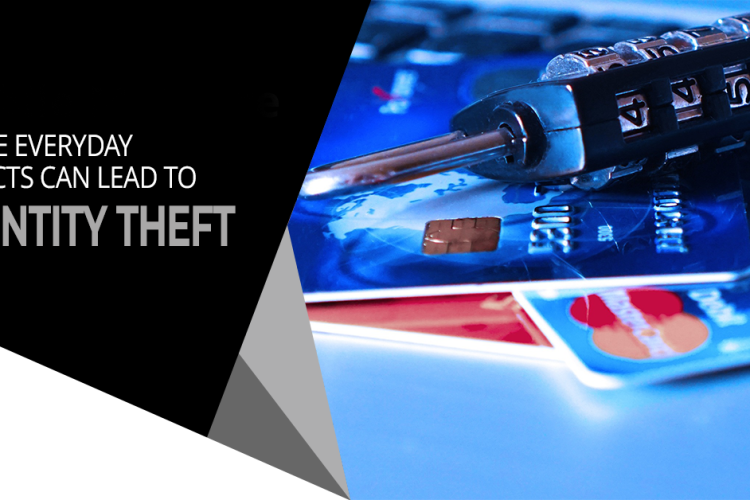
You wouldn’t think a child’s toy could lead to a breach of your personal data and identity theft. However, this happens all the time. What about your trash can sitting outside? Is it a treasure trove for an identity thief trolling the neighborhood at night?
Many everyday objects can lead to identity theft. They often get overlooked because people focus on their computers and cloud accounts. It is important to have strong passwords and use antivirus on your PC. You also need to be wary of other ways that hackers and thieves can get to your personal data.
Here are six common things that criminals can use to steal your information.
Old Smart Phones
People replace their smartphones about every two and a half years. That is a lot of old phones laying around containing personal data.
Just think of all the information that our mobile phones hold. We have synced connections with cloud services. Phones also hold banking apps, business apps and personal health apps. These are all nicely stored on one small device.
As chip technology has advanced, smartphones have been able to hold more “stuff.” This means documents and spreadsheets can now be easily stored on them along with reams of photos and videos.
A cybercriminal could easily strike data theft gold by finding an old smartphone. They often end up at charity shops or in the trash. Make sure that you properly clean any old phones by erasing all data. You should also dispose of them properly. You shouldn’t just throw electronics away like normal garbage.
Wireless Printers
Most printers are wireless these days. This means they are part of your home or work network. Printing from another room is convenient. However, the fact that your printer connects to the internet can leave your data at risk.
Printers can store sensitive documents such as tax paperwork or contracts. Most people don't think about printers when putting data security protections in place. This leaves them open to a hack. When this happens, a hacker can get data from the printer. They could also leverage it to breach other devices on the same network.
Protect printers by ensuring that you keep their firmware updated. Always install updates as soon as possible. You should also turn it off when you don’t need it. When it is off, it is not accessible by a hacker.
USB Sticks
Did you ever run across a USB stick laying around? Perhaps you thought you scored a free removable storage device or you are a good Samaritan and want to try to return it to the rightful owner. First you need to see what is on it to find them.
You should never plug a USB device of unknown origin into your computer. This is an old trick in the hacker’s book. They plant malware on these sticks and then leave them around as bait. As soon as you plug it into your device, it can infect it.
Old Hard Drives
When you are disposing of an old computer or old removable drive, make sure it is clean. Just deleting your files isn’t enough. Computer hard drives can have other personal data stored in system and program files.
If you are still logged into a browser, a lot of your personal data could be at risk. Browsers store passwords, credit cards, visit history and more.
It is best to get help from an IT professional to properly erase your computer drive. This will make it safe for disposal, donation or reuse.
Trash Can
Identity theft criminals aren’t only online. They can also be trolling the neighborhood on trash day. Be careful what you throw out in your trash.
It is not unusual for garbage to enable identity theft. It can include pre-approved credit card offers that you considered “junk mail.” Your trash can also hold voided checks, old bank statements and insurance paperwork. Any of these items could have the information thieves need to commit fraud or pose as you.
A shredder can be your best friend in this case. You should shred any documents that contain personal information. Do this before you throw them out. This extra step could save you from a costly incident.
Children’s IoT Devices
From electronic bears to smart kid watches and Wi-Fi-connected Barbies, these are all toys that hackers love. Mattel’s Hello Barbie was found to enable the theft of personal information. A hacker could also use its microphone to spy on families.
These futuristic toys are often what kids want. Parents might think they are cool but don’t consider their data security. After all, these are children’s toys. However, that often means that they can be easier to hack. Cybercriminals also zero in on these IoT toys while knowing they aren’t going to be as hard to breach.
You should be wary of any new internet-connected devices that you bring into your home. That includes toys! Install all firmware updates. Additionally, do your homework to see if a data breach has involved the toy.
Schedule a Home IT Security Audit & Sleep Better at Night
Don’t let the thought of identity theft keep you up at night. Give us a call today and schedule a home IT security audit. You will be glad you did.
In recent years, online shopping has become more popular than ever before. With the convenience of being able to purchase items from the comfort of your own home, it is no surprise that many people are turning to shopping apps to make their purchases.
However, a new concern has emerged. There are shopping apps that spy on peoples’ phones. This is a serious risk to data security that needs to be addressed because it has the potential to compromise the privacy and security of individuals and the companies they work for.
Shopping Apps Recently Found to Be Spying
Recent events have brought this issue to the forefront. In one example, a popular shopping app called Shein was caught spying on users' copy-and-paste activity. According to a report by MSN, the app in question was monitoring users' clipboard data and sending it back to the app's servers. This type of behavior is concerning because it means that the app has access to potentially sensitive information like passwords or other personal data.
In another example, Pinduoduo, a Chinese shopping app, was recently found to be infected with malware. According to a report by CNN, cybersecurity researchers discovered that the malware was designed to steal personal information from the device. The malware was able to access a wide range of sensitive data including usernames, passwords and credit card information.
These incidents highlight the serious threat posed by shopping apps that spy on employees' phones. When an app has access to a smartphone that also has access to business apps and data, it can potentially monitor everything the employee does (including their emails, text messages and other communications). This can put both the employee and their company at risk because sensitive information could be compromised.
What Can You Do to Improve Mobile Device Security?
Many companies rely on an employee's ability to use their personal mobile devices for work. However, this doesn’t mean you still can’t put device security measures in place to protect business data. Here are some ways to protect your network & data against invasive apps.
Implement a Mobile Device Management (MDM) Solution
MDM software can help you manage and secure the smartphones used by your employees. With an MDM solution, you can enforce security policies, remotely wipe devices if they are lost or stolen and monitor for potential security threats.
Applications like Intune (part of Microsoft 365) can help you better separate the “work” and “personal” functions of employee devices used for business.
Train Employees in Security Best Practices
Educate your employees on the importance of smartphone security and provide them with training on how to use their devices safely. This can include things like not clicking on suspicious links or downloading apps from unknown sources.
It is also a good idea to put out alerts in a company newsletter or team channel when news stories like the ones mentioned above come out. Sending your staff security updates like this helps foster a culture of cybersecurity and keeps everyone informed.
Use Strong Passwords and Two-Factor Authentication
Require your employees to use strong passwords and enable two-factor authentication whenever possible. This will make it more difficult for attackers to gain access to your employees' devices and data.
Keep Software Up to Date
Ensure that all smartphones used by your employees have the latest software updates installed. Updates often include security patches that address known vulnerabilities.
This is another place where using a mobile device management solution can help. MDMs can deploy updates automatically to all managed devices.
Limit Access to Sensitive Data
Only give employees access to the data and applications they need to do their jobs. This will limit the potential damage if a smartphone is lost or stolen.
One of the ways you can do this is through automated data protection policies. Once implemented, they can prevent activities like downloading, copying and sharing certain types of documents.
Implement Encryption
Encrypt all sensitive data stored on smartphones including emails, text messages and files where possible. This will help protect the data if the smartphone is lost or stolen. Securing a business VPN account and requiring use when employees are connecting outside the office keeps traffic better protected as well.
Require Installation of a Reliable Mobile Antivirus
Mobile devices also need to have antivirus and anti-malware protection. You can provide this through a mobile device management solution or directly through a company subscription to a reliable antivirus solution.
Conduct Regular Security Audits
Regularly audit smartphone security to identify potential vulnerabilities or areas for improvement. This can include things like testing for malware or checking that security policies are being enforced.
Get Help with Smart Mobile Device Security Solutions
Sound Computers provides enterprise mobility management solutions that can significantly reduce your risk of a data breach. Contact us today to learn more.
Scheduling appointments is a common activity. Salespeople often set up virtual appointments to answer questions about a product. Software companies allow people to schedule live demos. Telehealth therapists allow clients to book video sessions.
Those are just a few examples of some groups that are going to love a new Microsoft Teams feature. Virtual Appointments was recently added to the platform. It adds a new meeting style tailored for engagements with customers.
Have you been using Teams and a different online appointment app? This new feature will streamline the experience.
What Is Virtual Appointments in Teams?
Virtual Appointments gives you an all-in-one meeting platform for customer engagements. You can schedule, manage and conduct B2C meetings in Microsoft Teams.
This new feature brings together the scheduling component with the video conference interface. Anyone with the link can join the virtual appointment. They do not need a Teams account.
The power of Microsoft’s scheduling app, Bookings, connects to Teams. This makes the Virtual Appointments function as seamless as possible.
Some of the features below will be available with any Microsoft 365 plan. Some are available with a premium plan.
Teams Virtual Appointments Features
Manage Scheduled Appointments
You can see your scheduled appointments in a single view. Manage cancellations and time changes easily.
Send Customized Confirmations & Reminders
You can send customers a customized message via SMS or email. This personalizes the experience for them. You can also use automation to give that personal touch without needing to send each one manually. Automated appointment reminders are another time-saving function.
Customized Waiting Room
Add a personal touch to your virtual engagements. You can customize the Teams waiting room. You can use themes and logos to brand your business. You can also chat with attendees while in the lobby waiting room. This is helpful if your current appointment is running a little long. You can let them know that you will be right with them.
Meeting Follow-ups
You can send meeting follow-ups after a virtual appointment. This helps you reduce the time it takes to send any promised follow-up information. You also keep all details in a single place. This makes your client communication trail easier to follow.
Organization & Department Analytics
How effective are your appointments? It is hard to know if your demos are resulting in sales if you don’t have a good tracking system. It is also important to have visibility into customer appointments across the organization.
You can do this with a premium analytics feature. It gives you helpful reporting. The reporting provides insights into B2C virtual appointments in all departments.
How to Use Virtual Appointments
To start using Virtual Appointments in Teams, admins must set up a few things. Note that they must be a Bookings admin to access these settings.
Create a Calendar
In the Virtual Appointments app choose to “Create a calendar.” You can find this option on the Home tab.
Larger organizations may wish to create different calendars for different departments.
Add Staff
Add staff members. You can add up to 100. You will also need to assign them a role. Once you have added your staff, you can view their availability in both Teams and Outlook.
What is another nice thing about using an integrated platform like M365? It is the cross-app compatibility. Your calendar syncs across apps.
Create Appointment Types
You will next set up your appointment types. You can choose from these two options:
- Scheduled: You schedule the day/time. The system adds this information to the email confirmation.
- On-demand (Teams Premium): Customers can choose when to meet from your booking calendar.
Set Up SMS Notifications (If Desired)
If you choose to use SMS notifications and have the right Teams plan, you can set this up next. This allows you to easily send appointment confirmations and reminders via text message.
Note: Attendees currently need a valid U.S., Canadian or U.K. phone number to receive the SMS notifications.
Link Forms (If Desired)
If you would like your attendees to fill out any forms, you can link them now. Virtual Appointments allows linking up to four cloud-based forms. These would be forms you have created in Microsoft Forms.
Publish Your Booking Page
If you want to give customers the ability to book on-demand appointments, take this next step. You will need to publish the booking page. You do this on the “Manage” tab of Virtual Appointments. Select “Booking page” and turn on “Publish booking page.”
Get Help Using Your Microsoft 365 Tools More Effectively
Microsoft 365 is a platform with many possibilities. Often companies aren’t using all of the features that they could be using. As a result, their team may be less effective. They could also be wasting money on apps that they don’t need.
Are you interested in help supercharging your Microsoft 365 experience? Give us a call today to set up a meeting.
As technology continues to evolve, the workplace has seen an increase in the use of artificial intelligence (AI) to enhance efficiency, productivity and competitiveness. Microsoft’s recent introduction of “Copilot” is the latest and greatest innovation.
It is an AI-powered software tool aimed at automating repetitive tasks, improving collaboration and helping humans accomplish more without working overtime. Read on to learn about the key features and benefits of this new tool and how it may be able to improve your current workflow.
What is Microsoft 365 Copilot?
Copilot is Microsoft’s newest technology innovation that uses the power of AI and Natural Language Processing (NLP) to automate tasks in Microsoft 365 and beyond. You can think of this tool as a personal assistant. It can help you complete simple, repetitive tasks and can even take voice commands.
How It Works
Microsoft 365 Copilot uses machine learning algorithms in combination with Natural Language Processing (NLP). These technologies work together to help Copilot understand your data and generate relevant suggestions based on the patterns it identifies.
Microsoft trained the language model against billions of data points from Microsoft 365 and Microsoft Graph to make the tool more helpful for users who want to automate their tasks and improve productivity.
The main functionality of Copilot is that it works with you. Since the tool is integrated into Microsoft 365, it can speed up small, mundane actions like checking your schedule or deleting emails so you can focus on what matters.
How Can You Use Copilot With Microsoft 365?
Copilot was designed to integrate seamlessly with Microsoft 365 products. Here are some examples of how you can leverage this new tool to boost productivity while using your existing apps:
Outlook
With Copilot, you no longer need to spend hours clearing out your email inbox. Instead, your automated assistant will take care of it so you can direct your attention to more important tasks.
Excel
Filling out a spreadsheet can be exhausting and time-consuming. Copilot will help you populate your Excel spreadsheets from the relevant data within your other Microsoft 365 apps.
PowerPoint
When you get lost while trying to consolidate your notes for a brand-new PowerPoint presentation, you can ask Copilot to speed up the process for you by pulling information from saved documents.
Word
While Copilot may not be reliable for writing emails, blog posts and other documents all on its own, the tool can help you quickly generate a first draft that you can edit with full control before sending or publishing.
Teams
Copilot has extensive tools for collaboration which makes it more convenient for teams to communicate and easily schedule meetings that fit on everybody’s calendars.
Leveraging Business Chat For Better Collaboration
Business Chat is one of the most exciting new features introduced with Microsoft Copilot. It has the capability to respond to voice commands and pulls relevant data from emails, calendars, chats and documents to provide complete answers.
This feature is especially useful for managers, team leaders and other busy professionals who need to multitask or work hands-free.
For instance, supervisors can push out project status updates to multiple team members by speaking a voice command to Copilot. Similarly, the tool can schedule meetings for you by collecting the data from your team’s calendar and choosing the most optimal time.
In general, Business Chat can be used to send emails, create a to-do list or add something to a document along with many other small actions. It makes it much easier to stay organized at work by taking on time-consuming tasks and keeping track of multiple actions at once.
Why Should You Consider Microsoft 365 Copilot For Your Business?
Here are some of the benefits of using Microsoft 365 Copilot that you may want to consider:
Productivity and Creativity
In a typical work week, you may spend hours doing things like scheduling meetings, creating presentations and typing reports. Although these things are important, they can be completed in a fraction of the time with the help of automated tools like Copilot.
Copilot boosts productivity by saving you time doing mundane tasks so you can get twice as much work done. You can also focus your energy on more creative tasks like choosing design elements and improving visuals.
Personalization
Since Copilot uses the data stored in your Microsoft 365 apps, it can provide personalized suggestions when you ask a question or need a task completed. For instance, if you need to write a new email, it may use your previous communication and style preferences to suggest a relevant response.
Security and Privacy
When using any new software tool, security and privacy are always the first priority. Microsoft prioritizes security for all of its products and Copilot is no different.
All data accessed by Copilot is fully encrypted and subject to compliance and regulatory standards. You can rest assured that your sensitive details are monitored, controlled and stored within Microsoft’s secured data centers.
Need Guidance to Better Leverage Microsoft 365?
Get more out of Microsoft 365’s many productivity tools. Contact Sound Computers today. We will be happy to show you how to boost productivity digitally.
Customers look for convenience. In today’s world that means technology that makes their life easier. From webforms to POS systems, you need to keep the customer experience in mind in all you do.
When people aren’t happy with their experience interacting with a company, they leave. Their experience might not have anything to do with your products or services. Maybe they found it hard to navigate your website. They may have a question but no one was around to answer it.
Customers expect you to make it easy for them to do business with you. Companies that make things easy reap the benefits. Customer-centric companies are 60% more profitable than those that are not.
Technology is key to converting website visitors into clients. It is also key for keeping customers happy and returning to buy again.
Where should you focus? Below are several ideas for all business budgets.
Cloud Forms
Are you still emailing forms in Microsoft Word to your customers? Using cloud-based forms makes the experience much better. Your customer doesn’t need to save a form to their computer and remember to email it back. Instead, they can follow a link and fill out the info online from any device.
Moving your forms to the cloud makes it easier for you as well. The form data comes in automatically. These systems also collate forms and provide analytics.
If you use Microsoft 365, you already have a cloud form tool. Look for Microsoft Forms in your available applications or visit Microsoft’s site.
Digital Signatures
Experts expect the use of eSignatures to grow by 69% by 2024. The ability to digitally sign documents means more contracts get signed. People don’t need to print out a form, sign it and scan it back in. Any of those activities could mean a bump in the road.
Printers run out of ink. People have trouble with a scanner they rarely use. The list goes on. Any problem can mean a customer rethinks signing a document that you need.
Using digital signatures streamlines the process. You can handle the transaction online. You also ensure you have a legally binding signature.
Smart Chatbot
When someone makes a buying decision, they often have a question. If they don’t have a quick and easy way to get an answer, they may go elsewhere.
Chatbots are really smart these days. If you program them right, they can answer a large percentage of repeat questions. They are there 24/7 on your website ready to help in a moment of need.
Many customers actually like them. About 68% of consumers are happy using helpful chatbots. They say they like that they get a fast answer from a bot. This isn’t always the case when customers send an email.
SMS Notifications
SMS notifications are another type of technology that can improve customer experience. Emails have become flooded with junk mail. When someone needs to know about a shipment or purchase, they often prefer it by text. This way the message isn’t missed.
Think about implementing SMS notifications for important customer alerts. Make sure you have an opt-in and opt-out method. It is also a best practice to let the customer choose which alerts they want to receive (such as payment notifications, sales or shipping details).
Business Mobile App
People have been in a transition from websites to apps for some time. The internet isn’t going away but apps are gaining ground. A big reason for this is the rise of smartphone use.
Smartphone searches are overtaking web searches and when people are on a mobile device they prefer apps over websites. Studies show that mobile users spend 90% of their time using apps and just 10% using an internet browser.
Think about implementing a mobile app for your business. This can make it easier for customers to do business with you. It also gives you more marketing and service capabilities such as push notifications.
If you are on a tight budget, you could start with a “wrapper” app. These are solutions that take your existing website and transform it into an app.
FAQ Kiosk
For retail stores, having an FAQ kiosk available can provide a positive experience. It can allow customers to get questions answered quickly. It could also help them look up sales and coupons.
Service businesses can also benefit by using this digital tool. They can use it for commonly asked questions. They can also use it to direct clients to staff offices.
VoIP Phone System
You might think of your phone system as an internal piece of IT. It is also one of your most customer-facing technologies. The experience people get when they call is a vital part of how they view your business.
VoIP phone systems give staff the flexibility to help customers anywhere. This is true even when away from their desks. They also enable things like group ring, auto-attendant and voicemail to email. All these features make for better caller interaction with your business.
Get Help Planning Your Technology Roadmap
Which technology upgrades will benefit your bottom line the most? How should new systems integrate into existing solutions? These are some of the things we look at when helping you look ahead to the future. Give us a call today to schedule a chat.
Everything is interconnected in our digital age and malware has become one of the biggest threats to online security. It comes in many different forms including viruses, worms, ransomware and Trojan horses.
One of the newest and most concerning forms of malware is zero-click malware. Unlike traditional malware that requires a user to click on a link or download an attachment, zero-click malware can infect a device without any interaction from the user.
Zero-click malware attacks have been on the rise in recent years. Attackers are using increasingly sophisticated techniques to evade detection and compromise devices. In this article, we will explain how zero-click malware works, why it is such a big threat and what you can do to protect yourself.
What is Zero-Click Malware?
Zero-click malware is a type of malware that can infect a device without any interaction from the user. This means that the user doesn't need to click on a link, download an attachment or take any other action for the malware to take effect. Instead, the malware exploits vulnerabilities in the device's software or operating system to gain access and take control.
How Does Zero-Click Malware Work?
There are many different ways that zero-click malware can work but they all rely on the same basic principle: finding a vulnerability in the device's software or operating system that can be exploited to gain access.
One common technique used by zero-click malware is to exploit a vulnerability in a messaging app or other communication tool. For example, an attacker might send a message containing a specially crafted image or video that triggers the vulnerability and allows the malware to take control of the device as soon as it has been opened.
Another technique is to exploit vulnerabilities in the device's software or operating system itself. This might involve exploiting a flaw in the way that the device handles certain types of files such as PDFs or Office documents.
Alternatively, the malware might use a technique known as "jailbreaking" to bypass the device's security controls and gain root access.
Why is Zero-Click Malware Such a Big Threat?
Zero-click malware is a big threat for several reasons. It doesn't require any user interaction so it can infect devices without the user even knowing that anything is wrong. This means that the malware can remain undetected for long periods of time and give the attacker plenty of time to steal sensitive information or cause other damage.
Since zero-click malware is often designed to evade detection, it can be very difficult to detect and remove. This means that even if you have antivirus software installed, you may still be at risk of infection.
Zero-click malware can be used to target a wide range of devices including smartphones, tablets, laptops and desktop computers. This means that no matter what devices you use, you could be at risk.
How to Protect Yourself Against Zero-Click Malware
There are several things that you can do to protect yourself against zero-click malware:
-
Keep Your Software Up to Date
One of the most important things you can do to protect yourself against zero-click malware is to keep your software up to date. This includes your operating system, your apps and any other software that you use.
Software updates often contain security patches that address known vulnerabilities. By keeping your software up to date, you can reduce your risk of infection.
-
Use Antivirus Software
Antivirus software can help to detect and remove zero-click malware. However, it is important to choose a reputable antivirus software that is regularly updated to keep up with new threats.
-
Be Careful What You Click On
Even though zero-click malware doesn't require any user interaction, it is still important to be careful what you click on. Avoid clicking on links or downloading attachments from unknown sources and be cautious when opening emails or messages from people you don't know.
If you receive an unexpected message from a friend or colleague containing a link or attachment, contact them directly to confirm that it is legitimate before opening it.
-
Use Two-Factor Authentication
Two-factor authentication is a security feature that requires you to provide two forms of identification before you can access an account or device. This can help to prevent unauthorized access even if a hacker has managed to gain access to your device through zero-click malware.
-
Be Wary of Public Wi-Fi Networks
Public Wi-Fi networks are often unsecured (which makes them a popular target for hackers). If you need to use a public Wi-Fi network, be sure to use a virtual private network (VPN) to encrypt your internet traffic and protect your device from attacks.
-
Use Strong Passwords
Using strong passwords is an essential part of online security. Make sure that your passwords are at least 12 characters long and include a mix of letters, numbers and symbols. Avoid using the same password for multiple accounts and consider using a password manager to help you keep track of your passwords.
Protect Yourself Today
Zero-click malware is a growing threat to online security. It can infect devices without any user interaction and it can be difficult to detect and remove. However, by following the tips in this article, you can reduce your risk of infection and protect yourself against this type of malware.
If you are concerned about the security of your devices, contact Sound Computers for assistance. We can help you identify vulnerabilities in your system and develop a comprehensive security plan to protect your devices and data.
Once data began going digital, authorities realized a need to protect it. This resulted in the creation of data privacy rules and regulations to address cyber threats. Many organizations have one or more data privacy policies they need to meet.
Those in the U.S. healthcare industry and their service partners need to comply with HIPAA. Anyone collecting payment card data must worry about PCI-DSS. GDPR is a wide-reaching data protection regulation. It impacts anyone selling to EU citizens.
Industry and international data privacy regulations are just the tip of the iceberg. Many state and local jurisdictions also have their own data privacy laws. Organizations must be aware of these compliance requirements. They also need to know about updates to these rules.
By the end of 2024, about 75% of the population will have its data protected by one or more privacy regulations.
Authorities enact new regulations all the time. In 2023, four states will have new rules. Colorado, Utah, Connecticut and Virginia will begin enforcing new data privacy statutes.
Businesses must stay on top of their data privacy compliance requirements. Otherwise, they can suffer. Many standards carry stiff penalties for a data breach and if security is lacking, fines can be even higher.
The Health Insurance Portability and Accountability Act (HIPAA) uses a sliding scale. Violators can be fined between $100 to $50,000 per breached record. The more negligent the company is means the higher the fine.
Does all that sound scary?
Don’t worry. We have some tips below for you. These can help you keep up with updates coming your way.
Steps for Staying On Top of Data Privacy Compliance
1. Identify the Regulations You Need to Follow
Does your organization have a list of the different data privacy rules it falls under? There could be regulations for:
- Industry
- Where you sell (e.g. if you sell to the EU)
- Statewide
- City or county
- Federal (e.g. for government contractors)
Identify all of the various data privacy regulations that you may be subject to. This helps to ensure that you’re not caught off guard by one you didn’t know about.
2. Stay Aware of Regulation Updates
Don’t get blindsided by a data privacy rule change. You can stay on top of any changes by signing up for updates on the appropriate website. Look for the official website for the compliance authority.
For example, if you are in the healthcare field, you can sign up for HIPAA updates at HIPAA.gov. You should do this for each of the regulations your business falls under.
You should have updates sent to more than one person. Typically this should include your Security Officer or equal and another responsible party. This ensures that they don’t get missed if someone is on vacation.
3. Do an Annual Review of Your Data Security Standards
Companies are always evolving their technology. This doesn’t always mean a big enterprise transition. Sometimes you may add a new server or a new computer to the mix.
Any changes to your IT environment can mean falling out of compliance. A new employee mobile device that is added but not properly protected is a problem. One new cloud tool an employee decides to use can also cause a compliance issue.
It is important to at least do an annual review of your data security. Match that with your data privacy compliance requirements to make sure you’re still good.
4. Audit Your Security Policies and Procedures
Something else you should audit (at least annually) is your policies and procedures. These written documents tell employees what is expected from them. They also give direction when it comes to data privacy and how to handle a breach.
Audit your security policies annually. Additionally, audit them whenever there is a data privacy regulation update. You want to ensure that you’re encompassing any new changes to your requirements.
5. Update Your Technical, Physical & Administrative Safeguards As Needed
When you receive a notification that a data privacy update is coming, plan ahead. It is best to comply before the rule kicks in if possible.
Look at three areas of your IT security:
- Technical safeguards – Systems, devices, software, etc.
- Administrative safeguards – Policies, manuals, training, etc.
- Physical safeguards – Doors, keypads, building security, etc.
6. Keep Employees Trained on Compliance and Data Privacy Policies
Employees should be aware of any changes to data privacy policies that impact them. When you receive news about an upcoming update, add this to your ongoing training.
Good cybersecurity practice is to conduct ongoing cybersecurity training for staff. This keeps their anti-breach skills sharp and reminds them of what is expected.
Include updates that they need to know about so they can be properly prepared.
Remember to always log your training activities. It is a good idea to log the date, the employees educated and the topic. This way you will have this documentation if you do suffer a breach at some point.
Get Help Ensuring Your Systems Meet Compliance Needs
Data privacy compliance can be complex but you don’t have to figure it all out yourself. Our team is well-versed in compliance needs. Give us a call today to schedule a chat.