
Article summary: Data privacy for small businesses is a trust system rather than a legal footer. Customers rarely build confidence by reading privacy policies. Trust is earned through daily processes like collecting only what is necessary, controlling access, limiting sharing and making retention and disposal routine. A privacy-first operating model follows five practical habits: take stock, scale down, lock it, pitch it and plan ahead. This approach reduces exposure without slowing down operations. When privacy is consistent and repeatable, it limits data sprawl, lowers risk and helps customers feel comfortable choosing your business.Read more

Article summary: Sustainable IT practices protect your bottom line by reducing energy waste, extending the life of your hardware and cutting the hidden costs that build up in day-to-day operations. Sustainable technology means choosing and using IT with environmental impact, social responsibility and business outcomes in mind. A simple sustainability stack helps small businesses make progress without a major overhaul. Start by measuring what you have and what stays “always on.” Then cut energy waste, plan refresh cycles with intention and streamline paper-heavy workflows. Finally, retire old devices responsibly to reduce e-waste and avoid data risk.Read more

Article summary: Backups are a safety net but they are not a comeback plan in 2026. Disruption now starts with small cracks and those moments can snowball into real downtime. A cyber resilience plan turns recovery into a practiced business routine instead of a high-stress scramble. Cyber resilience is measured by how quickly you can spot trouble and restore the systems that keep work moving. Continuous monitoring helps you catch issues early before they spread. Regular backup “fire drills” prove you can recover in real conditions. When these habits are consistent, recovery becomes predictable, repeatable and easier to manage.Read more

Moving to the cloud offers incredible flexibility and speed. It also introduces new responsibilities for your team. Cloud security is not a “set it and forget it” type task. Small mistakes can quickly become serious vulnerabilities if ignored.
You don’t need to dedicate hours each day to this. In most cases, a consistent and brief review is enough to catch issues before they escalate. Establishing a routine is the most effective way to defend against cyber threats and keep your environment organized and secure.
Think of a daily cloud checkup as a morning hygiene routine for your infrastructure. Just fifteen minutes a day can help prevent major disasters. A proactive approach is essential for modern business continuity and should include the following best practices:
1. Review Identity and Access Logs
The first step in your routine involves looking at who logged in and verifying that all access attempts are legitimate. Look for logins from unusual locations or at strange times since these are often the first signs of a compromised account.
Pay attention to failed login attempts as well since a spike in failures might indicate a brute-force or dictionary attack. Investigate these anomalies immediately as swift action stops intruders from gaining a foothold.
Effective cloud access management depends on careful oversight of user identities. Make sure former employees no longer have active accounts by promptly removing access for anyone who has left. Maintaining a clean user list is a core security practice.
2. Check for Storage Permissions
Data leaks often happen because someone accidentally exposes a folder or file. Weak file-sharing permissions make it easy to click the wrong button and make a file public. Review the permission settings on your storage buckets daily and ensure that your private data remains private.
Look for any storage containers that have “public” access enabled. If a file does not need to be public, lock it down. This simple scan prevents sensitive customer information from leaking and protects both your reputation and legal standing.
Misconfigured cloud settings remain a top cause of data breaches. While vendors offer tools to automatically scan for open permissions, an extra manual review by skilled cloud administrators is advisable to stay fully aware of your data environment.
3. Monitor for Unusual Resource Spikes
Sudden changes in usage can indicate a security issue. A compromised server might be used for cryptocurrency mining or as part of a botnet network attacking other cloud or internet systems. One common warning sign is CPU usage hitting 100% which is often followed by unexpected spikes in your cloud bill.
Check your cloud dashboard for any unexpected spikes in computing power and compare each day’s metrics with your average baseline. If something looks off, investigate the specific instance or container and track the root cause since it could mean bigger problems. Resource spikes can also indicate a distributed denial-of-service (DDoS) attack. Identifying a DDOS attack early allows you to mitigate the traffic and helps you keep your services online for your customers.
4. Examine Security Alerts and Notifications
Your cloud provider likely sends security notifications but many administrators ignore them or let them end up in spam. Make it a point to review these alerts daily as they often contain critical information about vulnerabilities.
These alerts can notify you about outdated operating systems or databases that aren’t encrypted. Addressing them promptly helps prevent data leaks because ignoring them leaves vulnerabilities open to attackers. Make the following maintenance and security checks part of your daily routine:
- Review high-priority alerts in your cloud security center.
- Check for any new compliance violations.
- Verify that all backup jobs have completed successfully.
- Confirm that antivirus definitions are up to date on servers.
Addressing these notifications not only strengthens your security posture. It also shows due diligence in safeguarding company assets.
5. Verify Backup Integrity
Backups are your safety net when things go wrong but they are only useful if they are complete and intact. Check the status of your overnight backup jobs every morning. A green checkmark gives peace of mind. If a job fails, restart it immediately rather than waiting for the next scheduled run. Losing a day of data can be costly so maintaining consistent backups is key to business resilience.
Test a backup restoration every once in awhile to ensure that it works and restores as required and always remember to check the logs daily. Knowing your data is safe allows you to focus on other tasks since it eliminates the fear of ransomware and other malware disrupting your business.
6. Keep Software Patched and Updated
Cloud servers require updates just like physical ones so your daily check should include a review of patch management status. Make sure automated patching schedules are running correctly because unpatched servers are prime targets for attackers.
Since new vulnerabilities are discovered daily by both researchers and attackers, minimizing the window of opportunity is critical. Applying security updates is essential to keeping your infrastructure secure. When a critical patch is released, address it immediately rather than waiting for the standard maintenance window. Being agile with patching can prevent serious problems down the line.
Build a Habit for Safety
Security does not require heroic efforts every single day. It requires consistency, attention to detail and a solid routine. The daily 15-minute cloud security check is a small investment with a massive return because it keeps your data safe and your systems running smoothly.
Spending just fifteen minutes a day shifts your approach from reactive to proactive and significantly reduces risk. This not only strengthens confidence in your IT operations but also simplifies cloud maintenance.
Need help establishing a strong cloud security routine? Our managed cloud services handle the heavy lifting by monitoring your systems 24/7 so you don’t need to. Contact us today to protect your cloud infrastructure.

The modern office extends far beyond traditional cubicles or open-plan spaces. Since the concept of remote work became popularized in the COVID and post-COVID era, employees now find themselves working from their homes, libraries, bustling coffee shops and even vacation destinations. These environments, often called “third places,” offer flexibility and convenience but can also introduce risks to company IT systems.
With remote work now a permanent reality, businesses must adapt their security policies accordingly. A coffee shop cannot be treated like a secure office because its open environment exposes different types of threats. Employees need clear guidance on how to stay safe and protect company data.
Neglecting security on public Wi-Fi can have serious consequences as hackers often target these locations to exploit remote workers. Equip your team with the right knowledge and tools and enforce a robust external network security policy to keep company data safe.
The Dangers of Open Networks
Free internet access is a major draw for remote workers frequenting cafes, malls, libraries and coworking spaces. However, these networks rarely have encryption or strong security and even when they do, they lack the specific controls that would be present in a secure company network. This makes it easy for cybercriminals to intercept network traffic and steal passwords or sensitive emails in a matter of seconds.
Attackers often set up fake networks that look legitimate. They might give them names such as “Free Wi-Fi” or give them a name resembling a nearby business (such as a coffee shop or café) to trick users. Once they are connected the hacker who controls the network sees everything the employee sends. This is a classic “man-in-the-middle” attack.
It is critical to advise employees never to rely on open connections. Networks that require a password may still be widely shared and pose significant risks to business data. Exercise caution at all times when accessing public networks.
Mandating Virtual Private Networks
The most effective tool for remote security is a VPN. A Virtual Private Network encrypts all data leaving the laptop by creating a secure tunnel through the unsecured public internet. This makes the data unreadable to anyone trying to snoop.
Providing a VPN is essential for remote work and employees should be required to use it whenever they are outside the office. Ensure the software is easy to launch and operate as overly complex tools may be ignored. Whenever possible, configure the VPN to connect automatically on employee devices to eliminate human error and ensure continuous protection.
At the same time, enforce mandatory VPN usage by implementing technical controls that prevent employees from bypassing the connection when accessing company servers.
The Risk of Visual Hacking
Digital threats are not the only concern in public spaces since someone sitting at the next table can easily glance at a screen. Visual hacking involves stealing information just by looking over a shoulder which makes it low-tech but highly effective and hard to trace.
Employees often forget how visible their screens are to passersby and in a crowded room full of prying eyes, sensitive client data, financial spreadsheets and product designs are at risk of being viewed and even covertly photographed by malicious actors.
To address this physical security gap, issue privacy screens to all employees who work remotely. Privacy screens are filters that make laptop and monitor screens appear black from the side and only the person sitting directly in front can see the content. Some devices come with built-in hardware privacy screens that obscure content so that it cannot be viewed from an angle.
Physical Security of Devices
Leaving a laptop unattended is a recipe for theft. In a secure office, you might walk away to get water or even leave the office and expect to find your device in the same place and untouched. In a coffee shop, that same action can cost you a device because thieves are always scanning for distracted victims and are quick to act.
Your remote work policy should stress the importance of physical device security. Employees must keep their laptops with them at all times and never entrust them to strangers. A laptop can be stolen and its data accessed in just seconds.
Encourage employees to use cable locks (particularly if they plan to remain in one location for an extended period). While not foolproof, locks serve as a deterrent in coworking spaces where some level of security is expected. The goal is to make theft more difficult and staying aware of the surroundings helps employees assess potential risks.
Handling Phone Calls and Conversations
Coffee shops can be noisy but conversations still travel through the air. Discussing confidential business matters in public is risky because you never know who might be listening. Competitors or malicious actors could easily overhear sensitive information.
Employees should avoid discussing sensitive matters in these “third places.” If a call is necessary, they should step outside or move to a private space such as a car. While headphones prevent others from hearing the other side, the employee’s own voice can still be overheard.
Creating a Clear Remote Work Policy
Employees shouldn’t need to guess the rules. A written policy clarifies expectations, sets standards and supports training and enforcement.
Include dedicated sections on public Wi-Fi and physical security and explain the reasoning behind each rule so employees understand their importance. Make sure the policy is easily accessible on the company intranet.
The most important thing is to review this policy annually as technology changes. As new threats emerge, your guidelines must also evolve to counter them. Make routine updates to the policy and reissue the revised versions to keep the conversation about security alive and ongoing.
Empower Your Remote Teams
While working from a “third place” offers flexibility and a morale boost, it also requires a higher level of vigilance. This makes prioritizing public Wi-Fi security and physical awareness non-negotiable and you must equip your team to work safely from anywhere.
With the right tools and policies, you can manage the risks while enjoying the benefits of remote work. Success comes from balancing freedom with responsibility and well-informed employees serve as your strongest line of defense. Protect your data no matter where your team works.
Is your team working remotely without a safety net? We help businesses implement secure remote access solutions and policies to ensure your data stays private even on public networks. Call us today to fortify your remote workforce.

Managing contractor logins can be a real headache. You need to grant access quickly so work can begin but that often means sharing passwords or creating accounts that never get deleted. It is the classic trade-off between security and convenience and security usually loses. What if you could change that? Imagine granting access with precision and having it revoked automatically all while making your job easier.
You can and it doesn’t take a week to set up. We will show you how to use Entra Conditional Access to create a self-cleaning system for contractor access in roughly sixty minutes. It’s about working smarter rather than harder and finally closing that security gap for good.
The Financial and Compliance Case for Automated Revocation
Implementing automated access revocation for contractors is not just about better security. It is a critical component of financial risk management and regulatory compliance. The biggest risk in contractor management is relying on human memory to manually delete accounts and revoke permissions after a project ends. Forgotten accounts with lingering access (often referred to as “dormant” or “ghost” accounts) are a prime target for cyber-attackers. If an attacker compromises a dormant account, they can operate inside your network without detection because no one is monitoring an "inactive" user.
For example, many security reports cite the Target data breach in 2013 as a stark illustration. Attackers gained initial entry into Target's network by compromising the credentials of a third-party HVAC contractor that had legitimate (yet overly permissive) access to the network for billing purposes. If Target had enforced the principle of least privilege by limiting the vendor's access only to the necessary billing system, the lateral movement that compromised millions of customer records could have been contained or prevented entirely.
By leveraging Microsoft Entra Conditional Access to set a sign-in frequency and instantly revoke access when a contractor is removed from the security group, you eliminate the chance of lingering permissions. This automation ensures that you are consistently applying the principle of least privilege to significantly reduce your attack surface and demonstrating due diligence for auditors under regulations like GDPR or HIPAA. It turns a high-risk and manual task into a reliable and self-managing system.
Set Up a Security Group for Contractors
The first step to taming the chaos is organization. Applying rules individually is a recipe for forgotten accounts and a major security risk. Instead, go to your Microsoft Entra admin center (formerly Azure AD admin center) and create a new security group with a clear and descriptive name (something like 'External-Contractors' or 'Temporary-Access').
This group becomes your central control point. Add each new contractor to it when they start and remove them when their project ends. This single step lays the foundation for clean and scalable management in Entra.
Build Your Set-and-Forget Expiration Policy
Set up the policy that automatically handles access revocation for you. Conditional Access does the heavy lifting so you don’t need to. In the Entra portal, create a new Conditional Access policy and assign it to your “External-Contractors” group. Define the conditions that determine how and when access is granted or removed.
In the “Grant” section, enforce Multi-Factor Authentication to add an essential layer of security. Under “Session,” locate the “Sign-in frequency” setting and set it to 90 days or whatever duration matches your contracts. This not only prompts regular logins but ensures that once a contractor is removed from the group, they can no longer re-authenticate which automatically locks the door behind them.
Lock Down Access to Just the Tools They Need
Think about what a contractor actually does. A freelance writer needs access to your content management system but probably not your financial software. A web developer needs to reach staging servers but has no business in your HR platform. Your next policy ensures they only get the keys to the rooms they need.
Create a second Conditional Access policy for your contractor group. Under “Cloud apps,” select only the applications they are permitted to use such as Slack, Teams, Microsoft Office or a specific SharePoint site. Then set the control to “Block” for all other apps. Think of this as building a custom firewall around each user. It is a powerful way to reduce risk by applying the principle of least privilege. Give users access only to the tools and permissions they need to do their job and nothing more.
Add an Extra Layer of Security with Strong Authentication
For an even more robust setup, you can layer in device and authentication requirements. You are not going to manage a contractor’s personal laptop and that is okay. However, it is your business and systems they will be using and this means that you get to control how they prove their identity. The goal is to make it very difficult for an attacker to misuse their credentials.
You can configure a policy that requires a compliant device and then use the “OR” function to allow access if the user signs in with a phishing-resistant method such as the Microsoft Authenticator app. This encourages contractors to adopt your strongest authentication method without creating friction while fully leveraging the security capabilities of Microsoft Entra.
Watch the System Work for You Automatically
The greatest benefit is that once configured, contractor access becomes largely automatic. When a new contractor joins the security group, they instantly receive the access you have defined and it is complete with all security controls. When their project ends and you remove them from the group, access is revoked immediately and completely which includes any active sessions to eliminate any chance of lingering permissions.
This automation removes the biggest risk which is relying on someone to remember to act. It turns a high-risk and manual task into a reliable and self-managing system which eliminates concerns about forgotten accounts and their security risks so you can focus on the business work that really matters.
Take Back Control of Your Cloud Security
Managing contractor access doesn’t have to be stressful. With a little upfront setup in Conditional Access policies, you can create a system that is both highly secure and effortlessly automatic. Grant precise access for a defined period and enjoy the peace of mind that comes from knowing access is revoked automatically. It is a win for security, productivity and your peace of mind.
Take control of contractor access today. Contact us to build your own set-and-forget access system.
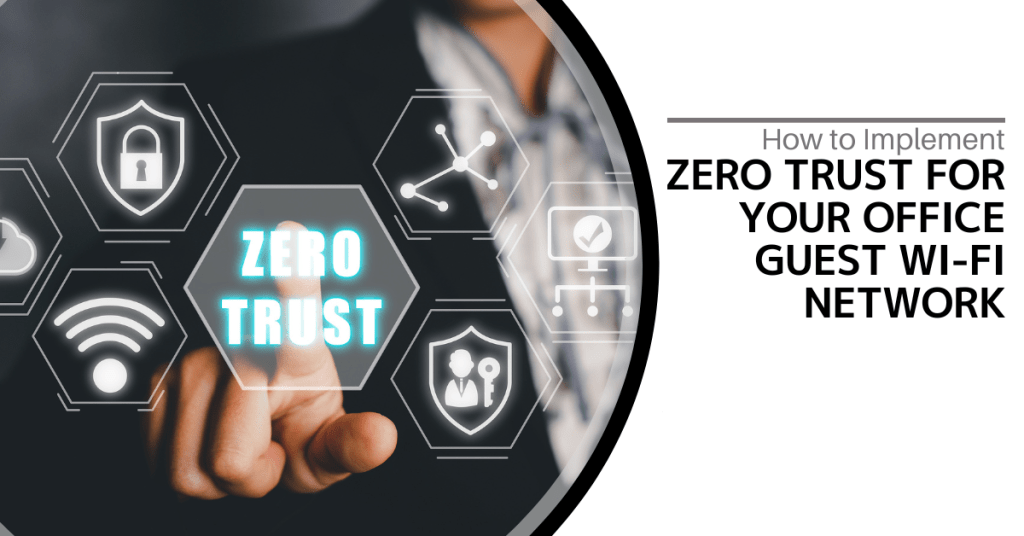
Guest Wi-Fi is a convenience your visitors expect and a hallmark of good customer service. It is also one of the riskiest points in your network. A shared password that has been passed around for years offers virtually no protection and a single compromised guest device can become a gateway for attacks on your entire business. That is why adopting a Zero Trust approach for your guest Wi-Fi is essential.
The core principle of Zero Trust is simple but powerful. Never trust, always verify. No device or user gains automatic trust just because they are on your guest network. Here are some practical steps to create a secure and professional guest Wi-Fi environment.
Business Benefits of Zero Trust Guest Wi-Fi
Implementing a Zero Trust guest Wi-Fi network is not just a technical necessity. It is a strategic business decision that delivers clear financial and reputational benefits. By moving away from a risky shared password system, you significantly reduce the likelihood of costly security incidents. A single compromised guest device can act as a gateway for attacks on your entire business and lead to devastating downtime, data breaches and regulatory fines. The proactive measures of isolation, verification and policy enforcement are an investment in business continuity.
Consider the Marriott data breach where attackers gained access to their network through a third-party access point and eventually compromised the personal information of millions of guests. While not specifically a Wi-Fi breach, it serves as a stark reminder of the massive financial and reputational damage caused by an insecure network entry point. A Zero Trust guest network (which strictly isolates guest traffic from corporate systems) would prevent this lateral movement and contain any threat to the public internet.
Build a Totally Isolated Guest Network
The first and most crucial step is complete separation. Your guest network should never mix with your business traffic. This can be achieved through strict network segmentation by setting up a dedicated Virtual Local Area Network (VLAN) for guests. This guest VLAN should run on its own unique IP range entirely isolated from your corporate systems.
Configure your firewall with explicit rules that block all communication attempts from the guest VLAN to your primary corporate VLAN. The only destination your guests should be able to reach is the public internet. This strategic containment ensures that if a guest device is infected with malware, it cannot pivot laterally to attack your servers, file shares or sensitive data.
Implement a Professional Captive Portal
Get rid of the static password immediately. A fixed code is easily shared, impossible to track and a hassle to revoke for just one person. Instead implement a professional captive portal like the branded splash page you encounter when connecting to Wi-Fi at a hotel or conference. This portal serves as the front door to your Zero Trust guest Wi-Fi.
When a guest tries to connect, their device is redirected to the portal. You can configure it securely in several ways. For example, a receptionist could generate a unique login code that expires in 8 or 24 hours or visitors could provide their name and email to receive access. For even stronger security, a one-time password sent via SMS can be used. Each of these methods enforces the 'never trust' principle and turns what would be an anonymous connection into a fully identified session.
Enforce Policies via Network Access Control
Having a captive portal is a great start but to achieve true guest network security, you need more powerful enforcement and that is where a Network Access Control (NAC) solution comes into play. NAC acts like a bouncer for your network by checking every device before it is allowed to join and you can integrate it within your captive portal for a seamless (yet secure) experience.
A NAC solution can be configured to perform various device security posture checks such as verifying whether the connecting guest device has a basic firewall enabled or whether it has the most up-to-date system security patches. If the guest’s device fails these posture checks, the NAC can redirect it to a walled garden with links to download patch updates or simply block access entirely. This proactive approach prevents vulnerable devices from introducing risks into your network.
Apply Strict Access Time and Bandwidth Limits
Trust isn’t just about determining who is reliable. It is about controlling how long they have access and what they can do on your network. A contractor doesn’t need the same continuous access as a full-time employee. Use your NAC or firewall to enforce strict session timeouts and require users to re-authenticate after a set period (such as every 12 hours).
Similarly, implement bandwidth throttling on the guest network. In most cases, a guest only needs basic internet access to perform general tasks such as reading their emails and web browsing. This means limiting guest users from engaging in activities such as 4K video streaming and downloading torrent files that use up the valuable internet bandwidth needed for your business operations. While these limitations may seem impolite, they are well in line with the Zero Trust principle of granting least privilege. It is also a good business practice to prevent network congestion by activities that do not align with your business operations.
Create a Secure and Welcoming Experience
Implementing a Zero Trust guest Wi-Fi network is no longer an advanced feature reserved for large enterprises. It is a fundamental security requirement for businesses of all sizes. It protects your core assets while simultaneously providing a professional and convenient service for your visitors. The process hinges on a layered approach of segmentation, verification and continuous policy enforcement and effectively closes a commonly exploited and overlooked network entry point.
Do you want to secure your office guest Wi-Fi without the complexity? Contact us today to learn more.
The traditional “castle and moat” approach to network security is a thing of the past. In that model, thick walls, deep moats and a drawbridge controlled who entered and left. Once inside the castle, everyone was considered safe. For decades, business networks worked the same way. The firewall acted as the wall and users inside the network were trusted by default. That world no longer exists.Read more
Your company may have firewalls, antivirus software and encryption and your cybersecurity posture looks strong (on paper). However, all it takes is one cleverly crafted phishing email to bypass those defenses. The reality is that employees can be either your greatest vulnerability or your strongest line of defense. The human firewall concept turns staff from a potential weak link into an active and informed barrier against cyberattacks.Read more

The term “sustainability” often brings to mind recycling or carbon offsets. While those efforts are still important, there is a major shift happening where technology meets environmental responsibility. Tech-driven sustainability focuses on using intelligent solutions to improve both ecological impact and your bottom line. It shows that going green can be an investment in efficiency and resilience rather than just an added cost.Read more