
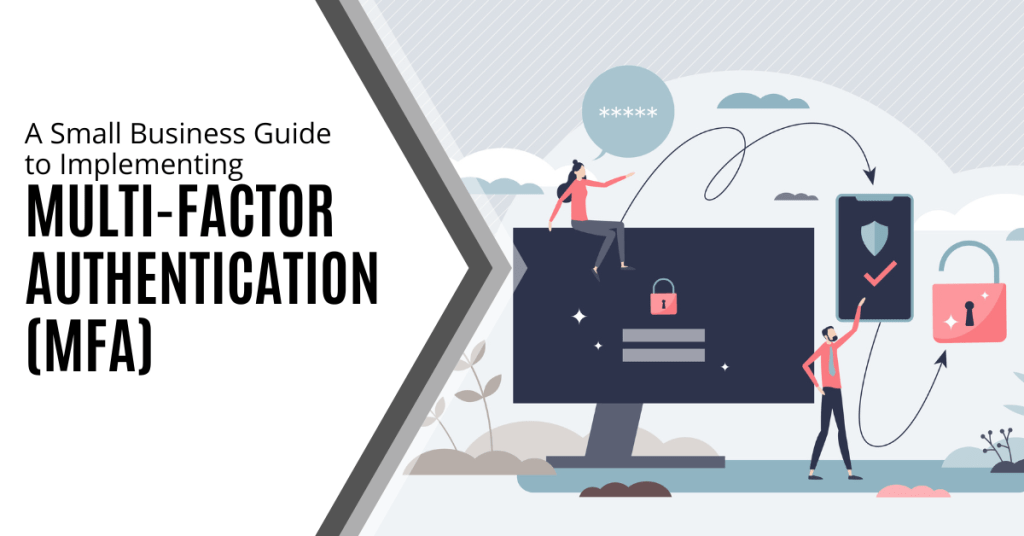
Have you ever wondered how vulnerable your business is to cyberattacks? According to recent reports, nearly 43% of cyberattacks target small businesses and often exploit weak security measures.
One of the most overlooked yet highly effective ways to protect your company is through Multi-Factor Authentication (MFA). This extra layer of security makes it significantly harder for hackers to gain access even if they have your password.
This article explains how to start implementing MFA (Multi-Factor Authentication) in your small business. With this knowledge, you will be able to take a crucial step in safeguarding your data and ensuring stronger protection against potential cyber threats.
Why is Multi-Factor Authentication Crucial for Small Businesses?
Before diving into the implementation process, let's take a step back and understand why Multi-Factor Authentication (MFA) is so essential. Small businesses (despite their size) are not immune to cyberattacks. In fact, they are increasingly becoming a target for hackers. The reality is that a single compromised password can lead to massive breaches, data theft and severe financial consequences.
This is where MFA comes in. MFA is a security method that requires more than just a password to access an account or system. It adds additional layers that are typically in the form of a time-based code, biometric scan or even a physical security token. This makes it much harder for unauthorized individuals to gain access to your systems even if they have obtained your password.
It is no longer a matter of if your small business will face a cyberattack. It is when it will face it. Implementing MFA can significantly reduce the likelihood of falling victim to common online threats like phishing and credential stuffing.
What is Multi-Factor Authentication?
Multi Factor Authentication (MFA) is a security process that requires users to provide two or more distinct factors when logging into an account or system. This layered approach makes it more difficult for cybercriminals to successfully gain unauthorized access. Instead of relying on just one factor such as a password, MFA requires multiple types of evidence to prove your identity. This makes it a much more secure option.
To better understand how MFA works, let's break it down into its three core components:
Something You Know
The first factor in MFA is the most traditional and commonly used form of authentication (knowledge-based authentication). It usually involves something only the user is supposed to know like a password or PIN. This is the first line of defense and is often considered the weakest part of security. While passwords can be strong, they are also vulnerable to attacks such as brute force, phishing or social engineering.
Example: Your account password or a PIN number.
While it is convenient, this factor alone is not enough to ensure security because passwords can be easily stolen, guessed or hacked.
Something You Have
The second factor in MFA is possession-based. This involves something physical that the user must have access to in order to authenticate. The idea is that even if someone knows your password, they wouldn't have access to this second factor. This factor is typically something that changes over time or is something you physically carry.
Examples:
- A mobile phone that can receive SMS-based verification codes (also known as one-time passcodes).
- A security token or a smart card that generates unique codes every few seconds.
- An authentication app like Google Authenticator or Microsoft Authenticator which generates time-based codes that change every 30 seconds.
These items are in your possession which makes it far more difficult for an attacker to access them unless they physically steal the device or break into your system.
Something You Are
The third factor is biometric authentication which relies on your physical characteristics or behaviors. Biometric factors are incredibly unique to each individual which makes them extremely difficult to replicate or fake. This is known as inherence-based authentication.
Examples:
- Fingerprint recognition (common in smartphones and laptops).
- Facial recognition (used in programs like Apple's Face ID).
- Voice recognition (often used in phone systems or virtual assistants like Siri or Alexa).
- Retina or iris scanning (used in high-security systems).
This factor ensures that the person attempting to access the system is truly the person they claim to be. Even if an attacker has your password and access to your device, they would still need to replicate or fake your unique biometric traits (which is extraordinarily difficult).
How to Implement Multi-Factor Authentication in Your Business
Implementing Multi-Factor Authentication (MFA) is an important step toward enhancing your business' security. While it may seem like a complex process, it is actually more manageable than it appears and especially when broken down into clear steps. Below is a simple guide to help you get started with MFA implementation in your business:
Assess Your Current Security Infrastructure
Before you start implementing MFA, it is crucial to understand your current security posture. Conduct a thorough review of your existing security systems and identify which accounts, applications and systems need MFA the most. Prioritize the most sensitive areas of your business including:
- Email accounts (where sensitive communications and passwords are often sent)
- Cloud services (Google Workspace, Microsoft 365, etc.)
- Banking and financial accounts (vulnerable to fraud and theft)
- Customer databases (to protect customer data)
- Remote desktop systems (ensuring secure access for remote workers)
By starting with your most critical systems, you ensure that you address the highest risks first and establish a strong foundation for future security.
Choose the Right MFA Solution
There are many MFA solutions available and each has its own features, advantages and pricing. Choosing the right one for your business depends on your size, needs and budget. Here are some popular options that can cater to small businesses:
Google Authenticator
A free and easy-to-use app that generates time-based codes. It offers an effective MFA solution for most small businesses.
Duo Security
Known for its user-friendly interface, Duo offers both cloud-based and on-premises solutions with flexible MFA options.
Okta
Great for larger businesses but also supports simpler MFA features for small companies with a variety of authentication methods like push notifications and biometric verification.
Authy
A solution that allows cloud backups and multi-device syncing. This makes it easier for employees to access MFA codes across multiple devices.
When selecting an MFA provider, consider factors like ease of use, cost-effectiveness and scalability as your business grows. You want a solution that balances strong security with practicality for both your organization and employees.
Implement MFA Across All Critical Systems
Once you have chosen an MFA provider, it is time to implement it across your business. Here are the steps to take:
Step 1: Set Up MFA for Your Core Applications
Prioritize applications that store or access sensitive information such as email platforms, file storage (Google Drive, OneDrive) and customer relationship management (CRM) systems.
Step 2. Enable MFA for Your Team
Make MFA mandatory for all employees to ensure it is used across all accounts. For remote workers, make sure they are also utilizing secure access methods like VPNs with MFA for extra protection.
Step 3: Provide Training and Support
Not all employees may be familiar with MFA. Ensure you offer clear instructions and training on how to set it up and use it. Provide easy-to-access support resources for any issues or questions they may encounter and pay special attention to those who might not be as tech-savvy.
Remember that a smooth implementation requires clear communication and proper onboarding so that everyone understands the importance of MFA and how it protects the business.
Regularly Monitor and Update Your MFA Settings
Cybersecurity is a continuous process rather than a one-time task. Regularly reviewing your MFA settings is crucial to ensuring your protection remains strong. You should:
Keep MFA Methods Updated
Consider adopting stronger verification methods such as biometric scans or moving to more secure authentication technologies as they become available.
Re-evaluate Authentication Needs
Regularly assess which users, accounts and systems require MFA because business priorities and risks evolve.
Respond to Changes Quickly
If employees lose their security devices (like phones or tokens), make sure they can quickly update or reset their MFA settings. Also, remind employees to update their MFA settings if they change their phone number or lose access to an authentication device.
Regularly Monitor and Update Your MFA Settings
Cybersecurity is a continuous process rather than a one-time task. Regularly reviewing your MFA settings is crucial to ensuring your protection remains strong. You should:
Test Your MFA System Regularly
After implementation, it is essential to test your MFA system regularly to ensure it is functioning properly. Periodic testing allows you to spot any vulnerabilities, resolve potential issues and ensure all employees are following best practices. This could include simulated phishing exercises to see if employees are successfully using MFA to prevent unauthorized access.
In addition, monitoring the user experience is important. If MFA is cumbersome or inconvenient for employees, they may look for ways to bypass it. Balancing security with usability is key and regular testing can help maintain this balance.
Common MFA Implementation Challenges and How to Overcome Them
While MFA offers significant security benefits, the implementation process can come with its own set of challenges. Here are some of the most common hurdles small businesses face when implementing MFA along with tips on how to overcome them:
Employee Resistance to Change
Some employees may resist MFA due to the perceived inconvenience of needing to enter multiple forms of verification. To overcome this, emphasize the importance of MFA in protecting the business from cyber threats. Offering training and support to guide employees through the setup process can help alleviate concerns.
Integration with Existing Systems
Not all applications and systems are MFA-ready which can make integration tricky. It is important to choose an MFA solution that integrates well with your existing software stack. Many MFA providers offer pre-built integrations for popular business tools or they provide support for custom configurations if needed.
Cost Considerations
The cost of implementing MFA (especially for small businesses with tight budgets) can be a concern. Start with free or low-cost solutions like Google Authenticator or Duo Security's basic plan. As your business grows, you can explore more robust and scalable solutions.
Device Management
Ensuring that employees have access to the necessary devices (like phones or security tokens) for MFA can be a logistical challenge. Consider using cloud-based authentication apps (like Authy) that sync across multiple devices. This makes it easier for employees to stay connected without relying on a single device
Managing Lost or Stolen Devices
When employees lose their MFA devices or they are stolen, it can cause access issues and security risks. To address this, establish a device management policy for quickly deactivating or resetting MFA. Consider solutions that allow users to recover or reset access remotely. Providing backup codes or alternative authentication methods can help ensure seamless access recovery without compromising security during such incidents.
Now is the Time to Implement MFA
Multi-Factor Authentication is one of the most effective steps you can take to protect your business from cyber threats. By adding that extra layer of security, you significantly reduce the risk of unauthorized access, data breaches and financial losses.
Start by assessing your current systems, selecting the right MFA solution and implementing it across your critical applications. Don't forget to educate your team and regularly update your security settings to stay ahead of evolving cyber threats.
If you are ready to take your business' security to the next level or if you need help implementing MFA, feel free to contact us. We are here to help you secure your business and protect what matters most.

Remember when “heading to work” meant one office, one desk and one routine? Those days are over. Today’s office could be your living room, a coworking space or your company’s HQ. The way we work has changed and your IT systems need to change with it. Six in ten employees with remote-capable employment choose a hybrid work arrangement. Approximately one-third choose completely remote employment whereas less than 10% prefer to work on-site.Read more

Tech moves fast. One day it is new and the next it is outdated and collecting dust. However, those old devices aren’t just meant to be thrown away. They contain sensitive data and can also add to the e-waste problem. A study by the World Health Organization shows that E-waste is one of the fastest growing solid waste streams in the world.Read more
Thanks to cyber criminals becoming more sophisticated, cybersecurity breaches in small enterprises have become commonplace. 94% of small businesses have experienced a cyber attack which predisposes them to data theft and substantial financial losses. That is why implementing Zero Trust security is ideal to guarantee maximum protection.Read more

Is your team working remotely? That is great for flexibility and productivity but it also opens the door to a whole new world of cybersecurity concerns. Unlike in a traditional office environment, your team's home networks and personal devices probably don't come with enterprise-grade security. Without the right protections, remote work can become a hacker's playground.Read more

Cybercriminals target Gmail a lot because it is very popular. It also integrates with many other Google services. As AI-powered hacking attacks become more common, it gets harder for people to distinguish between real and fake emails and the Gmail threats increase.
As 2025 approaches, it is crucial for Gmail users to be aware of these new threats and take steps to keep their accounts safe. We will discuss the new Gmail threats that users face in 2025 and give tips on how to stay safe.
What Are the New Gmail Threats in 2025?
Cyber threats are constantly evolving and some of the most sophisticated attempts have been aimed at Gmail. One major concern is that Artificial Intelligence (AI) is being used to create scam emails that appear very real. The purpose of these emails is to mimic real ones to make them difficult to spot. AI is also being used to create deepfakes and viruses which complicates security even further.
Gmail is deeply connected to other Google services. This means if someone gains access to a user’s Gmail account, they might be able to access all of their digital assets. These include Google Drive, Google Pay and saved passwords. This makes it even more critical for people to secure their Gmail accounts.
When hackers use AI in phishing attacks, they can analyze how people communicate. This helps them write to create emails that look almost exactly like real ones. This level of sophistication has made phishing efforts much more likely to succeed. Now, almost half of all phishing attempts use AI technology.
Gmail continually updates its security so users need to be adaptable to stay safe. We will delve into the specifics of these Gmail threats and explore how they work in the next part. Cyber threats are always changing and Gmail users must stay vigilant to protect themselves. We will explore what these threats mean for Gmail users and how they can impact both individuals and businesses.
What Do These Threats Mean for Gmail Users?
Gmail users are particularly concerned about phishing scams that utilize AI. AI is used in these attacks to analyze and mimic the communication styles of trusted sources such as banks or Google. This makes it difficult for people to identify fake emails because they often appear real and personalized.
This is what deepfakes and malware do:
- Deepfakes and viruses created by AI are also becoming more prevalent.
- Deepfakes can be used to create fake audio or video messages that appear to come from people you know and trust (which complicates security more).
- AI-generated malware is designed to evade detection by regular security tools.
Effects on People and Businesses
Identity theft and financial fraud are two risks for individuals who use Gmail. However, these threats have implications that extend beyond individual users. Businesses are also at risk. Compromised Gmail accounts can lead to data breaches and operational disruptions.
To stay safe, users need to be aware of these risks and take proactive steps to protect themselves. The impact of these threats on both individuals and businesses shows how important security is. We will explore other dangers that Gmail users should be aware of.
What Are Some Other Dangers That Gmail Users Should Know About?
AI-powered hacking isn’t the only new threat that Gmail users should be aware of. More zero-day exploits are being used to attack users. They exploit previously unknown security vulnerabilities in Gmail. This allows them to bypass traditional security measures. Attackers can access accounts without permission before Google can address the issue.
Quantum computing is also a huge threat to current encryption methods. As quantum computing advances, it may become possible to break complex passwords and encryption keys. This could make it easier for hackers to access Gmail accounts. Users can implement strong passwords, enable two-factor authentication and regularly check account settings for suspicious activity. We will explore how to keep your Gmail account safe.
How Can I Keep My Gmail Account Safe?
There are tons of security threats out there for Gmail users. However, there are still things you can do to stay safe. Several steps can be taken to protect your Gmail account from these threats:
Make Your Password Stronger
It is very important to use a strong and unique password. This means avoiding common patterns and ensuring the password is not used for more than one account. A password generator can help create strong passwords and keep them secure.
Turn on Two-Step Verification
Two-factor authentication is safer than a password. This is because it requires a second form of verification like a code sent to your phone or a physical security key. Attackers will have a much harder time accessing your account.
Check Third-Party Access
It is important to monitor which apps and services can access your Gmail account. As a safety measure, remove any access that is no longer needed.
Use the Advanced Protection Program in Gmail
Google’s Advanced Protection Program gives extra protection against scams and malware. It includes two-factor authentication and physical security keys. It also scrutinizes file downloads and app installations thoroughly. By following these steps, Gmail users can significantly reduce their risk of falling victim to these threats.
Keep Your Gmail Account Safe
As we have discussed, the threats to Gmail users are real and evolving. Users can protect themselves by staying informed and implementing robust security measures. Never give up and be prepared to address new challenges as they arise.
Staying up-to-date on the latest security practices and best practices is important to keep your Gmail account safe. In today’s cyber world, it is crucial for both individuals and businesses to protect their digital assets. Don’t hesitate to reach out if you are concerned about keeping your Gmail account safe or need more help avoiding these threats. You can count on our team to help you stay safe online as the world of hacking continues to evolve.

Do you think cyberattacks only target the big guys? Think again. Small and mid-sized businesses are increasingly becoming prime targets for data breaches and can benefit from Multi-Factor Authentication.Read more
Mobile applications have become an integral part of our lives. We use them to browse the internet, network, communicate and much more. However, a mobile app opens us up to risks caused by fraudsters who may steal information or damage our phones.
According to 2024 data from Asee, over 75% of published apps have at least one security vulnerability. This means that 3 out of every 4 your favorite apps could be risky to use. It is important to be cautious while downloading and maintaining apps. Here are ten simple tips that can help keep your mobile apps secure.
Why Is Mobile App Security Important?
75% of apps risk our security and business apps are three times more likely to leak log-in information. These risks also include even the most popular apps. Those with over 5 million downloads still have at least one security flaw.
Using mobile apps is not always safe. There are many ways for hackers and criminals to steal your data. This can happen because of your internet connection, app permissions and more. We will cover ten essential security tips to keep your data safe when using mobile apps.
Top 10 Security Tips For Mobile App Users
Mobile apps can be dangerous but there are ways to reduce these risks. If you are careful about where you download apps, the permissions you allow and the internet connection you use, you can keep your data as safe as possible. Here are the top ten security tips for mobile app users:
1. Only download from official stores.
The first step of mobile app security is choosing safe apps. Some apps are not secure even when they look legitimate. It is important to be aware of the source before you click download. Always download your apps from the App Store or Google Play.
These stores check apps to make sure they are safe. Don't download from random websites. They might have fake apps that can hurt your phone.
2. Check app ratings and reviews.
Before you download an app, see what other people are saying about it. If a lot of people like it and say it is safe, it is probably fine. However, if people are saying it has problems, perhaps you don't want to install it.
3. Read app permissions.
When you find an app you want to download, stop and do research first. If you download a fake app by mistake, your device may be attacked. It can open you up to malware, ransomware and more threats.
Apps frequently request permission to access certain parts of your phone. Maybe they want to know your location or use your camera. Consider whether they really need that information. If an app requests access to too much, do not install it.
4. Update your phone’s operating system.
Keep the software on your phone up to date. New updates frequently patch security vulnerabilities. This makes it more difficult for the bad guys to hack into your phone.
5. Use strong passwords.
We use apps for many day-to-day tasks like sending emails, storing files and sharing on social media. If an app is hacked, your personal information can be stolen.
Passwords protect your apps. Make sure your password is difficult to guess. Use letters, numbers and symbols. Do not use the same password for all apps. That way if a person guesses one password, he or she cannot access all your apps.
6. Enable two-factor authentication.
Two-factor authentication means an additional step in order to log in. It can send a code to your phone or email. This will make it much harder for bad people to get into your accounts.
7. Beware of public Wi-Fi.
Public Wi-Fi is never a safe space. There may be bad guys watching what you do online. Never use public Wi-Fi on important apps. Wait until you are on a safe network to use apps for banking.
8. Log out of apps not in use.
Log out of apps whenever you are done using them. This is even more important when the apps hold personal information such as banking or email apps. In case someone steals your phone, it is much harder for them to access your apps.
9. Update your apps.
Developers of applications usually fix security issues in updates. Keep updating your apps whenever newer versions get released. It will help in safeguarding your information.
10. Use security features.
Lots of apps have additional security features. These may include fingerprint locks or face recognition. Switch these on if you can because they can help stop other people from using your apps. Even with these security tips, it is important to take other measures to protect your data. Be sure to follow our tips on safe downloads and data protection.
Stay Safe While Using Mobile Apps
It is not hard to stay safe with mobile apps. Just be careful and think before you act. Only download apps you trust. Keep your phone and apps updated. Use strong passwords and extra security when you can.
Remember that safety is in your hands. Don’t hesitate to ask for help with app security. For more mobile app security tips, feel free to contact us today.
In the digital world of today, malware is a big problem for both people and businesses. Cybercriminals are getting smarter so it is important to know about the most common malware threats and how to keep yourself safe from them. Read more
We make, change and delete things on our devices all the time these days. Have you ever thought about what really happens when you press the remove key? The process is a lot trickier than you might think and knowing how it works can be very important for protecting your info and getting it back. This piece will go into great detail about how to delete a file, looking at where deleted files go and what it means for users and businesses alike.Read more