

Anyone dealing with protected health information (PHI) has to comply with HIPAA including doctor offices or nursing homes.
The Health Insurance Portability and Accountability Act (HIPAA) was designed to ensure personal health information is protected from unauthorized disclosure and ensure that patients have access to their own health information.
It has multiple technology guidelines that apply to anyone that generates, transmits or stores patient health records.
Unfortunately, these regulations can be difficult for many small and mid-sized businesses to get their heads around which leaves many Connecticut business owners at risk of a HIPAA violation. There is always the question of “Have we thought of everything?”
HIPAA violation penalties range from $100 to $50,000 per incident or per health record.
If technology and network systems are not set up with the proper protections, it can lead to a data breach or data leakage incident due to the inadvertent exposure of PHI. HIPAA fines can be levied for anything from failing to properly secure a patient records database to leaving a laptop unattended with a patient record in plain sight on the screen.
Be Aware of These HIPAA Mistakes to Avoid
There are some common HIPAA mistakes that businesses tend to make which get them into trouble.
Being aware of these pitfalls and how to avoid them can help you prevent a costly data breach and result in fines and loss of business.
Not Having Adequate Data Encryption on Mobile Devices
Mobile devices are often outside a company’s on-premises firewall or other security protocols but they are being used much more often by on-the-go medical staff to review patient information.
One of the mistakes companies make is not properly securing or encrypting data being transmitted to and from staff mobile devices which can lead to it being compromised.
Putting in place a business virtual private network (VPN) can help you avoid this problem. It encrypts all internet traffic and can be used on both computer and mobile devices.
Lost Laptop or Mobile Device Containing PHI
Another common HIPAA violation can happen when someone loses a laptop or mobile device that contains PHI.
Once a device is lost or stolen, anyone can access anything on it if you don’t have protections in place which means you could be facing fines for each patient record exposed.
An endpoint device manager, such as Microsoft Intune, can help you secure lost devices immediately. This type of tool allows you to remotely lock or wipe a device as well as detect any activity.
Not Using HIPAA-Compliant Business Associate Agreements
Companies that are subject to HIPAA are also responsible to ensure any vendors they work with and share sensitive information with also follow HIPAA guidelines.
The HIPAA rules dictate the need to create and use business associate agreements that confirm this HIPAA compliance. Business associates can include IT professionals, payment processors or anyone else that may have access to patient information.
Many IT professionals can help you with vendor management when it comes to HIPAA compliance to ensure each of them signs a HIPAA-compliant Business Associate Agreement.
Not Notifying Impacted Parties of a Breach Within 60-Days
When a data breach happens, all that is usually on a company’s mind is securing their data and immediately addressing the reason for the breach. In the aftermath of returning to normal business operations, 60-days can go by pretty quickly. Some companies may not even realize they need to make all notifications within that time.
HIPAA requires that anyone impacted by the data breach, including any clients that may have had their information exposed, need to be notified within 60 days of breach discovery (not containment).
HIPAA regulations can seem overwhelming if you are trying to navigate them on your own and things like the 60-day notification rule can easily fall between the cracks. This is another reason to work with a trusted IT partner like Sound Computers for HIPAA compliance help.
Human Error – Lack of Data Handling Procedures
A patient health record left out in a common area, an unattended computer without a screen lock and a clicked phishing email link are all examples of human-caused reasons for HIPAA violations.
If an organization doesn’t have clear data handling policies that employees are regularly trained on, human errors are much more likely to cost you in HIPAA compliance penalties.
It is important to conduct ongoing cybersecurity and HIPAA compliance training so procedures stay fresh in an employee’s mind. Some of the things you should cover are the following:
- How to identify a phishing email
- Password security
- Data handling procedures
- Physical device security
- The cost of HIPAA violations
- Examples of unintended HIPAA violations
- Mobile device security
Get the Help You Need with HIPAA Compliance
Sound Computers can help your company avoid making common HIPAA mistakes by ensuring you have the network and technology protections in place you need.
Contact us today and we can customize a protection plan that fits your unique needs. Call 860-577-8060 or reach us online.

Has your company hit a technology sticking point? That is when it seems like things are in a rut with your IT infrastructure and you know there are ways to improve but you are not quite sure how to get there.
According to a study by Google, 80% of small businesses are not taking full advantage of technology optimizations. This means they tend to make half as much revenue per employee as firms that are more digitally advanced.
There are a number of technology upgrades that your Connecticut business can do to improve your network and IT systems to boost efficiency and increase employee productivity.
You would be surprised how just a few tweaks here and there can free up more hours per day due to faster devices, faster networks and freedom from IT struggles that eat into daily work time.
Make Your Business Better with These Technology Upgrade Tips
The cost of using outdated systems and not updating your technology infrastructure can come through a number of ways. It is estimated that employees waste 22 minutes each per day due to tech issues which adds up to over 2 weeks per year in lost productivity. Multiply that by the number of employees that you have and that is a lot of time wasted on tech issues!
Another way that using outdated systems can slow your company down is if your network can’t reliably support all of your devices. In the last decade, multiple mobile and IoT devices have been added to the work process, putting more demands on networks which can slow down if there is too much traffic demand.
Here are several ways you can improve productivity by deploying key upgrades in your network and other IT systems.
Transition from One Router to a Multi-Access Point Mesh System
If you have just a single router at your office, it can mean weak and spotty connections for some users because they are so far from the router. Solid block walls and large furniture can also interfere with Wi-Fi signals, leaving “dead zones” that you have to work around.
Mesh Wi-Fi systems use multiple access points instead of just one to blanket your premises with a net of connectivity. This speeds up connections, avoids router device overload and eliminates problems with weak or zero signal areas.
Upgrade User Computers
Companies will often hold onto computers as long as possible without replacing or upgrading them so they can get the most money possible out of the investment.
Often employees are struggling with slow systems that are keeping them from doing their jobs as fast as they could do them with the right tools. However, executives are often in the dark about this.
While 90% of company leaders say they are giving their team the best digital tools, only 53% of employees think so.
Upgrades that can speed up your existing workstations include:
- Switching out hard disk drives (HDDs) for solid-state drives (SDD)
- Adding more memory
- Replacing the graphics card
- Getting a system tune-up from an IT professional
Migrate to an Integrated “All-in-One” Cloud Platform
Most work is now being done in cloud software applications and these can either make work easier or be holding you back. If your team has to use tools from many different providers and learn all those different interfaces, it can make their workflow less productive.
By migrating to an “all-in-one” cloud platform like Microsoft 365, you can give your employees a much more optimized cloud experience that includes multiple tools that share data and all work together and have a similar user interface.
Digitize Your Document Flow
Are you still using some paper documents in your workflows? These can slow people down and cause bottlenecks in project processes.
A digital signature tool can remove the need to print out and store paper documents for things like contracts and vendor agreements. By going fully digital, you are able to have all documents easily searchable, secured and won’t have any manual paper processes slowing your team down.
Switch from Landline Phones to a VoIP System
The recent pandemic-related shutdowns emphasized the need for businesses to have processes that could be run from any location and support a remote workforce.
Communications like your business phone lines are a vital piece of the day-to-day in a company and if you are still using older landline phones, it can be slowing your team down and making it more difficult for you to provide a consistent caller experience.
VoIP systems offer several productivity boosts to communication including a full enterprise-class phone system with multiple features (auto attendant, call handling etc.) and they allow your phone system to be accessible by computer, mobile device or VoIP desk phone.
Cloud phone systems integrate other communication features like digital fax, video calling, texting and automated voicemail transcription which improves productivity while also reducing phone operational costs.
Let Sound Computers Help You with a Productivity Upgrade
Often, upgrades to your network and systems pay for themselves fast in productivity improvements. Let us help you identify your best areas to optimize to improve your company efficiency.
Contact us today to schedule a free consultation. Call 860-577-8060 or reach us online.
There are any number of technology events that can put a business in danger from data breaches to hard drive crashes with lost data. Our dependence on technology means that if tech goes wrong, business often comes to a standstill.
Damages can be the loss of a few hours of operations to losing your business completely.
60 percent of small businesses that get hacked end up closing their doors within 6 months because they never recover from the losses.
The Connecticut businesses that are able to recover quickly from a disaster, data breach or other catastrophic event are those with a good disaster recovery plan.
A disaster recovery plan includes putting a safety net in place that acts as a business insurance policy. This includes data backup and recovery systems and the ability to recover your data to any device or cloud system so it can be accessed from anywhere.
Without a solid disaster recovery plan, companies can end up getting hit with unplanned outages that can damage their reputation and revenue for quite a long time.
Why It Is Important to Put a Disaster Recovery Plan in Place
Disaster recovery goes hand-in-hand with a business continuity plan. Many work-stopping events result in data loss. Most businesses can’t operate or properly serve customers without their data.
The ability to quickly recover data and get back up and running can often mean the difference between keeping your business resilient and facing a closure after a major event.
Here are reasons why having a good backup and disaster recovery system in place is so important:
Customers Can Leave After Just One Bad Experience
The longer your business is down and customers can’t reach you due to something like a ransomware attack, the more risk you run of losing their business.
33% of customers say they will switch from a company they use to a competitor after just one bad experience.
Getting operations back up and running as fast as possible after a downtime incident is vital to retaining current customers and closing new ones.
Cyber Crime is On the Rise
There are a number of different cyber incidents that can cause data loss and downtime. These include things like:
- Ransomware
- Phishing attacks
- Viruses
- Data breach of customer information
- Brute force attacks
- Worms and trojans
Over the last few months, the FBI has seen a 400% increase in reported cyberattack incidents due to the pandemic. If your company is not ready to restore your data after an incident, you could be facing days of downtime.
Weather Events Are Becoming More Unpredictable
The weather events we may have expected in the past are changing and causing communities to be hit with “100-year floods” and other unexpected natural disasters.
If you are not prepared for potential damage to your on-premises equipment and don’t have a cloud backup plan in place, you could be looking at complete loss of data due to an unexpected weather event without any way to restore it.
Cloud Account Takeovers Have Become a Main Hacker Target
If you think your data is completely safe in the cloud, you’re wrong. Data loss from the cloud occurs from many areas including hackers deleting files. One of the biggest issues is when a hacker takes over a cloud account through stolen login credentials. They can steal what they need and delete everything.
Credential theft has been on the rise and now cloud account takeover has become a major target of hackers. A recent data breach investigations report showed that:
- User login credentials has become the #1 data target in phishing emails.
- Password dumpers (designed to steal username/passwords) is now the #1 type of malware used in data breaches.
Human Errors Are Difficult to Predict
A major cause of data loss and downtime is human error. Users can accidentally overwrite files stored in the cloud or misconfigure security settings allowing hackers to breach an account.
Trying to migrate data on their own is also another way that human error can result in loss of business files and they are not always recoverable unless you are properly backing up all your endpoints and cloud data.
Equipment Crashes or Loss Can Come Out of the Blue
Employees are increasingly mobile these days which means your company data could be on a laptop or tablet that is damaged or lost. Hard drives can also crash out of the blue which will leave you without your critical data.
Backups always move to the top of the critical systems list after an incident has happened but that may be too late to recover it from a damaged device.
Protect Yourself with a Solid Backup & Disaster Recovery Plan
Sound Computers can help your company ensure that it is ready for anything with a backup and disaster recovery plan that keeps your company resilient.
Contact us today to schedule a free consultation. Call 860-577-8060 or reach us online.
Data loss can be one of the most devastating things to happen to a business. A single overwritten file probably won’t make a huge dent in your week but a ransomware attack that makes all your data unreadable is a major crisis.
Companies can lose files in a number of ways:
- Hard drive crashes
- Malicious or accidental deletion
- Ransomware attack
- Viruses and other malware
- Data breach
- Natural or manmade disaster
While costs can vary according to the incident, the average cost for each lost file is $150. The downtime that accompanies a data loss incident is what costs companies the most in many cases.
The ironic thing is that so many businesses suffer from major data loss incidents even though the simple solution is to back up their data using a reliable backup and recovery system.
Avoid Backup Mistakes and Keep Your Files Protected
We often rush to the rescue of clients during a data loss incident to find that they thought they were properly backing up their data but had made a costly mistake.
Some of the typical backup mistakes are:
- Never checking a backup so they are unaware of it being stalled
- Not testing the data recovery part of the backup system
- Accidentally leaving out important folders when setting up a backup
- Keeping their only backup copy at their office
Backup mistakes are common but they can be avoided by adopting backup best practices. Here is what you need to do to back up properly and protect yourself from costly data loss.
Back Up at Least One Copy in the Cloud
There is nothing wrong with wanting to keep your data backup copy onsite. However, if that is your only copy, then you could be in trouble. If your backup and computers are in the same building all it takes is an unexpected event like a fire or flood to wipe it all out and leave you without a recoverable copy of your files.
Make sure that, in addition to an onsite backup, you are also backing up all your data in a cloud-based system. This will ensure it stays safe no matter what may happen to your office.
Cloud backups are also the easiest way to backup multiple devices that may not be located in the same building (i.e. remote employee devices).
Check Your Backup Regularly
Many people start a backup system for the first time, check to see that it is working and then never think much about it again until a crisis happens.
When your backup is not being monitored, you might think it is recording all your daily data but it is not.
Backups can stop for several reasons such as:
- Software glitch
- Runs out of space
- Employee accidentally turns it off
- It doesn’t come back on after a computer reboot
You need to ensure all device backups are being monitored regularly to make sure they are capturing your data and have not unexpectedly stalled.
Backup Your Cloud Services
A big mistake that many companies make is not backing up data that is in their cloud services separately. Data can be lost from cloud services like Microsoft 365 or G Suite due to things like overwriting or software problems.
In its Services Agreement, Microsoft states, “We recommend that you regularly backup Your Content and Data that you store on the Services or store using Third-Party Apps and Services.”
How many people actually fully read and understand all the nuances of their agreement? Not many. You are a busy professional and often things like this are not on the top of the priority list.
You need to ensure you are not leaving all that cloud data at risk by backing it up to a 3rd party cloud backup solution.
Don’t Forget Mobile Devices
Tablets and smartphones are being used more than ever in a typical employee’s workflow which means they often contain important company files and work products.
Think about all your different endpoints, including mobile devices, and ensure they are included in your overall backup and recovery strategy.
Test Data Recovery Regularly
You don’t want the very first time you are going through the data recovery process in your backup software to be in the middle of a ransomware attack.
Data recovery should be tested regularly to ensure there are no problems such as an operating system conflict that blocks recovery to a certain device.
Testing of your data recovery also familiarizes you and your team with the process so they can act much faster and with more confidence should a major data loss crisis occur.
Have a Smart Retention Strategy
A good backup retention strategy will include backup copies over a certain timeframe. For example, rather than just have a backup from yesterday available, you should be able to choose a backup from several dates over a longer timeframe in the event that you do need to do a restore.
This is important in the case of a malware attack that went undiscovered for a week. You would want to recover files from a backup that was before the attack happened.
Work with your IT provider to come up with the best retention strategy for your company.
Work with Sound Computers for Reliable Backup & Recovery
Don’t leave your files or business at risk. Ensure you have a reliable and monitored backup and recovery plan in place.
Contact us today to schedule a free consultation. Call 860-577-8060 or reach us online.
Most of us are online more than we realize. Being “connected” has become a part of life and it’s not just relegated to the time we spend browsing the internet on a PC.
Being online includes smartphones, wearables (like an Apple Watch) and IoT devices (like Alexa). That adds up to a lot of waking time online per day in one form or another between at home and the office.
The average person uses the internet 6.5 hours per day.
All that connectivity comes with easy access to information, cloud business apps and other people. However, it also includes security risk.
Some of the biggest online security threats include:
- Breach of company or personal data
- Ransomware attack
- Virus/malware infection
- Stolen banking information
- Identify theft
- Takeover of a computer for phishing or data mining
- Compromised account passwords
Any of these threats can result in the need for virus removal or other types of cleanup that is often very costly. They also result in downtime which can cost a small business as much as $427 per minute.
Staying offline is not really an option in today’s digital world so users need to take steps to protect themselves during all that online time.
Online Security to Protect Against Scammers, Malware, and More
You will need to be vigilant about online safety to help you avoid all types of unfortunate scenarios. These include breaches of your company data or having your payment card information stolen.
Here are several best practices to use for online security and staying safe while connected:
Be Aware of Your Wi-Fi Connection
If you are not on a known Wi-Fi at home or work, you need to be very careful about where you get your online connection.
Free public Wi-Fi’s can have hackers just waiting to tap into another user’s information. If you need to connect while away from your home or office, don’t enter any passwords, payment cards or other sensitive information while on a public Wi-Fi.
Also, be wary about which Wi-Fi’s you use. Hackers can often set up fake hotspots that look legitimate.
Use a Virtual Private Network (VPN)
One way to secure your connection, even when on an unsecure public Wi-Fi, is to use a VPN. This is a sevice that allows you to connect to the internet through a VPN server which encrypts your traffic and masks your IP address.
There are both personal and business plans for VPN services.
Protect Logins with Multi-Factor Authentication
It’s important to have good password security. However, even with the most secure password your login credentials could still become compromised. It seems we hear about a new major data breach every month that includes the exposure of millions of user login credentials.
Adding multi-factor authentication to all logins for business apps, personal apps and websites can increase account security by 99.9%.
Use Web Protection
Links to malicious webpages are used in a majority of phishing attacks. Web protection adds DNS filtering to your online security. This means the software detects any malicious websites and blocks them before they can do a drive-by download of malware onto your device.
Another form of safe browsing is to use private windows for browsing and checking browser security settings to reduce the amount of data being shared with the websites you visit.
Look for “https” When Buying Online
Only purchase online from websites with proper encryption which means they have a security certificate for the site.
You can identify these sites by looking for the “s” at the end of “http” in the site address. In front of the “https://” you should see a lock icon that is a secondary indication of a site that has a security certificate in place.
Keep Your OS, Apps, Browser & Antivirus Updated
While updates can sometimes be annoying because they interrupt what you’re doing, they are vital to ensuring any vulnerabilities are patched. This helps prevent online threats from infecting your system.
You should put a regular update schedule in place for your device operating system, apps, your antivirus/anti-malware program and internet browser.
Use Good IoT and Router Security Practices
Routers and IoT devices are big targets for hackers. If a hacker can get into one device on a network, they can often hack into others that share the same wireless connection.
61% of companies have experienced a security incident due to an IoT device.
Best practices for IoT device security include:
- Changing the default username and password
- Using strong passwords
- Disabling any features that are not needed
- Keeping the firmware up to date
- Disabling universal plug and play features (UPnP)
- Putting IoT devices on a guest network, separate from computers, etc.
Do You Think Your System May Have a Virus?
Sound Computers provides free diagnostics. If your Windows or Mac computer is acting strange, we can help identify the issue and save you from further exposure of your data and sensitive information.
We offer a number of onsite and offsite repairs including full virus/malware removal.
Contact us today to schedule a free consultation. Call 860-577-8060 or reach us online.
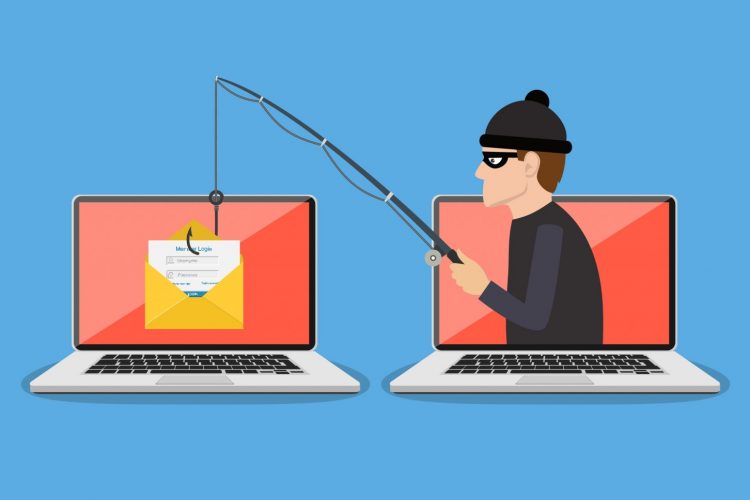
The FBI regularly puts out public service alerts related to one of the most dangerous online threats that individuals and businesses face – Phishing.
One of the FBI’s latest phishing warnings from March 20, 2020 is about scammers leveraging the COVID-19 pandemic to send out phishing emails about multiple subjects. In fact, phishing has increased more than six-fold during the pandemic.
This has caused an uptick in the need for virus removal and other computer repairs for businesses in Connecticut and the rest of the country. Many unsuspecting users have fallen prey to phishing scams promising coronavirus-related cures or information.
Even without a pandemic, phishing is the main delivery mechanism for malware, viruses and links to pages designed for credential theft. That is because it relies on the human factor for detection if it is not stopped by other means. Humans are susceptible to being tricked by the scams that continue to get increasingly better.
1 out of every 99 emails is a phishing attack and nearly 30% of phishing emails make it past default security.
Any business that wants to ensure that is doesn’t fall victim to a data breach, ransomware attack or malware infection should have phishing protection front and center in their cybersecurity plan.
Protect Your Business from Phishing Attacks
Adding anti-phishing safeguards are just like any other part of cybersecurity best practices. You want to take a layered approach so that if one doesn’t catch it, the others will. Each critical tactic described below works together to provide a full ring of protection against phishing attacks.
We will start with system protections and then go into user-based protections.
Add Security Software to All Computers & Mobile Devices
All devices in your organization or any that access your business data that may be employee-owned should be protected with software. Anti-malware/antivirus software can help stop a malicious file attachment that a user accidentally downloads from being allowed to run.
Use DNS Filtering
Approximately 85% of phishing emails use links to malicious websites rather than a file attachment. This is to help them fly under the radar and not get caught in an antivirus program.
To defend against those malicious links, DNS filtering is used. It reviews websites before directing your browser and if it sees a dangerous site, it will block it and send you to a warning page instead.
Deploy Application Whitelisting
While blacklisting stops programs that you have identified as malicious from running, whitelisting goes a step further. It only allows designated applications to run and blocks all others even if you have not specified them.
Enabling application whitelisting on a next-gen firewall or other advanced threat protection (ATP) application can be a strong prevention to keep malicious code from executing system commands.
Hover Over Links Before Clicking
An age-old tactic for detecting phishing is to hover over the link without clicking it to reveal the true URL. This still works and can help the user to quickly spot a fake email.
Whether the link is a button, text, or shortened URL, hovering over it with your cursor can easily reveal the scam.
Look for Inconsistencies or Poor Grammar/Spelling, etc.
Phishing has become much more sophisticated so it’s not as easy to spot grammar and spelling mistakes. However, you may still find them by looking for any inconsistencies.
An example would be a slightly misspelled URL in the “from” area of the email. It might be from an address like “worldheathorganization.net” (notice the “L” is missing from the world “health”).
These misspellings take a little more time to spot, so it pays to look at every email from an unknown party very carefully.
Be Suspicious of Anything Out of the Ordinary
Did you receive a “purchase order” from a company you have never heard of?
Get an email asking you to review a new company coronavirus policy but never heard any colleagues talking about it before?
You should default to being suspicious about an email rather than defaulting to trusting it. This change in approach can help you more easily spot fakes and take the time to verify them before clicking anything.
In the case of the mysterious PO, double check with your sales team or other colleagues to see if they were expecting it. Look up the company online to see if it is legitimate.
For unexpected emails that purport to be from within your company, take the time to double check by phone or video chat with a supervisor or colleague to ask if it is for real.
Put a Reporting Mechanism in Place
If one employee gets a phishing email, there is a good chance that everyone else in your organization will as well. If savvy users that detect and avoid phishing are not sharing information centrally, the other users will not know to be on the lookout for that scam.
Give users a place where they can forward suspected phishing emails and then send alerts regularly to all employees about known phishing attacks so they can watch out for them.
Provide Ongoing Phishing Awareness & Drills
It is easy for employees to get comfortable and relax their cybersecurity defenses if you don’t continually keep it at the front of their minds.
Businesses should conduct ongoing cybersecurity awareness training that includes anti-phishing tactics. It is also a good idea to do phishing drills where fake (safe) phishing emails are sent unexpectedly to employees so they can be gauged on how well they can spot and avoid them.
Need Help Keeping Your Users Phishing Aware?
Sound Computers has security experts on staff with over 20 years of combined technology experience. We will help you put a strong phishing awareness program and security infrastructure in place.
Contact us today to schedule a free consultation. Call 860-577-8060 or reach us online.

Your small business is growing steadily and with that growth comes new challenges to set it up for continued success. We are here to help you do just that.
Once a business reaches a certain number of employees, the need to share resources and files in a more efficient way becomes imperative. That is usually when a company considers adding a server to their technology infrastructure.
Servers provide a centralized place to store files, host applications like email or accounting software and ensure resources can be accessed from any location through remote access server connections.
There are a number of advantages to organizing your IT strategy around a central business server rather than just relying on individual computers or cloud applications.
These include the following:
- More Uptime Reliability: If one computer in your company goes down, it doesn’t have to mean a huge loss of productivity and profit. A server allows employees to access assets and files from any device.
- Improved Network Security: When files are spread out over multiple PC hard drives, they are much more difficult to protect. Files that are located on a server mean access and security can be much more easily managed.
- Reduce the Risk of File Loss: Servers offer a secure place to backup all devices that are used to access business data so you don’t risk data loss of important or sensitive information.
- Flexibility & Mobility: When your programs and files are located on a server, employees can access them remotely from anywhere. This gives businesses the flexibility and mobility they need in today’s world.
Once you decide that it is time to power your Connecticut business with a server, there is another important choice to make. Should you use a cloud-based server or an on-premises server?
Both types have their pros and cons that can make one or the other a better match for your organization. We will explore those options next.
Should I Chose a Cloud or On-Premises Server?
On-premises servers that are housed at your physical office have been the norm since the early days of office computing. Now that Clouds are gaining momentum, cloud-based servers have become increasingly popular.
Spending on cloud infrastructure between 2009 and 2019 averaged 56%, while during that same timeframe, spending on on-premises hardware grew 4%. This is not surprising given the growth of cloud solutions over the last decade.
However, that doesn’t mean that every business is turning to cloud servers. It depends upon their needs and which server type serves them better.
Here are several ways that a server can impact your business and the pros and cons of on-premises vs cloud servers.
Startup Costs
When it comes to the initial cost of getting started with a server, Cloud servers have an advantage over on-premises.
- Cloud server: You pay for the resources you use on a monthly or annual basis and there is no expensive equipment to purchase or maintain.
- On-premises server: Onsite servers have higher initial startup costs due to the need to purchase the server. There are also ongoing server maintenance costs. However, over time, a well-maintained server can end up costing less than a monthly subscription to a cloud server.
Control of Your Data
One of the biggest reasons that companies choose an onsite server is to have complete control of their data so they are not relying on a third party.
- Cloud server: You have to trust another company with the security of your data and applications. If there is server downtime, you can be cut off from important business assets.
- On-premises server: You have physical control over your server and all data that it contains.
Accessibility
Accessibility can be a double-edged sword when it comes to the comparison of cloud vs onsite servers.
- Cloud server: Offers anywhere, any device accessibility through an internet connection. However, an internet connection is required to be able to access server data and assets.
- On-premises server: Remote connection protocols can be put in place but they take more configuration than for cloud servers. However, you can access your server assets through a LAN (local area network) connection even if there is no internet.
Energy Consumption
How a server is stored also factors into your overall costs and this includes electricity. The optimal temperature for a server room is between 68℉ and 71℉.
- Cloud server: Cloud servers are stored in data centers that are under strict temperature control to ensure they are running optimally. You don’t have any additional electricity costs since the server is housed off site.
- On-premises server: You have to factor in power costs to keep the server running at optimum temperature at your office. Servers that run too hot can end up having hard drive issues or shutting down due to excess heat.
Backup and Recovery
This is an area where neither server has an edge over the other. Both cloud and on-premises servers can easily be backed up to a third-party backup and recovery system to protect your data.
You will want to make sure you are not backing your data up and storing it on the same server. Otherwise you can lose your backup and original data in the case of a hard drive crash or other event.
Find Server Solutions That Match Your Business & Budget
Using a server can completely streamline and optimize your business operations. Make sure you get the best setup for your needs by consulting with Sound Computers on a server solution.
Contact us today to schedule a free consultation. Call 860-577-8060 or reach us online.

When it comes to cybersecurity, two main sectors of protection are network security and device security.
Network Security
When you install a firewall to monitor all internet traffic to and from your office, that is network security. This means you are protecting your “communication highway” and all of the different pieces of your technology infrastructure including computers, servers, mobile and IoT devices and cloud infrastructure.
Device Security
The next level would be computer security where the safeguards are placed at the endpoint, or device, level. Once a threat makes it past any network security, it can still be stopped by computer-based security measures. However, this only works if the device security measures are in place.
Additionally, computers and laptops are not always used in an office where they have consistent network protection. This is especially true now due to the COVID-19 outbreak.
Even before the pandemic, offices were becoming more mobile. Employees have been working remotely more often. This makes individual computer security even more vital to have in place.
94% of malware is delivered by email.
The most popular way to infect systems with malware is to send it by email and try to skip network security altogether. Hackers have switched to using malicious links in phishing attacks because the email doesn’t technically contain malware. It is just a link to malware and makes it harder to detect.
Computers need to be properly safeguarded with a variety of security measures to ensure the information and resources they have access to are protected.
How to Keep Business Computers Secure from Online Threats
Regardless of what may be happening in the rest of the world, the hacking industry continues to thrive. This shows up in the numbers reported in the 2020 State of Malware Report.
According to the report, businesses in Connecticut and the rest of the world have plenty to be worried about when it comes to computer security.
In 2019:
- Worldwide Windows malware increased 13% on business endpoints.
- For the first time, Macs overtook Windows PCs in the number of threats detected.
- Risk detections on business computers increased by 52%.
Good device security is really about sticking to the basics and ensuring computers are protected with a sound cybersecurity strategy that includes the following tactics:
Update Devices Regularly
It is extremely important to keep computers updated regularly because those updates often include vital security patches for newly discovered system vulnerabilities.
Hackers will diligently search for holes in a software until they find a back door through its code. As soon as these are discovered by the software manufacturer, they put out an update to the user to seal it. However, this only works if the user actually installs that update onto the system.
60% of data breaches happen because a vulnerability was exploited for which a patch was issued but never applied.
It is best to have computers on an automatic update system or managed services plan so updates can be automatically installed for the following:
- Operating system
- Software/applications
- Firmware
Do Not Run Computers on an Administrator Account
Most computer users will log in their Windows or Mac device with administrator privileges. This makes it easy to do things like install software or make other system changes.
However, using the administrator account all day also gives an open door to hackers. Once their code is injected into your computer, they are able to execute all types of commands due to the permission level of the user account.
So what is the solution? It is safer to have users create a second user account that has limited privileges and use that account daily. If a program needs to be installed, they can log into the higher privileged account to do that and then switch back.
Use a Modern Antivirus/Anti-Malware Software
What we mean by “modern” antivirus/anti-malware is one that uses behavior-based detection of malware. If you are using an older or more basic antivirus that is signature-based only, then it will be missing a good deal of threats.
This is because a significant portion of dangerous malware is considered “zero-day” which means it is so new that it is not in any signature database yet.
Behavior-based detection looks for malicious behavior by code and continues to learn to detect new threats based upon new information.
Deploy Phishing Training & Protections
Phishing is the #1 threat when it comes to malware and other types of malicious attacks. In March 2020 alone, phishing jumped 667% as hackers took advantage of the international coronavirus crisis.
The following phishing safeguards will improve computer security significantly:
- Use DNS filtering to block malicious websites.
- Use email security that detects and blocks phishing emails.
- Conduct ongoing user awareness training about phishing.
Physical Device Security
Another important part of computer security is physical device security. This means preventing theft or unauthorized access to a computer.
Computers and laptops should be physically secured when not in use and stored in a safe place. They should also use screen locks that will lock the screen after a certain amount of inactivity.
There have been cases of data privacy compliance penalties due to sensitive information (like patient records) being left up on a screen of an unattended laptop. This is just one example of why physical device security is another critical layer of overall computer security.
Help Ensure Your Business Computers are Properly Protected
Device security can be challenging for a business when their work PCs are distanced due to employees working from home. Sound Computers can help you with a comprehensive plan that protects all PCs accessing business data.
Contact us today to schedule a free consultation. Call 860-577-8060 or reach us online.

Cloud computing has been one of the biggest game changers for all businesses and especially for small business owners. Online cloud solutions have enabled companies to work from anywhere, facilitate information sharing and pay for just the services they need.
Over the last 10 years, most companies have adopted at least one cloud service and many use more than one. Everything from hosted email to cloud file storage has transformed the way Connecticut businesses operate.
87% of companies say they have had business growth since they adopted cloud computing.
Now the challenge is deciding which cloud solutions can make the biggest impact on your bottom line and learning how to use them effectively.
You will want to avoid “subscription overload” where you end up with subscriptions to several cloud services that can do some of the same things.
Optimizing also means looking at everything you do in your business and seeing where a cloud upgrade might save you money.
Here are some of the best cloud solutions you can use to save money and increase productivity:
Cloud-Hosted Email
People spend a good portion of their day reading and sending email. Optimizing your use of email and making it easily accessible means less time spent in your inbox and fewer missed messages.
Cloud hosted email improves productivity by offering a number of benefits which includes the following:
- Savings on administrative costs
- Ease of access online and on any device
- High availability
- Automatic updates
- Integrations with other cloud programs to share calendars, tasks and more
VoIP Phone Systems
One of the biggest cost savings a business can see by switching to a cloud solution is by upgrading to internet-based VoIP phones.
Small businesses can reduce their phone costs by more than 50% by switching to a cloud phone system as well as gain a ton of time-saving features.
Benefits like auto-attendant and voicemail to text streamline communications and can help small businesses respond to customers faster.
Another big advantage of using a VoIP phone system is business continuity. If you cannot work at your office for any reason (like a pandemic), you can still answer your phone lines from anywhere and avoid downtime.
Cloud CRM Programs
Most businesses have communications coming in from their customers from a variety of areas, such as webform, chat, phone and email. One problem this poses for small businesses is how to keep all those communications in one place.
For example, if you are answering a customer email from yesterday, how do you know they have already gotten their question answered over the phone by your co-worker this morning?
That type of disconnection in customer communications can lead to wasted time and poor customer service.
A cloud CRM program allows you to bring all your customer communications into a single place. They are all nicely organized under each lead or customer name so no one misses an important dialogue.
Programs like Zendesk and Zoho CRM also make it easy to access them from any location. This makes it much easier for you to transition to a remote workforce if you need to.
Cloud Storage & File Sharing
As recently as 15 years ago, businesses were still struggling with emailing file attachments back and forth and running into file size problems.
With today’s cloud storage programs, not only is storage cheap but it also makes life much easier and more efficient.
Imagine you are sending a proof to a client to review that has a size of 25MB. Most email servers will reject this due to the size. Cloud storage enables you to simply send a download link to the file instead of spending time trying to figure out what to do.
Cost saving benefits of cloud storage include the following:
- Low price for storage space (many offer several GB for free)
- Makes file sharing efficient and less time-consuming
- Allows you to password protect files or folders
- Keeps all company communications in one place
- Reduces the risk of file loss due to a hard drive crash
Cloud Productivity Platforms
The biggest cloud productivity platform is Office 365 but there are also others out there such as G Suite. These “all in one” office productivity solutions feature software that teams use on a daily basis for word processing, spreadsheet creation and more. They also offer features you can only find in the cloud.
You only pay for the subscriptions you need and are not stuck purchasing software that goes unused. You also have the benefit of always having the most updated version of an application.
The ability to use your software from any computer or mobile device improves productivity and collaboration.
Team Messaging Apps
Tools like Slack, Workplace and Microsoft Teams have been transforming the way offices communicate. Instead of having to go through tons of back and forth emails for interoffice communication, team chat allows real-time dialogue that is more efficient.
Team messaging apps are designed to organize communication into channels based on department, project or another topic. They also incorporate audio and video, making it easy to touch base and brainstorm from anywhere.
Get Help Customizing Your Cloud Solutions
Sound Computers can help you set up cost-saving cloud computing solutions and customize them to improve productivity and save time.
Contact us today to schedule a free consultation. Call 860-577-8060 or reach us online.
You will often hear the term “endpoint” when discussing networks. The endpoint simply refers to your computer or any other device that is connected to your network. You can think of your computer network as multiple endpoints being connected to each other and the internet at large through wired or wireless connections. Those connections are like the superhighway that your data uses to transmit back and forth.
Read more