

Imagine being in an overstuffed office. Documents are piled on the shelves, files are stacked on desks, papers are stuffed into drawers and boxes are filling every corner. The more clutter there is means the harder it becomes to find what you need or work efficiently. It is also easy to misplace sensitive documents.Read more

According to Microsoft’s Digital Defense Report, customers face over 600 million cyberattacks per day. That means hackers are constantly scanning Microsoft 365 environments for weak points. Read more

If your team operates in-house, it is easy to set up a solid security protocol. This is because all communications and data move through a centralized system. Intrusion detection tools can be placed on company-owned devices and networks.Read more

Picture someone in the middle of a presentation with the room (or Zoom) fully engaged when their laptop freezes. You can almost hear the collective groan. That tension sticks and it doesn’t just derail a meeting if it happens all the time. It chips away at how people feel about their jobs.
That is why IT isn’t just about servers, software or “keeping the lights on” anymore. It is about the day-to-day experience employees have every time they log in, click a link or try to share a file. When those moments are smooth, morale lifts. When they are not, it shows in productivity and in retention.
The numbers are telling. Deloitte found that organizations with robust digital employee experiences see a 22% jump in engagement and their people are four times more likely to stay. Similarly, Gallup shows that this higher employee engagement drives greater productivity and reduces turnover.
The question becomes: If technology could be your secret weapon for keeping great people, how would you set it up?
The Link Between Smart IT and Morale
Digital employee experience (DEX) is just a fancy way of saying “the quality of every tech interaction your people have at work”. That covers hardware, software and the IT processes in between. It is not just whether a device turns on quickly. It is also about how easy a tool is to use, how responsive IT support is when something breaks and whether systems actually help people get work done.
When those experiences are smooth, people can focus on their real jobs. When they are clunky? Frustration sets in. Ivanti found that 57% of workers feel stressed by the number of tools they are expected to juggle and 62% feel overwhelmed learning new ones. That kind of low-level friction may seem minor but over weeks or months, it quietly drains morale.
Hybrid and remote work have raised the stakes. Without those quick hallway chats or casual desk visits, technology becomes the main bridge holding teams together. If it is solid, people stay connected. If it is shaky, relationships and collaboration start to fray.
How Smart IT Builds a High-Morale and High-Retention Workforce
Smart IT isn’t about buying every shiny new platform. It is about shaping technology so it supports your people in ways they actually notice and appreciate.
Here is where it makes the biggest impact.
1. Make Reliability and Usability Non-Negotiable
Ask yourself: How many minutes a day do your employees lose to slow-loading apps or glitchy systems? Those minutes add up.
Devices and applications should be fast, well-configured and dependable under real workloads. That means fewer VPN dropouts, fewer app crashes and fewer “try turning it off and on again” moments.
Usability matters just as much. A clean and intuitive interface lets employees focus on the task rather than figuring out which button to click. When design is done well, technology almost disappears into the background and becomes a silent enabler instead of a daily obstacle.
2. Personalize the Employee Experience with AI
Tech that treats everyone the same rarely works for everyone. AI can change that by shaping the experience around the person rather than just the role. It can answer routine questions instantly, point people toward resources they will actually use and recommend training that fits both their current work and where they want to go.
Imagine a new project manager suddenly asked to move from Waterfall to Agile. Instead of hunting through endless documents, their dashboard quietly serves up a short crash course, sample boards and a list of colleagues who have made the same switch. That kind of thoughtful support sends a clear message: “We see you and we’re here to help.” That is a real boost for morale.
3. Strengthen Communication and Collaboration
Strong morale thrives on strong connections. Tools like Teams, Slack, Zoom and integrated project management platforms keep those connections alive whether people are across the hall or across time zones.
The magic happens when systems actually talk to each other. If updating a task in your project tool automatically updates calendars and sends a Slack notification, you have just saved someone multiple manual steps. Spending less time switching between disconnected apps means more time for meaningful work and fewer moments of frustration.
4. Support Flexibility and Work-Life Balance
Flexibility is one of the most powerful morale boosts modern IT can deliver. Being able to work from home, from a client site or from a coffee shop when needed? That is huge.
However, it is a double-edged sword. Without guardrails, “flexibility” can blur into burnout. Smart IT can help by letting people set status indicators, block focus time or quiet notifications outside work hours. The goal isn’t just productivity anywhere but to make sure people can stop working too.
5. Recognize and Reward Contributions Digitally
Recognition is fuel and tech can make it immediate and visible.
A quick shout-out in a recognition platform after someone solves a customer issue might seem small but it sticks. So does acting on employee feedback. When people see their input led to real changes (whether it is a better tool or a smoother process) it reinforces trust. Over time, that is what makes people want to stay.
Turn Technology into a Morale-Boosting Advantage
Many IT investments are justified in terms of efficiency, cost or scalability. All important. However, they miss a bigger truth: The way employees experience technology is a core part of how they experience the company.
If you are looking at your own setup right now, here are a few quick angles:
- Ask before you act: Employees know what is working and what is driving them up the wall.
- Measure the human side: Uptime matters but so do satisfaction scores and “how easy is this to use?” responses.
- Streamline don’t stack: Fewer tools that talk to each other beat a jumble of disconnected apps.
- Rollouts matter: Even the best tool can flop without context, training and follow-up.
- Keep evolving: Needs shift. Review regularly.
Smart IT is less about owning every tool under the sun and more about building an ecosystem that works together, works well and works for people. Do that and you get a team that is engaged, capable and genuinely glad to log in each day.
So if your tech could be the reason people love working for you, what is stopping you?
Do you want to explore how better IT strategies can help you keep your best people? Contact us today to learn more.

Walk into almost any IT department right now and you will hear the same conversation at least once a week: “Have you tried that new AI tool yet? I heard it’s a game-changer.”
The truth is that the market is buzzing with promise and noise. A recent McKinsey survey shows that 78% of companies now use AI in some form and that number is climbing.
Plenty of software promises to slash workloads, automate everything and make teams ‘future-proof.’ Some deliver on that promise. Others feel rushed to market just to ride the hype. For IT businesses, knowing the difference is essential to staying relevant.
Why AI Feels Different This Time
AI isn’t new. However, something has shifted over the last two years. Models have become better at understanding context, generating original content and juggling multiple formats at once.
Under the hood, the big three technologies driving this shift are:
- Machine Learning (ML): These are the systems that improve with every dataset they touch. It is what makes recommendation engines get eerily accurate over time.
- Natural Language Processing (NLP): The bit that lets a machine understand your request when you type, “Can you pull the latest metrics from that report?” and not just spit out a keyword search.
- Generative AI: The creative side of AI that builds something from scratch: a paragraph, a code snippet, an image or even a full video.
The “multimodal” wave where one tool can manage text, images, audio and video without switching modes is what is pulling this technology out of niche use cases and into daily operations. It is also why even cautious IT managers are starting to experiment.
The Tool Categories Worth Knowing
If you try to track every AI launch, you will burn out. Instead, it helps to think in broad categories and pick a few to watch.
1. Chatbots & Virtual Assistants
Not the clunky one-question-at-a-time bots we remember from a few years ago.
- ChatGPT now handles images, audio and real-time conversation and it remembers your preferences over time.
- Google Gemini slots directly into Gmail, Sheets and Docs. It is handy if you already live in Google Workspace.
- Grok AI leans toward problem-solving and data-heavy reasoning and pulls in live info when needed.
2. Content Creation
For marketing, documentation or client proposals, the tools below can shave hours off a job.
- Jasper AI: Aimed squarely at marketers with built-in SEO and formatting help.
- Anyword: Used to tweak tone for specific audiences.
- Writer: Used to keep enterprise-level brand voice consistent.
3. Image & Design
From mockups to campaign graphics, AI visuals are no longer a novelty.
- Midjourney is the favorite for striking and artistic visuals.
- Stable Diffusion gives you full creative control if you have the technical chops.
- DALL·E 3 is simple to use inside ChatGPT for quick edits and iterations.
- Google Imagen 3 is precise and can handle prompts in multiple languages.
- Adobe Firefly keeps everything legally safe for commercial projects and feeds straight into Photoshop.
4. Video & Storytelling
Not just for marketing teams anymore. Training, onboarding and even client walkthroughs benefit here.
- Runway ML combines AI image generation with video editing.
- Descript and Filmora handle editing, transcription and polishing without requiring a pro studio.
5. Search & Research
Finding the right information can matter more than creating something new.
- Perplexity AI blends live search with AI summaries so you are not guessing about accuracy.
- Arc Search speeds up web research with on-the-fly summaries.
6. Productivity & Collaboration
These are the quiet workhorses. They include:
- Notion AI and Mem: Used to surface the right knowledge at the right time.
- Asana, Any.do and BeeDone: Project tools used to schedule and keep track of tasks.
- Fireflies and Avoma: These meeting assistants can take notes so your team can actually talk.
- Reclaim and Clockwise: These calendar managers make meetings less of a Tetris game.
- Shortwave and Gemini: Email helpers for Gmail to keep inboxes sane.
Where IT Businesses Can Actually Win
The real advantage isn’t “using AI.” It is using it to make something easier, faster or better for either your team or your clients. That might be automating repetitive monitoring tasks, generating clearer client reports or cutting turnaround time for proposal writing.
It is not without its challenges:
- Integration: The coolest new tool is useless if it can’t connect to your stack.
- Data accuracy: AI still makes mistakes. Fact-checking is non-negotiable.
- Security: If a tool sends your client data outside your environment, you need to know exactly how it is stored and processed.
- Adoption curve: Even great tools flop if nobody takes the time to learn them.
Getting Started Without Wasting Time
If you are evaluating AI for your IT business, here is a simple starting path:
- Pick one problem that is slowing you down. Maybe your project documentation is always late or client Q&A eats up hours.
- Test two or three tools aimed at solving that problem. Use the free or trial tiers. Run them against real scenarios.
- See how they play with your systems. Integration is often the make-or-break factor.
- Roll out slowly. One team, one workflow and one clear measure of success. If it works, expand.
It is tempting to load up a dozen tools and hope they magically boost productivity. Many times that leads to confusion, redundant features and frustrated staff.
A Final Thought (and a Bit of Caution)
AI isn’t going away and ignoring it won’t make the competitive pressure disappear. The current lineup of tools can be incredibly powerful but they’re not magic. Think of them like a new hire. They can do great work but they need guidance, guardrails and a clear role.
Start with the jobs that nobody loves doing like the ones that are repetitive but still important. Let AI take the first draft, the first pass or the heavy lifting. Keep the oversight with your team. That is where it stops being hype and starts being useful.
If you’re not sure where to begin, try one experiment this quarter. Small steps now will make bigger moves easier later.
Contact us if you want help figuring out which AI tools actually make sense for your IT business and which ones you can safely skip.

Nothing disrupts your workday quite like unreliable Wi-Fi. Everything is running smoothly until video calls freeze, files won’t upload and the team struggles to meet deadlines because everything has slowed down. Being stuck in this situation is exhausting. It kills productivity and impacts the entire business.
When slowdowns start happening regularly, frustration quickly builds. Here is the good news. Most businesses don’t need to overhaul their entire system. Usually, just a few smart tweaks to your network can bring your connection back to life.
You don’t need a big IT team to make a real difference. By working with the right IT partners, you can pinpoint what is slowing down your network, make smart upgrades and turn your slow Wi-Fi into a fast and reliable system that your team can count on every day.
Why Stable Connection Is Essential for Your Business
Today everything we do at work depends on the internet including:
- Video meetings
- Cloud-based apps
- Real-time messaging
- Smart devices like printers or coffee machines
Slow connections are not just an inconvenience. They slow down your entire workflow. A reliable and fast network is no longer a luxury. It is the foundation of a productive workplace.
Check These 6 Signs to Know If Your Network Needs Help
Curious about how your network is really performing? These six factors will give you a clear picture:
- Speed: Can your team upload, download and stream without delays?
- Lag: Notice a delay between clicking and things happening? That is a lag.
- Dropouts: If your Wi-Fi signal keeps cutting out, that is a problem.
- Jitter: On calls, if voices sound garbled or video stutters, jitter is likely to blame.
- Coverage: Dead zones around the office? You may need more access points.
- Security: Unknown devices connecting? That is a red flag for performance and safety.
8 Smart Tips to Boost Your Network’s Performance
If your connection keeps freezing during important client meetings or it takes too long to download apps, it can seriously hurt your business’ revenue and reputation if it goes on.
Here are eight ways to optimize your network performance:
1. Upgrade Your Hardware
If your router or firewall is several years old, it might be time for an upgrade. Outdated equipment can slow down even the fastest internet plans.
Invest in equipment that can handle today’s demands and grow with you down the line.
2. Give Priority to What Matters Most
Ever notice how streaming Netflix can disrupt your Zoom call? That is where Quality of Service (QoS) comes in. It prioritizes important traffic like video and phone calls and ensures they get the bandwidth they need first.
3. Divide Your Networks
Think of it like creating separate lanes to avoid traffic jams. By dividing your network into smaller segments, you reduce congestion and boost security. If one segment goes down, the others keep running so you can maintain operations. It also helps different departments work efficiently without interfering with each other.
4. Balance Server Load
By balancing server load, you share workload across servers so nothing gets overloaded. It keeps systems running smoothly during busy times and helps your team stay productive without delays.
5. Adjust Your Setup for Efficiency
Sometimes slow internet is simply a matter of settings. Make sure to regularly check your router, switch and firewall. Using network monitoring tools can help you quickly identify and fix any problems.
6. Watch for Threats Before They Slow You Down
An Intrusion Detection System (IDS) keeps an eye out for unusual activity that might be slowing down your network. If someone tries to sneak in or overload your system, you will catch it early before it turns into a bigger problem. It quietly works behind the scenes to protect your system and keep your connection steady.
7. Build in a Backup Plan
Having a backup internet connection or extra equipment means your team can keep working even if something goes down. There is no need to sit around waiting for the internet to come back. It is a simple and budget-friendly solution that small businesses can put in place easily to keep you prepared for slowdowns or unexpected issues.
8. Tune Up Your Protocols
Not all businesses use the same kind of internet traffic. If your network protocols are outdated or poorly configured, they can slow everything down. Updating them to better manage data flow can make a significant difference for businesses that rely on real-time data like customer service, trading or e-commerce.
Ready for a Real Fix? Call in the Pros
You have more important things to do than deal with dropped signals or choppy calls and that is where we can help.
We will make sure your network runs smoothly and stays free from interruptions. Whether you are managing complex operations or leading a large team, we will help you build a Wi-Fi network that is fast, secure and reliable.
Here is what we have to offer:
- Clean and modern hardware setups
- Smarter configurations tailored to your needs
- Proactive security and support
- Solutions that scale as you grow
We don’t make quick fixes. We do it right. Let us take the pressure off. Contact us today and we will help turn your slow and unreliable network into one your team can count on so you can stay focused, work faster and keep things moving forward.

Without realizing it, technology can drain your business budget. Today everything seems manageable and then the next day you may be left wondering where all these unexpected costs are coming from. Expenses pile up quickly and become tough to track. Whoever said running a business would be easy?
Here is the good news. You don’t need to spend thousands on a large in-house IT team or become an IT expert yourself. The best approach is to partner with an IT specialist who can help you manage your IT costs. With their strategic planning and focus, your IT budget will work for you rather than against you. This guide is designed to help you better understand IT expense planning.
Strategic Ways to Plan Your Business' IT Expenses
Step 1: Be Aware of Your Business Expenses
Take some time to figure out what you are paying for and how it will benefit you. Ask yourself:
- What equipment is your team using daily?
- How many software tools do you actually use?
- Are there overlapping features between tools?
- Are you still being charged for a subscription from 2021?
Sometimes you do not need to spend a penny and can just clean things up. This is why having a good understanding of your business expenses is key.
Step 2: Spend Where It Actually Helps
There is a difference between spending and investing. Buying gadgets just because they are the latest trend is spending. Putting money into tools that make your work easier, faster or safer? That is investing.
Here is where you usually get the most bang for your buck:
- Cybersecurity: A basic firewall or antivirus can protect you from a major breach which is much less expensive than dealing with recovery.
- Cloud tools: Let your team work from anywhere and save on server headaches.
- Automation: Let software manage repetitive tasks so that your team saves time.
- Training: This is crucial because there is no point in investing in a new tool if your team can’t use it effectively.
Step 3: Give Your Budget a Backbone
Lumping all IT costs into one big bucket makes it hard to tell what is working and what is not. Break down your expenses into clear categories such as:
- Hardware: Laptops, monitors, routers and all the equipment your business cannot operate without.
- Software: Every subscription and tool your team relies on.
- Security: VPNs, password managers and antivirus software.
- Support: Who do you call when something breaks?
- Training: Helping your team learn the tech they already have available to them.
- Backups: Peace of mind because technology can fail.
Now you’re not just budgeting. You are building a system that you can track and improve.
Step 4: Trim What You Don’t Need
Remember that dusty treadmill in your garage that hasn’t been used since New Year’s? Your IT budget probably has a few forgotten expenses just like that.
Here is how to clean it up:
- Cancel unused subscriptions: If no one has logged in for 3 months, it is probably safe to let it go.
- Consolidate tools: One solid platform might replace three mediocre ones.
- Renegotiate with vendors: A five-minute call could save you hundreds a year.
- Outsource smartly: Hiring full-time IT staff isn’t always necessary. A managed IT partner can often do more for less.
This doesn’t mean settling for less. It means getting rid of the things you no longer need.
Step 5: Allow for Flexibility
Your budget should adapt to your needs without breaking under pressure:
- Keep backups in place for emergencies.
- Update your budget every quarter.
- Assess which expenses add value versus those that don’t.
A good IT budget is like a good pair of jeans. It fits now and stretches a little when you need it.
Step 6: Plan for the Future (Not Just Today)
It is easy to budget just for what is in front of you. What happens when you hire two new people or move to a bigger office?
- Will you need more licenses or storage next quarter?
- Are you opening a new location?
- Planning to go remote or hybrid?
If growth is part of your plan, your IT budget should reflect that too.
Step 7: Don’t Do It Alone
You don’t need to be a tech expert when you have one on your side. A great IT partner helps you stay organized, cut unnecessary costs and keep everything running smoothly. They understand your systems, communicate clearly and make it easy for you to stay ahead of issues instead of scrambling to fix them. It is smart and hassle-free support.
Always Budget for a Plan B Just in Case
Things don’t always go as planned. Maybe your internet drops during a big meeting. Maybe a laptop decides today is the day it won’t turn on. That is why it is smart to build in a safety net. A second internet line or a spare device can keep you moving when things get bumpy. It is like keeping a backup charger in your bag. Most days you won’t need it. When you do, you will thank yourself. A little prep now can save a lot of panic later.
Smart Budgeting: Make Every Tech Dollar Count
Building a better IT budget isn’t just about slashing costs. It is more than merely spending less. It is about knowing where your money goes and making sure it supports your business goals.
When you know which tools truly add value and eliminate the rest, everything runs more smoothly. You create room to grow and build a setup that supports your business instead of holding it back.
Still not sure where to start? We will help you streamline your IT expenses, eliminate unnecessary costs and create a plan aligned with your business goals. IT budgeting doesn’t need to be overwhelming. We will make it simple. Contact us today.

Small businesses rely on technology to remain competitive in today’s world. It allows them to respond quickly to changing trends and to reliably communicate with staff and customers alike. That is why they must have a responsive and reliable IT environment. However, many small businesses fail to invest in the most critical component of their company. Rather than planning effective strategies, they instead employ reactive solutions and only respond to IT needs when something stops working. Read more

Technology has moved from stand-alone networks and servers to integrated cloud-based solutions. This has changed the landscape forever. Software-as-a-Service (SaaS) has become the go-to solution for application delivery models. Organizations have come to rely on SaaS applications to stay competitive. They can use them as scalable solutions to remain agile in the constantly changing universe of business. Read more
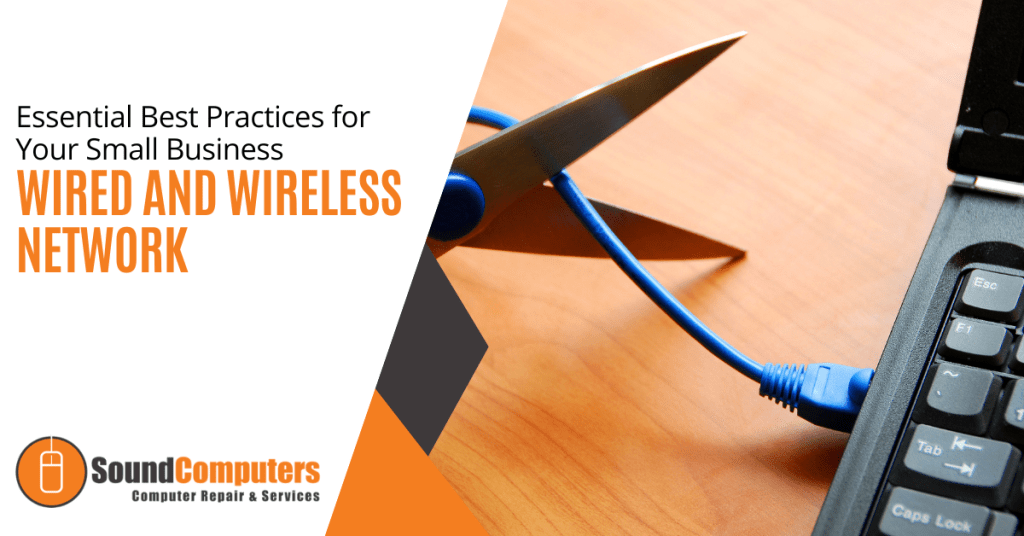
Reliable networking infrastructure is not a luxury for small businesses. It forms the backbone of operational productivity. Without it, small businesses can easily flounder to find direction in the vast digital landscape of modern business practices. Infrastructure can include wired workstations or wireless devices. All of these provide valuable functionality in today’s world. It is more important than ever to have a well-designed network capable of safeguarding data and providing scalability. Read more