
Business owners often face a battle between productivity and cost efficiency. This is especially true when it comes to the question of replacing their employees’ desktops and laptop computers. At the end of the day, you want to get the most out of these expensive devices. However, if you don’t upgrade your hardware regularly then you actually run the risk of your older devices costing even more than brand new ones due to the expenses of downtime, repairs and maintenance. There is also the intangible losses of harmed employee productivity to consider. Read more

As a small business owner, you know that every penny counts. When it comes to making a large purchase like a new PC, you want to be sure that you’re getting the best possible value for your money while also offering the performance you need to keep your operation running.
In this blog post, we will outline some of the most important features to look for when buying a new PC so that you can avoid any post-purchase regrets.
Where to Start?
First and foremost, you will want to make sure that the computer you are buying is powerful enough to handle all of your business needs. If you’re planning on using demanding software or running complex calculations, you will need a machine with a robust processor and a healthy amount of RAM.
If you’re mostly just using your PC for tasks like email and web browsing, you can get away with something a bit less powerful and save some money in the process.
Let us take a closer look at some of these components:
CPU
The central processing unit (CPU) is the brain of the operation. It is responsible for carrying out all the instructions that make your software run. It is important to pay attention to the CPU type and speed when shopping for a new PC. Intel and AMD are the two most popular CPU manufacturers and you will often see references to “i3”, “i5” and “i7” processors. These refer to the Intel Core line of CPUs which are divided into the budget, mid-range and high-end models. AMD’s Ryzen line offers similar options with their Ryzen 3, Ryzen 5, Ryzen 7 and so on.
Generally, faster is better. However, if you’re on a tight budget, you can always start with a mid-range model and upgrade to a faster processor down the road. Just make sure the motherboard in your new PC can accommodate a faster CPU.
Memory
One of the most important things to consider when buying a new PC is the amount of memory (or RAM) that it has. Memory is what allows your computer to store and access information quickly and more memory will always result in better performance.
For small businesses, it is recommended to have a minimum of 8GB of RAM. However, 16GB or more is even better.
Storage Space
Another important consideration is storage space. There are two main types of drives in this category:
- Hard Drives (HDD)
- Solid-State Drives (SSD)
The kinds of files you work with will determine which is the best option for you. If you’re working with large files or dealing with a lot of data, you will need a computer with a sizable storage solution.
Hard drives are generally slower than solid-state drives but they offer more storage for the price. Solid-state drives are much faster than hard drives. If speed is a priority, you will want to choose a computer with an SSD.
Both HDD and SSD drives come in a variety of form factors so you will need to choose the right size for the needs of your specific build.
Display
Displays are your window into the work you’re doing. You will want to make sure that it is the right fit for your needs.
If you are going to be doing a lot of graphics work, you will want to make sure you get a higher resolution. If you are just going to be doing basic work, you can save some money and go with a lower resolution.
There are also other considerations like display size and color accuracy.
Display size is simply how large the physical display is. If you have a small workspace, then you will want to make sure that you get a smaller display. If you are doing any sort of color work, you will want to make sure that the display’s colors are as accurate as possible. This is usually not a problem with higher-end displays but it can be an issue with lower-end ones.
Peripherals
Once you have decided on the specs of your new computer, you will also need to think about the peripherals. In addition to a monitor, keyboard and mouse, you may need additional devices like a printer, scanner or an external hard drive for portable storage needs. Make sure to factor in the cost of these items when budgeting for your new PC.
Warranty
As a small business owner, the last thing you want is to need to shell out more money for a new PC because something went wrong with the one you just bought. Make sure the PC that you are buying comes with a warranty that will cover you in case of any unforeseen problems.
Assess Your Needs
Before making a decision, sit down and assess your specific needs.
- What type of software will you be using?
- How much storage space do you need?
- What is your budget?
Once you have answers to these questions, you will be in a much better position to choose the right PC for your business.
We Can Help You Choose the Best PC For Your Needs
No matter what size company you have, picking out the right computer is important. Contact us at (860) 577-8060 or via our contact form to learn more.

Do you have a certain computer replacement strategy in place at your company? Or do you just replace PC’s as they become impossible to use any longer?
It can be difficult to know exactly when you should replace business computers because they may seem fine and have not had a hard drive crash. However, that does not necessarily mean that they are not costing you money.
Lost productivity due to older computers slowing down and increased data security risk can mean bigger costs for your business than the price of a new PC.
A study by Microsoft found that holding onto older PC’s longer than they should will cost businesses approximately $2,736 per year.
Are you finding that your Connecticut business is always dealing with one PC problem or another? Computer repairs, downtime and security breaches all keep companies from reaching their full potential.
Many companies hold on to computers for five years or longer before replacing them. However, there are several statistics that show that this is too long.
Optimum Business PC Replacement Cycle: 3 years
The optimum business computer replacement cycle is three years. There are several factors that go into this:
- productivity losses
- costs of data loss
- downtime
Here are some surprising statistics from a computer longevity study by Intel to find the best replacement cycle for businesses. They all point at replacing computers after they reach 3 years old.
Total Cost of Ownership Curve Rises Sharply After 3 Years
There is a sharp increase between years 3 and 4 when looking at three factors for the total cost of ownership and TCO curve.
Factors include:
- Acquisition costs
- Maintenance costs
- Training costs
The rise in maintenance costs between years 3 and 4 is the main factor that makes it much more expensive to keep older computers in operation.
Downtime
Computers that are older than 4 years are twice as likely to have downtime than computers that are 3 years old.
Downtime can be costly. This is especially true when it creeps up on a business a few minutes here and there at a time.
The typical cost of downtime for a small or mid-sized business is as follows:
- Under $10,000/hour (27%)
- $10,000 – $20,000/hour (26%)
- $20,001 – $40,000/hour (25%)
- $40,001 – $50,000/hour (13%)
- Over $50,000/hour (10%)
Number of and Duration of Tech Support Calls
Computers older than 4 years means nearly twice as many tech support calls as computers less than 3 years old and the calls are also significantly longer.
Support calls average 36 minutes for computers between 3 to 4 years old. Once computers are older than 4 years, support calls average 56 minutes each (about 55% longer).
An individual calling tech support and being on the phone for nearly an hour eats into productivity and can completely disrupt a person’s normal workday.
Data Breaches
Computers older than 4 years have three times as many data breaches as those younger than 3 years.
Older computers represent more of a security threat for a number of reasons. They may be running older operating systems that no longer get vital security updates. Another problem is the inability to upgrade to newer and more secure versions of software applications.
Data Loss
Computers older than 4 years have three times as many data loss incidents as those younger than 3 years.
Data loss can be very costly to a company and can cost an average of $150 per lost file. Older PC’s have more potential for hard drive crashes due to parts wearing out. This is especially true if they are not being monitored through a remote support plan.
What To Look For When Buying a New Business Computer
When choosing a new business computer to replace an older one that has reached the 3+ year mark, there are several things you want to consider:
You May Not Need as Much Space
One of the first things people usually look for when choosing a new computer is storage space. However, you might not need as much as you think.
Many companies now use cloud storage to keep all files centrally located and accessible. This means you may be able to buy a business PC with less hard drive storage space which lowers the overall cost.
Look for a PC with a Solid-State Drive (SSD)
SSD’s are a newer type of computer drive that is significantly faster than traditional hard drives when it comes to read/write speeds. The drives use flash memory to write to the disk and don’t have any moving parts.
This equates to better performance, faster reboots and faster application launches.
Get Enough Memory (RAM)
Memory is not something you want to skimp on when choosing a business PC. If you go with 4GB of memory, then you are asking for performance problems right off the bat because you have handicapped the system.
You want at least 8GB or more of memory for a business computer and look for the ability for memory to be upgradable in the future in case you need to add more.
Get Help Choosing the Best Computers for Your Business
Sound Computers can guide your Connecticut business when it comes to smart and cost-effective business PC purchases.
Contact us today to schedule a free consultation. Call 860-577-8060 or reach us online.

In April 2020, about 50% of surveyed businesses had 81% or more of their employees working remotely. That meant buildings were sitting empty while companies were being run completely remotely.
Now that re-openings are occurring around the US, many small and large business owners in Connecticut and the rest of the country are contemplating what it would take to keep their business remote and close their physical office to save money on overhead.
Technology solutions have made things possible that most companies would not have considered in the past. One of these is the ability to eliminate a physical office and put that money saved back into their business.
Even before the pandemic began, companies like Apple and U-Haul were running their customer support departments through at-home workers. Many organizations are considering a permanent switch to a virtual office now that the initial shut down from the pandemic has started to lift because they realize that it CAN be done.
One big reason is the cost savings. It is estimated that for each remote worker a business will save approximately $22,000 per year.
Where do those savings come from? A number of areas contribute to the savings:
- Improved productivity
- Office space savings
- Savings on utilities and other physical office costs
- Travel/commuting costs
- Improved employee retention
- Reduced absenteeism
- Ability to hire Independent Contractors for Virtual Help which potentially reduces the cost of benefits and wasted downtime by paying for only what they need
- Business continuity improvements.
If you have been thinking about the boost in bottom line from lowering your overhead by closing your physical office, read on for the things you need in place to make that happen.
How to Successfully Transition from a Physical to Virtual Office
There are some core things you need to have in place to ensure your business can run virtually just as well (or better) than it did with a physical office location.
Virtual Office Address Service
One thing you lose when you close your physical office is your business address. You want to keep a professional address and also have a level of separation between your home and work life which is why using your home address for your business is not a good idea.
There are many virtual office address services you can use that give you a little more legitimacy than just a P.O. box. A virtual address typically will be to a physical office building that provides conference room rental, office rental and more.
It gives you a physical address so that if someone were to look you up on Google street view, it would be to an office park or office building that allows you to have mail handling services for your company. This also keeps your Google My Business listing as an effective tool.
Team Collaboration Tool with Video & Chat
Your employees need to have the ability to virtually “stop by each other’s office” and this can be facilitated with a tool like Microsoft Teams. It makes it easy to chat, share files, use team channeled messaging and video/audio chat.
Encouraging the use of short video chats and team video meetings keeps everyone feeling connected and like part of the team even though they are all working in different locations.
Cloud Productivity & Storage Apps
The cloud is what is powering the ability for companies to work remotely. You want to put in a streamlined cloud productivity suite that includes cloud storage.
Utilizing less app platforms will be better for integration, automation and the user learning curve. Platforms like Microsoft 365 and G Suite give you cloud storage and several productivity tools that all integrate and make co-authoring and online collaboration easy.
Device & Network Security
Even though the computers accessing your business data are now located in employee homes instead of an office, you still need to ensure they have protection to keep your data safe.
The best way to do this is through a managed IT services plan that provides multiple security and user benefits, including:
- PC health monitoring
- Managed updates
- Managed antivirus/anti-malware
- Web protection
- Helpdesk support
- Remote support
When it comes to network security, the best way to secure data transmissions on so many different home networks is to use a business virtual private network (VPN).
A VPN will encrypt all online sessions no matter how unsecure the Wi-Fi network might be and can be used on computers and mobile devices.
VoIP Phone System
Virtual company phone lines is a must for a business without a physical office. VoIP allows your phone lines to be answered from anywhere and gives a professional sounding experience to the caller.
VoIP also costs much less than a traditional landline phone system and you can easily add or remove users whenever you need to.
Clear Virtual Work Policies
It is important to have policies in place so employees will know what is expected of them now that you operate from a virtual office.
For example, set up work hours, break times, etc. just as you would at a physical office.
Also, create policies for communications that might not have been necessary when everyone worked at the same location. For instance, instruct employees to set a “status message” in your office communications app when they are away from their desk or on the phone.
Get Help Transitioning to a Fully Virtual Office
If you have been considering making the switch to a virtual office, Sound Computers can help you put the technology pieces in place to ensure a successful transition.
Contact us today to schedule a free consultation. Call 860-577-8060 or reach us online.
Has your company hit a technology sticking point? That is when it seems like things are in a rut with your IT infrastructure and you know there are ways to improve but you are not quite sure how to get there.
According to a study by Google, 80% of small businesses are not taking full advantage of technology optimizations. This means they tend to make half as much revenue per employee as firms that are more digitally advanced.
There are a number of technology upgrades that your Connecticut business can do to improve your network and IT systems to boost efficiency and increase employee productivity.
You would be surprised how just a few tweaks here and there can free up more hours per day due to faster devices, faster networks and freedom from IT struggles that eat into daily work time.
Make Your Business Better with These Technology Upgrade Tips
The cost of using outdated systems and not updating your technology infrastructure can come through a number of ways. It is estimated that employees waste 22 minutes each per day due to tech issues which adds up to over 2 weeks per year in lost productivity. Multiply that by the number of employees that you have and that is a lot of time wasted on tech issues!
Another way that using outdated systems can slow your company down is if your network can’t reliably support all of your devices. In the last decade, multiple mobile and IoT devices have been added to the work process, putting more demands on networks which can slow down if there is too much traffic demand.
Here are several ways you can improve productivity by deploying key upgrades in your network and other IT systems.
Transition from One Router to a Multi-Access Point Mesh System
If you have just a single router at your office, it can mean weak and spotty connections for some users because they are so far from the router. Solid block walls and large furniture can also interfere with Wi-Fi signals, leaving “dead zones” that you have to work around.
Mesh Wi-Fi systems use multiple access points instead of just one to blanket your premises with a net of connectivity. This speeds up connections, avoids router device overload and eliminates problems with weak or zero signal areas.
Upgrade User Computers
Companies will often hold onto computers as long as possible without replacing or upgrading them so they can get the most money possible out of the investment.
Often employees are struggling with slow systems that are keeping them from doing their jobs as fast as they could do them with the right tools. However, executives are often in the dark about this.
While 90% of company leaders say they are giving their team the best digital tools, only 53% of employees think so.
Upgrades that can speed up your existing workstations include:
- Switching out hard disk drives (HDDs) for solid-state drives (SDD)
- Adding more memory
- Replacing the graphics card
- Getting a system tune-up from an IT professional
Migrate to an Integrated “All-in-One” Cloud Platform
Most work is now being done in cloud software applications and these can either make work easier or be holding you back. If your team has to use tools from many different providers and learn all those different interfaces, it can make their workflow less productive.
By migrating to an “all-in-one” cloud platform like Microsoft 365, you can give your employees a much more optimized cloud experience that includes multiple tools that share data and all work together and have a similar user interface.
Digitize Your Document Flow
Are you still using some paper documents in your workflows? These can slow people down and cause bottlenecks in project processes.
A digital signature tool can remove the need to print out and store paper documents for things like contracts and vendor agreements. By going fully digital, you are able to have all documents easily searchable, secured and won’t have any manual paper processes slowing your team down.
Switch from Landline Phones to a VoIP System
The recent pandemic-related shutdowns emphasized the need for businesses to have processes that could be run from any location and support a remote workforce.
Communications like your business phone lines are a vital piece of the day-to-day in a company and if you are still using older landline phones, it can be slowing your team down and making it more difficult for you to provide a consistent caller experience.
VoIP systems offer several productivity boosts to communication including a full enterprise-class phone system with multiple features (auto attendant, call handling etc.) and they allow your phone system to be accessible by computer, mobile device or VoIP desk phone.
Cloud phone systems integrate other communication features like digital fax, video calling, texting and automated voicemail transcription which improves productivity while also reducing phone operational costs.
Let Sound Computers Help You with a Productivity Upgrade
Often, upgrades to your network and systems pay for themselves fast in productivity improvements. Let us help you identify your best areas to optimize to improve your company efficiency.
Contact us today to schedule a free consultation. Call 860-577-8060 or reach us online.

This era has put every single organization in the whirl of technology so now most enterprises are utilizing computer technology to run their businesses. In fact, a recent case study shows that we have over 2 billion computers in the world as of 2019. Moreover, we have 5.11 million unique mobile users too! Many companies have entire IT departments while others hire a professional or two to cater to digital needs.
Read more
It is an overwhelming decision to change traditional methods in business. But is it worth it? Most of the time, yes!
Reaching new levels in your business might mean there is a need for improved technologies to excel in this modern world. This is the case in implementing an ‘Enterprise Resource Planning’ system which is commonly known as the “ERP” system. As the name suggests, it helps businesses to resolve complex issues. It is advanced software that has now been adopted by more than 40% of corporations to increase their productivity.
The real question is, “Does it help to improve the productivity of any business?”
A business is more likely to boost sales when managed efficiently and employing time-saving measures. A solid ERP system implemented with the correct features can make a big difference when it comes to common inventory problems.
Today there are several issues driving manufacturing business such as labor turnover rates and even outsourcing making it less profitable. A successful business requires effective strategies to maximize profits with minimal resources. How do you do the same amount of work with less people and not burn them out? ERP is the solution to these modern problems whether be it resource planning or management issues.
Don’t stress about little things you cannot change. Start to focus on big things that you can change or improve. If you are thinking about how to share your burden with an ERP system and how it works, here is how it will help to increase productivity in manufacturing businesses:
Time saver:
Imagine what could have been done with that time that you spent organizing databases and order arrangements. Time is precious. Save it to spend on what grows your business. The best way you can buy yourself some extra time is by getting auxiliary help. This is where ERP comes in and saves a ton of your time by managing huge files sophisticatedly. It can manage the entire resources of your business from Human Resources to Finances and Clients.
Manages excel files:
What has been the most tiring of all tasks? Managing those immensely large excel sheets and keeping a check on them regularly. When I said it solves all the problems, I meant it. ERP systems will help you with all the complex processes despite the size and level of the organization. It can automatically get updates on information and maintains the flow of databases. Getting an awesome ERP system will cut down labor and save an enormous amount of time and energy.
Cost-reduction:
It drastically reduces the cost of labor and outsourcing which eventually helps to improve the quality of the product. When the quality of a product is upgraded, it affects sales and drives more clients towards you. It drops administrative expenses as well as operative costs. The costs saved from these processes can be reutilized for bigger and lucrative purposes.
It also reduces the amount of time spent digging around for human errors. Your finance department will thank you because the amount of inventory errors and shipping issues will decrease. Cycle counts and physical inventories will be a breeze. Workers will be happier and take pride in what they are able to accomplish without burning out. That leads to better employee retention and an invaluable knowledge base in those employees that stick around long term.
All three of the privileges above are interrelated to the effective management of business and ERP is a comprehensive way to increase parameters of each performance: gathering, editing, updating and managing information and databases. Most of the companies have already switched to ERP systems to improve productivity and minimize investment. In this continuously upgrading world, to run a successful business and to compete with large firms it is essential to keep up with the most modern ways to handle traditional problems at a low cost. An ERP system can transform methods to generate maximum workflow and maintaining product quality.

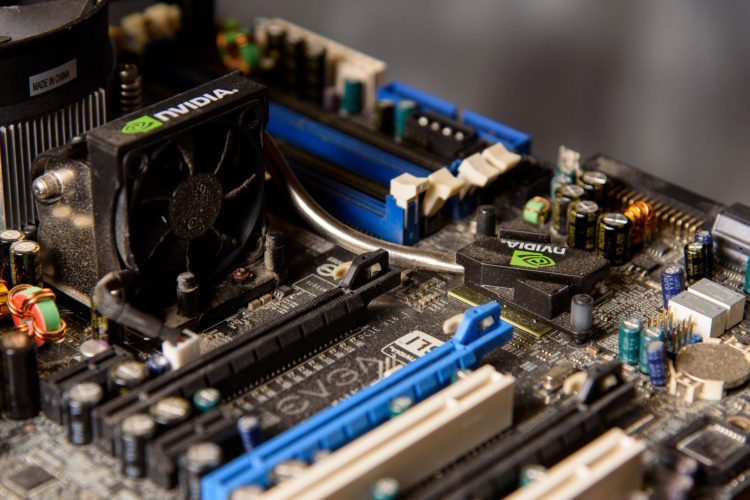
This question troubles a lot of people because it deals with the nuts and bolts of your network operations and also demands investing a hefty amount of money.
It is true that servers cost a lot. The question is if they cost more than the downtime caused by an aging server. Certainly not. Imagine the loss of precious data and potentially the loss of clients when the server goes down repeatedly despite multiple troubleshooting attempts. We are having a hard time imagining such a dreadful situation and surely you are too.

Using a slow computer network can be as boring as watching paint dry. Whether you need to make a video call, play an online game, or watch your favorite Netflix show, a poor network speed will absolutely ruin your overall internet experience. If you have some important business to deal with, it can understandably cause a lot of frustration.
Read more
So you asked your child what they want for Christmas and they enthusiastically responded, “A gaming computer!” You don’t know much about what that entails but you are willing to put it on Santa’s list. You have been told by your child that it is not just any computer. It has special attributes built to handle the demands of the gaming experience. Now how do you go about making their dream come true? Can you buy it or should you have it built? What features does it need to have?
Read more