

The digital age has made our lives easier than ever but it has also made it easier for hackers to take advantage of our online weaknesses. Hackers are getting smarter and using more creative ways to get into personal and business accounts. It is easy to think of weak passwords and phishing emails as the biggest threats but hackers also use a lot of other less well-known methods to access accounts. This post will talk about seven surprising ways hackers can access your accounts and how you can keep yourself safe.
What Are the Most Common Hacking Techniques?
Hacking methods have changed a lot over the years to take advantage of advances in technology and tricks people are good at. Hackers still use brute force attacks and other old-fashioned methods to get around security measures but they are becoming more sophisticated.
One very common way is social engineering where hackers trick people into giving up private information. Another type is credential stuffing where you use stolen login information from past data breaches to get into multiple accounts. There are also attacks that are powered by AI which lets hackers make convincing fake campaigns or even change security systems.
It is very important to understand these hacking techniques because they are the building blocks of more complex and surprising hacking techniques. We will talk more about these less common methods and how they can affect your digital safety in the parts that follow.
How Do Hackers Exploit Lesser-Known Vulnerabilities?
Hackers don’t always rely on obvious weaknesses. They often exploit overlooked aspects of digital security. Below are some of the unexpected ways hackers can access your accounts:
Cookie Hijacking
Cookies are small files stored on your device that save login sessions for websites. While convenient for users, they can be a goldmine for hackers. By intercepting or stealing cookies through malicious links or unsecured networks, hackers can impersonate you and gain access to your accounts without needing your password.
Sim Swapping
Your mobile phone number is often used as a second layer of authentication for online accounts. Hackers can perform a SIM swap by convincing your mobile provider to transfer your number to a new SIM card they control. Once they have access to your phone number, they can intercept two-factor authentication (2FA) codes and reset account passwords.
Deepfake Technology
Deepfake technology has advanced rapidly which allows hackers to create realistic audio or video impersonations. This method is increasingly used in social engineering attacks where a hacker might pose as a trusted colleague or family member to gain access to sensitive information.
Exploiting Third-Party Apps
Many people link their accounts with third-party applications for convenience. However, these apps often have weaker security protocols. Hackers can exploit vulnerabilities in third-party apps to gain access to linked accounts.
Port-Out Fraud
Similar to SIM swapping, port-out fraud involves transferring your phone number to another provider without your consent. With access to your number, hackers can intercept calls and messages meant for you (including sensitive account recovery codes).
Keylogging Malware
Keyloggers are malicious programs that record every keystroke you make. Once installed on your device, they can capture login credentials and other sensitive information without your knowledge.
AI-Powered Phishing
Traditional phishing emails are easy to spot due to poor grammar or suspicious links. However, AI-powered phishing campaigns use machine learning to craft highly convincing emails tailored specifically for their targets. These emails mimic legitimate communications so well that even tech-savvy individuals can fall victim.
In the following section, we will discuss how you can protect yourself against these unexpected threats.
How Can You Protect Yourself from These Threats?
Now that we have explored some of the unexpected ways hackers can access your accounts, it is time to focus on prevention strategies. Below are practical steps you can take:
Strengthen Your Authentication Methods
Using strong passwords and enabling multi-factor authentication (MFA) are essential first steps. However, consider going beyond SMS-based MFA by using app-based authenticators or hardware security keys for added protection.
Monitor Your Accounts Regularly
Keep an eye on account activity for any unauthorized logins or changes. Many platforms offer notifications for suspicious activity. Make sure these are enabled.
Avoid Public Wi-Fi Networks
Public Wi-Fi networks are breeding grounds for cyberattacks like cookie hijacking. Use a virtual private network (VPN) when accessing sensitive accounts on public networks.
Be Cautious With Third-Party Apps
Before linking any third-party app to your main accounts, verify its credibility and review its permissions. Revoke access from apps you no longer use.
Educate Yourself About Phishing
Learn how to identify phishing attempts by scrutinizing email addresses and avoiding clicking on unfamiliar links. When in doubt, contact the sender through a verified channel before responding.
In the next section, we will discuss additional cybersecurity measures that everyone should implement in today’s digital landscape.
What Additional Cybersecurity Measures Should You Take?
Beyond protecting against specific hacking techniques, adopting a proactive cybersecurity mindset is essential in today’s threat landscape. Here are some broader measures you should consider:
Regular Software Updates
Hackers often exploit outdated software with known vulnerabilities. Ensure all devices and applications are updated regularly with the latest security patches.
Data Backups
Regularly back up important data using the 3-2-1 rule: Keep three copies of your data on two different storage media with one copy stored offsite. This ensures you can recover quickly in case of ransomware attacks or data loss.
Use Encrypted Communication Tools
For sensitive communications, use encrypted messaging platforms that protect data from interception by unauthorized parties.
Invest in Cybersecurity Training
Whether for personal use or within an organization, ongoing education about emerging threats is invaluable. Understanding how hackers operate helps you identify potential risks before they escalate.
By implementing these measures alongside specific protections against unexpected hacking methods, you will significantly reduce your vulnerability to cyberattacks. In the next section, we will wrap up with actionable steps you can take today.
Secure Your Digital Life Today
Cybersecurity is no longer optional. It is a necessity in our interconnected world. As hackers continue to innovate new ways of accessing accounts, staying informed and proactive is crucial.
Here at Sound Computers, we specialize in helping individuals and businesses safeguard their digital assets against evolving threats. Contact us today for expert guidance on securing your online presence and protecting what matters most.
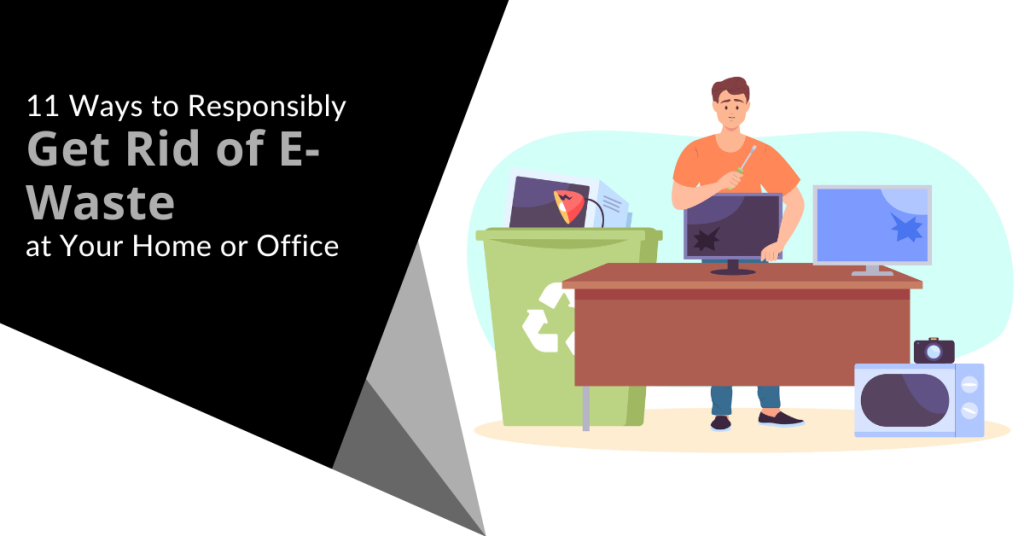
In our tech-driven world, electronic devices have become indispensable. But what happens to the old gadgets with all the constant upgrades? They tend to pile up and eat up storage space. You can’t just throw them in the trash. E-waste poses a significant environmental threat if not disposed of responsibly.
E-waste is a term that refers to electronic devices that are no longer useful or wanted. These include things like:
- Computers
- Laptops
- Smartphones
- Tablets
- Printers
- Cameras
- TVs
E-waste can contain hazardous materials such as lead, mercury, cadmium and brominated flame retardants. These can harm the environment and human health if they are not disposed of properly.
E-waste comprises about 70% of toxic waste. People only recycle 12.5% of it.
What can you do to responsibly get rid of e-waste at your home or office? Here are some tips.
1. Understand What Makes Up E-Waste
E-waste includes old computers, smartphones, printers and other electronic devices. It also comprises batteries, chargers and even cables. Understanding what makes up e-waste is the first step towards responsible disposal.
Most people simply aren’t aware of what e-waste includes. This is a big reason that most of it ends up in landfills. That is not good for us or for the environment.
2. Reduce Your E-Waste
The next step is to reduce the amount of e-waste you generate in the first place. This means buying only what you need. You should also choose durable and energy-efficient products as well as extend the lifespan of your devices by repairing them when possible.
Before buying a new electronic device, ask if it is necessary. Can more than one person share a company tablet? In some cases, everyone in a family or office might not need a duplicate device.
3. Explore Recycling Programs
Many electronics retailers and manufacturers have recycling programs. Research local options. Retailers often collect old gadgets which ensures that they are recycled or disposed of properly. These programs are convenient and eco-friendly.
Here are a couple you can check out:
4. Use E-Waste Recycling Centers
E-waste recycling centers specialize in disposing of electronic devices safely. They dismantle gadgets, recycle valuable components and dispose of hazardous materials responsibly. Locate a certified e-waste recycling center near you for proper disposal.
Here are a few sites where you can find recycling centers:
5. Consider Donating or Selling Functioning Devices
If your old devices are still functional, consider donating them. Many charities and schools accept functional electronics or you can sell them online through reputable platforms. This gives gadgets a new life and reduces e-waste.
Make sure you properly clean data from old devices first. You don’t want someone having access to your online banking app or all of your family photos. Keep reading for tips on doing this properly.
6. Dispose of Batteries Separately
Batteries (especially rechargeable ones) contain hazardous materials. Many retailers and recycling centers have dedicated bins for battery disposal. Always separate batteries from other e-waste for proper handling.
7. Try Manufacturer Take-Back Programs
Several electronic manufacturers offer take-back programs. When you buy a new device, inquire about their disposal programs. Some manufacturers take back old gadgets to ensure responsible recycling or refurbishment.
8. Opt for Certified E-Waste Recyclers
When using e-waste recycling services, choose certified recyclers. Look for certifications like R2 or e-Stewards. These certifications ensure that the recycling process meets high environmental standards as well as data security protocols.
9. Educate Your Office or Household
Awareness is key. Educate your office or household about the importance of responsible e-waste disposal. Encourage everyone to take part and follow proper disposal methods.
10. Repurpose or Upcycle
Get creative. You can often repurpose or upcycle old electronics. Turn an old computer monitor into a digital photo frame. Use smartphone parts for DIY projects. Upcycling reduces waste and adds a touch of innovation.
11. Encourage Manufacturer Responsibility
Support companies that take environmental responsibility seriously. Choose products from manufacturers committed to sustainable practices and responsible e-waste management.
Make Sure to Secure Data Before Disposal, Sale or Donation
Before parting with your devices, wipe all data. Otherwise, you could become the victim of cybercrime. It is not unusual for criminals to troll dumps for old electronics. Remove all traces of your data to keep yourself protected.
Use reliable data erasure software or consult with an IT professional to securely wipe information from old gadgets. Data security is crucial even in disposal.
Get Help Backing Up & Cleaning Devices
It is important to both back up and remove all data from devices before you get rid of them. We can help with expert data migration from the old device to the new one as well as thorough data cleaning to ensure all information is removed.
Give us a call today to schedule a chat.
In the age of smart living, our homes are becoming increasingly intelligent. They are designed to cater to our every need. Smart gadgets are transforming how we turn on the lights, home security, etc. They even help us feed our pets from afar.
But with the rapid evolution of this technology, it is crucial to make informed choices so we know what to adopt and what to avoid. Every smart technology isn’t as helpful as another.
You also must be careful of things like security and oversharing. Some devices will spread your data far and wide without your realization.
Here are some tips on what smart home tech to adopt and what to avoid.
Tips to Make Better Smart Home Device Choices
Adopt: Smart Lighting Systems
Smart lighting systems have proven to be both energy-efficient and convenient. They allow you to control the ambiance of your home as well as schedule lights to go on and off. You can even change colors to match your mood.
These systems offer seamless integration with voice assistants. There are also many brands to choose from. Smart lights can enhance your home's aesthetic and energy efficiency.
Avoid: Cheap or Unbranded Smart Devices
There is a definite allure to low-cost smart devices. However, these unbranded alternatives often compromise on security and functionality. You need to ask yourself, “Why are they so cheap?”
They may also be selling your data. Who reads those long user acceptance policies? You risk a lot by choosing a cheaper or unbranded device.
Investing in reputable brands ensures several benefits:
- Regular updates
- Security patches
- Compatibility with other smart home devices
- Long-term support
Cutting corners on unknown brands may end up being costly. This is true for both security and performance.
Adopt: Smart Thermostats
Smart thermostats like Nest and ecobee learn your habits. They adjust your home's temperature accordingly. They contribute significantly to energy savings. They do this by optimizing heating and cooling based on occupancy patterns.
There is also the convenience of using smartphone apps and voice control. These devices offer convenient climate management while reducing utility bills.
Avoid: Overcomplicating Security Systems
Robust security systems are essential. However, overcomplicating them with unnecessary gadgets may lead to confusion and inefficiency. The more devices you add to a security system means the more exposure for your network.
Focus on key elements like smart locks, security cameras and motion sensors. Opt for systems that offer user-friendly interfaces. Look for straightforward operation. You want to ensure effective home security without unnecessary complexities.
Adopt: Smart Home Hubs
Smart home hubs are popular. Brands such as Amazon Echo and Google Nest Hub serve as the central smart command centers. They give you one place to manage all of your smart devices.
These hubs enable seamless communication between various devices as well as simplify control through voice commands or smartphone apps. Investing in a compatible hub ensures a harmonious smart home experience.
Avoid: Ignoring Privacy Concerns
The convenience of smart home tech should not come at the expense of your privacy. Be cautious about devices that constantly record audio or video and especially if it is done without clear user consent. Regularly review privacy settings. Limit data collection. Choose devices from reputable companies that focus on user privacy and data security.
Be sure to watch for announcements about changes. For example, Amazon recently opted users in automatically to Amazon Sidewalk. This is a shared neighborhood Wi-Fi. Unless you were aware, you may not have known to opt out if you wanted.
Adopt: Smart Home Security Cameras
Smart security cameras provide real-time monitoring and remote access. They also enhance the safety of your home. Look for cameras with features like motion detection, two-way audio and cloud storage.
Many brands offer reliable and user-friendly security camera systems. These help you keep an eye on your property and keep your family safe.
Avoid: Impulse Buying Without Research
The excitement of new gadgets can lead to impulse purchases. Before buying any smart home device, conduct thorough research. Read reviews and compare features. Also, assess compatibility with your existing devices.
Take the time to check out a device before buying. This helps ensure that you make informed decisions tailored to your smart home’s needs.
Keep Your Smart Home Efficient & Secure
Smart home technology is rapidly multiplying. Our homes now look like something from Back to the Future II or The Jetsons. A well-informed choice today can pave the way for a smarter and safer home tomorrow.
We would love to help you keep your smart home efficient and secure. Give us a call today to schedule a chat.
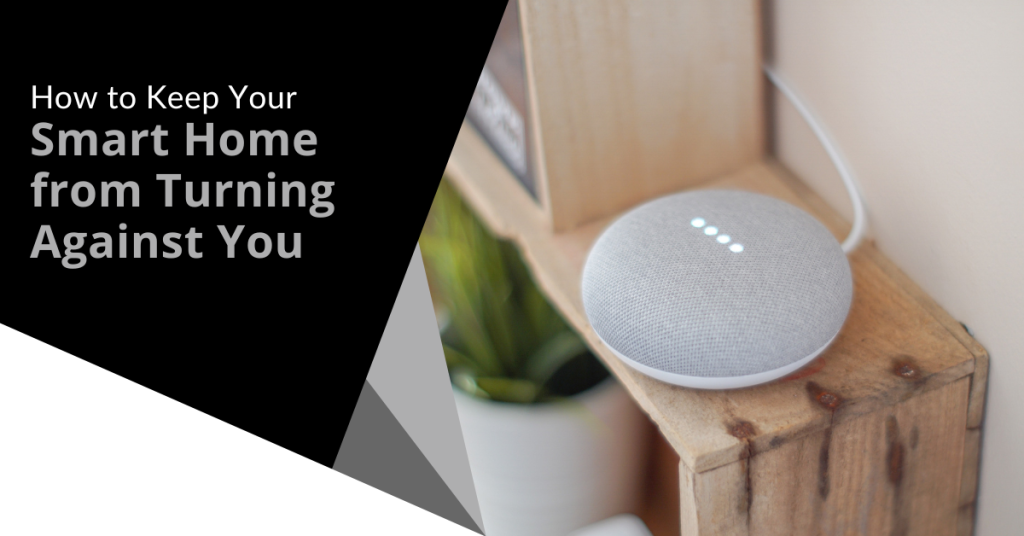
A smart home has become a ubiquitous part of modern living. It doesn’t even seem unusual anymore to tell your refrigerator to add milk to the digital grocery list.
Smart homes offer unparalleled convenience and efficiency. You can control your lights and thermostat with a smartphone app and have a virtual assistant like Alexa at your beck and call. As we embrace the convenience, it is essential to consider the potential risks as well as take proactive steps to ensure that your smart home doesn't turn against you.
Recent headlines have shed light on the vulnerabilities of smart home technology such as the story in the New York Post's article titled "Locked Out & Hacked: When Smart Homes Turn on Owners".
The article describes smart home nightmares including the new owner of a smart home that unexpectedly got locked in. The prior owner had left preprogrammed settings. At 11:30 p.m., the home told him it was time to go to bed and locked every door in the house.
Another technology victim was a woman terrorized by lights and sounds at home. Her ex-partner was maliciously manipulating the smart technology.
As homes get smarter, how can you avoid a similar experience? We will explore some key strategies to protect your home and your privacy.
Smart Home Safety Tips You Need to Use
1. Secure Your Network
The foundation of any smart home is its network. Just as you wouldn't leave your front door wide open, you shouldn't neglect Wi-Fi security.
Here are best practices:
- Change your router's default password to something strong and unique.
- Use WPA3 encryption (look for Wi-Fi 6).
- Create a separate guest network to isolate your smart devices from your main network.
- Regularly update your router's firmware. Ensure it is equipped with the latest security patches.
2. Strengthen Device Passwords
When setting up your smart devices, be diligent about choosing strong and unique passwords. Avoid using easily guessable information like "123456" or "password." Use a combination of upper and lower-case letters, numbers and symbols. For added security, consider using a password manager.
3. Enable Two-Factor Authentication (2FA)
Many smart home device manufacturers offer 2FA as an extra layer of security. By enabling 2FA, you can keep people out. This is true even if someone manages to guess your password. They won't be able to get past the secondary authentication step. This provides an extra safeguard against unauthorized access.
4. Regularly Update Firmware
Firmware updates are essential for fixing security vulnerabilities in your smart devices. Manufacturers release these updates to patch discovered weaknesses. Make it a habit to check for firmware updates regularly and apply them promptly.
5. Vet Your Devices
Not all smart devices are created equal. When choosing new devices for your smart home, research the manufacturer's reputation. Look for products that have a history of prompt updates and robust security features. Avoid purchasing devices from obscure or untrusted brands.
6. Isolate Sensitive Devices
Consider segregating your most sensitive devices onto a separate network (if possible). For example, use a dedicated network for:
- Smart locks
- Security cameras
- Other critical devices
This keeps them separate from your less critical gadgets such as smart bulbs or speakers. Even if a hacker compromises one network, the other devices remain secure.
7. Review App Permissions
Smart home apps often request access to various permissions on your devices. Before granting these permissions, scrutinize what data the app is trying to access. Decide whether it is necessary for the device's functionality. Restrict permissions to the least required for the device to operate.
8. Be Cautious with Voice Assistants
Voice-activated assistants like Alexa and Google Assistant are incredibly convenient but they can also pose privacy risks. Review your voice assistant's privacy settings. Be cautious about what information you share with them. Consider muting the microphone when you are not actively using it. This prevents unintended eavesdropping.
9. Check Your Devices Regularly
Regularly check the status and activity of your smart devices. Look for any unusual behavior such as devices turning on or off unexpectedly or unknown devices appearing on your network. If you notice anything suspicious, investigate and take action promptly.
10. Understand Your Device's Data Usage
Review your smart device's privacy policy. Understand how it uses your data. Some devices may collect and share your information with third parties. It can be for advertising or other purposes. Make informed decisions about the devices you bring into your home.
11. Stay Informed
Stay informed about the latest developments in smart home security. Subscribe to security newsletters. Follow reputable tech blogs. Keep up with news articles like the one in the New York Post. The more you know, the better equipped you will be to protect your smart home.
Get Expert Help With Smart Home Security
Smart homes offer incredible convenience but they also come with risks you shouldn’t ignore. Do you need some expert help setting up your smart home security?
Give us a call today to schedule a chat.
Moving can be a chaotic and stressful time when it comes to handling your valuable technology. Whether you are performing a home or office move, it is essential to take extra care both with fragile items and when packing and moving your devices and other tech items.
To help you navigate this process smoothly, we have put together a handy checklist. Use this to help ensure your technology remains safe and sound during the move.
Back Up Everything Before the Move
Before you start disassembling your technology, make sure to back up all your data. Create copies of important files, documents, photos and any other irreplaceable information. You can either use an external hard drive, cloud storage or both. By doing this, you will have peace of mind knowing that you have protected your data in case something unfortunate happens during the move and your files will be intact.
Organize and Label Cables
We all know the struggle of untangling a mess of cables. This is true especially when you are eager to set up your devices in the new place. To avoid this headache, take the time to organize and label your cables before packing.
Use cable ties or twist ties to keep them neatly bundled. Attach labels to identify which cable belongs to which device. This simple step will save you a lot of time and frustration later on.
Pack Devices Carefully
When packing your devices, opt for their original boxes whenever possible. If you have the storage space, this is why you don’t want to toss those out. The original packaging is designed to provide the best protection during shipping. There are usually specific compartments to secure each component.
If you don't have the original boxes, use sturdy cardboard boxes. Wrap each device in bubble wrap or anti-static foam to prevent any damage. Fill any empty spaces in the boxes with packing peanuts or crumpled paper to ensure a snug fit.
Remove Ink Cartridges and Batteries
It might seem easier to just load up your printers “as is” to move them. That is not a good idea. For printers and devices that use ink, it is crucial to remove those cartridges. Do this before packing the devices. Ink cartridges can leak or dry out during transit. This can cause a mess or render them useless.
Remove batteries from devices such as laptops, cameras or remote controls. This precaution prevents accidental power-on and potential damage during the move. Pack the cartridges and batteries separately in sealed bags and label them.
Take Photos of Cable Connections
Before unplugging cables from your devices, snap a quick photo of the connections. This visual reference will be very helpful when it is time to set up everything at your new location. You won't need to worry about remembering which cable goes where and won’t need to spend hours trying to figure it out. Simply refer to the photos and you will be back up and running in no time!
Pack Your Wi-Fi Equipment Separately
Reconnecting to the internet is usually one of the first things done for both home and office moves. To make it easier, pack all your Wi-Fi network equipment separately from other items.
This includes your modem, router, ethernet cables and other network connectors. Clearly label the box “Wi-Fi Equipment” so you will know right where to go first to get online.
Secure Fragile Screens
Are you moving devices with delicate screens such as TVs or monitors? Take extra precautions to protect them from scratches and cracks.
Place a soft cloth or microfiber cloth over the screen. Secure it with elastic bands or tape. This barrier will shield the screen from any accidental contact during transit. Additionally, make sure to pack these items in a vertical position to reduce the risk of damage.
Inform the Movers about Fragile Items
When enlisting professional movers, be sure to be clear about your technology. Inform them about the fragile nature of your devices and other tech items. Clearly label the boxes containing your valuable devices as "fragile." Provide any necessary instructions to handle them with care. By communicating your concerns up front, you reduce the chances of accidents while moving.
Test Everything After the Move
If you have moved offices, you don’t want to find out about problems on a busy Monday morning. Once you have moved your technology and reconnected cables, turn your devices on. Test them to ensure they work as usual and are not damaged.
Something may not look damaged on the outside. That doesn’t mean that there isn’t internal damage. You want to know this up front so you can file a claim and call in an IT service professional to help.
Need Help with a Safe Technology Move?
Moving can be a hectic and challenging process when moving office tech. With the right approach, you can ensure the safety of your devices from point A to point B.
Need help from the pros to move your technology securely? Give us a call today to schedule a chat.
In today's world, technology is ubiquitous and connectivity is a must. Securing your home network has become more critical than ever. A secure home network is essential for protecting your personal data from hackers.
From phishing to smishing (SMS phishing), it is getting harder to avoid a breach. Individuals often have fewer safeguards in place at home than at work. However, many are working from home which puts both personal and company data at risk.
About 46% of businesses saw at least one cybersecurity incident within two months of moving to remote work.
The good news is that there is no lack of materials on home network security. Many of the steps are straightforward and can help you avoid a data breach at home.
The National Security Agency (NSA) has provided some best practices. These are for securing your home network. We will highlight some of the most helpful tips below.
1. Change Default Passwords and Usernames
The first step to secure your home network is to change the default login. This means changing the passwords and usernames of your router and connected devices. Default passwords and usernames are often well-known to hackers. Criminals can easily use them to access your data. Changing these default credentials is an essential step in securing your home network.
2. Enable Encryption
Encryption is a process of encoding information. This is in such a way that only authorized parties can read it. Enabling encryption on your home network is crucial to protect your data. It keeps hackers from intercepting and reading it. Most modern routers support encryption protocols such as WPA2 or WPA3. Ensure that you use the latest encryption standard (which would be WPA3 used in Wi-Fi 6 routers).
3. Update Firmware
The firmware is the software that runs on your router and other connected devices. Manufacturers release firmware updates to fix security vulnerabilities and add new features. Updating the firmware on your router is important to securing your home network. You can usually check for firmware updates from the router's web interface. You can also find updates on the manufacturer's website.
This is critical to remember because a lot of people never do this. They only see the router app during setup and rarely go back unless there is a need. Set a calendar item to check your router app at least once per month for updates.
4. Enable Firewall
A firewall is a network security system that monitors and controls network traffic. This includes both incoming and outgoing traffic. Enabling a firewall on your router can help protect your network. It defends against malicious traffic and unauthorized access. Most modern routers have a built-in firewall. You can typically enable this through the router's web interface.
5. Disable Unused Services
Most routers come with a range of services that manufacturers enable by default. These services can include file sharing, remote management and media streaming. Disabling any unused services can reduce the risk of a hacker exploiting them. They often use these services to gain access to home networks. Only enable services that you need and are essential for your network.
6. Secure Wi-Fi Network
Your Wi-Fi network is one of the most critical aspects of your home network. Securing your Wi-Fi network involves several steps. These include:
- Changing the default SSID (network name)
- Disabling SSID broadcast
- Enabling MAC address filtering
- Disabling WPS (Wi-Fi Protected Setup)
These steps can help prevent unauthorized access to your Wi-Fi network. If you need help with these steps, let us know. We can save you some time and frustration and ensure your network is properly secured.
7. Use Strong Passwords
Passwords are a critical component of any security system. Using weak or easily guessable passwords can make your network vulnerable. Ensure that you use strong passwords for your router and other connected devices. A strong password should be at least 12 characters long. It should also include a combination of upper and lowercase letters as well as at least one number and one symbol.
8. Create a Guest Network
Do you have guests who need to access your Wi-Fi network? If so, create a separate guest network. A guest network is a separate Wi-Fi network that guests can use. This gives them access the internet without accessing your primary network. This can help protect your primary network from potential security threats.
9. Limit Physical Access
Physical access to your router and other connected devices can be a security risk. Ensure that you place your router in a secure location such as a locked cabinet or a room with limited access. Also, ensure that you disable physical access to the router's web interface. This is even more important if you have guests or children who may tamper with the settings.
Schedule a Home Cybersecurity Visit Today
Securing your home network is essential for protecting your personal data from threats. By following the best practices, you can ensure that your network is better protected.
Want to save some time and have us do the heavy lifting? Give us a call today to schedule a home cybersecurity visit.
Many people worry about someone hacking their computer. However, they are not really thinking about their wireless printer getting breached. It is a tool that most individuals use sporadically like when you want to print out tax forms or mailing labels.
Printers tend to be out of sight, out of mind. That is until you need to print something and run out of ink. They not out of the mind of hackers. In fact, unsecured printers are a classic way for criminals to gain access to a home network.
To illustrate this point, Cybernews purposely hacked printers. It hijacked nearly 28,000 unsecured printers globally. The success rate was 56%. What did it do once it gained access? It made the printers print out a guide on printer security.
Are you wondering how exposed your network is from your printer? We have some security tips below to help. These tips can enable you to better secure your network and keep data on all devices more secure.
1. Change the Default Login Credentials
When you buy a new wireless printer, it will likely have included default information. Manufacturers give you a way to connect and set up your device. This usually involves default login information.
Immediately change that information during set up. Hackers use a master list of all these defaults. They plug it into an automated script and just keep trying them all until they get a hit. Change these and make sure you create a strong password.
2. Keep Printer Firmware Updated
Keeping firmware updated is vital to keeping your wireless printer secure. Hardware needs updating just like computers, software and apps do. Those updates often contain important security patches.
Firmware updates aren’t usually as visible as software updates. Software and OS updates usually give you a popup notification. However, updates to the drivers and firmware that run printers aren’t so visible.
Some of the places you can check for firmware updates are:
- The PC manufacturer’s utility app on a connected device
- The printer’s information panel
- The printer manufacturer’s app installed on a PC
3. Use a Network Firewall
A network firewall is important to ensure the monitoring of traffic. Firewalls can block suspicious activity to keep hackers out of your network. You should configure the firewall to watch incoming and outgoing printer traffic.
4. Put Your Printer on a Guest Network
Most of today’s home routers allow you to set up a guest network. This is a separate Wi-Fi that runs from the same router you use for your main network. It is harder for hackers to get from one network to another.
Keeping a less secure device separated from computers and phones improves security. You can still print to your printer from devices on another network. You just need to have things configured correctly. If you need help with that, let us know.
5. Disable Unused Ports or Services
IoT devices (like printers) often have many ways to connect. You may not need all the ports or services that come with your printer. These ports are risk areas where hackers could find a way in.
It is best to disable any ports and sharing features that you don’t need. This reduces the risk of a breach.
6. Unplug It When Not in Use
Most home printers aren’t used as much as work printers. People may only use them once a month or a few times a year. If you are not using your printer constantly, unplug it when not in use.
One surefire way to cut off a hacker’s access is to unplug the device. When it is shut down, no access is available at all.
7. Teach Your Family Cybersecurity Best Practices
Your printer is one device on your network. Most families connect several devices to their home Wi-Fi. In 2022, the average number of connected devices per U.S. household was 22.
Families need to know and adopt good cyber habits. This keeps everyone’s data more secure. It also helps you avoid costly identity theft breaches or the takeover of things like baby monitors.
Some standard best practices to follow for good cyber hygiene are:
- Always use strong passwords (at least 10-12 characters & include a mix of letters, numbers and symbols).
- Keep software & firmware on devices updated.
- Use multi-factor authentication wherever possible.
- Enable device firewalls & other protections.
- All devices that should have a good antivirus installed.
- Never login to an account from a link you receive via email or text.
- Learn how to identify phishing & get a second opinion before clicking.
- Get a security checkup from a pro at least every year or two.
Get Some Help Keeping Your Family’s Data Secure
IT pros don’t only work with businesses. We also help families ensure their data is safe & devices are running smoothly. Give us a call today to schedule a home security checkup.