

Websites store and use user data to personalize content, show ads and make the user experience better. This can include everything from basic data like the type of browser and IP address to more private data like names and credit card numbers. It is important for people to know how this information is gathered, used and shared. In this piece, we will talk about how websites use user data, the best ways to share data and why data privacy is important.
What Is Data Collection on Websites?
It is normal for websites to collect data which means getting information about the people who use them. This can be done in a number of ways such as using cookies (which store information on your computer so that they can recognize you on different websites). Websites also get information from the things people do on them like when they click, scroll and fill out forms. This information is often used to improve the user experience by showing them more relevant ads and custom content.
Websites usually gather two kinds of information: first-party data (which comes from the website itself) and third-party data (which comes from outside sources like advertising). First-party data includes things like past purchases and browsing history. Third-party data could include demographic information or hobbies gathered from other websites.
Not only does the website gather information about its users but it also shares that information with other businesses. For example, social media sites like Google and Facebook put tracking codes on other websites to learn more about how people use the internet. After that, this information is used to better target ads.
Gathering data brings up important concerns about safety and privacy. People who use the service should know how their information is being shared and used. This knowledge is very important for keeping users' trust in websites.
In the next section, we will discuss how data sharing works and its implications.
How Does Data Sharing Work?
Data sharing is the process of making data available to multiple users or applications. It is a common practice among businesses and institutions that is often facilitated through methods like File Transfer Protocol (FTP), Application Programming Interfaces (APIs) and cloud services. Data sharing can enhance collaboration and provide valuable insights but also poses significant privacy risks if not managed properly.
Understanding Data Sharing Methods
Data sharing methods vary based on the type of data and the parties involved. For instance, APIs are widely used for real-time data exchange between different systems while cloud services provide a centralized platform for accessing shared data. Each method has its advantages and challenges in terms of security and privacy.
Challenges In Data Sharing
One of the main challenges in data sharing is ensuring that sensitive information remains secure. Implementing robust security measures such as encryption and access controls is crucial to prevent unauthorized access. Additionally, data sharing must comply with privacy laws like GDPR and CCPA (which require transparency and user consent).
Data sharing also involves ethical considerations such as ensuring that data is used for its intended purpose and that users have control over their information. This requires establishing clear data governance policies and maintaining detailed records of shared data.
In the next section, we will delve into the best practices for managing user data on websites.
How Should Websites Manage User Data?
Managing user data effectively is essential for building trust and ensuring compliance with privacy regulations. Collecting only necessary data reduces the risk of breaches and simplifies compliance. Websites should also implement secure data storage solutions (such as encryption) to protect user information.
Best Practices for Data Management
- Transparency and Consent: Websites should clearly communicate how user data is collected and used. Users should have the option to opt-in or opt-out of data collection and they should be able to access, modify or delete their personal information.
- Data Minimization: Collecting only the data that is necessary for the website's functionality helps reduce the risk of data breaches and improves compliance with privacy laws.
- Secure Data Storage: Encrypting data both at rest and in transit ensures that it remains secure even if intercepted. Regular security audits and updates are also crucial to prevent vulnerabilities.
- User Control: Providing users with tools to manage their data preferences fosters trust and accountability. This includes options to download, edit or delete personal information.
By following these best practices, websites can ensure that user data is handled responsibly and securely.
In the next section, we will explore the importance of data privacy and compliance.
Why Is Data Privacy Important?
Data privacy is a fundamental right that ensures individuals have control over their personal information. Organizations must implement processes and controls to protect the confidentiality and integrity of user data. This includes training employees on compliance requirements and using technical tools like encryption and access management.
Data privacy regulations (such as GDPR and CCPA) impose strict penalties for non-compliance. Therefore, it is essential for organizations to develop comprehensive data privacy frameworks that include obtaining informed consent, implementing data encryption and ensuring transparency in data usage.
Ensuring Compliance
Ensuring compliance with data privacy laws requires ongoing efforts. This includes regularly reviewing and updating privacy policies, conducting security audits and maintaining detailed records of data processing activities.
Building Trust Through Transparency
Transparency is key to building trust with users. Websites should provide clear and accessible information about how personal data is used and shared. Users should also have easy options to withdraw consent or manage their data preferences.
In the final section, we will discuss how users can protect their data and what steps they can take to ensure their privacy online.
How Can Users Protect Their Data?
Users can take several steps to protect their data online. Using privacy-focused browsers and extensions can help block tracking cookies and scripts. Additionally, being cautious with personal information shared online and regularly reviewing privacy settings on social media platforms are important practices.
Users should also be aware of the data collection policies of websites they visit. Reading privacy policies and understanding how data is used can help users make informed decisions about their online activities.
Tools For Data Protection
Several tools are available to help users protect their data. VPNs can mask IP addresses and encrypt internet traffic while password managers can secure login credentials. Regularly updating software and using strong and unique passwords are also essential for maintaining online security.
Educating Yourself
Educating oneself about data privacy and security is crucial in today's digital age. Understanding how data is collected and used can empower users to make better choices about their online activities.
Understanding how websites use and share user data is essential for maintaining privacy and security online. By following best practices for data sharing and privacy, both websites and users can ensure a safer and more transparent digital environment
Take Action to Protect Your Data
If you are concerned about how your data is being used online, it is time to take action. At our company, we specialize in helping individuals and businesses navigate the complex world of data privacy and security. Whether you need guidance on implementing privacy policies or securing your online presence, we are here to help. Contact us today to learn more about how you can protect your data and ensure a safer digital experience.
In this digital world, it is hard to keep track of all the storage space on your devices. It is easy for our devices to run out of room because we keep adding more photos, videos, documents and files. Cloud storage is a convenient option because it lets people store their data online which frees up space on their devices and lets them view files from anywhere. This post will talk about the best cloud storage services that can help you get more done online and save space on your devices.
What Are Cloud Storage Providers?
Cloud storage services let people store and control their data online. These are called cloud storage providers. There are many perks to using these services such as more storage space, the ability to share files and better security.
People who use cloud storage can get to their files from any internet-connected device. This makes it easier for people to work together and from home. Cloud storage is important for people who want to free up room on their devices and keep their data safe and easy to access.
There are different cloud storage companies with different features, prices and ways to use their services. Some providers focus on personal use and offer free storage with the choice to pay more for more space. Others are geared toward businesses and offer advanced tools for working together and lots of storage space. It is important to know the differences between these service providers so you can pick the right one for your needs.
Recently, cloud storage has grown into more than just a place to store files. It is now a way to work together and get things done. A lot of service providers now offer office software and real-time tools for working together.
This makes it easier for teams to work on projects and papers together. The move toward a more unified service model has made cloud storage an important tool for both personal and business use. We will cover how cloud storage providers can help with productivity.
How Do Cloud Storage Providers Help With Productivity?
Cloud storage providers play a crucial role in enhancing digital workflow by offering a centralized platform for storing, accessing and sharing files. This not only helps in freeing up device space but also facilitates collaboration and productivity. Here are some key ways cloud storage enhances digital workflow:
Centralized File Management
Cloud storage allows users to manage all their files from a single platform. This means you can access your documents, photos and videos from any device with an internet connection to make it easier to work on projects or share files with others.
Enhanced Collaboration Tools
Many cloud storage providers offer integrated collaboration tools that enable real-time editing and commenting on documents. This feature is particularly useful for teams working on projects together because it allows multiple users to contribute simultaneously without version control issues.
Advanced Security Features
Cloud storage providers typically offer robust security features (including encryption and two-factor authentication) to protect your data from unauthorized access. This ensures that your files are safe even if your device is compromised.
Scalable Storage Options
Cloud storage services often provide scalable storage options that allow you to upgrade or downgrade your storage capacity as needed. This flexibility is beneficial for both individuals and businesses because it ensures that you only pay for the storage you use.
The ability of cloud storage providers to enhance digital workflow makes them indispensable for anyone looking to streamline their file management and collaboration processes. In the next section, we will talk about the best cloud storage providers out there now.
What Are the Best Cloud Storage Providers?
Choosing the right cloud storage provider depends on your specific needs whether you are looking for personal use or business solutions. Here are some of the top cloud storage providers that offer a range of features and benefits:
- Google Drive: Known for its seamless integration with Google Docs and Sheets, Google Drive offers 15 GB of free storage and is ideal for those already using Google’s productivity suite.
- Microsoft OneDrive: Integrated with Microsoft Office, OneDrive provides a smooth experience for users of Word, Excel and PowerPoint. It offers 5 GB of free storage and is particularly useful for Windows users.
- Dropbox: Famous for its file-sharing capabilities, Dropbox offers 2 GB of free storage and is popular among users who frequently collaborate on projects.
- iCloud: Designed for Apple users, iCloud provides 5 GB of free storage and integrates well with other Apple services like Photos and Mail.
- pCloud: Known for its lifetime subscription options, pCloud offers up to 10 GB of free storage and is a good choice for those looking for long-term storage solutions.
- Box: Focused on business users, Box offers robust security features and collaboration tools which makes it ideal for enterprises.
It is important to compare these providers based on your individual needs because each one has its own pros and cons. There is a cloud storage service out there that can meet your needs whether you want free space, tools for working together or more security.
Take Control of Your Digital Space
Cloud storage providers are a great way to manage the room on your devices and get more done online. You can make sure that your files are safe and easy to view and share with others by picking the right provider. There is a cloud storage service out there for everyone from individuals who want to free up room on their phones to businesses that need powerful tools for teamwork. To get personalized help choosing the best cloud storage provider for your needs, please don't hesitate to get in touch with us.

Do you think cyberattacks only target the big guys? Think again. Small and mid-sized businesses are increasingly becoming prime targets for data breaches and can benefit from Multi-Factor Authentication.Read more
When tragedy strikes your company (whether through a cyber assault, hardware failure or an unplanned act of nature), the impact can be severe. The difference between a brief inconvenience and a complete operational shutdown often comes down to your data backup and recovery solution.Read more

Device storage decides how many applications, photos and files you can retain on your device. When you run out of storage, it can affect your productivity and device performance. However, finding the right storage amount isn’t always easy.
We can underestimate what we need or get too much storage. This guide will help you figure out how much storage is actually needed.
What is device storage?
Device storage refers to space on the phone, tablet or computer. The device storage stores all your data such as apps, photos, videos and documents. When you fill up your storage space, you can no longer save videos and documents. In that case, you would need to pay for additional storage or get a new device.
There are two major types of storage:
- Internal Storage: This is a built-in device. It can't be removed and is usually faster compared to external storage.
- External Storage: This includes SD cards and USB drives which can be added or removed. They give you more space but may be slower.
Different devices come with various storage options. Let's look at some common ones:
- Smartphones: Most smartphones start at 64GB. High-end models can have up to 1TB. iPhones don't have SD card slots. Many Android phones do.
- Tablets: Tablets typically range from 32GB to 256GB. Some have slots for memory cards if you need more space.
- Laptops: Laptops tend to contain 128GB to 1TB of storage. You can generally upgrade that later.
- Desktops: Desktop computers can have really large storage. 1TB to 4TB is common. You can easily add more if needed.
How Much Storage Do You Really Need?
It can be difficult to know how much storage you really need. Many people get too much or too little storage. Your storage needs depend on how you use your device. Let's look at some common user types:
Basic Users
If you mostly browse the web and use simple apps, 64GB might do the job. This is enough for:
- Social media
- Light photo taking
Average Users
For people who take lots of photos and use many apps, 128GB to 256GB works best. This covers:
- Many apps
- Photo libraries
- Some video storage
Power Users
- Video editing
- Large game libraries
- Huge photo collections
Professional Users
Some jobs need even more space. 1TB or more is common for:
- 4K video production
- Large datasets
- Professional photo editing
How Can You Manage Device Storage Better?
You can optimize your storage to avoid running out of space. Here are some tips:
- Use cloud storage: Services like Google Drive or iCloud can store your files online and save device space. 2% of people use cloud storage as their primary storage.
- Delete unused apps: Remove apps you don't use. They take up space and might slow down your device.
- Clear cache regularly: Many apps store temporary files. Clearing these can free up space.
- Use streaming services: Stream music and videos rather than download them. That saves a lot of space.
What Takes Up The Most Storage?
Some things use more storage than others. Here are the biggest storage users:
- Videos: Videos are space hungry. A 1-hour 4K video can take up 7GB or more.
- Photos: Photos take less space compared to videos. However, they accumulate rather fast. 1000 high-quality photos may take up 5GB.
- Games: Modern games are huge. Some can be over 100GB each.
- Apps: Most apps are small. Editing tools can be very large.
What Do I Do If I Run Out of Storage?
If you run out of space, you can add more storage by using SD cards or an external drive. This is a great option instead of buying a new device. If possible, change your device for one with higher storage. An upgrade will give you more space internally.
You can also put more files in the cloud with cloud storage solutions. Some popular options are Google Drive and Dropbox. This frees up more space on your device.
How to Choose the Right Storage for Your Next Device
When buying a new device, keep in mind how many photos and videos you take, how many apps or games you download and whether you work with big files. Choose a device that will have enough storage for your needs. It is better to have too much than too little.
Now you are aware of much more about device storage. You can make a better choice for your next device. Your needs may change over time so it is usually wise to get more storage than you think you need.
Do you still have questions about device storage? Contact us for personalized advice. We are here to help you find the right device with just the right amount of storage.
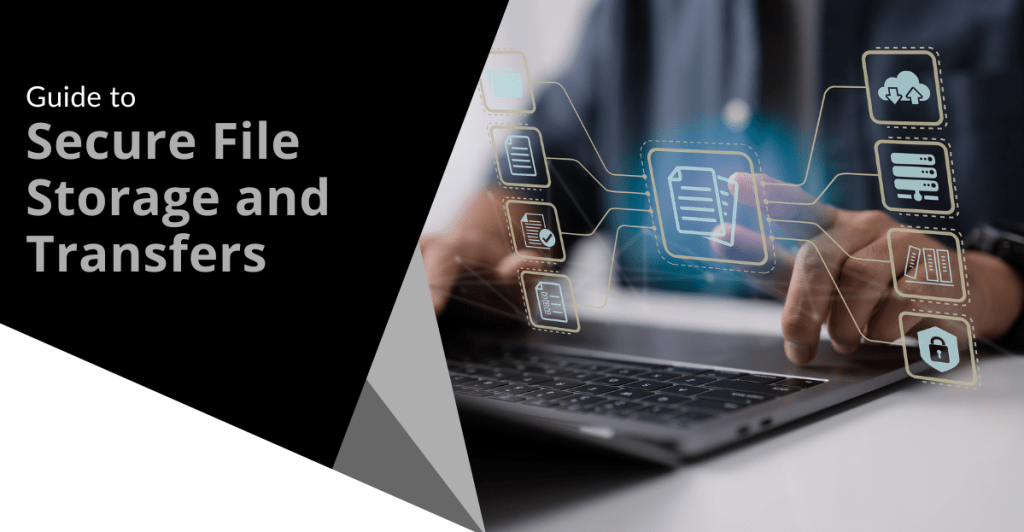
File storage and transferring hold a very dear place in most people’s lives. However, the safety of files is really tough to maintain. In this guide, we are going to help you protect your files. We will explore ways to store and send files securely.
What is secure file storage?
Secure file storage protects your files. It prevents others from accessing your files or altering them in any way. Good storage grants protection to your files using locks. You alone can unlock such files.
Phishing Attacks
Phishing attacks will always be in vogue. They make you give away your personal data. It may involve a phony message or fake websites. Always check the sender’s email address. Do not click on suspicious links.
Types of Secure Storage
Files can be stored securely in various ways as listed below.
- Cloud
- Hard drives that are external
- Encrypted USB drives
Cloud storage saves files on the internet. External drives save files on a device you can hold. Encrypted drives use special codes to lock files.
Why is Secure File Storage Important?
Secure storage keeps your information private. It stops thieves from stealing your data. It also helps you follow laws about data protection.
Risk of Unsecured Storage
Unsecured files can lead to huge troubles including but not limited to the following:
- Identity theft
- Financial loss
- Privacy breaches
These risks give a reason why secure storage is important. You need to protect your personal and work files.
How Can I Make My File Storage Safer?
You can do so many things to make your storage safer such as:
- Using strong passwords
- Enabling two-factor authentication
- Encrypting your files
- Keeping your software up to date frequently
Strong passwords are hard to guess. Two-factor authentication adds an extra step to log in. Encryption scrambles your files so others can’t read them. Updates fix security problems in your software.
Best Practices of Passwords
Good passwords are important. Here are some tips:
- Use long passwords.
- Mix letters, numbers and symbols.
- Don’t use personal info in passwords.
- Use different passwords for each account.
These tips make your passwords stronger. Stronger passwords keep your files safer.
What is Secure File Transfer?
Secure file transfer is a way of sending files safely between individuals or devices. It prevents unauthorized access to files and prohibits modification of files while in transit. The better methods of transfer protect the files with encryption.
Common Secure Transfer Methods
There are several ways to securely transfer files. They include:
- Secure FTP (SFTP)
- Virtual Private Networks (VPNs)
- Encrypted email attachments
- Secure file-sharing services
Each of the above methods provides additional security when you transfer your files. They ensure your data is secured during transfer.
How Do I Transfer Files Safely?
A safe transfer of files can be done by following the steps outlined below:
- Select a secure method of transfer.
- Encrypt the file before you send it.
- Give strong passwords for file access.
- Authenticate the recipient.
- Send the access details separately.
These steps will keep your files safer while in transit. This way they can only be accessed by those who they are intended for.
How to Email Attachments Safely
Attaching to an email poses a risk. Here is how to make it safe:
- Encrypt important attachments.
- Use a secure email service.
- Avoid writing sensitive information in the body of an email.
- Double-check the recipient’s email address.
These will help protect your email attachments from being viewed by others.
People make a lot of mistakes when it comes to file safety. Here are some common ones:
- Poor password creation
- Forgetting to encrypt the files
- Sending sensitive information over public Wi-Fi
- Not updating the security software
- Giving out access information with the files
These can expose your files to unnecessary risks. Keeping off them means you are keeping your data safe.
How to Avoid These Mistakes
You will avoid these errors by:
- Setting up a password manager
- Setting up automatic encryption
- Using VPN on public Wi-Fi
- Allowing auto-updates
- Sending access info separately from the files
These steps keep you off the common security mistakes. They make the storage and transfer of your files safer.
Ready to Secure Your Files?
It ensures that your data is protected from thieves and snoopers. Use strong passwords, encryption and safe methods of transfer.
Need help with secure file storage? Feel free to reach out today and let us walk you through setting up safe systems for your files. Don’t wait until it is too late. Take the next step in protecting critical data.

Everything is digital in today's world. We deal with data every day from personal photos to work files that hold a lot of value. What happens if you lose that? This is the reason behind doing a secure data backup. Let’s go through some best practices to keep your data safe and secure.
What is Data Backup?
Data backup refers to the creation of a copy of your data. The copy can be used in the event of loss or destruction of the original data. Backups can be stored on various devices (such as external hard drives) or in the cloud. Having a backup ensures you don’t lose important information.
Why Is Secure Backup Important?
Backing up will save your data from being lost forever. Sometimes computers crash or get viruses. Other times, you may delete some important files accidentally. If you do not have a backup, you could lose everything. Backing up your data keeps it safe from these problems.
How Often Should You Back Up Your Data?
Backing up your data is very important and should be done regularly. Some people back up their data every day while others do it on a weekly basis. It depends on how often your data changes. If you have important files that change daily, you should back them up every day. Regular backups mean you will always have the latest version of your files.
What Are The Different Types of Backups?
There are several types of backups you can use:
Full Backup
A full backup copies all your data. It takes more time and space but is very thorough.
Incremental Backup
An incremental backup only copies new or changed files since the last backup. It saves time and space.
Differential Backup
A differential backup copies all changes made since the last full backup. It is faster than a full backup but takes more space than an incremental one.
Where to Store Your Backups
The place of storage for your backups is an important consideration:
External Hard Drives
These are physical devices you can store at home or at work. It is convenient but they can get lost or damaged.
Cloud Storage
It keeps your backups online so it is safe from any form of physical damage. It is also easily accessible from any location.
Offsite Storage
Offsite storage means keeping backups in a different location than your main data. This protects against theft or natural disasters.
How Can You Ensure Your Backups Are Secure?
Keeping your backups secure is as important as making them:
Use Encryption
Encryption scrambles your data so only you can read it. This keeps it safe from hackers.
Set Strong Passwords
Use strong passwords for all your backup accounts and devices. This prevents unauthorized access.
Regularly Test Your Backups
Testing ensures that your backups work properly. Try restoring a file to make sure everything is correct.
What Tools Can Help With Data Backup?
Many tools can help automate and manage backups:
Backup Software
Backup software can schedule and perform backups automatically. This makes it easier to keep up with regular backups.
Cloud Services
Many cloud services include automatic backups in their package. They provide extra security features too.
What Should You Avoid In Data Backup?
Here are some of the common mistakes to avoid while backing up your data:
Not Having Multiple Copies
Always have more than one copy of your backup in different places.
Ignoring Security Updates
Keep all backup software and devices updated to protect against new threats.
How Can You Make A Backup Plan?
Creating a backup plan helps you get organized by:
- Determining what data should be backed up.
- Frequency of backups.
- Where the backups will be located.
- Reminders to test regularly.
Take Action To Protect Your Data Today!
Don’t wait until it is too late to protect your data. Start backing up today! Secure your important files by following these best practices for data backup. If you need help setting up a secure backup system, contact us today!

When it happens, you feel powerless. You get an email or letter from a business saying there has been a data breach. It happens all too often today.
Data breaches happen at banks, online sites like Facebook and ecommerce stores. Governments are also victims. This leaves things like your address, SSN and credit card details exposed to thieves.
A business getting hacked is something you have little control over. However, you can take important steps afterwards. We have outlined the most important things to do below. These steps can help you mitigate the financial losses.
Change Your Passwords
The very first thing you should do is change your passwords. Change the password for the service that sent you the breach notification first. Then change it for any logins using the same password.
This is one of the reasons it is a best practice to use unique logins for every site. Many people get in the habit of using the same password in several places. This leaves more than the single breached login at risk. Use a password manager to help you create strong passwords. You only need to remember one to access all the others.
Enable Multifactor Authentication (MFA)
Multifactor authentication can keep accounts secure even if a hacker stole the password. Enable it for the breached service. Then ensure you have MFA activated for all other logins where possible. MFA is also called two-factor authentication or two-step verification.
Common forms of MFA are:
- Text message
- Authentication app
- Security key
Check Your Bank Accounts
If payment card details were breached, check bank accounts. You will want to watch these for several weeks for fraudulent charges. Report the breach to your bank to have them issue you a new card (if needed).
Notify your bank about the 3rd party data breach. This can help keep you from being held responsible for fraudulent charges. It is good to get out ahead of it. Your bank can then help you with appropriate steps to avoid fraud.
Freeze Your Credit
Online criminals will often sell breached personal details. These details can enable someone to take out credit in your name. Contact the three credit agencies. They each have ways to freeze your credit to protect you. You can do this right on their websites.
The three credit agencies are:
- Equifax
- Experion
- TransUnion
Carefully Review the Breach Notification
It is important to understand exactly how the data breach may impact you. Review the notice you received. Additionally, look for updates on the company website.
These are the things you should be looking for:
- The type of data exposed (passwords, card numbers, etc.)
- What reparations the company is making (e.g. credit monitoring)
- Any instructions given to secure your account
Regularly check the company’s website. Often times they don’t immediately know how far reaching the breach is. You may check back later and find out other types of sensitive data were exposed.
Get Good Cybersecurity Protections
Make sure you protect your device and network. There are some simple tools you can use to beef up personal device security. These include:
- A good antivirus/anti-malware program
- DNS filtering to block malicious sites
- Email spam filtering for phishing
Another good protection you can use is a VPN. This helps mask your traffic. It is especially helpful if you are using a public Wi-Fi. VPNs are easy to use. You can use VPNs for both computers and mobile devices.
Be on the Lookout for Phishing Scams
Emails are often exposed in data breaches. This means you may receive an uptick in phishing emails. Phishing is very convincing since criminals have AI at their disposal. Phishing emails often are hard to distinguish from the real thing.
Stay ultra-aware of any unexpected emails. Follow best practices to avoid becoming a phishing victim:
- Hover over links to see them.
- Go to websites directly. Don’t click email or SMS links.
- Beware of unknown senders.
- Watch for phishing on social media and text messages.
- When in doubt, double check through an official source.
Make Sure to Update Software & Systems
Hackers often exploit unpatched vulnerabilities. How do you get unpatched vulnerabilities? Most times it is from failing to keep software updated.
Make sure to update your device operating system. Update all apps or software on your devices. Update firmware for routers and printers. Update firmware for smart devices.
There are so many updates we need to do with our electronics. Automating your updates is a good way to stay protected.
Managed Security Services You Can Count On
Managed services can keep you protected at work and home. Need help improving device security? We will be happy to discuss our options.
Contact us today to schedule a chat about device security.

Data breaches are an unfortunate reality for businesses of all sizes. When a breach occurs, the immediate response to start damage control is critical. How a company manages the aftermath can significantly impact its reputation as well as financial stability and legal standing.
The average cost of a data breach has reached 4.88 million USD.
Effective damage control requires a well-planned approach. However, there are common pitfalls that can exacerbate the situation. This article will guide you through the key steps of data breach damage control as well as highlight the pitfalls you should steer clear of to reduce the impact.
Pitfall #1: Delayed Response
One of the most critical mistakes a company can make after a data breach is delaying the response. The longer it takes to respond and start damage control measures means the more damage that can happen. A delayed response increases the risk of further data loss. It also erodes customer trust.
Act Quickly
The first step in damage control is to act quickly. As soon as you detect a breach, start your incident response plan. This should include containing the breach and assessing the extent of the damage as well as notifying affected parties. The faster you act means the better your chances are of mitigating the damage.
Notify Stakeholders Promptly
Informing stakeholders (including customers, employees and partners) is crucial. Delays in notification can lead to confusion and panic. This makes the situation worse. Be transparent about three key things:
- What happened?
- What data was compromised?
- What steps are being taken to address the issue?
This helps maintain trust and allows affected parties to take necessary precautions.
Engage Legal and Regulatory Authorities
Depending on the nature of the breach, you may need to notify regulatory authorities. Delaying this step can result in legal repercussions. Ensure you understand the legal requirements for breach notification and that you follow them promptly.
Pitfall #2: Inadequate Communication
Communication is key during a data breach. However, inadequate or unclear communication can hurt you. It leads to misunderstandings, frustration and further reputational damage. How you communicate with stakeholders matters. It will set the tone for how they perceive your company during the crisis.
Establish Clear Communication Channels
Establish clear communication channels to keep stakeholders informed. This could include:
- A dedicated hotline
- Email updates
- A section on your website with regular updates
Ensure that communication is consistent, transparent and accurate.
Avoid Jargon and Technical Language
When communicating with non-technical stakeholders, avoid using jargon. The goal is to make the information accessible and understandable. Clearly explain what happened, what steps are being taken and what they need to do.
Provide Regular Updates
Keep stakeholders informed with regular updates as the situation evolves (even if there is no new information). Providing regular updates reassures stakeholders that you are actively managing the situation.
Pitfall #3: Failing to Contain the Breach
Another critical mistake is failing to contain the breach quickly. Once your business detects a breach, take immediate action. This will help prevent further data loss. Failure to do so can result in more significant damage.
Isolate the Affected Systems
The first step in containing a breach is to isolate the affected systems. This may involve:
- Disconnecting systems from the network
- Disabling user accounts
- Shutting down specific services
The goal is to prevent the breach from spreading further.
Assess the Scope of the Breach
Once you contain the breach, assess the scope of the damage. Identify what data was accessed as well as how someone accessed it and the extent of the exposure. This information is crucial for informing stakeholders and determining the next steps.
Deploy Remediation Measures
After assessing the scope of the breach, deploy remediation measures. They should address the exploited vulnerabilities. Ensure that your company takes all necessary steps to prevent a recurrence.
Pitfall #4: Neglecting Legal and Regulatory Requirements
Ignoring legal and regulatory requirements can have severe consequences. Many jurisdictions have strict data protection laws. These laws dictate how businesses must respond to data breaches. Failing to comply can result in significant fines and legal action.
Understand Your Legal Obligations
Familiarize yourself with the legal and regulatory requirements in your jurisdiction. This includes understanding the timelines for breach notification as well as the specific information your company must provide and who you must notify.
Document Your Response
Documenting your response to a data breach is crucial for demonstrating compliance. This documentation should include:
- Timeline of events
- Steps taken to contain the breach
- Communication with stakeholders
Proper documentation can protect your company in the event of legal scrutiny.
Pitfall #5: Overlooking the Human Element
The human element is often overlooked in data breach response. Human error can contribute to the breach. The emotional impact on employees and customers can be significant. Addressing the human element is essential for a comprehensive response.
Support Affected Employees
Provide employees with support if the breach compromised their data. This could include:
- Offering credit monitoring services
- Providing clear communication
- Addressing any concerns they may have
Supporting your employees helps maintain morale and trust within the organization.
Address Customer Concerns
Customers may be anxious and concerned after a data breach. Address their concerns promptly and empathetically. Provide them with clear instructions on steps they can take to protect themselves. Offer help where possible. A compassionate response can help maintain customer loyalty.
Learn from the Incident
Use the breach as a learning opportunity. Conduct a thorough post-incident review. Identify what went wrong and how it can be prevented in the future. Deploy training and awareness programs to educate employees on data security best practices.
Manage Data Breaches with Help from a Trusted IT Professional
Data breaches are challenging. How your company responds can make a significant difference. Do you need IT support that has your back? We can help you both prevent and manage breaches to reduce the damage.
Reach out today to schedule a chat about cybersecurity and business continuity.

In today’s data-driven world, organizations are constantly collecting, processing and analyzing vast amounts of information. To effectively manage this data throughout its lifespan, companies must implement a robust data lifecycle management (DLM) strategy. This comprehensive approach ensures that data is handled efficiently, securely and in compliance with relevant regulations from its creation to its eventual deletion.Read more