Cybersecurity threats are becoming increasingly sophisticated and prevalent which are creating a need for a defense-in-depth strategy. In 2022, ransomware attacks jumped by 93%. The introduction of ChatGPT will only increase the potential damage of cyberattacks.
Protecting sensitive data and systems requires a comprehensive approach that goes beyond a single security solution. This is where a defense-in-depth cybersecurity strategy comes into play.
In this article, we will explore the advantages of adopting a defense-in-depth approach as well as its benefits for safeguarding your network and mitigating cyber risks.
What Does a Defense-in-Depth Approach Mean?
First we will define what it means to use a defense-in-depth approach to cybersecurity. In simple terms, it means having many layers of protection for your technology.
You might have locks on your doors, security cameras and an alarm system to protect your home. A defense-in-depth strategy uses different security measures to safeguard your digital assets.
Many layers are better than one when it comes to security. A defense-in-depth strategy combines various defenses. This is to make it harder for cyber attackers to succeed.
These defenses can include things like:
- Firewalls
- Antivirus software
- Strong passwords
- Encryption
- Employee training
- Access management
- Endpoint security
A defense-in-depth strategy also emphasizes early detection and rapid response. It involves using tools and systems that can quickly detect suspicious activities. This enables you to catch an attacker early and take action to reduce any damage.
A defense-in-depth cybersecurity strategy provides a strong and resilient defense system. Its several layers of security increase the chances of staying secure. This is especially important in today's dangerous online world.
Advantages of Adopting a Defense-in-Depth Approach
Enhanced Protection
A defense-in-depth strategy protects your infrastructure in many ways. This makes it harder for attackers to breach your systems. Implementing a combination of security controls creates a robust security posture. Each layer acts as a barrier. If one layer fails, the others remain intact. This minimizes the chances of a successful attack.
Early Detection and Rapid Response
With a defense-in-depth approach, you have many security measures that can detect threats as well as alert you to these potential dangers.
Some systems used to detect suspicious activities and anomalies in real time are:
- Intrusion detection systems
- Network monitoring tools
- Security incident and event management (SIEM) solutions
This early detection allows you to respond quickly. This minimizes the impact of a potential breach. It also reduces the time an attacker has to access critical assets.
Reduces Single Point of Failure
A defense-in-depth strategy ensures that there is no single point of failure such as a single vulnerability that could compromise your entire security infrastructure. Relying solely on one security measure (like a firewall) could prove catastrophic. This is especially true if it fails or if attackers find a way to bypass it.
It is better to diversify your security controls. You create a resilient defense system where the failure of one control does not lead to a complete breach.
Protects Against Advanced Threats
Cybercriminals continually evolve their techniques to overcome traditional security measures. A defense-in-depth approach accounts for this reality. It incorporates advanced security technologies such as behavior analytics, machine learning and artificial intelligence. These technologies can identify and block sophisticated threats. This includes zero-day exploits and targeted attacks. They do this by analyzing patterns and detecting anomalies in real time.
Compliance and Regulatory Requirements
Many industries are subject to specific compliance and regulatory requirements such as the General Data Protection Regulation (GDPR) or the Health Insurance Portability and Accountability Act (HIPAA). Adopting a defense-in-depth strategy can help you meet these requirements.
By implementing the necessary security controls, you show a proactive approach. It is proof of your efforts to protect sensitive data. This can help you avoid legal and financial penalties associated with non-compliance.
Flexibility and Scalability
A defense-in-depth strategy offers flexibility and scalability. This allows you to adapt to evolving threats and business needs. New technologies and security measures emerge all the time. You can integrate them seamlessly into your existing security framework.
Furthermore, you can scale your security controls as your organization grows. This ensures that your cybersecurity strategy remains effective as well as aligned with your expanding infrastructure.
Employee Education and Awareness
A defense-in-depth approach extends beyond technology. It encompasses employee education and awareness. Educating your employees about cybersecurity best practices can significantly reduce risk. This is especially true for those coming from human error and social engineering attacks.
Training and awareness programs create a human firewall. This complements your technical controls. It is also a key component of any defense-in-depth cybersecurity approach.
Protect Your Business from Today’s Sophisticated Cyber Threats
We are in an era where cyber threats are constantly evolving. They are becoming even more sophisticated with AI. A defense-in-depth cybersecurity strategy is a must. Having many layers of security can significantly enhance your protection against cyber threats.
Looking to learn more about a defense-in-depth approach? Give us a call today to schedule a cybersecurity chat.
Technology vulnerabilities are an unfortunate side effect of innovation. When software companies push new updates, there are often weaknesses in the code. Hackers exploit these. Software makers then address the vulnerabilities with a security patch. The cycle continues with each new software or hardware update.
It is estimated that about 93% of corporate networks are susceptible to hacker penetration. Assessing and managing these network weaknesses is not always a priority for organizations. Many suffer breaches because of poor vulnerability management.
61% of security vulnerabilities in corporate networks are over 5 years old.
Many types of attacks take advantage of unpatched vulnerabilities in software code. This includes ransomware attacks, account takeover and other common cyberattacks.
Whenever you see the term “exploit” when reading about a data breach, that is an exploit of a vulnerability. Hackers write malicious code to take advantage of these “loopholes.” That code can allow them to elevate privileges or to run system commands or perform other dangerous network intrusions.
Putting together an effective vulnerability management process can reduce your risk. It doesn’t need to be complicated. Just follow the steps we have outlined below to get started.
Vulnerability Management Process
Step 1. Identify Your Assets
First, you need to identify all of the devices and software that you will need to assess. You will want to include all devices that connect to your network including:
- Computers
- Smartphones
- Tablets
- IoT Devices
- Servers
- Cloud Services
Vulnerabilities can appear in many places. It can be in the code for an operating system, a cloud platform, software or firmware. You will want a full inventory of all systems and endpoints in your network.
This is an important first step toward knowing what you need to include in the scope of your assessment.
Step 2: Perform a Vulnerability Assessment
Next will be performing a vulnerability assessment. This is usually done by an IT professional using assessment software. This could also include penetration testing.
During the assessment, the professional scans your systems for any known vulnerabilities. The assessment tool matches found software versions against vulnerability databases.
For example, a database may note that a version of Microsoft Exchange has a vulnerability. If it detects that you have a server running that same version, it will note it as a found weakness in your security.
Step 3: Prioritize Vulnerabilities by Threat Level
The assessment results provide a roadmap for mitigating network vulnerabilities. There will usually be several and not all are as severe as others. You will need to rank which ones to address first.
At the top of the list should be those that experts consider severe. Many vulnerability assessment tools will use the Common Vulnerability Scoring System (CVSS). This categorizes vulnerabilities with a rating score from low to critical severity.
You will also want to rank vulnerabilities by your own business needs. If a software is only used occasionally on one device, you may consider it a lower priority to address. A vulnerability in software used on all employee devices will rank as a high priority.
Step 4: Remediate Vulnerabilities
Remediate vulnerabilities according to the prioritized list. Remediation often means applying an issued update or security patch. However, it may also mean upgrading hardware that may be too old for you to update.
Another form of remediation may be ringfencing. This is when you “wall off” an application or device from others in the network. A company may do this if a scan turns up a vulnerability for which a patch does not yet exist.
Increasing advanced threat protection settings in your network can also help. Once you have remediated the weaknesses, you should confirm the fixes.
Step 5: Document Activities
It is important to document the vulnerability assessment and management process. This is vital both for cybersecurity needs and compliance.
You will want to document when you performed the last vulnerability assessment. Then you should document all of the steps taken to remediate each vulnerability. Keeping these logs will be vital in the case of a future breach. They can also inform you of the next vulnerability assessment.
Step 6. Schedule Your Next Vulnerability Assessment Scan
Once you go through a round of vulnerability assessment and mitigation, you are not done. Vulnerability management is an ongoing process.
In 2022, there were over 22,500 new vulnerabilities documented. Developers continue to update their software continuously. Each of those updates can introduce new vulnerabilities into your network.
It is a best practice to have a schedule for regular vulnerability assessments. The cycle of assessment, prioritization, mitigation and documentation should be ongoing. This fortifies your network against cyberattacks. It removes one of the main enablers of hackers.
Get Started with a Vulnerability Assessment
Take the first step toward effective vulnerability management. We can help you fortify your network against attacks. Give us a call today to schedule a vulnerability assessment and get started.

Freelancing has risen dramatically over the last decade. There are currently 58 million freelance workers in the U.S. and by 2027 it is projected that freelancers will make up the majority of the workforce in the country. If you are working as a freelancer then you are most likely trying to keep any expenses to a minimum. You might have a few SaaS subscriptions and the cost of your business computer and peripherals but not a lot else.
However, one of the biggest costs to a freelancer is not as tangible as a hardware purchase. It comes from lost productivity.
Anyone that is freelancing and getting paid either by the hour or by the project knows that each hour that you are not outputting customer product is costing you income.
What Does Downtime Cost a Freelancer?
The average hourly rate that a freelancer makes can vary according to skillset but the average in the U.S. is $31 per hour.
That means that a problem with your computer or software that slows you down can have a significant impact on the amount of money that you can make in a week.
Let us see how much a lack of computer support through a remote managed services plan might be costing you if you freelance:
- The average time unsupported workers spend struggling with computer problems is 22 minutes a day.
- That is a total of 1.8 hours per 5-day work week.
- This is approximately 95 hours per year.
- 95 x $31 per hour average equals a loss of $2,955 per year in freelance income.
Not to mention that this scenario is only if you lose 22 minutes a day. Many freelancers can identify with losing 1-2 hours at a time due to things like an update gone wrong or a virus infection.
Managed Services for Freelancers Improves Productivity & Income Potential
Many freelancers actually make more than they did working for an employer. It is time to start treating your freelance business as a BUSINESS.
This means understanding that some technology investments – like managed IT services – will actually increase your income potential by improving productivity.
Here are several reasons that signing up for remote managed services is a smart move if you are a freelancer.
Updates are Handled for You
Software and operating system updates can often take your computer down right when you need it. However, putting these off so that they don’t interrupt your work can lead to major security risks and the potential of getting a ransomware or virus infection.
Part of a standard managed IT services package will include all your updates for operating systems, software and firmware being handled for you and at a time that will not interrupt your work.
Timely Tech Help When You Need It
Struggling with a software issue can mean that you miss an important client deadline or make $150 less that week because of productivity losses.
When you work with an IT provider, they can come to the rescue by logging into your computer remotely to help you out of a jam. Their expertise means that they can often immediately identify a problem and put a fix in place. That means getting you back to work much faster than if you try to fix it yourself.
Keep Computer Running Efficiently
For a freelancer, their computer is usually their main source of income. When it is acting up or running slow, it directly impacts the work they can do and how much they can make as a result.
Managed IT services include ongoing maintenance for your most important business asset – your computer. Through 24/7 monitoring, ongoing optimization and proactive troubleshooting, an IT pro keeps your PC optimized and running efficiently for you.
Reduce Cybersecurity Risk
One adware infection or being hit with ransomware can mean serious damage to your income until the problem can be corrected.
Many managed services plans include managed antivirus/anti-malware which keeps your computer protected from outside threats and greatly reduces the risk of a data breach or malware crisis.
Help Doing Things Better
One productivity hack in a workflow can gain a freelancer valuable time which allows them to make more money during the week.
A relationship with your managed IT provider gives you a valuable sounding board. This means you have an ally to go to for workflow advice and ideas on how to optimize the way you do things to finish projects in less time.
You Have Predictable IT Costs
Instead of being hit with a big computer repair cost out of the blue, you have a predictable monthly computer support fee when you use a MSP.
Just one major hard drive crash can mean high costs not only for emergency repairs, but also for the downtime you suffer while waiting on a fix.
The use of managed services keeps costs low, eliminates those costly repair surprises and significantly reduces downtime. All of these impact your earning power.
Ask About Our Affordable Remote Managed Services
Are you a freelancer that is looking to protect your income by ensuring your computer is well taken care of? Sound Computers is here and ready to be your IT ally.
Contact us today to schedule a free consultation. Call 860-577-8060 or reach us online.

The motto “Be Prepared” may have been developed by the Boy Scouts but it is just as applicable to today’s business world.
As we all have seen over the last few months of the pandemic, business disruption can come out of the blue and completely change how operations are handled.
The businesses that have systems in place to address a number of different disruptive events fare much better than those that do not plan ahead. These systems can drastically reduce downtime and are agile enough to adjust operations.
Being prepared in business terms means having a business continuity plan in place. You may even earn the equivalent of a merit badge along the way.
Business continuity planning gives you a guidebook to follow in the event of any number of situations that disrupt your business operations. It will include things like putting remote connections in place if employees need to work remotely and letting your staff know what to do in the event of a data breach.
39% of small and medium-sized businesses do not have any incident response plan in place to deal with a cyberattack.
About two out of five SMBs lack a game plan in the case of an online attack or data breach, yet 63% of them report experiencing a data breach within the last 12 months.
If you have not yet had a chance to put a business continuity plan together or if yours might need some work, here are some simple steps to ensure your Connecticut company is prepared for anything.
How To: Business Continuity Planning
Think of the work to put together an effective business continuity plan as creating a safety net for your company. It will pay you back over and over again whenever a potential crisis arises.
Having an incident response team in place can reduce the cost of a data breach by an average of $360,000.
Here are the steps to take to get your preparedness plan together.
Step 1: Identify Areas of Risk
The first step of business continuity planning involves playing “worst-case scenario” and envisioning all the things that could harm your business operations.
Some of the events you will want to include are:
- Data breaches of sensitive customer information
- Ransomware attack
- Malware/virus infection
- Pandemic (many didn’t have this on their list until recently)
- Natural disaster (tornado, flood, etc.)
- Extended power or internet outage
- Server or computer drive crash
- Vendor or employee sabotage
- Man Made disasters (fire, etc.)
Think of any ways that your business could be negatively impacted so you can come up with a way to counter it.
Step 2: Review Your Current Technology Environment
Next, you will want to see what tools you have in place that can be used to mitigate the risk or keep your business operational in the event of a disaster.
For example, when it comes to a data breach you want to both plan to mitigate the risk of one happening AND have a plan should one happen.
Divide your plan into mitigate and respond. Evaluate what tools you have to help you and what may be missing.
For example, in the case of another pandemic or a natural disaster, do you have a VoIP phone system in place so you can still stay connected to your customers?
Decide what applications, procedures and tools you need in place to help mitigate and respond to the business disruptions you identified.
Step 3: Source Technology Tools That are Needed
If you find that you need a better backup and recovery system because the one you are using is onsite only, now is the time to put that into place.
After your review of the current tools you have to support your business continuity needs, identify what technology tools are missing and put those into place.
Step 4: Come Up with Response Plans
Next you will be coming up with your response plans for each worst-case scenario. Many of them may have similar steps. For example, if your team has to leave your office due to a pandemic, the steps you take to keep operations going will be similar to those you would take if your building was harmed in a fire.
Your response plans should be detailed and include easy step-by-step instructions for your team to follow.
Be sure to include details like:
- Where is the plan located? (Make sure it is not only in digital format.)
- Who is responsible for each item in the plan?
- How is everyone to coordinate? (Be sure to have both online and offline options.)
- When is a plan put into action?
- When do operations go back to normal?
Step 5: Train and Drill Employees on Your Business Continuity Plan
Training your employees on the steps in your business continuity plan for various catastrophes is important. In the event of a real disaster, if they haven’t been through the plan before, there is a much bigger risk that something will go wrong.
Incorporate regular drills on different scenarios so that any kinks can be worked out in the plan and things have a much better chance of going smoothly when a real incident occurs.
Step 6: Keep Your Plan Updated
If you have a former employee showing as the main response coordinator in the case of a data breach, then your business continuity plan is not going to be much help when a ransomware attack happens.
Make sure you are updating your business continuity plan regularly and adjusting for staff changes and new potential disruption events.
Get Help Crafting a Strong Business Continuity Plan
Sound Computers can help your company review your risk and help you craft a business continuity plan that will both prevent disasters and help you remain resilient even if the worst-case scenario happens.
Contact us today to schedule a free consultation. Call 860-577-8060 or reach us online.

Do you ever go through manual processes that you do daily and think, “There must be a better way to do this!”
You’re not alone. Despite all the technology at their fingertips, many offices in Connecticut and throughout the country are doing things the hard way even though their technology could improve their workflows.
It is estimated that 80% of U.S. small businesses are not taking full advantage of their technology.
What is holding companies back from making full use of their technology?
- Not understanding what it can do
- No time to explore how to do things better
- Not realizing just how much time/money they could save
It doesn’t have to be a major time-consuming task to optimize your business workflows by using technology. It just takes working with the right IT partner that can identify areas of opportunity and untapped resources.
Several key areas of your IT environment where you can make some smart changes to improve productivity and lower costs include the following:
Organize, Streamline, Automate = Save Time & Money
There can be a treasure trove of time and cost saving opportunities with each technology tool you use. Here are some of the major areas where technology can boost your business:
Process Automations
Scenario: Your customer service team spends an average of 60 minutes per day tagging qualified leads and emailing them to your sales department for follow up.
If you include qualifying tags on your contact form and then automatically send those qualified leads with a preset email to the right sales rep, you save about 20 hours per month in productivity costs. That is a lot of found time you can be using on more productive tasks and making more money.
Process automations can be done in any cloud platform and can reduce the need to rekey data, eliminate manual processes and free up your team for more forward-motion activities.
A few common automations are:
- Automatically creating a new CRM or accounting record when a new webform comes in
- Email nurture campaigns that send tailored information to leads
- Sales automations that remind sales reps when to follow up with customers
Ditching Email for Team Messaging
Email takes up a large amount of the average employee’s time. A study by McKinsey found that each office worker spends an average of 28% of their day reading and answering email!
When it comes to interoffice email, many of these end up being reply-all email trails and users have to sift through several emails to find information they need.
By upgrading your interoffice communications to a team messaging platform (like Microsoft Teams or Slack), you can make your communications more efficient and less time consuming.
Here are some reasons why:
- When messaging, people tend to be more succinct than in email
- Messages can be grouped by topic in “chat channels”
- Messages are easily searched by keyword
Task Organization
One of the daily processes that just about everyone has is managing their tasks and To Do list. Some use inefficient (and non-searchable) sticky notes while others may retype all their tasks into a separate program.
Often just keeping tasks organized and up to date is a whole other task entirely. This process can be streamlined by using technology tools you may already have at your disposal.
Here are a few examples:
- Outlook allows you to drag an email down to the Task icon to instantly use the email to make a task (no re-typing needed).
- A tool like OneNote can organize all components of a task together in one place (webpages, emails, etc.) at the click of a button.
- Automated sticky notes in Outlook or Mac can allow you to keep a comfortable process but make it more organized and searchable.
Cloud File Storage & Sharing
Trying to get a large email file to a client can take an unnecessary amount of time. If it bounces back because the file attachment is too big, you’re left trying to downsize it or find alternate ways, like text, to get it delivered.
Cloud file storage solves that productivity problem and several others.
When it comes to sending files, you can simply send a download link instead of worrying about emailing an attachment. If you have several files to send, just put them in a single folder and send the folder access link. Simple.
When it comes to company files, cloud storage makes accessing resources much easier for employees. It also improves security because all files are kept in the company’s cloud storage account instead of on individual employee devices.
Cloud-Based Phone System
If you’re still using a landline-based phone system, you are not only paying more than you need to, but you’re also missing out on several productivity-boosting benefits of VoIP.
A VoIP phone system can be answered from anywhere which makes it simple for employees to answer their line when away from their desk or working from home. No forwarding to do and all phone features (company directory, etc.) are available no matter where they are.
Cloud-based phone systems also have productivity features not shared by analog phone systems such as the ability to automatically transcribe your voicemail and email it to you.
Are You Looking for Ways to Improve Your Productivity?
Sound Computers can help your business find the best ways to tap into the unused potential of your technology to save time, lower costs and improve efficiency.
Contact us today to schedule a free consultation. Call 860-577-8060 or reach us online.
After about a decade of discovering the benefits of using cloud-based systems, many businesses in Connecticut and the rest of the country have adopted multiple cloud tools to help with their business processes.
Any that may have been lagging behind were certainly pushed over to cloud tools due to the pandemic. The sudden “stay at home” orders had companies scrambling to put a technology infrastructure in place that could run their business remotely.
However, even though a company is using multiple cloud tools it doesn’t mean that their digital cloud transformation is over. Several business owners have found that they are using too many tools that don’t integrate and that they may not have chosen the best apps for their needs. As a company grows, their needs often change and this results in the need for different apps to support the new structure.
Between IT networking, customer service and communications apps, out of control cloud subscription costs is a common complaint.
The average business with 51-100 employees uses 79 cloud applications.
The rush to adopt cloud tools resulted in inefficient use of the cloud for multiple organizations. The average employee uses 8 different cloud apps in their work and even small businesses with less than 50 employees average 40 different cloud apps.
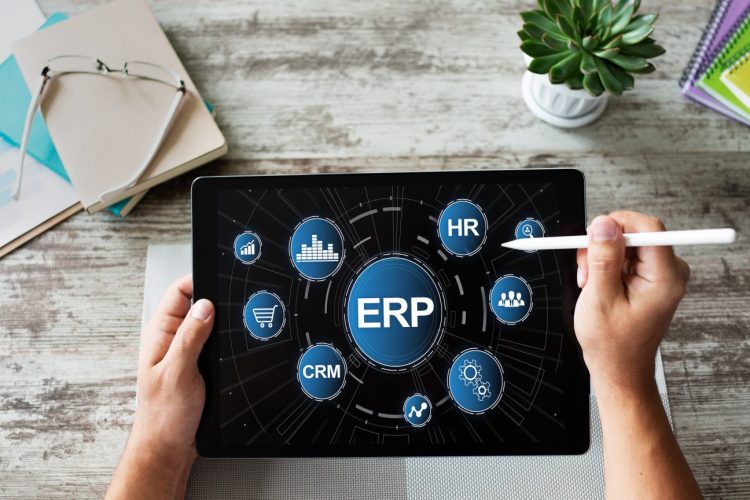
One of the answers for streamlining and integrating cloud use is to use an enterprise resource planning (ERP) system.
What is an ERP System?
An ERP system is one large cloud platform that incorporates tools that can handle processes for multiple areas of your operations. You can think of it as buying a “package” instead of sourcing individual pieces that may or may not work together.
If an ERP tool was a vacation, it would be the package that included your flight, hotel, meals, attraction tickets, etc. rather than purchasing each item separately and dealing with multiple vendors.
Enterprise resource planning platforms can vary by vendor, but most will come with tools that cover technology processes for these areas of a business:
- Customer Relationship Management (CRM’s)
- Human Resources
- Accounting
- Sales
- Procurement
- Production/Manufacturing
- Distribution/Shipping
- Inventory Management
The Benefits of Using an ERP Platform
Using a package of cloud tools instead of an à la carte method can have several advantages that impact cost and efficiency:
Improved User Productivity
If users have to learn several different cloud platforms that each have their distinct own user interface, it can slow them down when they are switching from one to another and cause confusion.
However, with an ERP system each tool in the platform is designed with a cohesive user interface. This means employees are learning one main system that translates to the different tools they use. This can speed up their daily processes and make new employee onboarding faster. It also helps decrease the amount of employee turnover because they have what they need to do the job properly and it is user friendly.
Lower Costs for Cloud Tools
Just like any package you purchase, you are going to pay less than if you bought each component separately. That is the case with ERP systems as well.
Rather than paying for multiple cloud subscriptions for a variety of different tools, all your tools are included in a single monthly fee that will typically be less than subscribing to the same cloud apps separately.
Choose What You Want – Scalability
Some users shy away from an ERP platform because they think it is going to have far too many things that they don’t need and they will end up paying for applications that are not pertinent to their business.
ERP systems are designed to allow you to add on modules as you need them. For example, you may not need applications that facilitate warehousing and distribution right now. In that case, you can just leave that module off your plan.
However, if you decide to begin warehousing and shipping next year, it can easily be added onto your subscription. You can scale the applications to your needs.
Shared Database & Integration
Approximately 45% of paid manual processes can be automated with the right technology.
Some of the efficiency roadblocks companies face when they are using applications from different vendors are:
- Difficulty integrating/connecting the tools for automation
- Having to rekey data from one app into another
- Not having all customer data in a single place
- Duplicate processes happening in different cloud tools
One of the biggest efficiency benefits of using an ERP is that each tool can access a shared central database of information. This reduces the need to enter the same data in two different tools. It also makes automation between apps seamless because they are already natively integrated.
Improved Customer Experience
If your sales team is using one type of software and your customer support team is using another, disconnects can negatively impact customer experience.
For example, you can have a salesperson call a customer to follow up on a recent sale who does not realize that customer has called in earlier that day with a complaint that needs to be addressed.
33% of customers say their biggest support frustration is having to repeat themselves to multiple support staff.
When all applications in your ERP system are accessing a shared database of customer accounts, that means any contact logged into a CRM is instantly shared with a Sales platform as well as an accounting or shipping record for that customer.
This streamlines your customer communications and improves your customers’ experience with your company.
Improve Your Processes and Strengthen Your Bottom Line
Sound Computers can help your business solve “cloud overload” and streamline your processes for efficiency and productivity.
Contact us today to schedule a free consultation. Call 860-577-8060 or reach us online.

Cloud computing has been one of the biggest game changers for all businesses and especially for small business owners. Online cloud solutions have enabled companies to work from anywhere, facilitate information sharing and pay for just the services they need.
Over the last 10 years, most companies have adopted at least one cloud service and many use more than one. Everything from hosted email to cloud file storage has transformed the way Connecticut businesses operate.
87% of companies say they have had business growth since they adopted cloud computing.
Now the challenge is deciding which cloud solutions can make the biggest impact on your bottom line and learning how to use them effectively.
You will want to avoid “subscription overload” where you end up with subscriptions to several cloud services that can do some of the same things.
Optimizing also means looking at everything you do in your business and seeing where a cloud upgrade might save you money.
Here are some of the best cloud solutions you can use to save money and increase productivity:
Cloud-Hosted Email
People spend a good portion of their day reading and sending email. Optimizing your use of email and making it easily accessible means less time spent in your inbox and fewer missed messages.
Cloud hosted email improves productivity by offering a number of benefits which includes the following:
- Savings on administrative costs
- Ease of access online and on any device
- High availability
- Automatic updates
- Integrations with other cloud programs to share calendars, tasks and more
VoIP Phone Systems
One of the biggest cost savings a business can see by switching to a cloud solution is by upgrading to internet-based VoIP phones.
Small businesses can reduce their phone costs by more than 50% by switching to a cloud phone system as well as gain a ton of time-saving features.
Benefits like auto-attendant and voicemail to text streamline communications and can help small businesses respond to customers faster.
Another big advantage of using a VoIP phone system is business continuity. If you cannot work at your office for any reason (like a pandemic), you can still answer your phone lines from anywhere and avoid downtime.
Cloud CRM Programs
Most businesses have communications coming in from their customers from a variety of areas, such as webform, chat, phone and email. One problem this poses for small businesses is how to keep all those communications in one place.
For example, if you are answering a customer email from yesterday, how do you know they have already gotten their question answered over the phone by your co-worker this morning?
That type of disconnection in customer communications can lead to wasted time and poor customer service.
A cloud CRM program allows you to bring all your customer communications into a single place. They are all nicely organized under each lead or customer name so no one misses an important dialogue.
Programs like Zendesk and Zoho CRM also make it easy to access them from any location. This makes it much easier for you to transition to a remote workforce if you need to.
Cloud Storage & File Sharing
As recently as 15 years ago, businesses were still struggling with emailing file attachments back and forth and running into file size problems.
With today’s cloud storage programs, not only is storage cheap but it also makes life much easier and more efficient.
Imagine you are sending a proof to a client to review that has a size of 25MB. Most email servers will reject this due to the size. Cloud storage enables you to simply send a download link to the file instead of spending time trying to figure out what to do.
Cost saving benefits of cloud storage include the following:
- Low price for storage space (many offer several GB for free)
- Makes file sharing efficient and less time-consuming
- Allows you to password protect files or folders
- Keeps all company communications in one place
- Reduces the risk of file loss due to a hard drive crash
Cloud Productivity Platforms
The biggest cloud productivity platform is Office 365 but there are also others out there such as G Suite. These “all in one” office productivity solutions feature software that teams use on a daily basis for word processing, spreadsheet creation and more. They also offer features you can only find in the cloud.
You only pay for the subscriptions you need and are not stuck purchasing software that goes unused. You also have the benefit of always having the most updated version of an application.
The ability to use your software from any computer or mobile device improves productivity and collaboration.
Team Messaging Apps
Tools like Slack, Workplace and Microsoft Teams have been transforming the way offices communicate. Instead of having to go through tons of back and forth emails for interoffice communication, team chat allows real-time dialogue that is more efficient.
Team messaging apps are designed to organize communication into channels based on department, project or another topic. They also incorporate audio and video, making it easy to touch base and brainstorm from anywhere.
Get Help Customizing Your Cloud Solutions
Sound Computers can help you set up cost-saving cloud computing solutions and customize them to improve productivity and save time.
Contact us today to schedule a free consultation. Call 860-577-8060 or reach us online.

There are multiple pieces that need to be put together properly for everything to function well when constructing a building. There are electrical connections, pipes and plumbing, an HVAC system and many other necessary components.
If those pieces are put in without consideration for each other, you could end up with rooms that don’t have enough heat or pipes that end up running into solid walls.
Your business IT network is similar. There are many different parts that need to be considered when planning your technology infrastructure. These can include things like:
- Computers & other devices
- Wireless router
- Local area network (LAN)
- VoIP phone network
- Email network
- Remote workers
- IoT devices
If you are purchasing computers and other equipment piecemeal and adding it as you go to your office, you could end up with a business network that doesn’t serve you well and is disjointed.
Some of the problems you can run into with a poorly planned network are:
- Slow connections
- Constant drops of your internet connection
- Devices that can’t share data
- Endpoint security problems
- Lost business data
- Inability to properly serve your customers
Creating a Strong Technology Backbone for Your Company
Your business network is really the backbone of your company. Your network supports communication with your clients, vendors and the team within your organization. It ensures you can connect to cloud applications when you need them and, basically, just keep your business running in this technology-driven world.
When our experts at Sound Computers work on strategic network planning for Connecticut businesses, we look at the entire network structure and how each piece connects to the other.
Here are some of the important considerations when planning a great business network that will not only support you today, but also your growth for tomorrow.
Decide What Should Be Wireless & What Can Be Local
You can connect everything to your wireless network if you like but that is not very efficient. A local connection is faster than wireless and you avoid slowdowns due to network congestion that might come from a co-worker uploading or downloading a large file.
If computers in an office need to access an onsite server, that is something that you will want to connect locally where possible.
A strategic mix of wired and wireless networks can improve the speed and quality of all your network connections overall.
Plan an Efficient Communications Network
Your network is what enables you to communicate with your customers from anywhere. It plays a big part in your overall level of customer service.
Are you able to answer calls just as easily when you are on the road as when you are at the office?
Do you have an email system that can alert you when an important customer message comes in?
Customer service is one of the most important factors when people decide to do business with a company. 90% of surveyed consumers rate an “immediate” response as important and 60% of them define that as 10 minutes or less.
Parts of your communications network that you should optimize with help from an IT professional include your email communications network and VoIP phone system.
Enable Efficient Remote Server Access
Your remote network is especially important now due to stay at home orders because of the pandemic. It is also an important part of your business network strategy that can enable easy access to programs and files whenever and wherever you need them.
Optimizing your remote access network can ensure security of remote connections so hackers can’t exploit them. It can also facilitate fast connections so you are not waiting ages on a cursor to move when logged in remotely.
Have Your Networking Done Properly
When a network is not installed properly, you can end up with a tangle of cables, inefficient connections and safety issues.
Networking should be laid out and installed by a professional. This provides several important benefits such as:
- Your network is installed according to safety standards
- Your network is optimized for high-quality communications
- Easy to expand your network in the future without major cost
- Reduces the risk of dropped connections
- You have the support you need when you have a question.
Look at Different Types of Wireless Router Devices
As your office grows, so do your wireless network demands. If you are using a single wireless router, you can end up with traffic congestion and problems like weak spots or signal dead zones in certain areas of your office.
You want to explore your options as you grow by looking at other solutions like mesh networks. Mesh networks are like having an army of tiny routers placed throughout your building. They give an overall blanket of strong Wi-Fi connection and make it easy to extend your network farther when needed.
Get Help with Your Network Strategy from Sound Computers
Sound Computers can help you ensure all parts of your business network are installed securely and running efficiently to support your company’s needs.
Contact us today to schedule a free consultation. Call 860-577-8060 or reach us online.

This era has put every single organization in the whirl of technology so now most enterprises are utilizing computer technology to run their businesses. In fact, a recent case study shows that we have over 2 billion computers in the world as of 2019. Moreover, we have 5.11 million unique mobile users too! Many companies have entire IT departments while others hire a professional or two to cater to digital needs.
Read more
Strategic approaches and innovations are part and parcel of informational technology and related fields. Managed service provider (MSP) is another innovation that is partially related to the subscription model. (For more information on what an MSP is, visit this site for more information.)
The majority of the companies are more toward the services which are in the market and required by the IT support. They don’t feel the need of using the services which are related to a subscription model or the relatively new services.
Reasons for using MSP:
One of the reasons for the rapidly growing popularity of Managed Service Provider is the factor of stability. The MSP ensures the stability of the clients and is said to be inexpensive as well. However, another reason why companies are preferring MSP can be the usage of cloud servers. Companies are now digitizing their operations and for that they are using MSP.
MSP and IT support:
Managed Service Provider helps the company to notice the technical issues beforehand. This helps the company to understand the minor issues and also eradicates the chance of losses. However, regular maintenance and proactive services are required by the company to make sure that the network runs smoothly and effectively.
Benefits of utilizing MSP:
Managed Service Providers can be amazingly beneficial. This is especially true for the companies that need technical support and expertise. Maintaining the IT infrastructure can be difficult for companies which is one of the reasons for the preference of MSP. Mitigating the security threats and increasing the life span of the devices are two important factors of the Managed Service Provider.
1. Centralizing the network: System centralization is extremely beneficial as it consumes all the data in a single unit which helps in centralizing the network. Moreover, centralization speeds up the processes and improves the company data.
2. Increased support: System management and continuous monitoring help the IT system to be upgraded with no risk and increased cost. The systems will be updated without any support.
3. Efficient IT budget: MSP helps in budgeting the IT services in the most efficient manner. MSP will allow the systems to be updated without any extra cost which will eventually decrease hardware and maintenance costs.
4. Security and safety of the data: Outsourcing the data with MSP is no longer problematic as MSP is designed in such a way that it ensures the data management regulations and provides backup of the systems.
5. High-level productivity: MSP addresses the technical issues beforehand which saves a lot of time and money. Therefore, with the help of MSP, there will be minimal system failures and breakdowns which will help the employees to work more efficiently and productively.
6. Accountability of the service provider: The specialists associated with MSP are professional people with extensive IT knowledge which can help and guide you at every step. The employees can focus on their work while the assigned specialist takes care of the IT issues.
Nonetheless, to use any service one needs to study and explore it. To get a reliable service, you must look for a specialist who can guide you through the whole process.