
When tragedy strikes your company (whether through a cyber assault, hardware failure or an unplanned act of nature), the impact can be severe. The difference between a brief inconvenience and a complete operational shutdown often comes down to your data backup and recovery solution.Read more
AI is going to change how we are working. It can make some tasks easier. Using AI for work can also cause problems. Let’s look at some ways AI can make working tricky.
What is AI and How Does It Affect Work?
AI stands for Artificial Intelligence. The computer systems are actually able to do the things that normal and regular human intelligence can do. It can support many jobs. It can write, analyze data and can even create art.
However, it is not perfect. It also can go wrong.
Where can AI go wrong?
Incorrect Information
AI sometimes provides wrong information. It may mix up facts or use data that is too old. This can cause huge problems in the workplace.
Weird Outputs
AI can also make strange mistakes. It may write utter nonsense or create odd images. This can be a waste of time and cause confusion.
Can AI Be Biased?
AI can be biased. It learns from data given to it by humans. If that data has bias in it, the AI will too. This can lead to unfair decisions in the workplace.
How does AI affect jobs?
Job Loss
Some people fear that AI will steal their jobs. It can perform certain tasks more quickly and for less money than humans. This could result in fewer jobs in some industries.
New Skills Needed
AI also needs workers to acquire new skills. Workers need to learn to work with AI (which can be challenging for some workers).
Is AI always reliable?
AI is not always reliable. It can malfunction or break down. This causes a big problem if the workers are dependent on it and it fails.
How Does AI Affect Teamwork?
AI can alter how teams are working. Certain tasks become solo work with AI. This may decrease teamwork and creativity.
What About Privacy and AI?
AI requires a lot of data to function properly which can raise several privacy concerns. Workers may be concerned that AI will view their personal information or work habits.
AI can also create legal issues. There are questions about who owns work created by AI. There are also concerns about it making biased decisions.
How Can We Use AI Safely at Work?
To use AI safely at work:
- Check AI outputs carefully.
- Keep humans in charge of big decisions.
- Train workers to use AI well.
- Have clear rules for AI use.
- Stay up-to-date on AI laws.
Get Started With AI at Work
AI can be helpful at work but it is not perfect. We need to use it with care. If you have questions about using AI at your job, contact us today. We can help you use AI in a smart and safe way.
We make, change and delete things on our devices all the time these days. Have you ever thought about what really happens when you press the remove key? The process is a lot trickier than you might think and knowing how it works can be very important for protecting your info and getting it back. This piece will go into great detail about how to delete a file, looking at where deleted files go and what it means for users and businesses alike.Read more

In today's fast-paced digital world, staying up-to-date with technology is crucial for both personal and professional success. As our device ages, it can become less efficient, slower and incompatible with the latest software and applications.

In today's digital age, storage capacity has become a crucial factor in our daily lives. From smartphones to laptops and tablets to gaming consoles, the amount of storage we need continues to grow as we consume and create more digital content. This comprehensive guide will help you understand device storage, its importance and how to determine the right amount for your needs.Read more
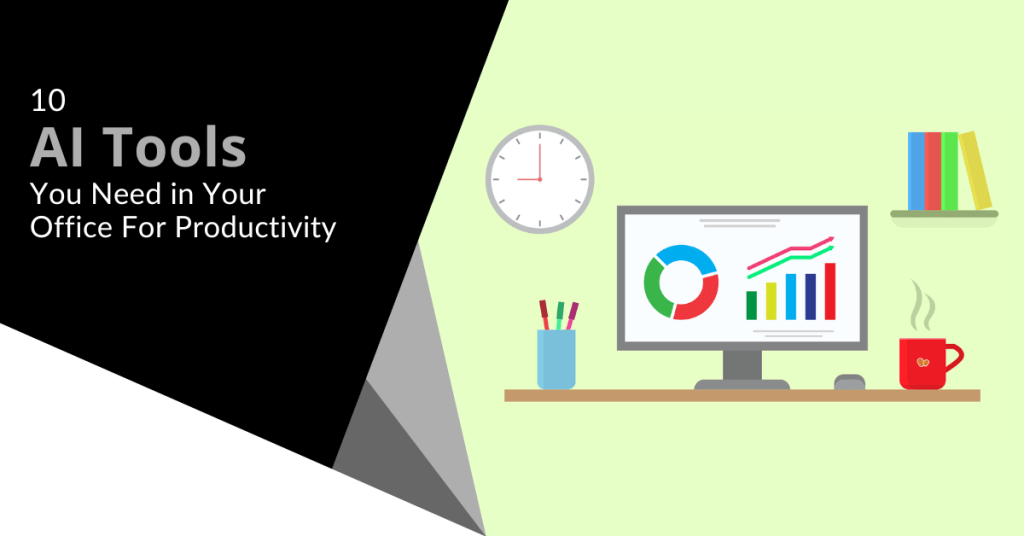
In today’s fast-moving world, everyone wants to work wiser and not harder. The involvement of AI tools will definitely help you do just that. They can make your work easier and faster. Let’s explore some AI tools that can boost productivity in your office.
What are AI Tools?
AI tools are software programs that use artificial intelligence. They help users in completing their tasks in an efficient and effective manner. Over time, these tools are able to learn from data. These tools are like intelligent assistants that assist you in completing your work.
In What Ways Can AI Tools Help with Time Management?
Time management is crucial for productivity. AI tools can help you manage your day better. They can schedule meetings, remind you of events and even suggest the best times to take breaks.
Smart Calendars
Smart calendars use AI to manage your schedule. They can determine the best times for meetings based on everyone’s availability. They can also send reminders so you don’t forget important tasks.
Task Managers
Task managers keep you on track about what to do. AI-enabled task managers can even put your tasks in order by deadline or urgency. That way you focus on what really matters.
Can AI Improve Communication?
Communication is key in any office. AI tools can make communication faster and clearer. They can help with emails, meetings and even language translation.
Email Assistants
Email assistants use AI to sort your inbox. They can filter important emails and even draft replies for you. This saves time and reduces stress.
Virtual Meeting Helpers
Virtual meeting helpers use AI to transcribe meetings in real time. They can also highlight key points and action items. This makes it easy to review what was discussed later.
How Do AI Tools Enhance Data Analysis?
Data analysis is a core element of informed decision-making. AI-powered tools can analyze large volumes of data in the shortest time. They provide insights that will help you make better choices.
Data Visualization Tools
Data visualization tools create simple charts and graphs that are easy to understand. AI helps them identify trends and patterns in the data.
Predictive Analysis
Predictive analytics make use of AI to forecast the future with the help of data related to the past. It helps the businesses plan in a better way and move ahead of the competition.
Does AI Help in Creative Tasks?
It is not just about numbers and schedules. AI can be helpful in creative tasks such as writing, designing and coming up with new ideas.
Writing Assistants
Writing assistants can help with grammar checks and content ideas.
Design Tools
Design tools powered with AI will create stunning visuals in a jiffy. They offer templates and design suggestions based on current trends.
Are There AI Tools for Customer Service?
Customer service is vital for any business. AI tools can improve how you interact with customers. They give quick responses and solutions to questions.
Chatbots
Chatbots are AI programs that chat with customers online. They answer questions instantly and are available 24/7.
Sentiment Analysis Tools
Sentiment analysis tools use AI to understand customer feelings from their messages or reviews. This helps businesses respond appropriately and improve customer satisfaction.
What are the Advantages of AI Tools?
Using AI tools in your office has several advantages. They save you from tedious work and give you much more time to devote to something more important.
Most of these tools are very easy to use and many integrate well with other software. This makes them convenient for adding into your setup.
The type of AI tool you choose would depend on your needs. Identify the areas where you need help like time management or communication.
Next you should research different tools available in those areas. Look for user reviews and try free trials if available.
Ensure that the tool is easy to use and fits within your budget. Ensure it integrates well with other tools you use in your office as well.
Boost Office Productivity
AI-driven productivity tools are changing the way we do things daily. The result? Easier, faster and more efficient execution.
Ready to give productivity in your office a boost? It may be time to integrate some of these smart tools into your workflow today! Contact us for more information on how we can help you determine what tools best suit your needs.

Cyber hygiene is super important. It is like brushing your teeth but for your online life.
Good cyber habits help keep you safe from hackers on the internet. Let’s check some easy ways to stay safe online in 2025.
What is Cyber Hygiene?
Cyber hygiene means the care you give to your online stuff. This includes keeping your devices and information clean and safe. Washing your hands stops germs. Good cyber behavior stops digital germs like viruses and hackers.
Why is it Important?
Criminals online always try new tricks to get your info or mess up your gadgets. Good cyber hygiene stops them. It keeps your stuff private and your devices working well.
How Can You Improve Your Passwords?
Passwords are like keys to your online home. You want them to be strong. Here are some tips:
Use Long Passwords
Longer passwords are harder to guess. Try using a sentence. For example, “I love eating pizza on Fridays!” is a good password.
Mix it Up
Use different types of characters. Mix in numbers, symbols and both big and small letters. “I<3EatingPizza0nFridays!” is even better.
Don’t Reuse Passwords
Use a unique password for each account. If someone steals one, the others stay safe.
Why Should You Update Your Software?
Updating your software is like getting a flu shot. It protects you from new threats. Here is why it is important:
Fix Security Holes
Updates usually fix problems in your software. These are holes that bad guys can use to get in. Updating closes these holes.
Get New Features
Updates can also give you new cool stuff. Your apps may work better or do more things.
Set Automatic Updates
Turn on automatic updates when you can. Then you don’t need to remember to do it.
How Does Two-Factor Authentication Work?
Two-factor authentication is like putting two locks on your door. It makes it harder for bad guys to break in. Here is how it works:
What is 2FA?
2FA needs two things to prove it is you. Usually, one thing is your password. The second thing might be a code sent to your phone or your fingerprint.
Why Use 2FA?
If someone steals your password, they still can’t get in. They don’t have the second thing. It is much safer.
Where to Use 2FA
Use 2FA on all your important accounts. These include email, banking and even social media.
Are You Being Careful on Public Wi-Fi?
Public Wi-Fi can be very dangerous. It is like yelling in a crowded place. Anyone could listen. Here is how to stay safe:
Using a VPN
A VPN is like a secret tunnel to the internet. It keeps your information private even on public Wi-Fi.
Avoid Sensitive Tasks
Don’t do banking or shopping on public Wi-Fi. Wait until you’re on a safe network.
Turn Off Auto-Connect
Don’t let your device connect to any Wi-Fi network by itself. It might connect to a fake or bad network.
How To Identify Phishing Scams?
Phishing is when a bad guy tries to trick you into giving away your information. It is like a fake fisherman trying to catch you. Here is how to avoid the hook:
Check the Sender
Look closely at who sent the message. Scammers often use names that look real but are not.
Don’t Click Suspicious Links
If a link looks weird, don’t click it. Move your mouse over it to see where it really goes.
Be Wary of Urgent Messages
Scammers often say you need to act fast. Real companies rarely do this.
Are You Backing Up Your Data?
Backing up is like making copies of your important papers. If something bad happens, you don’t lose everything. Here is why it is important:
Against Ransomware
Ransomware can lock up your files. With backups, you can tell them to go away.
Recover from Accidents
Sometimes we delete things by mistake. Backups let you get them back.
Use the 3-2-1 Rule
Keep 3 copies of your data on 2 different types of storage with 1 copy off-site.
How Often Should You Review Your Privacy Settings?
Your privacy settings are like curtains on your windows. They let you control what others see. Check them often:
Schedule It
Check your privacy settings every few months. Write it down so you don’t forget.
Check All Your Accounts
Don’t forget about old accounts. If you don’t use them, close them.
Limit What You Share
Only share what you need to. The less you share means the safer you are.
Are You Teaching Your Family About Cyber Safety?
Cyber safety is for everyone in your family. It is like teaching kids to look both ways before crossing the street. Here is how to spread the knowledge:
Make it Fun
Use games or tell stories to teach about cyber safety. It is easier to remember that way.
Lead by Example
Show good cyber habits to your family. They learn by watching you.
Talk About Online Experiences
Have open talks about what happens online. That keeps everyone in your house safe.
Want to Level Up Your Cyber Hygiene?
Good cyber hygiene protects you from online bad guys in 2025. Use strong passwords, update your software and be careful on public Wi-Fi. Watch out for phishing scams. Always back up your data. Check your privacy settings and teach your family about online safety.
Want to know more about staying safe online? We can help! Contact us for more tips on cyber hygiene. Let’s make your online life easier and safer together!
In today’s digital age, protecting sensitive information has become more crucial than ever. With cyber threats evolving rapidly, individuals and businesses must adopt robust strategies to safeguard their data. This comprehensive guide will explore effective methods for secure file storage and transfer to help you maintain the confidentiality and integrity of your valuable information.Read more
In today’s digital age, our lives are increasingly intertwined with technology. While this connectivity brings numerous benefits, it can also lead to digital clutter that impacts our productivity and peace of mind. As we step into 2025, it is the perfect time to streamline our digital lives and create a more organized and efficient digital environment. This article will explore nine practical tips to help you with decluttering your digital space so you can start the year off on the right foot.Read more
Threat Exposure Management (TEM) is an important cybersecurity tool. It helps organizations find and fix weak spots in their digital systems. TEM outsmarts hackers before they break into your network.
Importance of TEM
Cyber attacks keep getting worse. Hackers always find new ways to break in. TEM helps businesses spot problems before they become big issues.
TEM allows you to:
- Find weak points in your network
- Fix issues quickly
- Reduce your risk of cyber attacks
How TEM Works
TEM uses special software to scan your entire network. It finds places hackers could attack and helps you fix these weak spots.
Continuous Monitoring
TEM keeps looking all the time. This way you can find new problems as soon as they appear.
Risk Assessment
TEM finds which weak spots are the most dangerous. This helps you fix the most important ones first.
Main Parts of a TEM Program
Asset Discovery
This finds all devices and software on your network. You can’t protect what you don’t know about!
Vulnerability Scanning
This looks for open weak spots in your system. It is like checking for unlocked doors in your house.
Threat Intelligence
This teaches about new hacker tricks. It helps you know what to look for.
Remediation Planning
Once you find weak spots, you need a plan to fix them. TEM helps you make good choices on how to patch these spots.
Benefits of TEM for Your Business
Better Security
Finding and fixing weak spots makes your whole system safer.
Cost Savings
Stopping an attack before it happens can save you a lot of money. Cleaning up after cyber attacks is expensive.
Peace of Mind
With TEM, you know someone watches your system all the time. This can help you worry less about cyber attacks.
What to Look for in a TEM Tool
A good TEM tool should:
- Be easy to use
- Give results right away
- Work well with your other security tools
- Make reports that are easy to understand
Getting Started with TEM
- Check your current security setup.
- Find a TEM tool that fits your needs.
- Set up the tool and start scanning.
- Make a plan to fix the weak spots you find.
- Keep scanning and improve your security.
Enhance Your Cybersecurity
TEM is smart protection that keeps your business safe from cyber attacks. It finds problems before they become big troubles.
Want to learn more about how TEM can help your company? Contact us today for help staying safe in the digital world.