
Walk into almost any IT department right now and you will hear the same conversation at least once a week: “Have you tried that new AI tool yet? I heard it’s a game-changer.”
The truth is that the market is buzzing with promise and noise. A recent McKinsey survey shows that 78% of companies now use AI in some form and that number is climbing.
Plenty of software promises to slash workloads, automate everything and make teams ‘future-proof.’ Some deliver on that promise. Others feel rushed to market just to ride the hype. For IT businesses, knowing the difference is essential to staying relevant.
Why AI Feels Different This Time
AI isn’t new. However, something has shifted over the last two years. Models have become better at understanding context, generating original content and juggling multiple formats at once.
Under the hood, the big three technologies driving this shift are:
- Machine Learning (ML): These are the systems that improve with every dataset they touch. It is what makes recommendation engines get eerily accurate over time.
- Natural Language Processing (NLP): The bit that lets a machine understand your request when you type, “Can you pull the latest metrics from that report?” and not just spit out a keyword search.
- Generative AI: The creative side of AI that builds something from scratch: a paragraph, a code snippet, an image or even a full video.
The “multimodal” wave where one tool can manage text, images, audio and video without switching modes is what is pulling this technology out of niche use cases and into daily operations. It is also why even cautious IT managers are starting to experiment.
The Tool Categories Worth Knowing
If you try to track every AI launch, you will burn out. Instead, it helps to think in broad categories and pick a few to watch.
1. Chatbots & Virtual Assistants
Not the clunky one-question-at-a-time bots we remember from a few years ago.
- ChatGPT now handles images, audio and real-time conversation and it remembers your preferences over time.
- Google Gemini slots directly into Gmail, Sheets and Docs. It is handy if you already live in Google Workspace.
- Grok AI leans toward problem-solving and data-heavy reasoning and pulls in live info when needed.
2. Content Creation
For marketing, documentation or client proposals, the tools below can shave hours off a job.
- Jasper AI: Aimed squarely at marketers with built-in SEO and formatting help.
- Anyword: Used to tweak tone for specific audiences.
- Writer: Used to keep enterprise-level brand voice consistent.
3. Image & Design
From mockups to campaign graphics, AI visuals are no longer a novelty.
- Midjourney is the favorite for striking and artistic visuals.
- Stable Diffusion gives you full creative control if you have the technical chops.
- DALL·E 3 is simple to use inside ChatGPT for quick edits and iterations.
- Google Imagen 3 is precise and can handle prompts in multiple languages.
- Adobe Firefly keeps everything legally safe for commercial projects and feeds straight into Photoshop.
4. Video & Storytelling
Not just for marketing teams anymore. Training, onboarding and even client walkthroughs benefit here.
- Runway ML combines AI image generation with video editing.
- Descript and Filmora handle editing, transcription and polishing without requiring a pro studio.
5. Search & Research
Finding the right information can matter more than creating something new.
- Perplexity AI blends live search with AI summaries so you are not guessing about accuracy.
- Arc Search speeds up web research with on-the-fly summaries.
6. Productivity & Collaboration
These are the quiet workhorses. They include:
- Notion AI and Mem: Used to surface the right knowledge at the right time.
- Asana, Any.do and BeeDone: Project tools used to schedule and keep track of tasks.
- Fireflies and Avoma: These meeting assistants can take notes so your team can actually talk.
- Reclaim and Clockwise: These calendar managers make meetings less of a Tetris game.
- Shortwave and Gemini: Email helpers for Gmail to keep inboxes sane.
Where IT Businesses Can Actually Win
The real advantage isn’t “using AI.” It is using it to make something easier, faster or better for either your team or your clients. That might be automating repetitive monitoring tasks, generating clearer client reports or cutting turnaround time for proposal writing.
It is not without its challenges:
- Integration: The coolest new tool is useless if it can’t connect to your stack.
- Data accuracy: AI still makes mistakes. Fact-checking is non-negotiable.
- Security: If a tool sends your client data outside your environment, you need to know exactly how it is stored and processed.
- Adoption curve: Even great tools flop if nobody takes the time to learn them.
Getting Started Without Wasting Time
If you are evaluating AI for your IT business, here is a simple starting path:
- Pick one problem that is slowing you down. Maybe your project documentation is always late or client Q&A eats up hours.
- Test two or three tools aimed at solving that problem. Use the free or trial tiers. Run them against real scenarios.
- See how they play with your systems. Integration is often the make-or-break factor.
- Roll out slowly. One team, one workflow and one clear measure of success. If it works, expand.
It is tempting to load up a dozen tools and hope they magically boost productivity. Many times that leads to confusion, redundant features and frustrated staff.
A Final Thought (and a Bit of Caution)
AI isn’t going away and ignoring it won’t make the competitive pressure disappear. The current lineup of tools can be incredibly powerful but they’re not magic. Think of them like a new hire. They can do great work but they need guidance, guardrails and a clear role.
Start with the jobs that nobody loves doing like the ones that are repetitive but still important. Let AI take the first draft, the first pass or the heavy lifting. Keep the oversight with your team. That is where it stops being hype and starts being useful.
If you’re not sure where to begin, try one experiment this quarter. Small steps now will make bigger moves easier later.
Contact us if you want help figuring out which AI tools actually make sense for your IT business and which ones you can safely skip.

Running a small business means wearing a lot of hats. These hats run from managing operations and handling customer inquiries to keeping everything running smoothly. There is a solution that can lighten the load and it is called AI-powered automation. Thanks to technological advancements, these tools have become more accessible and cost-effective than ever to allow small business owners to automate tasks they previously needed to handle manually.
No need to break the bank or hire a large team. AI can handle much of your busy work and free you up to focus on more important aspects of your business. Whether you are a solopreneur or managing a small team, AI can step in as your virtual assistant to improve efficiency and streamline operations.
If you are looking to dive deeper into how AI can transform your business, this blog post discusses how you can automate daily tasks and free up your time. We will show you how to leverage affordable AI tools to save time, cut down on repetitive tasks and boost your business efficiency.
Why Does AI-Powered Automation Matter for Small Businesses?
Small businesses often lack the resources for large teams or expensive enterprise-level software. That is where AI comes in. With the right tools, small businesses can automate repetitive tasks and processes. This allows them to reduce manual workload, cut down on errors and increase overall productivity.
AI-powered automation enables small businesses to scale up operations without hiring additional staff. It doesn't replace your team but enhances their capabilities to give them more time to focus on strategic tasks that drive growth. Whether it is customer service, scheduling or marketing, there is an AI solution that can help.
Smart Ways to Automate Daily Tasks and Free Up Your Time (Without a Huge Budget)
There are many ways you can use AI for efficiency in your daily tasks and get back more time in your day without blowing your budget. Whether it is using simple AI tools or automating repetitive administrative work, small changes can make a big difference. Here are a few smart ways to get started.
1. Automate Customer Support Without Losing the Personal Touch
Customer support is a critical part of any business but it can also be incredibly time-consuming. By using AI, you can maintain excellent service while saving time and energy. The goal here is to automate common tasks without compromising customer satisfaction.
Use AI Chatbots for First-Line Support
AI-powered chatbots (like Tidio or Chatfuel) can handle frequently asked questions, schedule appointments and collect customer information automatically. These chatbots can respond instantly to offer around-the-clock service without requiring additional staff.
The Benefit: AI chatbots save you time by addressing customer inquiries immediately. They are available 24/7 to ensure that your customers never need to wait for a response.
Smart Email Assistants
AI tools like Zendesk AI or Freshdesk can read incoming emails, categorize them and even suggest replies. Some platforms go a step further and can automate responses to common questions. It allows you to focus on more complex customer issues.
The Benefit: These tools help you manage your inbox efficiently to reduce the manual work of sorting and responding to every single email.
AI-Enhanced Customer Feedback
AI tools like Survicate or Qualaroo can analyze customer feedback in real-time to spot trends and highlight areas for improvement automatically. This gives you the ability to act on customer insights faster and more effectively.
The Benefit: You can make data-driven decisions to enhance your customer service and ensure a better customer experience while minimizing the time spent analyzing feedback.
2. Streamline Scheduling and Calendar Management
Scheduling meetings, appointments and events can quickly become a logistical nightmare. AI tools designed for scheduling and calendar management can save you countless hours and headaches. Here is how you can streamline scheduling and calendar management:
Let AI Handle Your Calendar
AI-powered tools like Calendly and Reclaim.ai can automatically suggest meeting times and take into account everyone's availability, time zones and preferences. They can even buffer in break times and avoid double bookings.
The Benefit: You spend less time on back-and-forth emails trying to figure out when everyone is available. Your calendar stays organized and optimized without you lifting a finger.
AI-Powered Appointment Booking
If you offer services or consultations, tools like Acuity Scheduling let clients book appointments directly from your calendar. These tools also sync with other platforms like Zoom or Google Meet to make it easy for your clients to schedule time with you.
The Benefit: Customers can easily schedule meetings or services without the need for human intervention which can streamline the process for both you and your clients.
Optimized Time Allocation
AI tools like TimeHero or Trello use data and patterns from your calendar to suggest the most efficient way to allocate your time for various tasks. This can help you stay on track and focus on high-priority work while automating less critical scheduling.
The Benefit: You can optimize your workday based on intelligent time management suggestions to ensure you make the most of your working hours.
3. Supercharge Your Marketing Without Hiring an Agency
Marketing is essential for business growth but it can be time-consuming and expensive. AI tools can help you manage and enhance your marketing efforts without the need for a full marketing department or agency. You can use AI in the following ways to supercharge your marketing:
Create Content with AI Writing Tools
AI writing tools like Jasper AI, Copy.ai and ChatGPT can generate blog posts, social media content and email campaigns quickly and efficiently. These tools allow you to focus on strategy and creative direction while letting AI handle the bulk of content creation.
The Benefit: AI can write drafts for you which you can then fine-tune. This saves time when you need to create content frequently.
Automate Social Media Posts
Social media management platforms like Buffer or Later use AI to suggest the best times for posting, automatically queue content and even generate hashtags. This makes it easier to maintain a consistent social media presence without spending too much time on it.
The Benefit: AI ensures your social media posts go out at optimal times to drive more engagement and keep your brand active online without the hassle.
AI-Driven Analytics for Better Decision-Making
AI tools like Google Analytics and HubSpot can analyze the effectiveness of your marketing campaigns in real-time to provide insights into what is working and what is not. These tools help you make data-backed decisions to improve your marketing strategies.
The Benefit: You can optimize your campaigns by understanding what drives engagement and ROI. This allows you to invest in the right areas for growth.
4. Financial Tasks Made Easier
AI tools can take the guesswork and manual effort out of financial management. These help small businesses stay on top of their accounting, invoicing and payment reminders.
Use AI Accounting Tools
AI-powered accounting tools like QuickBooks Online and Xero automate tasks such as categorizing expenses, reconciling bank accounts and generating financial reports. These tools learn from your data and can even predict future cash flow.
The Benefit: AI helps you manage your finances efficiently to reduce the risk of errors and ensure that your accounts are always up-to-date.
Automate Invoice Generation and Payment Reminders
Tools like Wave and Zoho Books let you generate invoices automatically and send payment reminders when bills are due. AI can track overdue invoices and send follow-up emails. It helps save you the time and stress of chasing payments.
The Benefit: Automated invoicing and reminders help you maintain cash flow and reduce the chances of late payments.
Financial Forecasting with AI Insights
AI tools can predict future financial trends based on past data. With tools like Fathom or Float, you can forecast revenue, track expenses and make data-driven financial decisions to ensure your business remains profitable.
The Benefit: You gain a better understanding of your business' financial future. It allows you to plan for growth and prepare for any potential financial challenges.
5. Internal Team Collaboration & Workflow Automation
Teams often rely on multiple software tools to collaborate but that can lead to a disjointed workflow. AI tools that integrate with existing systems can automate the handoffs between apps and ensure everyone stays on the same page. Here is how AI tools can enhance team collaboration and workflow automation:
Automate Repetitive Team Tasks
Platforms like Zapier and Make.com connect your apps and automate workflows. For example, when a new customer signs up their information can automatically be added to your CRM, sent to your email list and assigned to the right team member for follow-up.
The Benefit: By automating repetitive tasks, your team can focus on more important work and improve overall efficiency.
AI Note-Taking & Meeting Summaries
AI-powered tools like Otter.ai and Fireflies.ai can transcribe meetings and generate summaries automatically. This ensures that everyone has access to meeting notes without relying on manual note-taking.
The Benefit: Save time on post-meeting follow-ups and ensure no vital details are missed or forgotten.
Streamlined Project Management
AI-enhanced project management tools like Asana or Monday.com can help you assign tasks, track deadlines and monitor project progress. These tools integrate with your other business apps to provide a cohesive and real-time overview of your team's workload.
The Benefit: AI keeps your projects on track by proactively identifying potential bottlenecks and suggesting adjustments to ensure projects are completed on time.
Ready to integrate AI into your business?
If you are overwhelmed by daily tasks, it is time to consider AI-powered automation. You don't need a massive tech budget to take advantage of these tools. Start small by automating a couple of tasks, measure the time saved and then expand from there. These AI tools are affordable, scalable and designed to help small businesses streamline operations without sacrificing quality.
Contact us today to find the right solutions for your needs. It is time to work smarter and not harder.
AI is going to change how we are working. It can make some tasks easier. Using AI for work can also cause problems. Let’s look at some ways AI can make working tricky.
What is AI and How Does It Affect Work?
AI stands for Artificial Intelligence. The computer systems are actually able to do the things that normal and regular human intelligence can do. It can support many jobs. It can write, analyze data and can even create art.
However, it is not perfect. It also can go wrong.
Where can AI go wrong?
Incorrect Information
AI sometimes provides wrong information. It may mix up facts or use data that is too old. This can cause huge problems in the workplace.
Weird Outputs
AI can also make strange mistakes. It may write utter nonsense or create odd images. This can be a waste of time and cause confusion.
Can AI Be Biased?
AI can be biased. It learns from data given to it by humans. If that data has bias in it, the AI will too. This can lead to unfair decisions in the workplace.
How does AI affect jobs?
Job Loss
Some people fear that AI will steal their jobs. It can perform certain tasks more quickly and for less money than humans. This could result in fewer jobs in some industries.
New Skills Needed
AI also needs workers to acquire new skills. Workers need to learn to work with AI (which can be challenging for some workers).
Is AI always reliable?
AI is not always reliable. It can malfunction or break down. This causes a big problem if the workers are dependent on it and it fails.
How Does AI Affect Teamwork?
AI can alter how teams are working. Certain tasks become solo work with AI. This may decrease teamwork and creativity.
What About Privacy and AI?
AI requires a lot of data to function properly which can raise several privacy concerns. Workers may be concerned that AI will view their personal information or work habits.
AI can also create legal issues. There are questions about who owns work created by AI. There are also concerns about it making biased decisions.
How Can We Use AI Safely at Work?
To use AI safely at work:
- Check AI outputs carefully.
- Keep humans in charge of big decisions.
- Train workers to use AI well.
- Have clear rules for AI use.
- Stay up-to-date on AI laws.
Get Started With AI at Work
AI can be helpful at work but it is not perfect. We need to use it with care. If you have questions about using AI at your job, contact us today. We can help you use AI in a smart and safe way.
In today’s fast-moving world, everyone wants to work wiser and not harder. The involvement of AI tools will definitely help you do just that. They can make your work easier and faster. Let’s explore some AI tools that can boost productivity in your office.
What are AI Tools?
AI tools are software programs that use artificial intelligence. They help users in completing their tasks in an efficient and effective manner. Over time, these tools are able to learn from data. These tools are like intelligent assistants that assist you in completing your work.
In What Ways Can AI Tools Help with Time Management?
Time management is crucial for productivity. AI tools can help you manage your day better. They can schedule meetings, remind you of events and even suggest the best times to take breaks.
Smart Calendars
Smart calendars use AI to manage your schedule. They can determine the best times for meetings based on everyone’s availability. They can also send reminders so you don’t forget important tasks.
Task Managers
Task managers keep you on track about what to do. AI-enabled task managers can even put your tasks in order by deadline or urgency. That way you focus on what really matters.
Can AI Improve Communication?
Communication is key in any office. AI tools can make communication faster and clearer. They can help with emails, meetings and even language translation.
Email Assistants
Email assistants use AI to sort your inbox. They can filter important emails and even draft replies for you. This saves time and reduces stress.
Virtual Meeting Helpers
Virtual meeting helpers use AI to transcribe meetings in real time. They can also highlight key points and action items. This makes it easy to review what was discussed later.
How Do AI Tools Enhance Data Analysis?
Data analysis is a core element of informed decision-making. AI-powered tools can analyze large volumes of data in the shortest time. They provide insights that will help you make better choices.
Data Visualization Tools
Data visualization tools create simple charts and graphs that are easy to understand. AI helps them identify trends and patterns in the data.
Predictive Analysis
Predictive analytics make use of AI to forecast the future with the help of data related to the past. It helps the businesses plan in a better way and move ahead of the competition.
Does AI Help in Creative Tasks?
It is not just about numbers and schedules. AI can be helpful in creative tasks such as writing, designing and coming up with new ideas.
Writing Assistants
Writing assistants can help with grammar checks and content ideas.
Design Tools
Design tools powered with AI will create stunning visuals in a jiffy. They offer templates and design suggestions based on current trends.
Are There AI Tools for Customer Service?
Customer service is vital for any business. AI tools can improve how you interact with customers. They give quick responses and solutions to questions.
Chatbots
Chatbots are AI programs that chat with customers online. They answer questions instantly and are available 24/7.
Sentiment Analysis Tools
Sentiment analysis tools use AI to understand customer feelings from their messages or reviews. This helps businesses respond appropriately and improve customer satisfaction.
What are the Advantages of AI Tools?
Using AI tools in your office has several advantages. They save you from tedious work and give you much more time to devote to something more important.
Most of these tools are very easy to use and many integrate well with other software. This makes them convenient for adding into your setup.
The type of AI tool you choose would depend on your needs. Identify the areas where you need help like time management or communication.
Next you should research different tools available in those areas. Look for user reviews and try free trials if available.
Ensure that the tool is easy to use and fits within your budget. Ensure it integrates well with other tools you use in your office as well.
Boost Office Productivity
AI-driven productivity tools are changing the way we do things daily. The result? Easier, faster and more efficient execution.
Ready to give productivity in your office a boost? It may be time to integrate some of these smart tools into your workflow today! Contact us for more information on how we can help you determine what tools best suit your needs.

The pace of technological advancement is accelerating. This is not news to anyone wading through the ChatGPT craze. Artificial intelligence (AI) is at the forefront of this revolution. We are swiftly seeing companies adopting AI at work. Even more rapidly are software providers like Microsoft adding AI to tools.
The goal is to use AI to do things like:
- Streamline operations
- Automate tasks
- Reduce errors
- Boost business output
The 2024 Work Trend Index is a joint report by Microsoft and LinkedIn. It provides valuable insights into the current state of AI at work. The study sheds light on how AI is transforming the way we work. It provides both fresh ideas and considerations when using AI.
Being a business IT provider means we keep on top of these types of reports. By understanding the trends, we can help our clients navigate these changes. We can also help them leverage the power of AI to drive business forward.
We will look at the main trends identified in the report as well as explore how they can impact your operations.
Employees Want and Expect AI at Work
Is your company lagging behind in AI adoption? You may find it harder to attract and keep top talent. The study shows that 75% of knowledge workers now use AI at work.
Employees understand that AI helps them do certain things faster. One of the concerns is a lack of rapid adoption by companies. Companies in turn need to have a plan. AI is like any other new technology. It can help only if you do it right.
The best way to move forward is a partnership with employees. Learn how they feel AI can help them most. This gives you a great starting point for where to leverage AI effectively.
AI Skills are Becoming More in Demand
There are now new positions we never heard of just three years ago. Prompt engineer is one of these. Employees who know how to use AI to get the best output are most in demand.
The study also found that job loss fears haven’t yet been realized. Instead companies are seeking AI-skilled staff. Fifty-five percent of leaders worry about having enough talent to fill needs.
The need for AI skills means employers should add AI training to upskill teams. Employees can take the initiative to improve their use of AI and prompts. It is in everyone’s best interest to learn how to harness AI productively.
The Evolving Role of Employees Using AI
The report also reveals a notable divide in employee use of AI. The spectrum begins with skeptics who rarely use AI. On the other end is power users. They use AI frequently in their work.
These AI “power users” are saving more than 30 minutes per day. They do this by reengineering their workflow using artificial intelligence.
Some of the ways that AI can augment roles and assist with tasks include:
- AI-driven automation
- Data analysis and reporting
- Customer support enhancement
- Document and policy drafting
Companies can benefit from their AI power users. These employees can help train others on their team. They can also help create foundational processes and templates. Other employees can then follow these templates to enhance their work.
Things Can Get Messy Fast without a Plan
Companies have immense pressure to show ROI. Many haven’t yet figured out how to do that with AI enhancements. However, they are also worried about being too slow to adopt.
One of the issues this has led to is employees using AI on their own with unsanctioned AI tools. They may be using AI where the company would rather have a human touch. This puts the emphasis on businesses needing an AI use policy.
It is the “Wild West” without a use policy in place. Companies can begin by contacting their IT provider for expert guidance.
The Ethical Considerations and Trust in AI
As AI becomes more prevalent, it is essential to address the ethical considerations. The Work Trend Index emphasizes three important things in this area. These are transparency, privacy and bias mitigation in AI systems.
Businesses must ensure that AI tools are deployed ethically and responsibly. This means clear communications to employees and customers about how it is using AI. Building trust in AI is crucial for its successful integration into the workplace.
Final Thoughts on AI in the Workplace
The 2024 Work Trend Index offers valuable insights. It helps companies understand the transformative power of AI in the workplace. It is important to understand these key trends and embrace AI strategically. Doing this enables businesses to unlock new opportunities as well as enhance productivity and improve employee satisfaction.
Get Expert Help with an AI Game Plan
We are committed to helping you navigate the complexities of AI. We can assist you with leveraging its potential to drive your business forward.
Contact us today to discuss how we can support your AI journey.

Artificial Intelligence has become part of everyday life and has managed to change how people work and relate to technology. With businesses fighting for more efficient and productive operations, AI presents countless solutions to make workflows smoother and outputs more effective. This article talks about ways AI can really accelerate your workday including the various applications and tools that can change professional lives.Read more
Artificial Intelligence is no longer a technology reserved for companies with big budgets. Today small businesses can access implement AI solutions that help in several ways such as streamlining operations, improving customer experiences and boosting profits.
The rise of affordable AI solutions has opened the door for small businesses. They can leverage these powerful technologies without spending a fortune. This post will explore seven great examples of how to use AI to succeed in a competitive market.
1. Streamlining Customer Support with AI Chatbots
Small businesses often struggle with limited customer service resources. AI-powered chatbots provide cost-effective AI solutions. They automate responses to common customer inquiries and can sound less robotic than non-AI chatbots.
Here are a couple of ways AI chatbots add value to small businesses.
Reducing Response Times
AI chatbots can handle several conversations at once. This significantly reduces customer wait times. Chatbots work 24/7 to ensure support is always available. This removes the burden on human agents. It also helps customers with quick answers to their questions.
Enhancing Customer Experience
AI chatbots are becoming more sophisticated. They can engage in natural and human-like conversations. Small businesses can offer high-quality service without increasing overhead costs.
2. Improving Marketing with AI-Powered Analytics
Marketing is crucial for small businesses but can be time-consuming and costly. AI-powered analytics tools help businesses make smarter decisions. They provide insights based on customer behavior, preferences and trends.
Targeted Advertising
AI can analyze customer data to create highly targeted ad campaigns. They help ensure that businesses spend marketing budgets efficiently. This increases return on investment (ROI).
Predicting Customer Trends
AI uses predictive analytics to forecast future trends based on historical data. This enables small businesses to adjust their strategies in real time. With AI solutions, companies can adapt quickly to maximize their reach and impact.
3. Automating Routine Tasks with AI Tools
Small business owners often juggle many roles. This includes managing inventory and handling customer inquiries. AI can help by automating repetitive and time-consuming tasks.
Scheduling and Calendar Management
AI tools can automate scheduling. This includes client meetings, appointments or team collaboration. You can integrate AI with email platforms and calendars. This saves time and reduces the risk of human error.
Invoice and Expense Management
Managing finances is another area where AI excels. AI-driven accounting tools can automate invoicing, track expenses and more. This reduces the administrative burden on small business owners. It also ensures financial data is accurate and up-to-date.
4. Enhancing Inventory Management with AI Forecasting
Managing inventory is a critical aspect of running a small business. Overstocking can lead to increased costs. Understocking results in missed sales opportunities. AI can help balance inventory levels by accurately predicting demand.
Demand Forecasting
AI algorithms analyze historical sales data as well as seasonality and market trends to predict future demand. This allows small businesses to order the right amount of inventory. This reduces waste and ensures they always have what customers need.
Automating Reordering
AI can also automate the reordering process. It can set triggers when stock levels reach a certain threshold. This ensures that companies replenish inventory before items run out.
5. Personalizing Customer Interactions with AI
Personalized experiences are key to customer loyalty. AI tools can analyze customer data and provide insights. These insights enable businesses to tailor their interactions to make customers feel valued.
Companies that use personalization can generate as much as 40% more revenue.
Personalized Product Recommendations
AI-powered recommendation engines analyze customer preferences and past purchases. They use these to suggest products that are most likely to appeal to them. This can lead to increased sales and improved customer retention.
Customized Email Marketing
AI can also help businesses create personalized email marketing campaigns. It can segment customers based on their behavior, preferences and purchasing history. AI tools can then generate tailored email content.
6. Enhancing Recruitment and HR Processes with AI
Hiring the right employees is critical but often a time-consuming process. AI tools can streamline recruitment and human resource (HR) processes. It helps businesses find the right talent more efficiently.
Screening Resumes
AI-driven recruiting tools can quickly scan resumes. This reduces the time spent manually reviewing applications. It allows business owners to focus on interviewing top candidates.
Predicting Employee Performance
AI can analyze employee data to predict which candidates are likely to succeed. This ensures that new hires are a good fit. It also reduces turnover and improves productivity.
7. Securing Data with AI-Powered Cybersecurity
Cybersecurity is a growing concern for small businesses. They often lack the resources to install robust security measures. AI-powered tools can help protect sensitive data from cyber threats. This ensures the safety of both business and customer information.
Detecting Anomalies
AI can check systems in real time. It can detect anomalies that show potential security threats. AI tools provide early warnings. This allows businesses to respond quickly and prevent breaches.
Automating Threat Responses
Some AI-powered cybersecurity tools can automatically respond to threats such as isolating affected systems or blocking malicious traffic. This reduces the risk of data breaches and minimizes downtime.
Streamlining AI Integration for Your Business Success
Now is the time to explore how AI can help your company succeed. Our business technology experts can help you with your AI solutions.
Reach out today to schedule a chat about leveraging AI to improve your bottom line.

AI voice assistants have now become the official channel of communication with technology innovation in our lives. Intelligent virtual assistants (as some people call them) are those kinds of machines engineered to understand and act accordingly from voice commands to making our digital lives more intuitive and hands-free. Read more
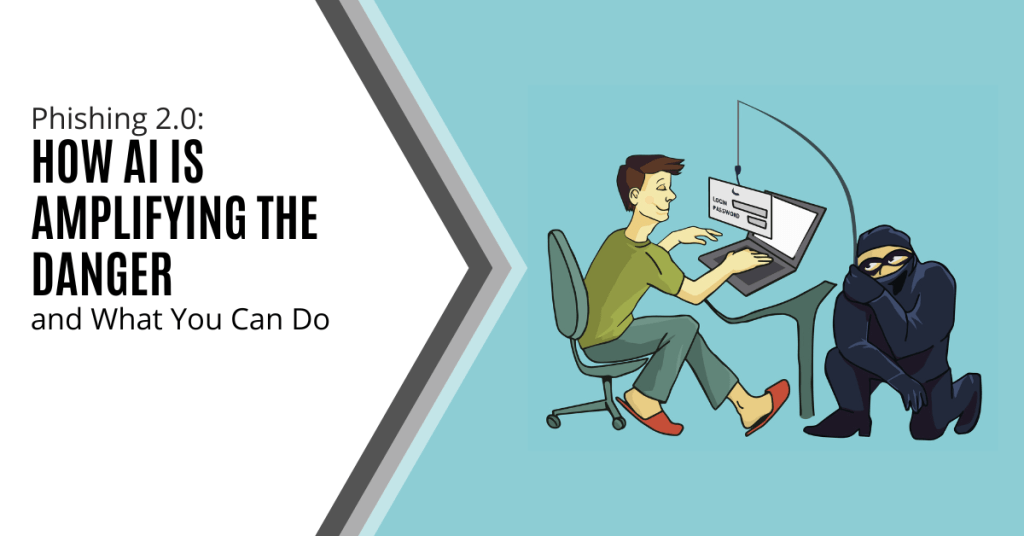
Phishing has always been a threat. With AI, it is more dangerous than ever. Phishing 2.0 is here. It is smarter, more convincing and harder to detect. Understanding this new threat is crucial.
A recent study found a 60% increase in AI-driven phishing attacks. This is a wake-up call that phishing is only getting worse. Here is how AI is amplifying phishing and what you can do to protect yourself.
The Evolution of Phishing
Phishing began simply. Attackers sent out mass emails. They hoped someone would take the bait. The emails were often crude and used poor grammar and obvious lies were common. Many people could spot them easily.
Things have changed. Attackers now use AI to improve their tactics. AI helps them craft convincing messages. It also helps them target specific individuals. This makes phishing more effective.
How AI Enhances Phishing
Creating Realistic Messages
AI can analyze huge amounts of data. It studies how people write and speak. This helps it create realistic phishing messages. These messages sound like they come from a real person. They mimic the tone and style of legitimate communications. This makes them harder to spot.
Personalized Attacks
AI can gather information from social media and other sources. It uses this information to create personalized messages. These messages mention details about your life. They might reference your job, hobbies or recent activities. This personalization increases the chances that you will believe the message is real.
Spear Phishing
Spear phishing targets specific individuals or organizations. It is more sophisticated than regular phishing. AI makes spear phishing even more dangerous. It helps attackers research their targets in depth. They can craft highly tailored messages. These messages are hard to distinguish from legitimate ones.
Automated Phishing
AI automates many aspects of phishing. It can send out thousands of phishing messages quickly. It can also adapt messages based on responses. If someone clicks a link but doesn’t enter information, AI can send a follow-up email. This persistence increases the likelihood of success.
Deepfake Technology
Deepfakes use AI to create realistic fake videos and audio. Attackers can use deepfakes in phishing attacks. For example, they might create a video of a CEO asking for sensitive information. This adds a new layer of deception. It makes phishing even more convincing.
The Impact of AI-Enhancing Phishing
Increased Success Rates
AI makes phishing more effective. More people fall for these sophisticated attacks. This leads to more data breaches. Companies lose money. Individuals face identity theft and other issues.
Harder to Detect
Traditional phishing detection methods struggle against AI-enhanced attacks. Spam filters may not catch them. Employees may not recognize them as threats. This makes it easier for attackers to succeed.
Greater Damage
AI-enhanced phishing can cause more damage. Personalized attacks can lead to significant data breaches. Attackers can gain access to sensitive information. They can also disrupt operations. The consequences can be severe.
How to Protect Yourself
Be Skeptical
Always be skeptical of unsolicited messages. Even if they appear to come from a trusted source. Verify the sender’s identity. Don’t click on links or download attachments from unknown sources.
Check for Red Flags
Look for red flags in emails. These might include generic greetings, urgent language or requests for sensitive information. Be cautious if the email seems too good to be true.
Use Multi-Factor Authentication (MFA)
MFA adds an extra layer of security. Even if an attacker gets your password, they will need another form of verification. This makes it harder for them to access your accounts.
Educate Yourself and Others
Education is key. Learn about phishing tactics. Stay informed about the latest threats. Share this knowledge with others. Training can help people recognize and avoid phishing attacks.
Verify Requests for Sensitive Information
Never provide sensitive information via email. If you receive a request, verify it through a separate communication channel. Contact the person directly using a known phone number or email address.
Use Advanced Security Tools
Invest in advanced security tools. Anti-phishing software can help detect and block phishing attempts. Email filters can screen out suspicious messages. Keep your security software up to date.
Report Phishing Attempts
Report phishing attempts to your IT team or email provider. This helps them improve their security measures. It also helps protect others from similar attacks.
Enable Email Authentication Protocols
Email authentication protocols like SPF, DKIM and DMARC help protect against email spoofing. Ensure these protocols are enabled for your domain. This adds an extra layer of security to your emails.
Regular Security Audits
Conduct regular security audits. This helps identify vulnerabilities in your systems. Addressing these vulnerabilities can prevent phishing attacks.
Need Help with Safeguards Against Phishing 2.0?
Phishing 2.0 is a serious threat. AI amplifies the danger and makes attacks more convincing and harder to detect. Have you had an email security review lately? Maybe it is time.
Contact us today to schedule a chat about phishing 2.0 safety.

Artificial intelligence (AI) is rapidly transforming industries. It offers businesses innovative solutions and automation capabilities. With this progress comes a growing concern: AI data breaches. As AI becomes more integrated into our systems, the risks increase. The data it collects, analyzes and utilizes becomes a target.
A recent study on AI security breaches revealed a sobering truth. In the last year, 77% of businesses have experienced a breach of their AI. This poses a significant threat to organizations. A breach can potentially expose sensitive data as well as compromise intellectual property and disrupt critical operations.
Wait before you hit the panic button! Let's explore why AI data breaches are on the rise as well as what steps you can take to safeguard your company's valuable information.
Why AI Data Breaches are Growing in Frequency
Several factors contribute to the increasing risk of AI data breaches:
- The Expanding Attack Surface: AI adoption is increasing fast. As it increases, so does the number of potential entry points for attackers. Hackers can target vulnerabilities in AI models and data pipelines as well as the underlying infrastructure supporting them.
- Data is the Fuel of AI: AI thrives on data. The vast amount of data collected for training and operation makes a tempting target. This data could include customer information, business secrets and financial records. It can even include personal details of employees.
- The "Black Box" Problem: Many AI models are complex and opaque. This makes it difficult to identify vulnerabilities and track data flow. This lack of transparency makes it challenging to detect and prevent security breaches.
- Evolving Attack Techniques: Cybercriminals are constantly developing new methods to exploit security gaps. Techniques like adversarial attacks can manipulate AI models. This can produce incorrect outputs or leak sensitive data.
The Potential Impact of AI Data Breaches
The consequences of an AI data breach can be far-reaching:
- Financial Losses: Data breaches can lead to hefty fines, lawsuits and reputational damage. This can impact your bottom line significantly.
- Disrupted Operations: AI-powered systems are often critical to business functions. A breach can disrupt these functionalities and hinder productivity and customer service.
- Intellectual Property Theft: AI models themselves can be considered intellectual property. A breach could expose your proprietary AI models and give competitors a significant advantage.
- Privacy Concerns: AI data breaches can compromise sensitive customer and employee information. This can raise privacy concerns and potentially lead to regulatory action.
Protecting Your Company from AI Data Breaches: A Proactive Approach
The good news is that you can take steps to mitigate the risk of AI data breaches. Here are some proactive measures to consider.
Data Governance
Put in place robust data governance practices. This includes:
- Classifying and labeling data based on sensitivity
- Establishing clear access controls
- Regularly monitoring data usage
Security by Design
Integrate security considerations into AI development or adoption. Standard procedures for AI projects should be:
- Secure coding practices
- Vulnerability assessments
- Penetration testing
Model Explainability
Invest in techniques like explainable AI (XAI) that increase transparency in AI models. This allows you to understand how the model arrives at its results as well as identify potential vulnerabilities or biases.
Threat Modeling
Conduct regular threat modeling exercises. This identifies potential weaknesses in your AI systems and data pipelines. This helps you rank vulnerabilities and allocate resources for remediation.
Employee Training
Educate your employees about AI security threats and best practices for data handling. Empower them to identify and report suspicious activity.
Security Patch Management
Keep all AI software and hardware components updated with the latest security patches. Outdated systems are vulnerable to known exploits which leaves your data at risk.
Security Testing
Regularly conduct security testing of your AI models and data pipelines. This helps identify vulnerabilities before attackers exploit them.
Stay Informed
Keep yourself updated on the latest AI security threats and best practices. You can do this by:
- Subscribing to reliable cybersecurity publications
- Attending industry conferences
- Seeking out online workshops on AI and security
Partnerships for Enhanced Protection
Consider working with a reputable IT provider that understands AI security. We can offer expertise in threat detection as well as a vulnerability assessment and penetration testing tailored to AI systems.
Additionally, explore solutions from software vendors who offer AI-powered anomaly detection tools. These tools can analyze data patterns. They identify unusual activity that might suggest a potential breach.
Get Help Building a Fortress Against AI Data Breaches
AI offers immense benefits. However, neglecting its security risks can leave your company exposed. Do you need a trusted partner to help address AI cybersecurity?
Our team of experts will look at your entire IT infrastructure (both AI and non-AI components). We will help you put proactive measures in place for monitoring and protection. Our team can help you sleep soundly at night in an increasingly dangerous digital space.
Contact us today to schedule a chat about your cybersecurity.